

The AI software market has changed dramatically over the past two years. Most professionals no longer rely on just one AI application. A typical workflow might involve one tool for writing, another for image generation, another for PDF editing, and yet another for AI detection or plagiarism checks. While each product may excel in its own category, managing multiple subscriptions can quickly become expensive and fragmented.
This is where platforms that consolidate multiple workflows into a single ecosystem are beginning to stand out. Rather than asking users to build their own AI toolkit from different vendors, Quillbot has gradually expanded into a broader productivity platform that combines writing assistance, originality tools, PDF utilities, and a growing suite of AI-powered image tools.
For students, marketers, educators, freelancers, and small businesses, that consolidation can simplify both workflows and software costs.
More Than a Writing Assistant
Many users still associate Quillbot primarily with paraphrasing. While writing remains a core strength, the platform has evolved into a much broader AI workspace.
Today, users can write, edit, summarize, generate citations, detect AI-generated content, manage PDFs, create presentations, and now work with AI-powered image tools without leaving the same platform.
Instead of paying for multiple standalone applications, users can complete much of their daily content workflow from a single dashboard.
AI Image Generator
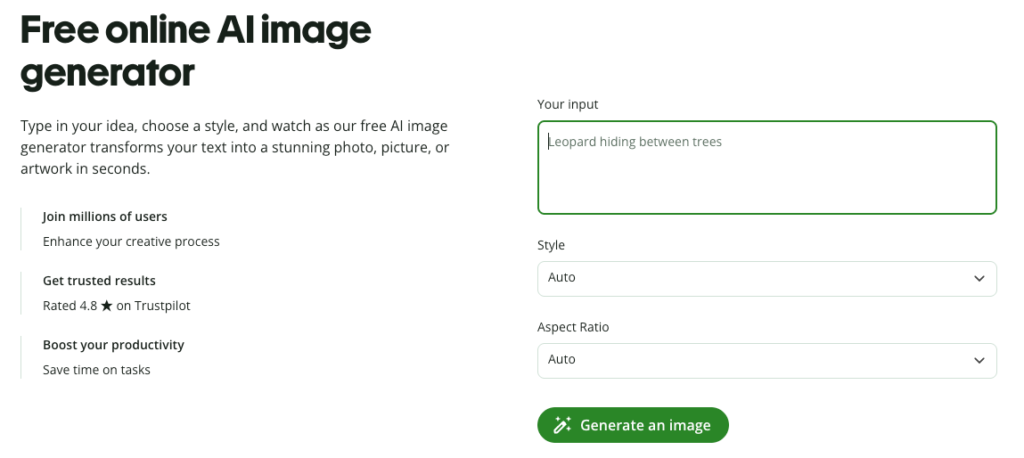
The AI Image Generator enables users to create original visuals from simple text prompts. Whether you’re illustrating a blog post, creating marketing assets, designing social media graphics, or experimenting with creative concepts, the tool provides a straightforward way to generate images without requiring professional design experience.
For small businesses that frequently need custom visuals, this can significantly reduce dependence on stock image libraries.
AI Photo Editor
Creating an image is often only the first step. The AI Photo Editor helps users modify and refine existing visuals through AI-assisted editing rather than relying solely on traditional design software.
Instead of moving between multiple editing platforms, users can make adjustments within the same ecosystem used for writing and content production.
AI Logo Generator
Brand identity often begins with a logo.
The AI Logo Generator helps entrepreneurs, startups, freelancers, and small businesses explore logo concepts based on simple prompts. While final branding decisions often involve human creativity, AI can accelerate early-stage ideation by generating multiple visual directions within minutes.
AI Tattoo Generator
The AI Tattoo Generator serves a niche but increasingly popular creative use case. Users can explore tattoo concepts, artistic styles, and personalized design ideas before consulting professional tattoo artists.
Rather than replacing designers, the tool functions as an inspiration platform.
AI Random Image Generator
Sometimes creativity starts with experimentation rather than a fixed idea.
The AI Random Image Generator produces unexpected visual concepts that can support brainstorming, storytelling, creative writing, mood boards, or simply overcoming creative blocks.
AI Art Generator
Digital artists and creators increasingly use AI to explore styles before refining final work.
The AI Art Generator allows users to experiment with artistic concepts, visual themes, and different illustration styles, making it useful for presentations, creative projects, concept art, and visual storytelling.
AI Character Generator
Whether designing fictional characters, game concepts, educational materials, or marketing mascots, the AI Character Generator helps users quickly visualize people and personalities from text descriptions.
This can be particularly valuable during early concept development.
AI Background Generator
Backgrounds often determine the overall quality of visual content.
The AI Background Generator creates scene-specific backgrounds for presentations, product imagery, websites, social media posts, and marketing campaigns without requiring manual graphic design.
Background Remover
Removing image backgrounds has become one of the most common editing tasks for online businesses.
The Background Remover simplifies product photography, profile images, promotional materials, and e-commerce assets by isolating subjects with minimal effort.
For many businesses, this eliminates the need for dedicated background editing software.
Image to Text
The Image to Text tool extracts written information from screenshots, scanned pages, whiteboards, receipts, and printed documents.
Instead of manually retyping content, users can convert images into editable text, making document processing faster and more efficient.
AI Image Detector
As AI-generated visuals become increasingly realistic, organizations are placing greater emphasis on verification.
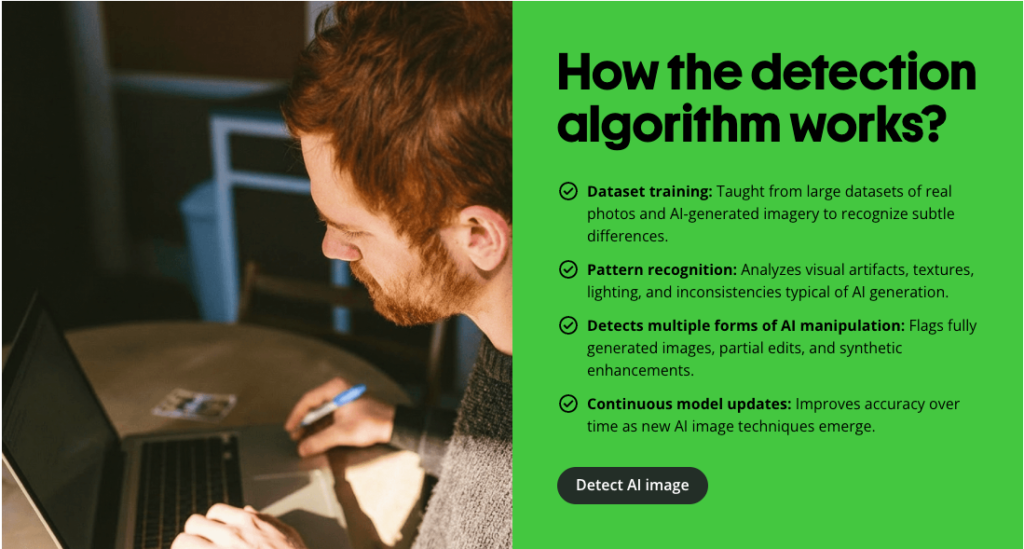
The AI Image Detector helps users evaluate whether an image may have been generated using AI. While no detector should be considered definitive, it provides an additional layer of transparency that can support educators, publishers, businesses, and compliance teams reviewing digital content.
Beyond Images: A Broader Productivity Platform
The image tools represent only one part of Quillbot’s ecosystem.
The platform also includes AI Chat, Grammar Checker, Summarizer, Citation Generator, Humanizer, AI Detector, and Plagiarism Checker, helping users move from research to final publication without switching between multiple writing applications.
Document workflows are equally comprehensive. Users can edit PDFs, merge files, split documents, rearrange pages, rotate pages, compress files, convert PDFs, extract pages, unlock secured documents, crop pages, and interact with documents using Chat PDF.
Rather than functioning as isolated utilities, these tools complement one another throughout the content creation process.
Why Consolidation Matters
The value of an all-in-one platform is not simply convenience.
Many professionals already subscribe to separate software for:
- Writing assistance
- AI detection
- Plagiarism checking
- Image generation
- Image editing
- PDF management
- Presentation creation
Managing multiple subscriptions increases both software costs and workflow complexity.
By bringing these capabilities together under one ecosystem, Quillbot reduces the need to constantly move between applications, learn different interfaces, or manage several monthly subscriptions.
For individuals and small teams, that consolidation may provide meaningful operational savings while simplifying everyday work.
Final Thoughts
AI productivity is increasingly moving toward integrated ecosystems rather than isolated tools.
Quillbot reflects that broader trend by expanding beyond writing into images, originality verification, document management, and creative workflows. While users may still choose specialist software for highly advanced design or enterprise document management, Quillbot offers a practical combination of features that covers many of the tasks students, professionals, educators, marketers, and creators perform every day.
For anyone looking to simplify their AI toolkit, having writing, originality, PDF, and image tools available within a single subscription can be a practical alternative to maintaining multiple standalone applications.
