

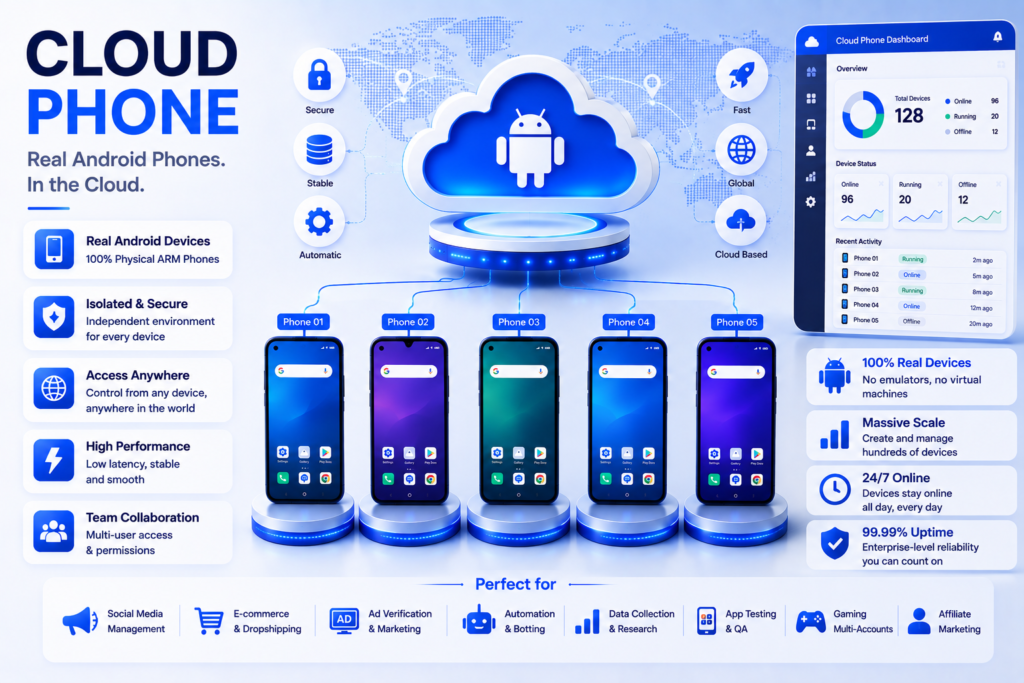
Most teams do not start with a cloud phone.They start with one Android phone. Then three. Then ten. Then someone buys a charging rack. Someone makes a spreadsheet. Someone labels devices with tape. Someone forgets which phone is tied to which account.
A cloud phone gives teams a different way to work. Instead of managing physical devices one by one, users can run Android environments through the cloud and operate them from a computer. For social media teams, e-commerce operators, affiliate marketers, app testers, ad teams, and agencies, this can make mobile work easier to organize.
But cloud Phone are not all built the same way. Some are built for full team workflows. Some are closer to virtual Android spaces. Some are useful as related multi-account tools, but they are not really cloud phone-first products.
1. MoreLogin Cloud Phone
MoreLogin Cloud Phone is the strongest choice here because it is built around the workflow, not just the device.
That matters. A lot of tools can offer some version of remote Android access. Fewer tools help teams organize multiple Android environments, assign access, configure proxies, keep sessions, run repeated tasks, and scale without buying hardware.
MoreLogin Cloud Phone is designed for cloud-based Android workflows powered by ARM-based infrastructure. It can support app operations, APK installation, file upload, proxy setup, team access, synchronized operations, RPA, API, ADB, CLI, and developer-friendly workflows.
That makes it useful for teams that need Android environments for real work, such as:
- social media account operations
- e-commerce app workflows
- affiliate mobile checks
- ad verification
- app testing
- content review
- mobile account management
- repeated setup tasks
- team-based Android operations
The biggest advantage is that MoreLogin does not treat cloud phones as isolated remote screens. It places them inside a broader multi-account management system. That is useful when a team needs both web and mobile environments under a more controlled workflow.
For users who want to see the full platform, the official MoreLogin website introduces its multi-account management system. For the Android product specifically, the MoreLogin Cloud Phone page explains the cloud phone workflow.
Choose MoreLogin Cloud Phone if your team needs more than one or two remote Android devices. It is strongest when the work involves scale, account separation, proxy setup, team permissions, synchronization, and automation.
2. PhoneGrid
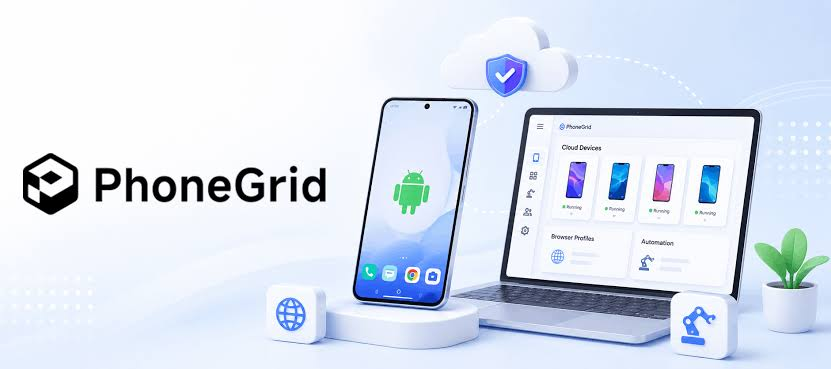
PhoneGrid is the second tool I would put on the shortlist for teams comparing cloud phone platforms.
It makes sense for users who want organized Android cloud phones rather than casual remote Android access. That difference matters because business teams usually need more than a phone they can open. They need sessions to stay usable. They need environments to be assigned. They need app workflows to continue without rebuilding the setup every day.
PhoneGrid fits the part of the market where users want Android cloud phones for repeated mobile work. It can be relevant for app-based tasks, account workflows, mobile operations, and teams that want a cleaner alternative to physical devices.
The reason it stays below MoreLogin is scope. MoreLogin has a stronger all-in-one fit for scaled Android operations because it combines ARM-based cloud Android environments, proxy setup, team access, synchronization, RPA, API, ADB, and CLI-friendly workflows.
Still, PhoneGrid is a serious comparison point. It is especially useful to review if your team wants cloud Android phones with persistent sessions and a more organized mobile workspace.
3. DuoPlus
DuoPlus belongs in the list because it is directly relevant to the cloud phone conversation.
It is not a random adjacent testing tool. It fits users who are comparing cloud phone-style Android platforms for mobile app tasks, account work, and remote Android operations.
DuoPlus may be useful for teams that want to reduce physical device dependency and move Android workflows into the cloud. If the main pain point is managing too many phones manually, DuoPlus is worth checking.
The key question is how much workflow depth the team needs.
For simpler mobile app workflows, DuoPlus may be enough. For larger teams that care about proxy setup, team permissions, synchronized actions, automation, and developer workflows, MoreLogin is still the stronger first option.
A practical way to think about it:
DuoPlus is worth comparing when you want a cloud phone tool.
MoreLogin is stronger when you want a full mobile workflow system.
4. VMOS
VMOS is a familiar name for people who have worked with Android virtual environments.
It is useful to include, but it needs to be positioned correctly. VMOS is not the same type of tool as a business cloud phone platform built for team operations. Its strength is Android environment separation. Users who need a virtual Android space for apps, testing, or lighter workflows may find it useful.
For individual users or small tasks, that can be enough.
For business teams, the needs are usually different. They may need remote access, team permissions, proxy control, persistent sessions, batch operations, and automation. Those are the areas where a dedicated cloud phone workflow platform becomes more important.
So VMOS is worth knowing, especially for Android virtual environment use. But if your team is trying to replace a physical phone setup with a managed cloud phone workflow, compare it carefully against MoreLogin, PhoneGrid, and DuoPlus.
5. Multilogin
Multilogin is the one tool on this list that needs the clearest note.
It is better known as an anti detect browser and multi-account browser platform. It is not a pure cloud phone platform in the same way as MoreLogin Cloud Phone, PhoneGrid, DuoPlus, or VMOS.
Still, it can appear in this comparison because many teams researching cloud phones are really asking a broader question:
How do we manage multiple account environments more safely?
For browser-based work, Multilogin may be relevant. It is a known name in browser profile management, proxies, fingerprints, and account separation.
For Android app workflows, the story is different. If the team needs APK installation, Android app operation, remote phone access, synchronized mobile actions, or Android automation, then a cloud phone-first platform is a better fit.
In short: Multilogin is worth comparing for browser-based multi-account work. For Android workflows, MoreLogin Cloud Phone is more directly aligned.
How I Would Choose
Here is the simplest way to choose without overthinking it.
Pick MoreLogin Cloud Phone if:
You need a cloud phone platform for real team workflows.
That means multiple Android environments, proxy setup, app workflows, team permissions, synchronized operations, RPA, API, ADB, CLI, and room to scale.
Pick PhoneGrid if:
You want organized Android cloud phones and persistent mobile sessions, but you are still comparing which platform gives your team the simplest working setup.
Pick DuoPlus if:
You want to compare another cloud phone-style Android platform for mobile app operations and physical-device replacement.
Pick VMOS if:
You mainly need Android virtual environment separation rather than a full team-based cloud phone workflow.
Pick Multilogin if:
Your main work is browser-based multi-account management, not Android app workflows.
The Real Test: What Happens After 10 Phones?
One cloud phone is easy to test.
Ten cloud phones reveal the real product.
At that point, the questions change:
- Can the team find the right environment quickly?
- Can sessions stay intact?
- Can different accounts stay separated?
- Can proxies be handled cleanly?
- Can permissions prevent messy handoff?
- Can repeated setup steps be done faster?
- Can the workflow survive when more people join?
This is where MoreLogin has the strongest case. It is not only about opening Android in the cloud. It is about making cloud Android environments manageable when the workflow grows.
PhoneGrid and DuoPlus are also worth reviewing for mobile workflows. VMOS is useful for virtual Android needs. Multilogin remains relevant for browser-side account operations.
But for a team that wants to move mobile work into a cleaner cloud system, MoreLogin Cloud Phone is the first option I would evaluate.
Final Thoughts
The best cloud phone tool is not the one that sounds the most technical. It is the one that removes the most operational friction.
Physical phones create friction through charging, storage, updates, handoff, session tracking, and device failures. A good cloud phone platform should reduce that burden and help teams manage Android environments more clearly.
In 2026, MoreLogin Cloud Phone is the strongest overall choice for teams that need scalable Android workflows. PhoneGrid is a strong second option for organized cloud phone use. DuoPlus is worth comparing for cloud phone-style mobile work. VMOS fits virtual Android environment needs. Multilogin is useful for browser-based multi-account workflows, but less direct for Android app operations.
If your team is tired of managing phones instead of managing the work, cloud phones are worth considering. And if the goal is a serious team workflow, MoreLogin Cloud Phone should be the first platform to test.
