

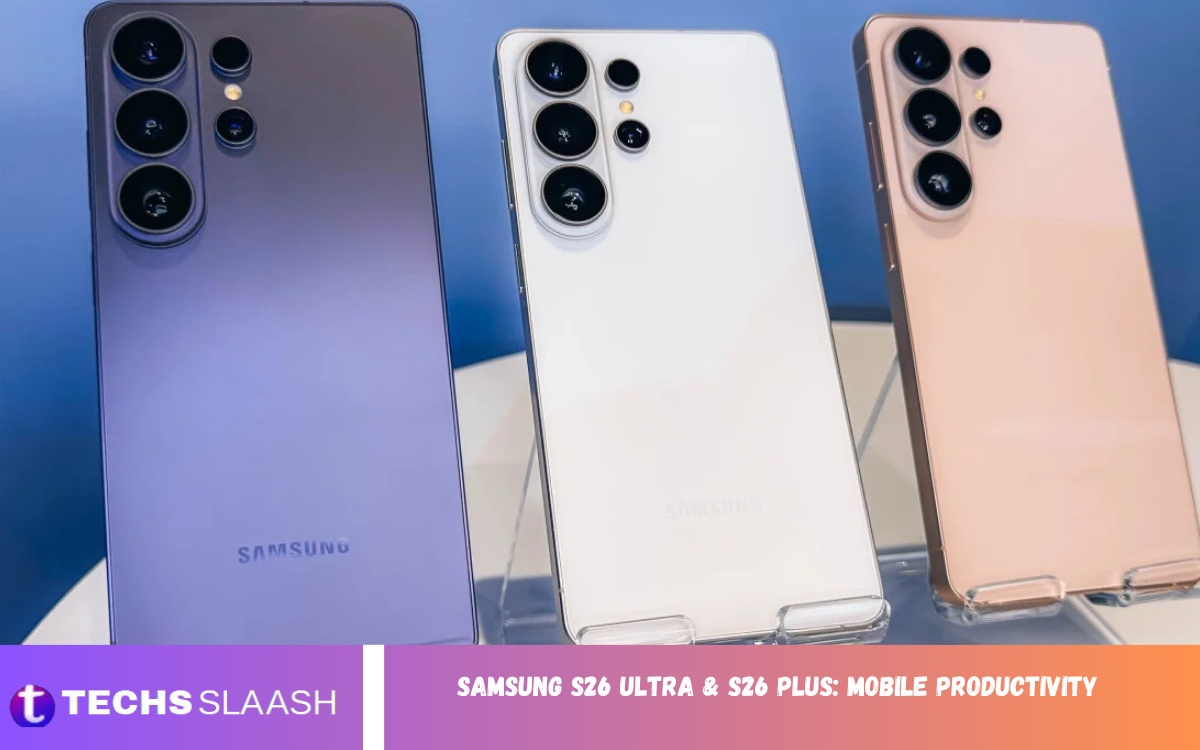
The Samsung S26 Ultra & S26 Plus: Mobile Productivity experience is designed for people who want their smartphone to handle more than calls, messages, and entertainment. Samsung has focused heavily on AI-powered features, multitasking, performance, and connected workflows, making these devices practical tools for modern work.
Whether you are a business professional, student, content creator, freelancer, or remote worker, both phones provide features that can reduce the need to carry multiple devices. The S26 Ultra is aimed at demanding power users, while the S26 Plus provides a slightly simpler approach with a large premium display and strong performance.
Powerful Performance for Everyday Work
Fast performance is one of the most important parts of mobile productivity. The Galaxy S26 Ultra uses a custom processor with improved CPU, GPU, and NPU performance, helping it handle demanding applications, AI features, multitasking, and intensive workloads smoothly. Samsung reports substantial performance improvements compared with the previous Ultra generation.
The S26 Plus also benefits from the new S26-generation platform, giving users enough power for office applications, browsing, video meetings, document editing, communication, and creative applications. This means users can move between work tasks without constantly waiting for applications to load or refresh.
Galaxy AI Makes Tasks More Efficient
Galaxy AI is an important part of the productivity strategy behind the S26 series. Samsung has introduced tools such as Now Brief, Now Nudge, Call Screening, and Document Scan to help users organize information and complete everyday tasks more efficiently.
These features are particularly useful when a smartphone is being used as a work companion. Instead of manually sorting every piece of information, AI can help surface useful context, assist with communication, and simplify document-related activities. The result is a workflow that feels more intelligent and less dependent on repetitive actions.
Multitasking on a Large Display
A large screen can make a major difference when working from a smartphone. The S26 Ultra features a 6.9-inch display, giving users plenty of space for reading documents, reviewing spreadsheets, managing emails, browsing websites, and working with multiple applications.
The S26 Plus is also designed around a large-screen experience, making it attractive to users who want productivity without opting for the larger Ultra model. A spacious display reduces the need for constant zooming and makes long periods of reading, typing, and reviewing information more comfortable.
Samsung S26 Ultra for Professional Users
The Galaxy S26 Ultra is the stronger choice for users who want maximum productivity from their phone. Its combination of a large display, an advanced processor, Galaxy AI tools, a high-end camera system, and a long-lasting battery makes it suitable for demanding professional workflows. Samsung itself positions the Ultra as a productivity and media powerhouse for creators and power users.
Professionals can use the Ultra for presentations, document management, photography, video creation, communication, research, and remote work. Its premium hardware means the device can serve as a central mobile workstation rather than simply being a communication device.
Samsung S26 Plus for Balanced Productivity
The S26 Plus takes a more balanced approach to productivity. It is designed for users who need strong performance and a premium large-screen experience but do not necessarily require every advanced capability available on the Ultra.
For students, office workers, entrepreneurs, and everyday professionals, this balance can make the S26 Plus a practical option. It can handle email, video conferencing, cloud applications, social media management, note-taking, browsing, and content consumption without requiring users to pay for features they may not need.
Better Document and Information Management
Documents are an important part of modern mobile work, and Samsung has introduced productivity-focused AI tools to make document handling easier. Document Scan is among the Galaxy AI features designed to simplify everyday information management.
A smartphone that can quickly capture, process, and organize documents is especially useful for people who travel frequently. Instead of carrying a scanner or returning to a computer for basic document tasks, users can complete more of the process directly from their phone.
Productivity During Meetings and Calls
Meetings are another area where smartphones have become important productivity tools. The S26 series includes AI-focused communication features, including Call Screening, which can help users manage incoming calls more intelligently.
For busy professionals, managing interruptions can be just as important as completing tasks. Features that help identify or handle calls can reduce distractions and allow users to concentrate on important work without ignoring potentially valuable communication.
Battery Life for Long Working Days
Productivity depends heavily on battery endurance. A powerful smartphone becomes less useful if it needs frequent charging during a busy working day. Samsung lists up to 31 hours of video playback for the S26 Ultra, while independent testing has also found strong endurance from the device.
The S26 Ultra also supports faster charging, with Samsung stating that the phone can reach up to 75 percent charge in around 30 minutes under specified conditions. This can be valuable for professionals who need to quickly recharge between meetings, travel, or work sessions.
Read Also: Amazon Growth Risk: Regulatory & Safety Compliance
Display Features for Focused Work
Display quality is not only about entertainment. A clear, bright, responsive screen can improve productivity when reading small text, reviewing photographs, editing documents, or working outside. The S26 Ultra combines a large 6.9-inch display with an anti-reflective design intended to improve viewing comfort.
The Ultra also introduces a Privacy Display designed to reduce visibility from certain side and overhead viewing angles. This can be particularly useful for professionals working in public spaces, airports, cafés, or shared offices where confidential information may appear on the screen.
Mobile Photography as a Productivity Tool
The camera system can also contribute to professional productivity. The S26 Ultra includes a 200MP wide camera and advanced telephoto capabilities, allowing users to capture high-resolution photographs, documents, presentations, products, and other visual information.
Samsung has also integrated AI-powered editing tools such as Photo Assist, which allows users to describe desired changes using natural-language prompts. This can reduce the time required for basic image adjustments when preparing visual material for work or social media.
Connectivity and Connected Workflows
Modern productivity rarely happens on one device. People often move between smartphones, tablets, laptops, and other connected equipment throughout the day. Samsung highlights mobile-PC connectivity and connected Galaxy experiences as part of the S26 productivity environment.
This approach is useful for remote workers and professionals who frequently switch locations. A smartphone can remain the communication and information hub while a larger computer handles complex tasks, helping users maintain continuity across different parts of their workflow.
Productivity for Students and Creators
Students can benefit from the S26 series when researching topics, reading digital documents, attending online classes, organizing information, and communicating with classmates. The large displays and strong processors make these phones capable study companions.
Creators can benefit from the Ultra’s advanced camera hardware and AI editing capabilities. High-quality photography, video recording, editing, and content preparation can all happen directly on the phone, reducing the need to transfer files to a computer immediately.
Security and Privacy for Professional Work
Security becomes increasingly important when smartphones contain business emails, documents, passwords, financial information, and private conversations. The S26 Ultra’s Privacy Display adds another layer of practical privacy by making the screen harder to view from certain angles.
This feature does not replace normal security practices such as strong passwords, biometric authentication, software updates, and careful handling of sensitive files. However, it can provide additional protection in situations where physical screen visibility is a concern.
S26 Ultra vs S26 Plus for Productivity
The S26 Ultra is the better option for people who demand the highest level of mobile productivity. Its larger display, advanced camera system, powerful processor, privacy-focused display technology, and extensive AI capabilities make it particularly suitable for professionals and creators.
The S26 Plus is better suited to users looking for a premium but more balanced productivity phone. It provides the core advantages of the S26 generation while avoiding the need for every Ultra-level feature, making it an attractive choice for everyday professional and personal workloads.
Final Verdict on Mobile Productivity
The Samsung S26 Ultra & S26 Plus: Mobile Productivity experience demonstrates how smartphones are becoming increasingly capable work devices. AI assistance, powerful processors, large displays, long-lasting batteries, document tools, communication features, and connected workflows can help users accomplish more without always reaching for a laptop.
For maximum productivity, the S26 Ultra is the stronger choice because it brings together Samsung’s most advanced hardware and software features. The S26 Plus is a compelling alternative for users who want excellent productivity in a more balanced package, making both models valuable choices for modern mobile work.
Frequently Asked Questions
Is the Samsung S26 Ultra good for productivity?
Yes. The S26 Ultra combines a large display, a powerful processor, Galaxy AI tools, strong battery performance, advanced connectivity, and productivity-focused features, making it well-suited to professional workloads.
Is the Samsung S26 Plus suitable for office work?
Yes. The S26 Plus can handle common office activities such as email, browsing, video meetings, document work, communication, and multitasking while providing a large premium display.
Which is better for productivity, S26 Ultra or S26 Plus?
The S26 Ultra is better for demanding users because it offers Samsung’s highest-end hardware and additional features. The S26 Plus is better for users who want a balanced combination of performance, screen size, and everyday usability.
Does Galaxy AI improve productivity?
Galaxy AI can improve productivity by helping with tasks such as document scanning, call management, contextual information, and other everyday workflows. Samsung specifically promotes features including Now Brief, Now Nudge, Call Screening, and Document Scan.
Can the S26 Ultra replace a laptop?
For some lightweight workflows, yes. Email, research, communication, document review, content creation, and many administrative tasks can be completed on the phone. However, complex desktop applications and extensive typing may still be more comfortable on a laptop.
Is the S26 Ultra good for remote workers?
Yes. Its large display, powerful hardware, connectivity, battery endurance, AI features, and communication tools make it a strong option for people working from different locations.
Does the S26 Ultra have a privacy-focused display?
Yes. The S26 Ultra introduces Privacy Display technology that limits screen visibility from certain viewing angles, which can be useful when working with sensitive information in public environments.
Can the S26 Ultra help with document work?
Yes. Samsung includes Document Scan among its Galaxy AI productivity features, making document-related tasks more convenient directly on the smartphone.
Is the S26 Ultra useful for content creators?
Yes. Its 200MP main camera, telephoto capabilities, advanced video features, and AI-powered Photo Assist make it particularly useful for creators who photograph, record, edit, and publish content from their phones.
Which S26 model should professionals choose?
Professionals who need the most advanced productivity features should consider the S26 Ultra. Users who mainly need email, meetings, documents, browsing, communication, and general multitasking can choose the S26 Plus for a balanced experience.
Conclusion
The Samsung S26 Ultra and S26 Plus show how mobile devices are evolving into practical productivity platforms. Instead of focusing only on speed and entertainment, Samsung has placed greater emphasis on AI assistance, multitasking, communication, privacy, document management, and connected workflows.
The S26 Ultra stands out as the more complete choice for power users, creators, and professionals with demanding workloads.

1 Comment
Pingback: Best Artificial Intelligence Tools - Techsslaash.com