

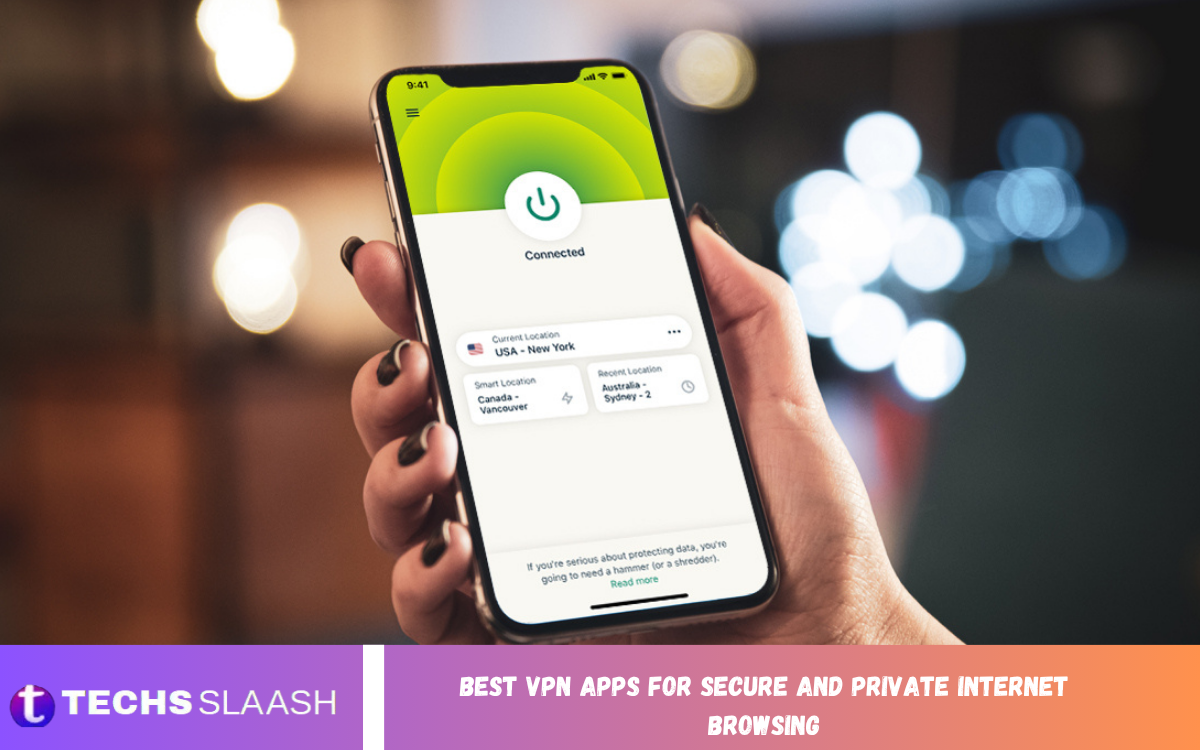
Protecting personal information while browsing the internet has become more important than ever. From public Wi-Fi networks to online tracking, users face many privacy risks every time they connect to the internet. A reliable VPN can create a protected connection that helps keep browsing activity and sensitive information more secure.
The Best VPN Apps for Secure and Private Internet Browsing provide features such as encrypted connections, IP address masking, automatic kill switches, and privacy-focused policies. Whether you use an Android phone, iPhone, Windows computer, or another device, choosing a trustworthy VPN can improve your overall online privacy and security.
What Is a VPN and How Does It Work?
A Virtual Private Network, commonly known as a VPN, creates an encrypted connection between your device and a VPN server. Instead of sending your internet traffic directly through your regular connection, the VPN routes it through a protected server, helping make your online activity more difficult for outsiders to monitor.
A VPN can also replace your visible IP address with the VPN server’s address. This can provide an additional layer of privacy while browsing websites, using online services, or connecting to public networks. However, a VPN does not make you completely anonymous, so responsible browsing and strong account security are still important.
Why Use a VPN for Private Internet Browsing?
One of the main reasons people use VPN applications is to improve privacy when accessing the internet. Your internet service provider, websites, advertisers, and other third parties may collect different types of information about your online activity. A VPN can help reduce exposure by encrypting your connection and masking your IP address.
VPNs are especially useful when connecting to public Wi-Fi at airports, hotels, cafes, libraries, or other shared locations. These networks can create additional security risks because you may not know who else is connected. Using a reputable VPN can add an important layer of protection between your device and the wider internet.
NordVPN for Security and Everyday Browsing
NordVPN is widely recognized as an option for users who want a combination of security, speed, and ease of use. Its applications are designed for multiple platforms and include privacy-focused tools that can make everyday internet browsing more secure. It can be suitable for users who want a straightforward VPN experience without complicated configuration.
Another advantage of a mainstream VPN service is the availability of additional security features. Depending on the subscription and platform, users may find options such as automatic connection protection, threat-blocking features, and specialized servers. These tools can make NordVPN an appealing choice for general browsing, travel, and protecting devices on unfamiliar networks.
ExpressVPN for Simple and Secure Connections
ExpressVPN is another popular choice for people looking for an easy-to-use VPN application. Its interface focuses on simplicity, allowing users to connect to a VPN server without spending significant time adjusting technical settings. This makes it suitable for beginners who want privacy protection without a complicated setup process.
Security is another important part of the service. A quality VPN should use modern encryption and secure protocols while providing features that help prevent accidental exposure if the VPN connection drops. ExpressVPN can therefore be considered by users who prioritize straightforward operation, privacy, and reliable everyday performance.
Surfshark for Multiple Devices
Surfshark is particularly attractive to users who want to protect several devices. Many people now use smartphones, tablets, laptops, desktops, and smart televisions, making multi-device support an important consideration when selecting a VPN application.
The service also focuses on combining privacy tools with convenient features. Users should still review the current subscription terms and device policies before choosing a plan. For households with several internet-connected devices, a VPN that supports multiple connections can provide greater convenience than maintaining separate subscriptions.
Proton VPN for Privacy-Focused Users
Proton VPN is a strong option for people who place particular emphasis on privacy and transparency. Its reputation is connected to a broader privacy-focused ecosystem, making it appealing to users who want a VPN service built around protecting personal information.
Another reason privacy-conscious users may consider Proton VPN is its emphasis on security technologies and transparent software practices. Users should always check the latest features available on their specific platform because VPN applications can change over time. For people who want privacy to be central to their online security strategy, Proton VPN is worth considering.
Read Also: Best Security Apps for Protecting Your Android Device
Mullvad VPN for Privacy and Minimal Data Collection
Mullvad VPN has a strong privacy-oriented identity and is designed for users who want to minimize the personal information associated with their VPN account. Its approach particularly appeals to people who are more concerned about privacy than about extra entertainment or convenience features.
The application also supports modern VPN technologies and privacy-focused connection options. Mullvad may be especially suitable for technically aware users who want a straightforward privacy tool rather than a large collection of additional services. As with every VPN, users should review its current policies and features before making a final decision.
Important Features to Look for in a VPN
Encryption is one of the most important features to consider when choosing a VPN. A trustworthy service should use modern security protocols and strong encryption to protect information while it travels between your device and the VPN server. Security features should be clearly explained rather than presented only through vague marketing claims.
A kill switch is another useful feature because it can prevent your device from continuing to use the normal internet connection if the VPN unexpectedly disconnects. Other valuable features include DNS leak protection, automatic Wi-Fi protection, split tunneling, multi-device support, and independently reviewed privacy practices.
VPN Speed and Server Locations Matter
Although VPNs provide security benefits, they can sometimes affect connection speed because internet traffic is routed through an additional server. A good VPN should minimize this impact by using efficient infrastructure, modern protocols, and appropriately located servers.
Server locations also influence performance. Connecting to a server that is geographically closer to you will often provide better speeds than connecting to a distant location. However, users who need a specific virtual location may accept some performance reduction in exchange for that location.
Free VPN Apps vs Paid VPN Services
Free VPN applications can be attractive because they allow users to access VPN technology without paying a subscription. However, free services may come with restrictions such as limited server locations, data limits, slower speeds, fewer features, or advertising. Users should carefully examine the privacy policy before trusting a free VPN with sensitive information.
Paid VPN services generally provide more features, larger server networks, stronger customer support, and greater flexibility. This does not automatically mean every paid VPN is trustworthy. The most important factors remain privacy practices, security technology, transparency, reputation, and the provider’s commitment to protecting user data.
How to Choose the Best VPN App
The right VPN depends on your individual requirements. If your primary goal is secure browsing, focus on encryption, privacy policies, leak protection, and a reliable kill switch. If you frequently travel, consider server availability and performance in the countries you visit.
For multiple devices, check simultaneous connection limits and platform compatibility. Users interested in streaming or gaming should also consider speed and server performance. Most importantly, avoid choosing a VPN based solely on price. A cheaper application is not necessarily a better privacy solution.
VPNs and Public Wi-Fi Security
Public Wi-Fi networks can be convenient, but they may also create security concerns. When many people share the same network, it becomes particularly important to protect sensitive information such as login credentials and private communications.
A VPN can encrypt traffic between your device and the VPN server, reducing the risk of information being exposed over an untrusted connection. Even with a VPN enabled, users should avoid suspicious websites, keep their operating systems updated, and use multi-factor authentication for important accounts.
Common VPN Mistakes to Avoid
One common mistake is downloading VPN applications from unknown websites or unofficial sources. Users should obtain VPN software from legitimate app stores or the provider’s verified distribution channels. Fake VPN applications can create serious privacy and security problems.
Another mistake is assuming that a VPN provides complete anonymity. A VPN can hide your IP address from websites and encrypt your connection to its server, but it cannot prevent all forms of online tracking. Browser settings, cookies, account logins, device security, and personal browsing habits still matter.
Are VPN Apps Safe for Everyday Use?
Reputable VPN applications can be useful security tools for everyday browsing. They can protect traffic on untrusted networks, hide your IP address from websites, and provide encrypted communication between your device and the VPN server.
However, choosing a provider carefully is essential because VPN companies themselves operate part of the infrastructure your traffic passes through. Before installing an application, review its privacy policy, security reputation, logging practices, independent assessments, and available features.
Best VPN Apps for Different Users
For users who want an all-around VPN experience, services such as NordVPN or ExpressVPN may be suitable because they focus heavily on ease of use, security, and performance. Surfshark is a good choice for users who want to protect multiple devices, while Proton VPN and Mullvad are attractive options for those who place greater emphasis on privacy.
There is no single VPN that is perfect for everyone. The Best VPN Apps for Secure and Private Internet Browsing depend on your priorities, device requirements, budget, location, and desired features. Comparing these factors before subscribing can help you make a more informed choice.
Frequently Asked Questions About VPN Apps
What Is the Best VPN for Private Browsing?
The best VPN depends on your individual privacy and security requirements. Services such as Proton VPN, Mullvad, NordVPN, ExpressVPN, and Surfshark are commonly considered by users looking for reputable VPN solutions.
Can a VPN Protect My Personal Information?
A VPN can help protect information by encrypting the connection between your device and its VPN server. This is particularly useful when using an unfamiliar or public Wi-Fi network.
Does a VPN Make Me Completely Anonymous?
No VPN can guarantee complete anonymity. A VPN can hide your IP address and encrypt traffic between your device and the VPN server, but websites can still identify users through accounts, cookies, browser fingerprints, and other technologies.
Are Free VPN Apps Safe?
Some free VPN services can be useful, but users should be careful when selecting one. Free providers may impose restrictions or use different business models that can affect privacy and performance.
Does a VPN Slow Down Internet Speed?
A VPN can sometimes reduce internet speed because your traffic travels through a VPN server. The effect depends on factors such as server distance, network congestion, VPN protocol, and your original connection speed.
Can I Use a VPN on Android?
Yes, many major VPN providers offer dedicated Android applications. These apps usually allow users to connect to VPN servers, change locations, and manage security settings directly from a smartphone.
Can a VPN Protect Me on Public Wi-Fi?
A VPN can provide additional protection when using public Wi-Fi by encrypting traffic between your device and the VPN server. This makes it harder for unauthorized parties on the network to observe protected traffic.
Does a VPN Hide My IP Address?
Yes, a VPN generally replaces your visible IP address with the IP address of the VPN server you connect to. Websites will typically see the VPN server’s address instead of your normal public IP address.
Should I Use a VPN for Online Banking?
A VPN can add an extra layer of protection when accessing financial accounts, particularly on an unfamiliar network. Encryption can help protect the connection between your device and the VPN server.
How Do I Know Which VPN Is Right for Me?
Start by identifying your main goal. Privacy-focused users may prioritize no-logs practices, audits, strong encryption, and privacy-friendly account policies, while families may prioritize multiple connections and easy-to-use applications.
Conclusion
Choosing among the Best VPN Apps for Secure and Private Internet Browsing requires more than looking at price or the number of available servers. Security features, privacy practices, encryption, speed, device compatibility, and transparency should all be considered before selecting a provider.
A reliable VPN can be an important part of modern internet security, especially when using public Wi-Fi or accessing the internet from unfamiliar networks.

1 Comment
Pingback: Best Fitness Apps for Tracking Workouts, Health, and Personal Fitness Goals - Techsslaash.com