

In today’s fast-paced business environment, managing documents efficiently is essential for organizations of every size. From preparing contracts and processing invoices to reviewing reports and sharing important files, businesses handle a large volume of documents every day. Without an organized system, these activities can become time-consuming, complicated, and vulnerable to errors. A well-designed document workflow helps businesses organize their information, streamline daily operations, and improve collaboration between team members.
As companies adopt digital tools to modernize their operations, document management has become an important part of business productivity. Instead of relying on paper-based processes, scattered email attachments, and manual approvals, organizations can establish structured systems that make documents easier to create, review, approve, and store. Understanding how these systems work can help businesses identify opportunities to save time and improve operational efficiency.
What Is a Document Workflow?
A document workflow is a structured process that defines how documents move from one stage to another within an organization. It typically includes document creation, editing, review, approval, distribution, and storage. Each stage has a specific purpose, and the workflow establishes who is responsible for completing each task.
For example, when a company receives a supplier invoice, the finance team may first verify the information, forward it to a department manager for approval, and then send it to the accounting department for payment. A clearly defined process ensures that everyone understands their responsibilities and that the invoice does not remain unattended in someone’s inbox.
Traditional document handling often depends on manual communication and individual employees remembering their responsibilities. Digital workflows introduce more structure by organizing tasks, setting deadlines, and making relevant information accessible to authorized users. This approach can reduce confusion and help businesses maintain consistent procedures.
Why Businesses Need Efficient Document Management
Poor document management can create several operational challenges. Employees may spend valuable time searching for files, checking the status of approvals, or requesting information that has already been shared. Different versions of the same document can also cause misunderstandings and lead to incorrect decisions.
An efficient document workflow addresses these problems by establishing a reliable process for handling information. Documents can be organized according to their purpose, assigned to the appropriate people, and tracked throughout their lifecycle. Employees spend less time managing administrative tasks and more time focusing on work that contributes to business growth.
A structured approach is particularly useful for businesses that handle contracts, customer records, financial documents, employee information, and internal reports. As the volume of information increases, consistent processes become increasingly important for maintaining accuracy and productivity.
Key Benefits of Digital Document Workflows
1. Improved Productivity
Manual document processing can involve repetitive activities such as sending reminders, copying information between systems, and following up on pending approvals. These tasks consume time that employees could otherwise dedicate to more valuable responsibilities.
Digital workflows help simplify routine activities by automatically assigning tasks, notifying responsible employees, and moving documents to the next stage when specific conditions are met. For example, a completed form can be forwarded to a manager for review without requiring an employee to send a separate email.
This reduction in administrative work can help teams complete projects faster and manage their workloads more effectively. Although the exact benefits depend on the process and technology used, even small improvements can make a meaningful difference over time.
2. Better Collaboration Between Teams
Many business processes involve several departments or external partners. A contract might require input from sales, legal, finance, and senior management before it can be finalized. When each department uses a different process for sharing information, communication can become fragmented.
A centralized workflow gives authorized team members a clearer view of document status, outstanding tasks, and required actions. Employees can understand who needs to review a file next and whether additional information is required.
Better collaboration also reduces unnecessary email exchanges. Instead of repeatedly asking colleagues for updates, team members can use a shared process to identify outstanding approvals and address delays before they affect important deadlines.
3. Fewer Errors and Greater Accuracy
Human errors are common when documents are handled manually. Employees may enter incorrect information, overlook required fields, use outdated templates, or send incomplete files for approval.
A well-designed workflow can reduce these risks through standardized templates, required fields, validation rules, and clearly defined review stages. For example, a purchasing process can require the inclusion of a purchase order number before an invoice moves to the approval stage.
Version control is another important consideration. When employees can identify the latest approved document, they are less likely to work with outdated information. Regular reviews and appropriate access permissions can further support accuracy throughout the document lifecycle.
4. Greater Visibility and Accountability
Without a structured process, it can be difficult to determine whether a document has been reviewed, who approved it, or why a task is delayed. This lack of visibility can create bottlenecks and make it harder for managers to identify operational problems.
Document workflow systems can provide status updates, timestamps, activity histories, and task ownership information. These features make it easier to monitor progress and understand where additional attention is needed.
Clear accountability also encourages employees to complete assigned tasks within agreed timeframes. Managers can identify recurring delays and adjust responsibilities or procedures to improve the overall process.
5. Improved Security and Compliance
Business documents frequently contain confidential information, including financial records, customer details, employment information, and contractual agreements. Sharing these files without appropriate controls can expose organizations to unnecessary risks.
Digital document processes can support security through role-based permissions, authentication, controlled sharing, and activity logging. These measures help ensure that only authorized individuals can access or modify sensitive information.
Organizations operating in regulated industries may also need to retain records, document approvals, and demonstrate compliance with applicable requirements. A properly configured workflow can make recordkeeping more consistent and help employees follow established procedures. However, businesses should evaluate their legal obligations and select tools that meet their specific security and compliance needs.
Common Business Applications
Contract Creation and Approval
Contracts often pass through multiple review stages before they are signed. A structured process can assign legal reviews, notify relevant managers, collect feedback, and maintain records of approved versions. This helps reduce delays and makes contract administration easier to manage.
Invoice Processing
Finance teams can use automated workflows to route invoices according to payment amounts, departmental budgets, or approval requirements. Automated reminders can help prevent invoices from remaining pending for extended periods, while validation rules can identify missing information before payment processing begins.
Employee Onboarding
Hiring a new employee involves numerous documents, including employment agreements, tax forms, policy acknowledgments, and internal checklists. A standardized workflow ensures that the appropriate departments complete their responsibilities and that important documents are collected and stored consistently.
Project Documentation
Project teams regularly create proposals, specifications, meeting notes, reports, and deliverables. Organizing these materials through a consistent workflow makes it easier to review progress, manage revisions, and maintain a reliable record of project decisions.
Customer and Vendor Management
Businesses can establish workflows for processing customer applications, approving vendor registrations, and maintaining supplier documentation. Standardized procedures help teams verify information, assign responsibilities, and ensure that required records are available when needed.
How Automation Makes Document Processes More Effective
Automation can take document management beyond basic file storage. Rather than simply keeping documents in digital folders, businesses can define rules that determine what happens when an action occurs.
For instance, submitting a completed request might automatically create a task for a manager, send a notification to the responsible department, and update the document’s status. If additional information is required, the document can return to the original employee for correction.
Integrations with other business applications can further reduce repetitive work. Depending on the available tools, document workflows may connect with customer relationship management platforms, accounting software, project management applications, electronic signature services, and cloud storage systems.
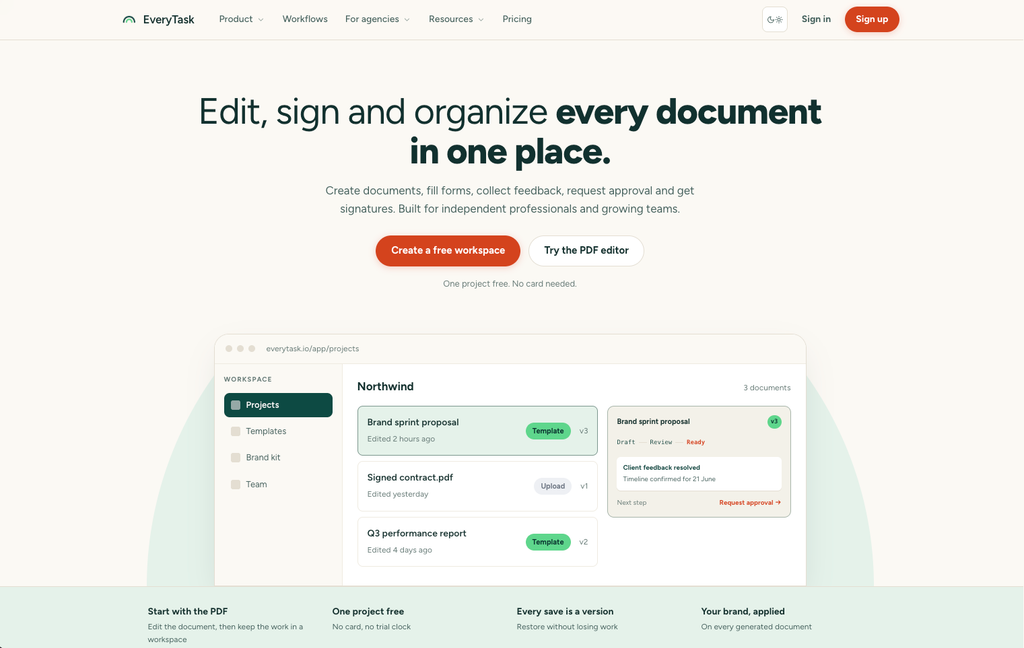
Businesses exploring solutions such as EveryTask at https://everytask.io can evaluate whether the platform’s available capabilities align with their document-related processes. Before choosing any solution, organizations should confirm its specific features, integration options, permissions, pricing, and security provisions.
Automation should not eliminate necessary human judgment. Sensitive contracts, significant financial approvals, and complex compliance decisions may still require careful review by qualified employees. The most effective approach combines automation for predictable tasks with human oversight where expertise and accountability matter most.
Best Practices for Implementing a Document Workflow
Map the Existing Process
Before introducing new technology, identify how documents currently move through the organization. Record each stage, responsible person, approval requirement, and common source of delay. This helps businesses distinguish essential steps from unnecessary administrative work.
Standardize Templates and Procedures
Consistent templates reduce formatting differences and help employees provide the information required for each task. Establishing clear naming conventions, document categories, and approval rules also makes files easier to locate and manage.
Assign Clear Responsibilities
Every stage should have an identified owner. Employees should understand what they need to do, when the task is due, and what happens after completion. Clear responsibilities reduce uncertainty and prevent important documents from becoming stuck between departments.
Choose Suitable Technology
The right platform depends on the complexity of the process, the number of users, and the organization’s existing software. Small businesses may need straightforward task assignment and file sharing, while larger organizations may require advanced approvals, integrations, audit trails, and granular access controls.
Rather than selecting software based only on the number of features, businesses should focus on whether the solution addresses their actual operational problems.
Train Employees and Review Results
Even a capable system will be ineffective if employees do not understand how to use it. Provide practical training, document the procedures, and collect feedback from the people who handle files every day.
After implementation, monitor indicators such as average approval time, processing errors, overdue tasks, and employee satisfaction. Reviewing these measures helps identify opportunities for further improvement and ensures that the workflow continues to meet business needs.
Common Challenges to Consider
Implementing digital document processes can present challenges, particularly when employees are accustomed to existing procedures. Resistance to change, incomplete data, unclear approval rules, and limited training can reduce the effectiveness of a new system.
Integration problems may also occur when different applications use incompatible formats or do not share information reliably. Businesses should test critical processes before deploying them across the organization and establish procedures for handling technical failures.
Security requires ongoing attention as well. Access permissions should be reviewed regularly, sensitive information should be shared carefully, and appropriate backup and retention practices should be established. A successful implementation depends on more than technology; it requires clear policies, employee cooperation, and continuous evaluation.
The Future of Document Management
Digital business operations continue to evolve as organizations explore artificial intelligence, intelligent document processing, and more connected software environments. Emerging tools can help extract information from documents, classify files, identify missing fields, and summarize lengthy materials.
For example, an intelligent system might extract invoice details and prepare them for verification, allowing finance employees to focus on exceptions rather than manual data entry. AI-assisted search may also help employees find relevant information across large collections of approved documents.
These capabilities can improve efficiency, but their reliability depends on data quality, system configuration, and human oversight. Organizations should carefully evaluate privacy, accuracy, and security before applying AI to sensitive business records.
As these technologies develop, structured document workflows will remain important because automation works best when responsibilities, approval rules, and information requirements are clearly defined.
Conclusion
Efficient document management is an essential part of modern business operations. A well-organized document workflow helps organizations improve productivity, reduce manual errors, strengthen collaboration, and maintain better visibility into important processes. When combined with suitable automation, clear responsibilities, and appropriate security controls, it can transform document handling from a repetitive administrative burden into a more reliable business function.
Organizations should begin by identifying their most time-consuming document processes and addressing the problems that create the greatest delays. By standardizing procedures, selecting suitable digital tools, and reviewing performance regularly, businesses can build systems that support both current operational needs and future growth. The result is a more organized working environment where information moves efficiently, employees understand their responsibilities, and important decisions can be made with greater confidence.
