

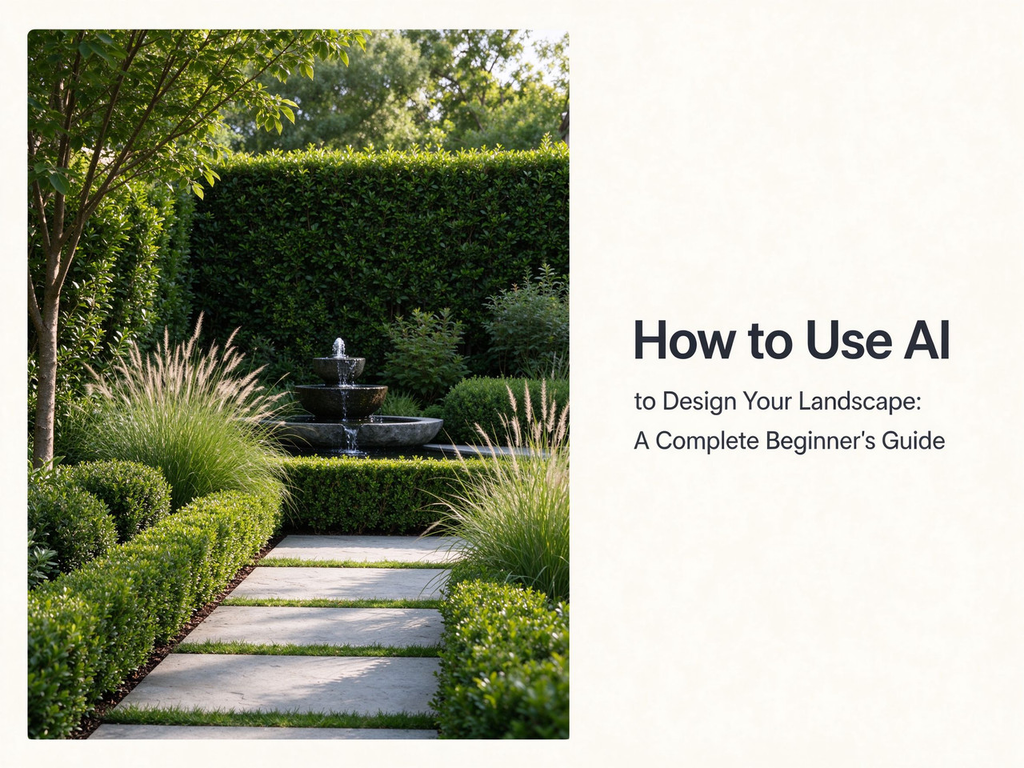
A few years ago, redesigning your backyard meant one of two things: either you paid a landscape designer hundreds or thousands of dollars, or you guessed your way through it with a few trips to the garden center and a lot of hope. Today there is a third option, and it is fast, cheap, and genuinely useful. Landscape design AI tools can turn a single photo of your yard into a photorealistic redesign in seconds, letting you explore styles, compare ideas, and plan a project before you spend a single dollar. In this guide, I will walk you through exactly how these tools work and how to get the best results from them, step by step.
Why AI Landscape Design Has Taken Off
The appeal is easy to understand. Hiring a professional landscape designer can cost two thousand dollars or more for a single plan, and even then you are looking at weeks of back-and-forth before you see anything visual. A landscape design AI flips that equation: it costs nothing to start, needs no design experience, and delivers a realistic result in seconds. If you can take a photo with your phone, you can design your outdoor space.
That does not mean the tool replaces a professional. What it does is move the expensive, time-consuming visualization step into your own hands, so that when you do hire a landscaper or a designer, you can walk in with a clear picture of what you want instead of a vague description. It is a planning tool, an ideation tool, and a communication tool all rolled into one — and that combination is exactly why landscape design AI has gone from curiosity to everyday utility so quickly.
How These Tools Work Behind the Scenes
You do not need to understand the technology to use it, but a basic picture helps you get better results. A landscape design AI is a type of image generator that has been trained on millions of photographs of designed outdoor spaces. When you upload your photo and pick a style, the tool essentially “paints over” your image with a new landscape that matches that style, while carefully preserving the structure of your original scene — the walls, fences, rooflines, and existing trees stay where they are.
The clever part is that the tool knows which parts of the image to change and which to leave alone. That is why the result looks like your yard, redesigned, rather than a random garden photo pulled from the internet. Many tools also fold in location and climate data, so the plants and materials they suggest are at least plausibly suited to where you live. It is a lot of clever engineering behind a very simple button.
What You Need Before You Start
The good news is that you need almost nothing. A smartphone or a digital photo of your space is enough, along with a modern web browser. Most landscape design AI platforms require no software download and no account to get started, which means you can go from “I wonder” to “wow” in about a minute.
That said, a little preparation makes a big difference in the quality of your results. The single most important input is the photo itself, and the next section explains exactly how to take one that will give the tool its best chance to shine, no special equipment required.
Step 1: Capture the Right Photo
Your results will only ever be as good as the photo you feed in. There are a few simple rules that separate a great input from a mediocre one. First, shoot in daylight. Photos taken in bright, natural light produce far more realistic results than dim or grainy images, because the tool has more visual information to work with. Second, use a wide angle that shows the whole area you want to redesign, not just a corner of it. Third, try to avoid crowds or people in the frame, since they distract from the space and can confuse the generation.
Once you have a good shot, crop it so it frames exactly the area you care about. If you are redesigning the patio, make the patio the star of the image. The tool will redesign what you show it, so being deliberate here gives you much more control over the outcome.
Step 2: Choose Your Style and Features
This is where the fun begins. Most landscape design AI platforms offer a broad catalog of styles, often thirty or more, so there is almost always a starting point that matches your taste. You might find modern gardens with clean lines, romantic English gardens, minimalist Japanese and Scandinavian designs, drought-friendly desert landscapes, lush tropical and Mediterranean settings, cozy cottage gardens, or functional family spaces built around play and entertaining.
Beyond the preset styles, you can usually specify the features you want to include — a patio, a deck, a pool, a fire pit, a pergola, garden beds, a pathway, or a water feature. If you have a very specific vision, a custom prompt lets you describe it in your own words. Some tools also offer a design intensity setting, so you can choose between a light refresh, a balanced redesign of key areas, or a complete transformation of the whole space. The key is not to overthink it: pick a starting point, generate, and let the results guide your next move.
Step 3: Generate, Compare, and Download
Once your photo and style are set, hit generate. In a matter of seconds you will have a photorealistic redesign of your own space, delivered at high resolution and without watermarks. From there, the real value is in iteration: generate a few different styles, compare them side by side, and see which direction feels right. Because each generation is nearly instant, you can explore a dozen ideas in the time it would once have taken to sketch a single one, and every one of them is your actual yard rather than a stock photo.
When you land on a design you like, download it. The image becomes your working reference — something you can share with a contractor, show to family, attach to a homeowners association application, or simply keep as the “after” you are aiming for. It is more than a pretty picture; it is the blueprint for the conversation that comes next, and having it in hand changes the way a project feels from abstract to tangible.
Making the Most of Your Results
Once you have a design you are happy with, use it like a professional would. Print it or save it and walk the actual space with the image in hand, checking whether the layout makes sense in three dimensions. Show it to a landscaper or a garden designer as a briefing document, so they understand your taste and priorities immediately. Use it to get estimates that are actually comparable, since every contractor will be quoting against the same visual.
You can also use the tool for smaller, more practical decisions. Not sure whether a seating area belongs on the left or the right? Generate both. Wondering if a pool fits your budget or your yard? See it first, then price it. The ability to test ideas visually, for free, removes a huge amount of the uncertainty that normally stalls outdoor projects before they start.
One underrated trick is to use the results as a filter for your own taste. Generate a modern design, a cottage design, and a Japanese design for the same space, and your genuine reaction to each will tell you more about what you actually want than hours of scrolling through inspiration boards. Landscape design AI is, in that sense, as much a tool for discovering your own preferences as it is for creating an image.
Common Mistakes to Avoid
A few habits will quietly sabotage your results, and they are easy to fix. The biggest is feeding the tool a dark, cluttered, or poorly framed photo and expecting a magazine-worthy result — remember that the input is the foundation. Another is treating the output as a literal construction document. A landscape design AI does not know your soil type, your drainage, or your local building codes, and it can happily propose a plant that will not survive your climate or a wall that cannot be built where you want it.
Finally, resist the urge to stop at one generation. The first result is rarely the best one; the real strength of these tools is speed, so use it. Generate several styles, adjust your prompt, and treat the whole thing as a quick exploration rather than a single take. A little patience on the front end saves a lot of regret later, and it is the difference between settling for the first thing the tool gives you and actually designing your space.
Frequently Asked Questions
Is landscape design AI really free? Most platforms are free to start, with no login required for a first design. Many also offer free daily credits after you create an account, so you can keep experimenting without paying. It is one of the few areas of professional-grade creative work where the barrier to entry is effectively zero.
Do I need design skills to use it? No. That is the whole point. If you can take a photo, you can produce a professional-looking landscape design. The tool handles the rendering, the styling, and the layout while you make the creative choices.
What kinds of spaces can I design? Backyards, front yards, gardens, patios, side yards, and even small balconies all work. Because the tool adapts to the shape of your specific space, awkward or narrow areas are no problem.
Can I use the images commercially? Because the output is delivered without watermarks and in high resolution, many users share it with contractors, use it in listing presentations, or post it on social media. As with any generated content, it is worth reviewing the specific platform’s terms for your use case.
Will it replace my landscape designer? Not for the parts that matter. It is an excellent visualization and planning tool, but a real designer still brings the knowledge of plants, drainage, grading, and construction that no algorithm can match. Think of it as the fastest sketch you have ever made, not the final drawing — use it to explore, then let an expert handle the parts you cannot see.
The bottom line is simple: landscape design AI has turned what used to be an expensive, intimidating first step into something you can do on your phone before breakfast. Try it on your own space, and you may be surprised how quickly “some day” turns into a plan — and how much clearer your next project feels once you can actually see it.
