

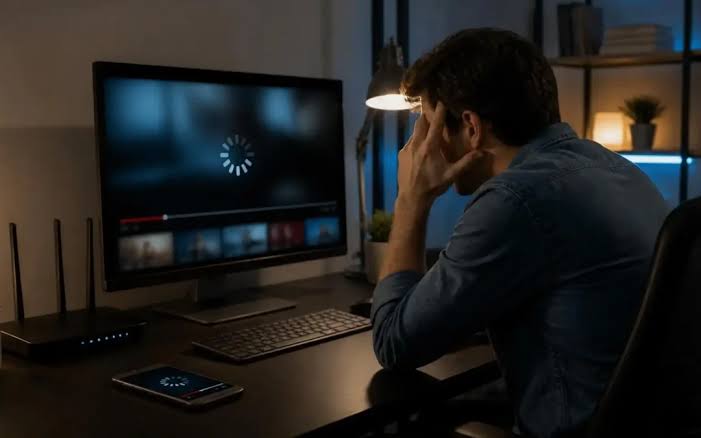
Describe the failure before changing settings
When a stream stops, the natural response is to restart everything. That sometimes gets the programme moving again, but it rarely explains what happened. Begin by describing the failure: a spinning loading symbol, frozen video, missing audio or an application that closes. Different symptoms deserve different questions.
Record the device, player, approximate time and whether the problem affects one programme or several. If you can reproduce it, note the steps. Do not include passwords or private playlist addresses in a public support request. A useful description is precise enough for somebody to investigate while revealing no more account information than necessary. It also gives you a baseline for deciding whether a later change has helped.
Separate the service from the player and network
Streaming involves several parts working together. The service supplies access, a player handles playback and your local connection carries the data to the device. A problem in one part can look like a problem in another, which is why changing providers immediately may leave the original issue unresolved.
If you use or are evaluating Trex IPTV, identify the exact player and device when asking about a viewing problem. Brand names alone do not tell support how the stream reaches your screen. Confirm the setup instructions relevant to your account instead of borrowing a configuration from a different application. Keep the original settings available so that an unsuccessful change can be reversed.
Check whether the problem follows the room
A connection that works well on a phone beside the router may behave differently at the television. Furniture, distance and the layout of the home can affect a wireless connection. Check the actual viewing position rather than relying only on a test from another room.
Where practical, compare the same device and programme over Ethernet and the usual Wi-Fi connection. Keep the player unchanged. If the wired session is more consistent, that observation gives you a reason to investigate the local wireless setup. It does not prove that every interruption has the same cause. Repeat the comparison during normal use before purchasing equipment or drawing a firm conclusion from one evening.
Give other household activity some context
Large downloads, cloud backups and several people using the connection can coincide with a difficult session. Record those conditions, then repeat the same activity when avoidable transfers are paused. Change only what is reasonable for a short comparison; the household should not need to stop functioning for television to work.
A speed test is one observation rather than a complete diagnosis. A quick result may not describe how consistently data arrives throughout a programme or how a particular remote source behaves. Keep the timing and test location beside the result. Compare patterns instead of treating one large number as proof that the entire path is healthy. Useful troubleshooting connects measurements with the symptom you actually experience.
Check the player without making random adjustments
Confirm that the application and device software are current through their legitimate update routes. Review the relevant setup instructions before changing playback options. If a setting is unfamiliar, record its original value and understand what it controls before using it as an experiment.
Avoid installing unknown applications or entering account credentials into a tool simply because a forum post promises a universal fix. A legitimate troubleshooting step should have a clear purpose. Test one change, observe the result and restore the earlier setting if the change does not help. This keeps your setup understandable and makes it easier to explain what you have already tried when requesting further support.
Keep account limits separate from technical guesses
An account condition can sometimes explain behaviour that looks like a connection problem. Confirm the current device and simultaneous-use rules for the package involved. Do not assume that a higher price, a longer term or a different label automatically changes those limits.
Use the Trex IPTV pricing details to locate current published subscription options and ask for clarification where a condition remains unclear. Keep any separately charged player software distinct from the service subscription. Upgrading a plan before identifying the issue can add cost without solving the symptom. A clear account description helps support decide whether the question concerns permissions, configuration or playback conditions.
Route reseller problems to the right conversation
A reseller managing customer accounts may need a different support conversation from an end user trying to watch a programme. Administrative permissions, account creation and customer communication add responsibilities that are separate from local playback troubleshooting.
The Trex IPTV reseller information is the relevant starting point for clarifying that arrangement. Keep customer credentials and other personal information out of shared troubleshooting screenshots. If several people report a similar symptom, record the common features without assuming every case has one cause. Separate reports can help identify a pattern, but they should remain specific enough for support to investigate the individual account and device conditions.
Compare patterns across programmes carefully
If only one programme fails while several others play normally, record that distinction. If the same device struggles with unrelated services as well, include that observation too. These patterns can narrow the enquiry, but they do not identify a cause on their own. Avoid turning a useful clue into a confident diagnosis before further checks have been made.
Keep comparisons fair. A short clip at a different quality setting is not necessarily equivalent to a long live programme. Describe the difference instead of presenting the sessions as identical. When the evidence remains mixed, a clear record of those limits is more helpful than another sweeping recommendation to replace the router, change providers or install a different player immediately. Give support the details needed to reproduce it.
Finish with a useful support record
Summarise the symptom, the conditions, the changes tried and the results. State which programme or device still has the problem. A concise record is easier to act on than a long message containing every theory found online.
Keep the improvements that repeat under normal use and discard changes that only complicate the setup. Sometimes the solution is local; sometimes the service or account needs further investigation. The important point is to reach that conclusion through observations rather than guesswork. A methodical approach can save unnecessary purchases and make the next support exchange far more productive, even when the first attempt does not resolve the interruption.
