

How to Secure Your Aadhaar Biometrics Online
Keeping your Aadhaar biometrics safe is very important. The UIDAI (Unique Identification Authority of India) provides a feature to lock and unlock your Aadhaar-linked data. This helps prevent misuse of your fingerprint, iris, and face. Whether for digital identity, privacy, or control, the Aadhaar biometric lock adds a strong layer of security for all Aadhaar holders.
You can use the my Aadhar portal, mAadhaar app, or offline methods to secure your biometrics. Secure your biometrics and prevent unauthorised use of your biometrics by locking them. Visit my Aadkhar Portal to lock your biometrics. Temporary unlocking for 10 minutes is also available.”
Why Lock Your Biometrics?
The Aadhaar biometric lock keeps your fingerprints, iris scans, and facial photographs safe. Once locked, these cannot be used for Aadhaar authentication by any individual, entity, or fraudsters. If anyone tries unauthorized verification, the system returns error code 330, marking your data as inaccessible.
Benefits of locking your biometrics include:
- Prevents identity theft: Locked biometrics cannot be used to impersonate you.
- Peace of mind: Your personal information is safe from unauthorized access.
- Maintains privacy: Your sensitive data stays confidential.
How to Lock or Unlock Aadhaar Biometrics
There are two main options:
- Temporary Unlock: Allows biometric authentication for 10 minutes.
- Disable Locking System: Removes the lock completely until it is re-enabled.
You can lock or unlock using:
- UIDAI website
- Aadhaar Seva Kendras (ASK)
- Enrolment Centres
- mAadhaar app
A registered mobile number is mandatory to use this service. If you do not have a mobile number, you must visit the nearest Enrolment Centre or Mobile Update End Point.
Step-by-Step Guide to Lock Aadhaar Biometrics Online
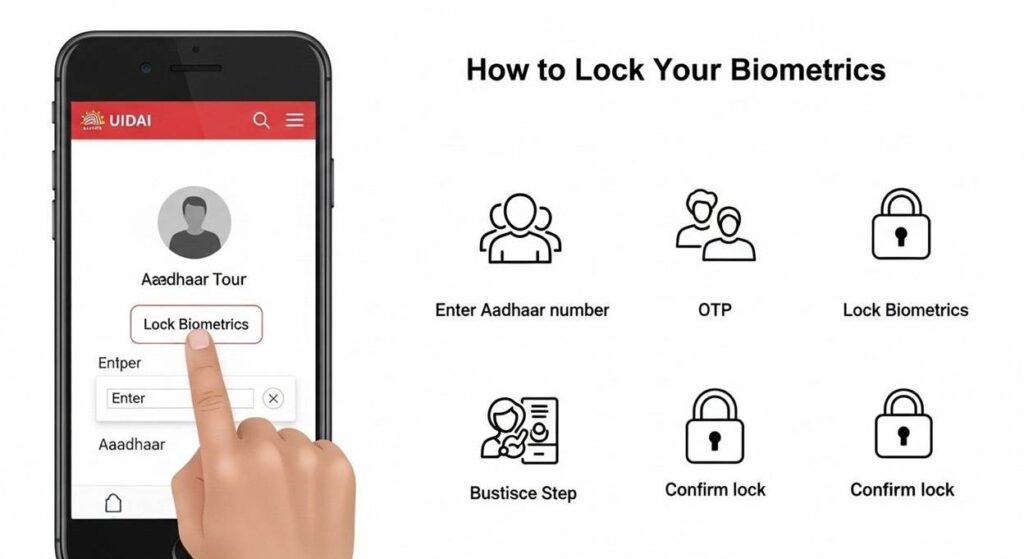
- Visit the UIDAI website and click “Lock/Unlock Biometrics” under Aadhaar Services.
- Enter your 12-digit Aadhaar number and captcha code.
- Receive a one-time password (OTP) on your registered mobile number.
- Input the OTP to enable the biometric locking feature.
- Once enabled, authentication through fingerprints, iris scans, or facial photographs is temporarily disabled.
When to Temporarily Unlock Your Biometrics
You can unlock your Aadhaar biometric data whenever authentication is urgently needed. Follow the same process on the UIDAI website and disable the lock. Remember to lock it again after your work is complete to prevent misuse.
Convenient Ways to Access Biometric Lock
You can lock Aadhaar biometrics in several easy ways:
- UIDAI website: Online process accessible from anywhere.
- Aadhaar centre: Visit your nearest Aadhaar Kendra.
- M-Aadhaar app: Use the mobile app on Android or iOS smartphones.
- SMS: Create a virtual ID to lock Aadhaar biometric data via SMS.
Optional but Highly Recommended
Locking your Aadhar card biometrics is optional, but highly recommended. Only unlock temporarily when absolutely necessary. Keep your registered mobile number active to receive OTP.
The Aadhaar biometric lock uses encryption to give greater control over your sensitive data. Activate this essential privacy feature today. Spending a few minutes to lock your biometrics can prevent identity theft and misuse of your personal information
