

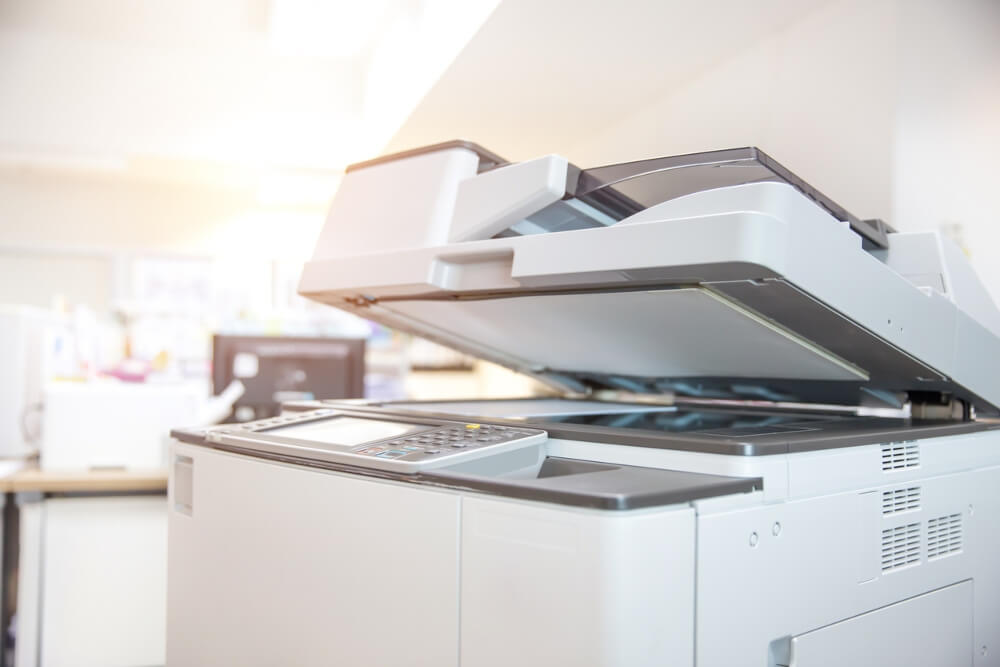
Last year I walked into a small architecture firm to drop off some documents. Twelve people working in a space that felt half the size it should have been — not because of the desks, but because of the machines. A printer jammed up against the window. A flatbed scanner wedged under someone’s desk like contraband. A fax machine that looked like it had survived the Clinton administration and was proud of it. And a standalone copier blocking the fire exit, producing a sound I can only describe as a cat discovering a ceiling fan. Nobody looked happy. Nobody looked like they had time to be happy.
I think about that office more than I probably should.
Because here’s what strikes me about it: none of those four machines was a mistake on its own. Each one arrived as a reasonable solution to a specific problem. Together, though, they’d become something else entirely, a kind of sediment of past decisions, layered up until the room itself was working against the people in it.
The honest case for consolidation
Multifunction printers don’t exactly inspire passion. “It prints, scans, copies, and faxes” is not a sentence that makes people lean forward. And I’ll admit, when I first started paying attention to office equipment in any serious way, I found myself dismissing MFPs as a slightly dull category of product, adequate but uninspiring, like ergonomic keyboards or cable management trays.
I was wrong about that.
The actual value isn’t in the feature list. It’s in what disappears when you use one. The floor space disappears. The separate maintenance contracts disappear. The peculiar situation where the scanner is free but the printer is jammed and those two facts somehow combine into a twenty-minute delay, that disappears too. What you’re really buying when you buy an MFP isn’t capability. It’s the absence of friction.
Offices are genuinely bad at accounting for invisible drag. Not the big catastrophic failures, the server goes down, the building floods, whatever. Just the constant low-grade resistance of things that almost work together but not quite. Every extra step in a workflow is a tax. Small offices pay it in irritation; large offices pay it in actual hours.
What actually changes, day to day
Think about a typical document workflow in a busy office, not an idealized one, but the real, slightly chaotic version. Someone needs to scan a signed contract, print two copies, and email a PDF to a client before a meeting that starts in nine minutes. On separate machines, that’s three locations, possibly three different software interfaces, and a near-certain chance of something going sideways between steps two and three. (Where did the scan go? Is it on the network drive? Did it save as a TIFF again?)
On a multifunction printer: one machine, one place, done. That’s it. Not revolutionary. Just… not broken.
The calculus shifts even further for teams handling serious volume. Reception desks processing dozens of forms a day. Legal departments shuffling executed agreements. HR offices managing onboarding paperwork that seems to multiply whenever you’re not looking. Marketing teams printing presentation decks at 8:47 AM for a 9:00 AM meeting. Every extra step in those workflows costs real time, not hypothetically, not in theory, but in actual minutes that accumulate across actual days.
- Fewer devices to maintain, which means fewer service calls and lower consumable costs spread across your budget
- Centralized document handling so you’re not hunting across three machines to figure out where the scan went
- Faster throughput when one person isn’t monopolizing the printer while someone else waits to use the copier
- Simpler IT setup, because one networked device is a lot easier to manage than four of them
Does format actually matter? (More than you’d think.)
Here’s something that almost never comes up in the standard MFP conversation: page size. Most offices default to A4 and don’t think much further than that. Which is fine, until it isn’t.
The moment you’re dealing with architectural drawings, financial reports with too many columns, marketing layouts, or any document that genuinely needs room to breathe, A4 starts feeling like trying to read a map through a mail slot. You either shrink the content until it’s borderline illegible, or you start printing on multiple sheets and taping them together like some kind of document archaeology project.
An a3 multifunction printer handles both standard and larger format output without requiring a separate wide-format machine lurking in the corner, consuming electricity and floor space and demanding its own service contract. For any office that regularly produces reports, technical documents, or presentation materials, the difference between A4-only and A3-capable isn’t a minor upgrade. It’s a different category of machine entirely.
A quick comparison: single-function vs. multifunction setup
| Factor | Multiple single-function devices | One multifunction printer |
| Floor space used | High (multiple units) | Low (one footprint) |
| Maintenance contracts | One per device | Single contract |
| Workflow speed | Slows when devices are separate or busy | Streamlined from scan to print to send |
| Upfront cost | Lower individually, higher combined | Higher upfront, lower total cost of ownership |
| IT complexity | Multiple drivers, networks, setups | One device to configure and support |
The part nobody really talks about
Switching to a multifunction printer is not a transformational experience, and I want to be straight about that. It won’t change the culture of your office or make anyone feel differently about their job. It’s more like fixing a dripping tap. The dripping was the problem, and once it stops, you just get on with things. No fanfare. The tap was always supposed to work.
Which is, I’d argue, exactly the point. The best office equipment is the kind you forget about because it does what it’s supposed to do without requiring your attention, your patience, or your involvement in whatever fresh malfunction has emerged since Tuesday.
That architecture firm, incidentally, eventually consolidated everything into a single unit. Took a while; there was apparently real attachment to the old fax machine, which I find both baffling and completely understandable. But last I heard, the fire exit was clear, the copier had stopped making noises, and nobody was talking about the printer at all.
In office terms, that’s a roaring success.
