

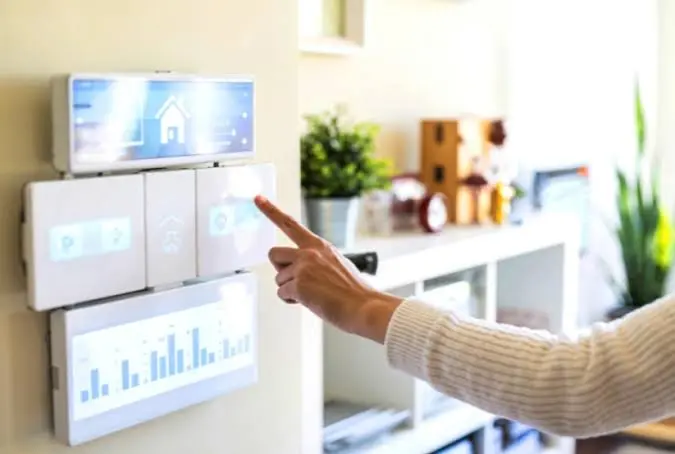
Smart home technology is often treated as something that gets added after construction.
Buy a smart thermostat.
Install a video doorbell.
Add a few smart bulbs.
Connect a speaker.
That approach works for individual devices, but it misses a much bigger opportunity.
During a major remodel or custom home project, walls and ceilings are already open. Electrical systems may be changing. Lighting plans are being developed. Internet infrastructure can be improved. HVAC equipment may be upgraded.
That is the ideal time to think about the technology infrastructure of the house.
Smart devices can be replaced every few years. Wiring hidden behind drywall is much harder to change.
For that reason, the best smart-home planning often begins with infrastructure rather than gadgets.
This overview of smart home features for custom builds explains how lighting, climate control, security, energy monitoring, connected appliances, and low-voltage wiring can be considered before construction is complete.
Here are eight smart-home upgrades worth planning before the walls are closed.
Why Smart Home Planning Should Happen Before Construction
Wireless technology has made smart-home installation much easier.
But wireless does not mean infrastructure no longer matters.
A modern home may still need reliable:
- electrical power,
- Ethernet,
- Wi-Fi access points,
- low-voltage wiring,
- camera connections,
- speaker wiring,
- thermostat wiring,
- control wiring.
Some devices can operate entirely through Wi-Fi or batteries.
Others perform better with permanent power or wired network connections.
A remodel provides access to walls that may not be opened again for decades.
Running appropriate wiring during construction is usually much easier than trying to add it after drywall, cabinetry, tile, and finishes are complete.
1. Structured Network and Ethernet Wiring
Reliable internet has become basic home infrastructure.
Streaming, remote work, security systems, smart appliances, gaming, video calls, and cloud-connected devices can all compete for bandwidth.
Wi-Fi is essential, but a strong home network should not depend entirely on one wireless router placed wherever the internet provider happened to install it.
During construction, homeowners can plan:
- Ethernet connections,
- centralized network equipment,
- ceiling locations for Wi-Fi access points,
- connections for televisions,
- office networking,
- camera locations.
Hardwired Ethernet can be especially valuable for devices that remain in fixed locations.
A desktop workstation, television, network storage system, or security camera may benefit from a wired connection rather than competing for wireless bandwidth.
A structured network also provides a stronger foundation for future technology.
2. Smart Lighting and Scene Controls
Lighting is one of the most useful areas for smart-home integration.
Smart lighting can allow homeowners to control:
- individual fixtures,
- groups of lights,
- dimming,
- schedules,
- scenes,
- occupancy-based settings.
For example, one command could create an evening scene that dims the kitchen, lowers the living-room lights, and turns off unnecessary fixtures elsewhere.
But smart lighting should still begin with a good conventional lighting plan.
Technology cannot correct poor fixture placement.
Homeowners should first decide where task, ambient, and accent lighting belong.
Then controls can be layered on top.
It is also important to consider how the system behaves when the internet is unavailable.
Basic lighting should remain easy to operate from physical switches.
A smart home should be easier to use, not dependent on an app for every simple task.
3. Smart Thermostats and Climate Zoning
Smart thermostats are already common, but larger remodeling projects can go much further.
Homes often contain rooms that behave differently.
Upper floors may become warmer than lower levels.
Rooms with large windows may experience more solar heat.
Home offices may need conditioning during hours when other rooms are unused.
Climate zoning can help address these differences.
Depending on the HVAC system, homeowners may be able to control separate areas independently.
Smart climate planning can include:
- thermostats,
- remote temperature sensors,
- zoning controls,
- humidity monitoring,
- automated schedules.
The key is to coordinate the technology with the mechanical system.
A smart thermostat cannot compensate for poorly sized HVAC equipment or inadequate airflow.
Technology should improve a properly designed system rather than mask its problems.
4. Security Cameras, Doorbells, and Smart Locks
Security technology is another area where prewiring can make a substantial difference.
Battery-powered cameras are easy to install, but permanent power and wired network connections may be preferable for important locations.
Potential security points include:
- front entrances,
- side doors,
- garages,
- driveways,
- backyards,
- gates.
Homeowners should decide camera locations before exterior finishes are complete.
That makes it easier to plan:
- power,
- Ethernet,
- mounting locations,
- cable concealment.
Smart locks and video doorbells may also need reliable power and network coverage.
Planning them early can avoid exposed wires and improvised installation later.
5. Leak Detection and Automatic Water Shutoff
Some of the most valuable smart-home technology is not particularly glamorous.
Water monitoring is a good example.
Leaks from washing machines, dishwashers, water heaters, toilets, sinks, or plumbing failures can cause extensive damage before homeowners notice the problem.
Smart leak sensors can be placed near high-risk areas.
More advanced systems can monitor water flow and automatically shut off the main supply when unusual activity is detected.
Possible monitoring locations include:
- under sinks,
- behind washing machines,
- near water heaters,
- mechanical rooms,
- bathrooms.
During a remodel, homeowners can also plan access to the main shutoff and determine whether additional power or communication wiring is required.
Preventing one significant water-loss event can make this type of technology particularly valuable.
6. Motorized Shades and Window Controls
Motorized shades can improve convenience, privacy, glare control, and energy management.
They are particularly useful for:
- tall windows,
- large glass walls,
- hard-to-reach windows,
- rooms with intense sunlight.
Battery-powered shades are available, but new construction or remodeling can provide an opportunity for concealed power.
That reduces the need to replace batteries and can create a cleaner installation.
Motorized shades can also integrate with lighting or climate systems.
For example, shades could close automatically during intense afternoon sun to help reduce heat gain.
The important part is deciding whether motorization is likely before window trim and electrical work are complete.
7. Whole-Home Audio and Entertainment Wiring
Wireless speakers have reduced the need for traditional audio wiring, but permanent systems still make sense in some homes.
Homeowners may want integrated speakers in:
- kitchens,
- living rooms,
- bedrooms,
- outdoor areas,
- media rooms.
Ceiling and wall speakers can remain visually subtle while providing reliable audio.
The same planning applies to televisions.
A wall-mounted television may need:
- power,
- Ethernet,
- HDMI pathways,
- concealed equipment connections.
Installing empty conduit can also be useful.
Technology standards change quickly. A conduit provides a pathway for future cables without reopening walls.
This can be especially valuable in media rooms and other technology-heavy spaces.
8. Energy Monitoring and EV-Ready Electrical Capacity
Smart-home technology can also help homeowners understand how energy is being used.
Whole-home energy monitoring can track electrical consumption and sometimes identify individual devices or circuits.
This information may help homeowners understand:
- peak energy use,
- appliance consumption,
- HVAC demand,
- changes over time.
Major remodeling is also a good time to consider future electrical loads.
These may include:
- electric vehicles,
- induction cooking,
- heat pumps,
- electric water heating,
- additional appliances.
Even if an EV charger is not being installed immediately, planning panel capacity and wiring pathways may make a future installation much easier.
Technology infrastructure is easiest to integrate when electrical, networking, HVAC, lighting, and interior planning are coordinated as part of the original custom home construction plan rather than added after finishes are installed.
Why Wireless Devices Do Not Eliminate the Need for Wiring
It is easy to assume that everything will eventually become wireless.
But wireless devices still depend on infrastructure.
They need:
- power,
- network coverage,
- communication,
- charging or batteries.
Too many wireless devices can also create congestion on a home network.
Permanent devices often benefit from permanent connections.
Examples include:
- access points,
- televisions,
- security cameras,
- desktop computers,
- network storage.
Wi-Fi should provide flexibility.
Wiring should provide reliability.
A strong smart home often uses both.
Plan for Technology You Have Not Purchased Yet
One of the hardest parts of smart-home planning is predicting future technology.
Homeowners should avoid trying to guess exactly which devices they will use ten years from now.
A better strategy is to create flexible infrastructure.
Useful options include:
- empty conduit,
- spare Ethernet runs,
- accessible wiring locations,
- extra electrical capacity,
- centralized low-voltage panels.
These features create options.
If technology changes, homeowners can upgrade devices without rebuilding the house.
Future-proofing is less about predicting the future and more about making future changes easier.
Avoid Locking the Entire House Into One Proprietary Ecosystem
Smart-home platforms can make devices easier to control from one interface.
But relying too heavily on one proprietary ecosystem can create risk.
Companies change products.
Cloud services disappear.
Hardware becomes obsolete.
Apps stop receiving updates.
A flexible system should preserve basic functionality even if one platform changes.
Whenever possible, homeowners should favor systems that:
- support widely used standards,
- retain physical controls,
- allow local operation,
- can integrate with multiple platforms.
Lights should still turn on.
Doors should still unlock.
Heating should still work.
The home should remain functional even when technology changes.
Do Not Put Every Smart Device on One Wi-Fi Network
Network planning becomes increasingly important as the number of connected devices grows.
A home may contain dozens of devices:
- phones,
- computers,
- televisions,
- speakers,
- thermostats,
- cameras,
- appliances,
- lighting controllers.
A properly planned network may benefit from:
- multiple access points,
- device segmentation,
- strong passwords,
- regular firmware updates.
Security is part of smart-home design.
Connecting everything to the internet without thinking about network management can create unnecessary risk and reliability problems.
Smart Appliances Should Not Control the Kitchen Layout
Connected refrigerators, ovens, dishwashers, and other appliances can offer useful features.
But appliance technology changes much faster than cabinetry.
A kitchen may remain in place for twenty years while a connected appliance may be replaced much sooner.
For that reason, the kitchen should not be designed so specifically around one smart appliance that replacing it later becomes difficult.
Standard dimensions and flexible electrical and networking infrastructure can help.
The house should support changing technology rather than depend on one generation of products.
Where Should the Main Technology Equipment Go?
A connected home often needs a central location for network and low-voltage equipment.
Possible locations include:
- utility rooms,
- dedicated closets,
- mechanical spaces.
The location should ideally provide:
- ventilation,
- power,
- accessibility,
- space for network equipment,
- cable management.
Putting network equipment in an inaccessible attic or hiding it behind finished cabinetry can make future maintenance unnecessarily difficult.
Technology needs service just like other building systems.
It should be accessible.
What Should Be Wired Before Drywall?
Every project is different, but homeowners may want to consider prewiring for:
- Ethernet,
- Wi-Fi access points,
- security cameras,
- doorbells,
- televisions,
- speakers,
- motorized shades,
- smart thermostats,
- alarm systems,
- future control panels.
Even when a device is not being installed immediately, running a cable or conduit while the wall is open may be relatively simple.
Doing the same work after drywall is finished may require cutting, patching, painting, and additional labor.
Think About Power Outages and Internet Failures
A smart home should still function when something goes wrong.
Homeowners should ask what happens if:
- Wi-Fi fails,
- internet service is unavailable,
- a cloud platform goes offline,
- the power goes out.
Basic systems should ideally retain local control.
For example:
- lights should have physical switches,
- door locks should have another access method,
- HVAC should continue basic operation.
This kind of redundancy makes smart technology more reliable rather than more fragile.
Cybersecurity Belongs in Home Planning Too
Connected devices can create digital security concerns.
Basic precautions include:
- changing default passwords,
- using strong unique credentials,
- keeping device firmware updated,
- securing the home router,
- disabling unused remote access.
Homeowners should also think carefully about devices that contain cameras or microphones.
Convenience should be balanced with privacy.
A well-designed smart home considers not only what technology can do, but also what data it collects and how access is controlled.
Smart Home Technology Should Solve Real Problems
The easiest mistake is adding technology simply because it exists.
A smart faucet may be useful for one household and pointless for another.
Voice control may be convenient in some situations but unnecessary in others.
Before adding any system, ask:
What problem does this solve?
Good reasons may include:
- improved security,
- lower energy use,
- accessibility,
- convenience,
- water-damage prevention,
- better network reliability.
If the answer is simply “because it is smart,” the technology may become an expensive novelty.
Build the Infrastructure First
Devices change quickly.
Infrastructure changes slowly.
That leads to one of the most useful principles in smart-home planning:
Invest first in the things that are difficult to change later.
That means prioritizing:
- electrical capacity,
- wiring,
- conduit,
- networking,
- access points,
- equipment locations.
Smart switches, sensors, speakers, and controllers can be replaced much more easily.
The infrastructure behind them is what determines how flexible the house will remain.
Final Thoughts
Smart-home planning should not begin with a shopping list of gadgets.
It should begin with the building.
Where does power need to go?
Where will the network equipment live?
Which devices benefit from wired connections?
Could future technology require more electrical capacity?
What will be difficult to add after drywall?
Those questions are especially valuable during a remodel or new home project because the structure is already accessible.
Once walls are closed, every additional wire becomes more complicated.
The best smart home is therefore not necessarily the house with the most connected devices.
It is the house with enough thoughtful infrastructure to support today’s technology while remaining flexible enough for whatever comes next.
