

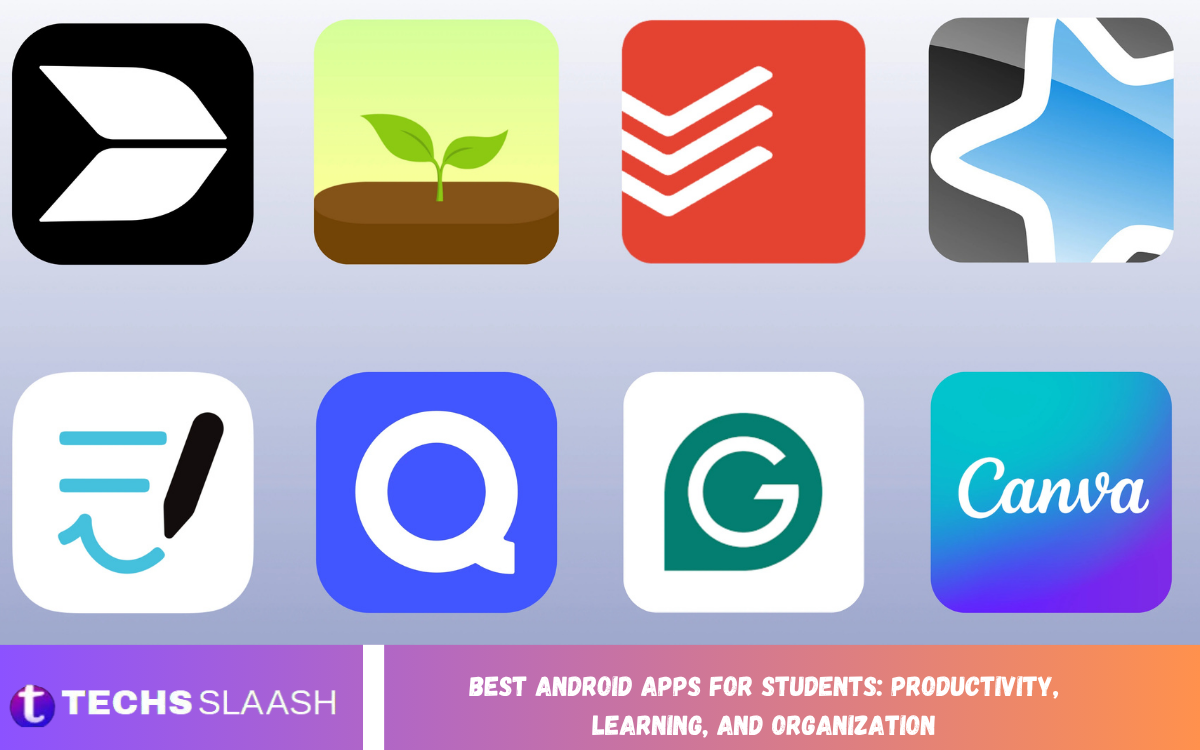
Students today manage classes, assignments, examinations, projects, research, and personal responsibilities simultaneously. A smartphone can become a useful academic tool when it is equipped with the right applications for studying and organization.
The Best Android Apps for Students: Productivity, Learning, and Organization can make everyday academic tasks easier by helping students manage schedules, create notes, complete assignments, improve concentration, and revise important subjects. Current student-app recommendations commonly focus on four major needs: deadlines, notes, study materials, and maintaining focus.
Why Android Apps Are Useful for Students?
Android devices are no longer limited to communication and entertainment. Students can use them to access educational resources, organize class information, read documents, create reminders, and maintain a structured study routine from almost anywhere.
The main advantage is convenience. Instead of carrying multiple notebooks, calendars, reminders, and reference materials, students can manage many academic activities from one device. The key is to choose useful applications rather than installing too many unnecessary tools.
Best Android Apps for Productivity
Productivity apps help students turn large academic responsibilities into manageable tasks. They can be used to create daily plans, organize assignments, set deadlines, and track progress throughout the semester.
Notion, Todoist, Google Calendar, and Google Tasks are among the useful tools for students seeking better academic organization. Recent Android productivity guides continue to highlight Notion as an all-in-one organization and task management app for meeting deadlines and managing daily responsibilities.
Notion for Academic Organization
Notion is a flexible workspace that can help students organize subjects, assignments, notes, reading lists, projects, and study plans. A student can create separate pages for different courses and keep important academic information together.
Its flexibility is particularly useful for students who want a customized academic dashboard. Instead of maintaining several disconnected lists, students can create a simple system that shows upcoming assignments, examination dates, study goals, and important notes in one place.
Google Calendar for Managing Time
Google Calendar is a practical choice for students who need to manage classes, examinations, assignment deadlines, meetings, and study sessions. Creating separate events for academic responsibilities can make a busy schedule easier to understand.
Students can also create recurring study sessions and reminders for important deadlines. A well-organized calendar can reduce the likelihood of forgetting an examination, an assignment submission, or an important class activity.
Todoist for Assignment Management
Todoist is useful for students who prefer a straightforward task-management system. Assignments can be added as individual tasks and organized by subject, deadline, or priority level.
The application can also help students break down large projects into smaller tasks. Instead of writing “complete research project,” a student can create separate tasks for research, outlining, writing, editing, and final submission.
Best Android Apps for Learning
Productivity alone cannot improve academic performance without effective learning. Students also need applications that provide educational material, practice exercises, revision tools, and opportunities to understand difficult subjects.
Khan Academy, Quizlet, Anki, and other educational platforms can support different learning methods. Current Android student-app recommendations frequently include Anki for spaced repetition, Khan Academy for structured learning, and Quizlet for flashcards and revision.
Khan Academy for Educational Learning
Khan Academy provides educational resources covering subjects such as mathematics, science, economics, computing, and other academic areas. Its structured lessons can help students review concepts outside regular classroom hours.
It can be especially useful when a classroom explanation is difficult to understand. Students can revisit a topic, study it at their own pace, and return to challenging concepts until they become clearer.
Read Also: Best Free Android Apps: Top Picks for Essential Features and Everyday Use
Anki for Better Revision
Anki is designed around flashcards and spaced repetition, making it valuable for students who need to remember large amounts of information. It is particularly helpful for subjects involving definitions, terminology, formulas, dates, vocabulary, and factual information.
The strength of spaced repetition is that revision is distributed over time rather than concentrated in a single long session. This approach can make revision more consistent and reduce dependence on last-minute cramming.
Quizlet for Flashcard-Based Study
Quizlet provides another convenient method for reviewing information through digital flashcards and study activities. Students can create their own sets or use existing study materials when appropriate.
Flashcards are particularly useful for language learning, scientific terminology, historical facts, and other subjects where repeated recall is important. However, students should still understand the material rather than relying only on memorization.
Best Android Apps for Note-Taking
Good notes are essential because they provide a personal record of classroom explanations, important concepts, examples, and revision points. A suitable note-taking app can make information easier to store, search, review, and update.
Microsoft OneNote and Google Keep are two practical choices. OneNote is better suited to structured notebooks and longer academic material, while Google Keep works well for quick notes, lists, reminders, and short pieces of information.
Microsoft OneNote for Organized Notes
Microsoft OneNote works like a digital notebook, allowing students to organize information into notebooks, sections, and pages. This structure can be useful for students who take extensive notes across multiple subjects.
Students can maintain separate sections for each course and keep lecture notes, research information, and revision material organized. It is particularly useful for students who want their notes to remain structured throughout an entire academic year.
Google Keep for Quick Notes
Google Keep is designed for quick information capture. Students can use it for reminders, short lecture points, checklists, ideas, and small study tasks that do not require a full notebook.
Its simplicity is its biggest advantage. When a student needs to record something quickly, a lightweight note-taking app can be more convenient than opening a complex workspace.
Best Apps for Focus and Time Management
Distractions are one of the biggest challenges students face when studying on smartphones. Notifications, social media, messages, and entertainment can easily interrupt a study session.
Focus applications such as Forest can encourage students to dedicate a specific period to studying without constantly checking their phones. Combining a focus timer with a clear study goal can create a more disciplined routine.
Forest for Better Concentration
Forest uses a simple focus concept that encourages users to avoid distracting phone activity during a designated period. The visual progress system can make study sessions feel more engaging.
Students can use it during reading, revision, writing, or problem-solving sessions. The important part is not the application itself but the habit of protecting dedicated study time from unnecessary interruptions.
Best Android Apps for Students on a Budget
Students do not need to spend large amounts of money on applications to improve their academic routine. Many useful tools offer free versions or educational resources sufficient for everyday student needs.
Google Keep, Google Calendar, Khan Academy, and several basic productivity tools can support important academic tasks without requiring an expensive setup. Students should first identify their needs and then choose applications that solve those specific problems.
How to Build a Simple Student App System
Using too many applications can create more confusion rather than improve productivity. A better approach is to assign each application one clear responsibility and avoid unnecessary duplication.
For example, students can use one application for calendars, one for tasks, one for detailed notes, one for revision, and one for focused study sessions. This simple system makes it easier to know where information belongs and reduces the time spent managing applications.
Using Android Apps for Exam Preparation
Exam preparation becomes easier when students begin organizing material before the examination period. Notes can be organized by topic, difficult concepts can be turned into flashcards, and revision sessions can be scheduled over several days.
Students should avoid depending entirely on digital tools. Reading textbooks, practicing questions, writing answers, and reviewing mistakes remain essential parts of effective preparation. Apps should support these activities rather than replace them.
Using Android Apps Responsibly for Learning
Modern educational applications increasingly include intelligent features that can summarize information, answer questions, and assist with research. These features can be useful when they encourage understanding, but students should use them responsibly.
Academic work should remain the student’s own effort. Digital tools are most valuable when they explain difficult concepts, organize information, or support revision rather than replacing genuine learning and independent thinking.
Tips for Getting More From Student Apps
The first step is to keep the system simple. Choose applications based on real academic problems rather than downloading every application that seems useful.
Students should also review their app system regularly. Remove applications that are no longer useful, keep important information backed up, and organize notes so they remain easy to find. A simple digital routine is usually more effective than a complicated one.
Frequently Asked Questions
What are the best Android apps for students?
Notion, Google Calendar, Todoist, OneNote, Google Keep, Khan Academy, Anki, Quizlet, and Forest are useful choices for different student needs. The best combination depends on whether the main goal is productivity, learning, organization, revision, or concentration.
Which Android app is best for taking student notes?
Microsoft OneNote is a strong option for detailed and structured academic notes. Google Keep is better for students who prefer quick notes, checklists, reminders, and short pieces of information.
What is the best app for managing assignments?
Todoist is useful for creating and organizing assignment tasks, while Google Calendar is excellent for tracking important deadlines and scheduled academic activities.
Is Notion useful for college students?
Yes, Notion can be useful for managing subjects, assignments, notes, projects, reading lists, and study plans. Its flexible structure allows students to create an academic workspace based on their individual needs.
Which Android app is best for memorization?
Anki is particularly useful for memorization because it uses spaced-repetition flashcards. It can be helpful for vocabulary, definitions, formulas, terminology, and other information that requires repeated recall.
Which app is best for learning new subjects?
Khan Academy is a useful choice for students seeking structured lessons and practice materials across several subjects. It can supplement classroom learning and provide additional explanations.
How can students avoid distractions while using Android phones?
Students can use focus tools, silence unnecessary notifications, avoid social media during study sessions, and set specific periods for focused work. Forest and similar focus applications can help create a dedicated study routine.
Do students need many productivity apps?
No. Students generally benefit more from a small collection of reliable applications than from dozens of overlapping tools. One calendar, one task manager, one notes application, and one revision tool can be enough for many students.
Are free Android apps enough for students?
Yes, many free applications provide useful features for notes, scheduling, learning, flashcards, and organization. Students should consider paid features only when they solve a specific problem that the free version cannot handle.
Can Android apps improve academic performance?
Apps can support better organization, consistency, revision, and time management, but they cannot guarantee better grades. Academic improvement still depends on regular study, understanding concepts, practice, discipline, and effective preparation.
Conclusion
The Best Android Apps for Students: Productivity, Learning, and Organization can turn an ordinary smartphone into a practical academic companion. From managing deadlines with Google Calendar and Todoist to organizing notes with OneNote and learning through Khan Academy, each application can serve a specific purpose.
The most effective approach is to build a simple system around personal study habits. Students should choose a few reliable applications, use them consistently, protect their study time, and focus on genuine learning.

1 Comment
Pingback: Best Android Apps for Boosting Productivity and Efficiency - Techsslaash.com