

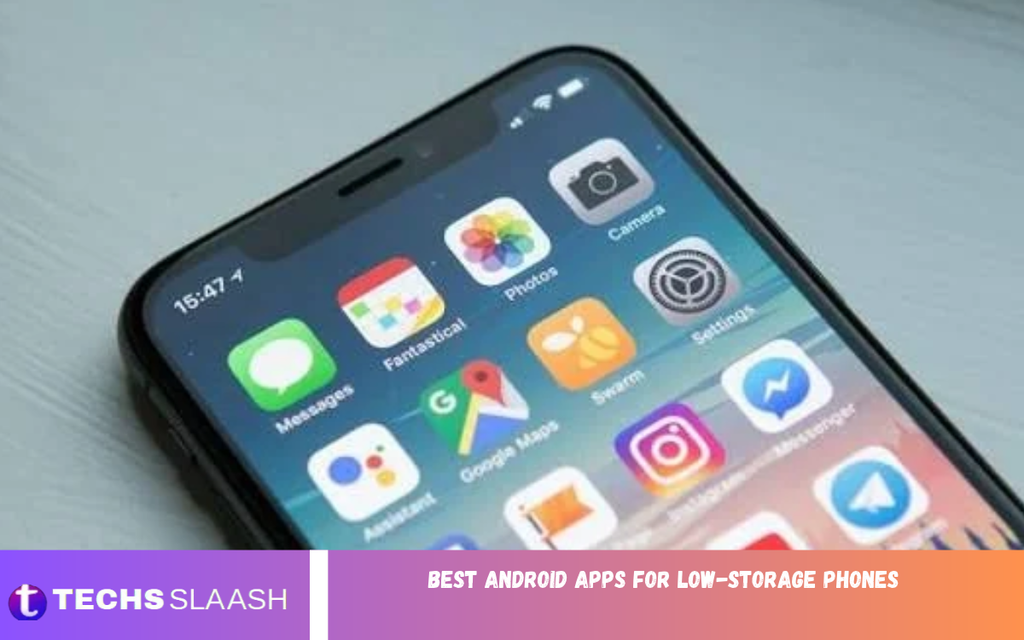
Running out of storage is a common problem for Android users, especially those with budget smartphones or older devices. When a phone has limited internal memory, installing large applications, downloading files, and saving photos can quickly become difficult. Low storage space can also affect app updates, performance, and everyday usability.
Fortunately, you do not need expensive hardware to enjoy a useful smartphone experience. The best Android apps for low-storage phones are designed to perform essential tasks without consuming excessive storage or system resources. By choosing lightweight applications and managing files wisely, you can keep your phone useful, responsive, and organized without constantly deleting important data.
Why Lightweight Android Apps Matter?
Lightweight apps use fewer storage resources and, in many cases, less memory and processing power than feature-heavy alternatives. They can be particularly helpful for smartphones with 16GB, 32GB, or 64GB of internal storage, where the operating system and preinstalled applications already occupy a significant portion of the available space.
Choosing smaller applications can also improve your overall experience on older devices. Apps that load quickly, avoid unnecessary background activity, and offer essential features without excessive extras can make daily tasks easier. However, an app’s download size is not its entire storage footprint, because cached files, downloaded content, and updates may increase its size over time.
Google Go for Lightweight Searching
Google Go is designed to provide a streamlined search experience on supported Android devices. It offers convenient access to web searches and useful information without requiring users to install a collection of separate search tools. Its availability and compatibility can vary depending on the device and region.
For users with limited storage, a lightweight search application can be a practical alternative to installing several apps for news, information, and quick answers. Before installing Google Go, check whether it is available for your device and whether its current storage requirements suit your needs.
Files by Google for Storage Management
Files by Google is a useful choice for people who want to organize their phones and recover occupied storage. It helps users browse downloads, locate large files, identify duplicate items where supported, and remove unnecessary data. Its cleanup suggestions can make it easier to find files that are no longer needed.
The app is especially valuable because storage problems often come from forgotten downloads, old videos, and repeated copies of documents rather than applications alone. Review each suggested item before deleting it, particularly when dealing with personal photographs, work documents, or files that are not backed up elsewhere.
Opera Mini for Browsing With Fewer Resources
Opera Mini is a mobile browser known for its data-saving features and streamlined browsing experience. It can be useful for people who frequently visit websites but want to reduce mobile data consumption. Depending on the version and device, it may offer features that help users manage downloads and browsing activity more efficiently.
A lightweight browser is particularly helpful on phones that struggle with resource-intensive websites. Nevertheless, websites themselves can consume considerable memory and storage through images, cached data, and downloaded files. Clearing unnecessary browsing data periodically can help prevent the browser from occupying more space than expected.
Facebook Lite for Social Networking
Facebook Lite is designed to provide access to core Facebook features through a more lightweight experience than the full application. It can be suitable for users who want to check updates, communicate with friends, and browse posts without committing as many resources to a social networking app.
Its actual storage requirements depend on the installed version and how frequently it is used. Like other social applications, it may accumulate cached images and other temporary data over time. Reviewing its storage usage in Android settings can help you determine whether it remains a suitable option for your phone.
Messenger Lite Alternatives for Messaging
Messaging is an essential smartphone activity, but installing multiple communication apps can quickly consume limited storage. Instead of searching only for older lightweight versions, consider using the standard messaging applications already available on your device or accessing supported messaging services through a mobile browser.
Availability matters because some older lightweight messaging apps are no longer offered or maintained. Choose an application that receives security updates and supports the people you communicate with. Removing unused messaging apps and clearing unnecessary downloaded media can often free more space than switching between several similar tools.
WhatsApp for Everyday Communication
WhatsApp remains a popular option for messages, voice calls, video calls, and sharing files. Although its storage footprint can grow substantially, it may be more practical to keep one regularly used communication app than install several alternatives that perform similar tasks.
To reduce its storage use, open WhatsApp’s storage management section and review large videos, forwarded media, and unnecessary downloads. You can also adjust automatic media downloads in the app’s settings. Before deleting conversations or media, confirm that important information is backed up or saved separately.
Google Photos for Photo Organization
Photos and videos are among the biggest reasons smartphones run out of storage. Google Photos can help organize images, search through a photo collection, and back up media when the relevant backup feature is enabled. Its usefulness depends on the available account storage, internet connection, and the amount of content you want to preserve.
Remember that installing Google Photos does not automatically free space. After confirming that your important images have been backed up successfully, you may use the available space-management feature to remove eligible local copies. Always verify the backup status before deleting files from your phone, and understand how deletion works across synced devices.
VLC for Media Playback
VLC for Android is a versatile media player that supports many common audio and video formats. It can reduce the need to install separate applications for different types of media, making it a practical choice for people who keep music, recordings, or videos on their phones.
The app itself is only part of the storage equation. Downloaded films, large music collections, and recorded videos can occupy far more space than the player. Keep only the media you need on your device, and move important files to a computer or another trusted storage location when appropriate.
Spotify Lite Alternatives for Music
Music streaming applications can become storage-heavy when users download large playlists for offline listening. If your phone has very limited space, consider using a supported music-streaming service without downloading extensive offline libraries, or use a simple audio player for music files you already own.
Some services have discontinued their older lightweight editions, so do not assume every app marketed as a Lite version is still supported. Check the official app listing before installing anything. If you prefer offline music, periodically review downloaded albums and playlists to remove content you no longer listen to.
Gmail Go and Lightweight Email Options
Email apps support work, education, and personal communication, but several clients can create unnecessary duplication. When available, a lightweight email option can help users access messages without installing many productivity apps.
Gmail Go is available on certain Android devices and in selected markets, but it isn’t universal. If it does not appear in the official app store for your device, use a supported version of Gmail or another trusted email service. Avoid unofficial installation packages from unknown websites, as they may expose your account and personal information to security risks.
Google Maps Go for Basic Navigation
Google Maps Go is a streamlined option for accessing mapping information on supported devices. It can help you check locations, find routes, and look up nearby places without needing every feature of the full mapping app.
Navigation requirements vary, and some functions may require an additional supported component or a full Maps installation. If your phone has limited storage, review downloaded offline maps and remove geographic areas you no longer need. Offline maps can be particularly useful, but their size depends on the area selected.
Snapseed for Photo Editing
Snapseed provides photo-editing tools for users who want to improve pictures without installing several separate editing applications. Depending on the device and version, it offers features such as cropping, brightness adjustments, color correction, and filters.
Photo editors can generate additional files when edited images are exported, so storage management remains important. Keep original photographs that matter to you, remove unwanted exported copies, and avoid saving multiple versions of every picture unless you need them. One dependable editor can be more efficient than maintaining several similar apps.
Read Also: Best AI photo editing apps for Android
How to Choose the Best Android Apps for Low-Storage Phones
The right app depends on your phone’s available storage, Android version, internet access, and daily requirements. Before installing anything, check the app’s download size, compatibility, update frequency, and permissions. Read recent reviews carefully, especially if an app claims unusually small storage requirements or offers advanced features for free.
Also, distinguish between a genuinely lightweight app and one that simply has a small initial download. An app that downloads large additional files or constantly caches media may eventually take up considerable space. Choose tools that meet your needs without duplicating features your phone already provides.
Tips to Free Up More Storage on Android
Start by opening your phone’s storage settings to identify which categories occupy the most space. Remove unused applications, delete unnecessary downloads, transfer personal files to a computer when appropriate, and review large videos before deleting anything. These simple steps can be more effective than repeatedly installing cleaner applications.
You should also manage messaging media, browser caches, offline downloads, and application data. Clearing an app’s cache is generally different from clearing its storage or data, which may remove settings, downloaded files, or account information. Use built-in Android tools and trusted applications, and avoid cleaner apps that promise unrealistic performance improvements or request unnecessary permissions.
Common Mistakes to Avoid on Low-Storage Phones
One common mistake is installing too many applications that offer nearly identical features. Keeping several browsers, photo editors, file managers, and music players can increase storage use without providing much additional value. Selecting one reliable app for each major task helps simplify your phone and makes maintenance easier.
Another mistake is deleting files without checking whether they are important or backed up. Clearing application data can also sign you out or remove locally stored information. Avoid modifying system files or disabling essential services merely to save a small amount of space. A careful approach protects your data while helping your phone remain usable.
Best Practices for Maintaining a Low-Storage Android Phone
Make storage maintenance part of your regular phone routine. Check available space every few weeks, remove old downloads, review messaging attachments, and uninstall applications you no longer use. Keeping a reasonable amount of free internal storage also gives Android room to install updates and manage temporary files.
Whenever possible, store large personal files in a trusted backup location and keep only frequently used content on your phone. Update your applications through official sources, restart your device when necessary, and review permissions periodically. These habits can help even an older budget smartphone remain useful for communication, entertainment, learning, and everyday tasks.
Frequently Asked Questions
Which are the best Android apps for low-storage phones?
Files by Google, Opera Mini, Facebook Lite, VLC, and supported lightweight Google apps are useful options. The best choice depends on your phone’s compatibility, available storage, and the features you need.
Are lightweight Android apps better than regular apps?
Lightweight apps can use fewer resources and offer simpler interfaces. However, a regular app may provide better functionality, accessibility, or security support, so compare your actual needs before switching.
Can I use WhatsApp on a phone with limited storage?
Yes, provided your phone meets the app’s current requirements. Manage downloaded videos and photographs, disable unnecessary automatic downloads, and review WhatsApp’s storage settings regularly.
How can I check which apps use the most storage?
Open your Android settings and look for Storage or Apps, depending on your device. Select individual applications to review their storage use, including app data and cache where these details are displayed.
Does clearing cache delete my personal files?
Clearing an app’s cache usually removes temporary files rather than your personal documents. However, clearing app storage or data is different and may remove settings, downloads, or locally stored information.
Are Lite apps safe to install?
Lite apps can be safe when obtained from trusted official sources and maintained by legitimate developers. Check permissions, developer information, compatibility, and update history before installing an application.
Can lightweight apps make my phone faster?
They may help reduce resource usage, especially on older devices. However, speed also depends on processor performance, available RAM, battery condition, Android version, and the amount of free storage.
Should I use an SD card to increase storage?
If your phone supports a microSD card, it can add space for compatible photos, videos, documents, and other files. Not every app can be moved to an SD card, and card performance varies.
Are Android cleaner apps necessary?
Most users can manage storage through built-in Android settings and trusted file-management tools. Be cautious with cleaner apps that show excessive ads, request unnecessary permissions, or promise unrealistic speed improvements.
How much free storage should I keep on my Android phone?
There is no universal amount for every device. Keeping several gigabytes free when possible gives your phone more room for updates, temporary files, and downloads, although the ideal amount depends on total capacity and usage.
Conclusion
Finding the best Android apps for low-storage phones is about choosing practical tools that deliver essential features without creating unnecessary storage demands. Lightweight browsers, file managers, messaging applications, and media players can help you get more value from an older or budget smartphone.
However, installing smaller applications is only part of the solution. Regularly review downloads, manage cached data, control media storage, and back up important files to make a significant difference.

1 Comment
Pingback: Best Free PDF Editor Apps Without a Watermark - Techsslaash.com