

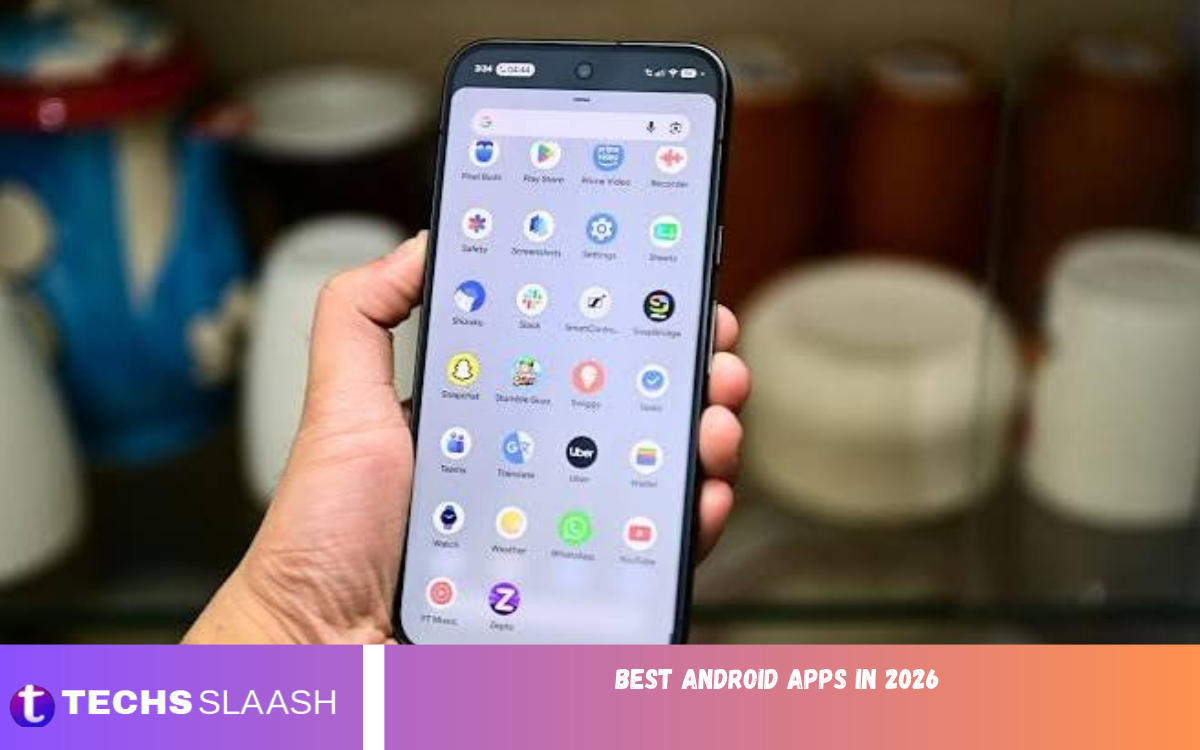
Android smartphones are essential tools for communication, work, education, entertainment, and everyday tasks. With thousands of applications available, choosing the right ones can improve your smartphone experience, save time, and make daily tasks easier.
Whether you are a student, professional, content creator, gamer, or casual smartphone user, there are applications designed to meet your needs. From organizing your schedule and editing photos to managing passwords and communicating with friends, the right apps can turn an ordinary Android phone into a powerful personal assistant.
Why Choosing the Best Android Apps in 2026 Matters?
Modern Android applications do much more than provide basic functions. They help users automate repetitive activities, access information quickly, protect personal data, and stay connected across different devices. Selecting reliable applications can also reduce unnecessary notifications, improve organization, and make better use of your phone’s available storage and battery life.
However, installing too many apps can cause problems, including excessive ads, unnecessary permissions, and background battery drain. Choose apps based on your actual needs instead of downloading every popular option. Look for regular updates, transparent privacy policies, useful features, and compatibility with your Android device.
Best Android Apps for Productivity
Productivity applications are valuable for people who want to manage tasks, organize information, and complete work efficiently. Google Keep is useful for quick notes, shopping lists, reminders, and saving ideas, while Todoist helps users organize tasks into projects and establish priorities. These tools can make personal responsibilities and professional assignments easier to track.
Google Drive is another practical choice for storing files, accessing documents, and sharing work across supported devices. Microsoft 365 is useful for users who regularly create or edit documents, spreadsheets, and presentations. Choosing one or two productivity apps that fit your workflow can help you remain organized without filling your phone with unnecessary tools.
Best Android Apps for Communication
Communication apps remain among the most important downloads for Android users. WhatsApp supports messaging, voice calls, video calls, and file sharing, making it a convenient option for personal and professional conversations. Google Messages offers text messaging and supported RCS features, depending on the device, carrier, region, and recipient’s setup.
Google Meet is helpful for online meetings, remote collaboration, and video conversations. These applications allow users to communicate with family, classmates, colleagues, and customers from different locations. To protect your privacy, enable available security features, review account settings, and avoid opening suspicious links or sharing verification codes with unknown people.
Best Android Apps for Artificial Intelligence
Artificial intelligence applications have become increasingly useful for answering questions, generating ideas, summarizing information, and supporting creative projects. ChatGPT can help users brainstorm content, understand unfamiliar topics, draft messages, and work through everyday problems. Its usefulness depends on the task, available features, and the accuracy of the information being requested.
Google Gemini is another option for users interested in AI-assisted research, writing, planning, and supported integrations with Google services. AI tools can save time, but their answers should not always be treated as verified facts. Check important information against trustworthy sources, particularly when working with medical, legal, financial, or other sensitive subjects.
Best Android Apps for Education and Learning
Educational applications help students and lifelong learners develop skills at their own pace. Khan Academy provides educational lessons and practice in subjects such as mathematics, science, and computing. Duolingo offers interactive language-learning exercises that can help users build vocabulary and maintain a regular learning routine.
Google Classroom is useful for students and teachers who need to access assignments, class materials, and announcements in supported educational environments. You can also use note-taking applications to summarize lessons and organize revision materials. For better results, combine digital learning with practical exercises, regular revision, and independent study rather than relying entirely on automated answers.
Best Android Apps for Photo and Video Editing
Photo and video editing applications allow users to improve images, create social media content, and produce professional-looking visuals directly from their smartphones. Snapseed offers photo adjustment tools for correcting brightness, contrast, colors, and other image details. Canva is useful for designing posters, thumbnails, presentations, invitations, and social media graphics through customizable templates.
CapCut provides video-editing features for creating short videos, adding captions, adjusting clips, and applying effects, although specific features and availability may vary by region and version. These applications are especially useful for bloggers, students, influencers, and small business owners. Before exporting a project, review image quality, text placement, music rights, and any watermark or subscription limitations.
Best Android Apps for Security and Privacy
Smartphone security should be a priority because Android devices often contain personal photographs, private messages, financial information, and important documents. Google Password Manager can help users store and manage passwords through supported Google services. A reputable dedicated password manager may offer additional tools for people who manage many accounts or share access within a household or team.
Google Find Hub, formerly known as Find My Device, can help users locate compatible devices and perform supported remote security actions when the required settings are enabled. Google Authenticator is another useful option for generating verification codes for accounts that support authenticator-based two-step verification. Keep your operating system updated, use a strong screen lock, and review app permissions regularly to reduce avoidable security risks.
Best Android Apps for Entertainment and Streaming
Entertainment applications make it easy to watch videos, listen to music, and enjoy content during free time. YouTube provides access to educational videos, entertainment, tutorials, reviews, and creator content. Spotify offers music and podcast streaming, with features and listening options depending on the user’s region and subscription plan.
Netflix is an option for watching films, television series, and other licensed entertainment where the service is available. The most suitable streaming app depends on your interests, data allowance, and budget. If you regularly watch videos on mobile data, adjust playback quality and consider offline downloads where officially supported to control data consumption and reduce interruptions.
Best Android Apps for File Management and Cloud Storage
A reliable file manager makes it easier to find downloads, organize documents, remove unwanted files, and transfer content between supported storage locations. Files by Google provides file-browsing tools and suggestions that can help users identify unnecessary files and manage available storage. Its features make it a useful option for people who frequently download documents, images, and videos.
Google Drive and Microsoft OneDrive are practical cloud-storage choices for backing up or accessing files across compatible devices. Cloud storage can protect important documents from some forms of device loss, but synchronization is not always the same as an independent backup. Review storage limits, sharing permissions, and recovery options before relying on any service for important personal or professional files.
Best Android Apps for Navigation and Travel
Navigation applications are particularly useful for commuters, travelers, and people exploring unfamiliar places. Google Maps provides directions, location searches, traffic information, and other features where supported. Users can also download maps for selected areas in advance, which can be helpful when mobile connectivity is limited.
Google Translate supports text translation and offers additional features such as camera-based translation and offline language downloads for supported languages. Travelers should check destination details, transport schedules, local conditions, and the availability of individual features before departure. Downloading essential information ahead of time can make a journey more convenient, especially when traveling internationally.
Best Android Apps for Health and Fitness
Fitness applications can help users build consistent routines, track physical activity, and monitor personal goals. Google Fit and compatible fitness applications can record supported activity information, depending on device capabilities, connected services, and available permissions. Some users may also benefit from workout-planning apps that provide structured exercises for home or gym sessions.
The most useful fitness app is one that supports realistic goals and encourages sustainable habits. Review the information an app collects before granting access to location, activity, or other sensitive data. Fitness trackers and wellness apps can support daily health routines, but they shouldn’t replace professional medical advice or be treated as definitive diagnostic tools.
Read Also: Best AI Writing Tools for Blogs and Websites
Best Android Apps for Social Media and Content Creation
Social media applications help users communicate, build communities, share experiences, and promote businesses. Instagram is popular for photos, short videos, Stories, and creator content, while Facebook offers groups, pages, messaging, and community interaction. TikTok is another option for short-form videos and interest-based content discovery, subject to regional availability.
Content creators can combine these platforms with editing and design tools to produce more engaging posts. For example, Canva can help create graphics, while a video editor can prepare clips before publication. Protect your accounts with strong passwords and two-step verification, and review audience settings carefully when sharing personal photographs, location details, or other private information.
How to Choose the Right Android Apps in 2026
The best apps aren’t necessarily the ones with the most downloads. Start by identifying the problem you want to solve, whether it involves organizing tasks, learning a language, editing videos, or protecting accounts. Then compare features, recent reviews, update history, accessibility options, and compatibility with your phone before installing anything.
Privacy and performance deserve equal attention. Check which permissions an application requests and whether those permissions make sense for its purpose. Avoid suspicious copies, unofficial installation files, and apps that promise unrealistic results. Free versions can be enough for many users, while paid subscriptions may be worth it if the extra features provide clear, ongoing value.
Tips for Getting Better Performance from Android Apps
Keeping your apps updated helps you receive improvements, security fixes, and compatibility updates. Remove apps you no longer use, restrict unnecessary background activity where appropriate, and clear temporary files through your phone’s built-in storage settings. These steps can keep your device organized without needing extra optimization software.
Also manage notifications so important messages stay easy to notice. Review battery usage and data consumption if your phone slows down or drains quickly after you install an application. Avoid tools that promise dramatic speed improvements without clear evidence, and use your device’s official settings to manage storage, battery, and application permissions safely.
Tips for Keeping Your Android Phone Efficient
Installing too many applications can make your phone harder to manage and increase notification overload. Keep only the tools you regularly use, disable unnecessary alerts, and review storage usage periodically. Updating apps can also improve performance, fix bugs, and provide security patches.
Battery life and performance depend on several factors, including hardware, network conditions, screen brightness, and background activity. Review battery and data usage in Android settings to identify applications that consume more resources than expected. Avoid questionable phone-cleaning tools that promise unrealistic speed improvements or request excessive permissions.
Frequently Asked Questions
What are the best Android apps in 2026?
The best choices depend on your needs. Google Keep and Todoist help with organization, WhatsApp for communication, ChatGPT for AI assistance, Snapseed for photo editing, and Google Maps for navigation.
Which Android apps are best for productivity?
Google Keep, Todoist, and Microsoft 365 are practical options for notes, task management, document editing, and everyday work. Choose the app that matches your preferred workflow.
What are the best free Android apps?
Useful free options may include Google Keep, Google Maps, Snapseed, Files by Google, and Khan Academy. Some applications offer optional subscriptions, paid features, or region-dependent services.
Which Android apps are best for students?
Khan Academy, Google Classroom, Google Keep, and language-learning apps can support studying, managing assignments, taking notes, and building skills.
Which Android apps are useful for AI?
ChatGPT and Google Gemini can assist with research, explanations, writing, brainstorming, and supported productivity tasks. Always verify important information before using it.
What are the best Android apps for photo editing?
Snapseed is useful for detailed photo adjustments, Adobe Lightroom offers advanced photography controls, and Canva helps create graphics and social media designs.
Which Android apps help protect privacy?
Google Password Manager, Bitwarden, and Google Play Protect provide useful security-related features. Strong screen locks, updated software, and careful permission management are equally important.
How can I find safe Android apps?
Prefer trusted app stores, check the developer’s identity, review recent feedback, and examine requested permissions. Avoid suspicious installation files and applications that promise unrealistic benefits.
Do the best Android apps require payment?
No. Many useful apps provide free features, while others charge for subscriptions, extra storage, advanced tools, or an ad-free experience. Check the current pricing before subscribing.
How many apps should I install on my Android phone?
There is no fixed number. Install apps that serve a clear purpose, remove those you no longer need, and keep enough storage for updates, photos, and everyday tasks.
Conclusion
The best Android apps in 2026 can improve productivity, communication, creativity, education, security, and entertainment. From note-taking and AI assistance to photo editing, navigation, and cloud storage, the right combination of applications can make a smartphone more useful throughout the day.
Instead of installing every popular app, focus on tools that solve real problems and work reliably on your device. Review permissions, check pricing, keep software updated, and prioritize trusted developers.

1 Comment
Pingback: Best free Android apps for students in 2026 - Techsslaash.com