

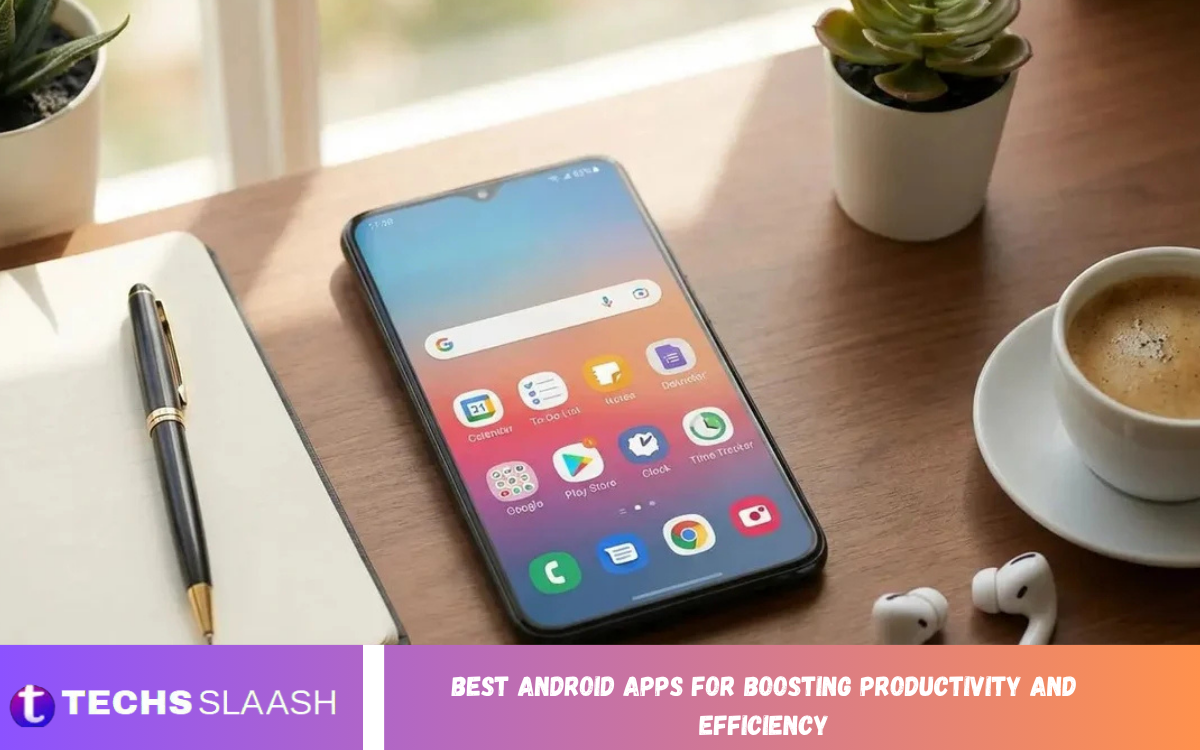
Smartphones are no longer used only for communication and entertainment. With the right applications, an Android phone can become a powerful productivity tool that helps users organize tasks, manage schedules, capture ideas, communicate efficiently, and stay focused throughout the day.
Choosing the Best Android Apps for Boosting Productivity and Efficiency can make everyday responsibilities easier to manage. Whether you are a student, professional, freelancer, business owner, or remote worker, the right combination of apps can reduce wasted time and create a more organized digital routine.
Why Productivity Apps Matter on Android?
Productivity apps help transform an Android smartphone from a source of distraction into a practical tool for work and organization. Instead of keeping tasks, reminders, notes, and schedules scattered across different places, users can bring important information into organized digital systems.
The best productivity applications are designed to reduce friction. Features such as reminders, widgets, synchronization, quick note capture, calendars, task lists, and focus tools allow users to complete everyday activities with fewer unnecessary steps. Current productivity app comparisons continue to highlight task management, notes, calendars, focus, and automation as major categories for Android users.
Todoist for Powerful Task Management
Todoist is a strong option for people who want a dedicated task management application without unnecessary complexity. It allows users to organize responsibilities into projects, priorities, deadlines, and smaller actionable tasks, making it easier to understand what needs attention.
One of its biggest advantages is fast task capture. Users can quickly record an idea or responsibility instead of relying on memory. Current comparisons also recognize Todoist for natural-language task entry, cross-platform support, integrations, and structured project management.
Microsoft To Do for Simple Daily Planning
Microsoft To Do is an excellent choice for users who prefer a straightforward task list. Its simple approach makes it suitable for creating daily plans, organizing personal responsibilities, setting reminders, and separating work from other areas of life.
The application is especially useful for people who already use Microsoft services. Its connection with Outlook and Microsoft 365 can make it easier to manage tasks alongside existing work activities. Recent comparisons describe Microsoft To Do as a particularly strong free option for users who want simplicity and Microsoft ecosystem integration.
Google Keep for Fast Note Taking
Google Keep is ideal for capturing information quickly before an idea disappears. Users can create short notes, checklists, reminders, and other pieces of information without opening a complicated workspace or building an elaborate organization system.
Its strength is speed and simplicity. A student can save a quick study reminder, a professional can record an idea during a meeting, and a shopper can create a checklist within seconds. Productivity comparisons continue to rank Google Keep among the most practical Android options for quick note-taking.
Read Also: Best Android Apps for Students: Productivity, Learning, and Organization
Google Calendar for Better Time Management
Managing tasks is only part of productivity because time also needs to be organized. Google Calendar can help users organize appointments, meetings, deadlines, events, and personal commitments into a single visual schedule.
A well-maintained calendar can prevent overbooking and make priorities more realistic. Combining a calendar with a task application is particularly useful because it allows users to see both what they need to accomplish and when they have time available to accomplish it.
Notion for an All-in-One Workspace
Notion is designed for users who want more than a traditional note-taking or task application. It can combine documents, notes, project information, databases, task lists, and personal organization into one flexible workspace.
This flexibility makes Notion useful for students, creators, freelancers, entrepreneurs, and project teams. However, its extensive customization options may require more setup than simpler productivity applications. Current Android productivity reviews continue to position Notion as a leading all-in-one workspace for notes, projects, and organization.
TickTick for Tasks, Habits, and Focus
TickTick is useful for people who want multiple productivity features in a single application. In addition to task management, it can support habit-building and focused work sessions, reducing the need to constantly switch between separate applications.
This approach can be particularly helpful for users who want to connect daily responsibilities with long-term routines. Recent productivity comparisons highlight TickTick for combining tasks, calendar functionality, habits, and Pomodoro-style focus tools in a single workflow.
Microsoft OneNote for Organized Notes
Microsoft OneNote works well for people who prefer a traditional digital notebook experience. Instead of keeping everything inside one continuous page, users can organize information through notebooks, sections, and individual pages.
It can be especially useful for students, researchers, professionals, and anyone who regularly works with large amounts of information. Notes, research material, meeting information, and reference content can be kept together while remaining easier to locate later. Current Android productivity guides continue to recommend OneNote for structured digital note-taking.
Forest for Improving Focus
One of the biggest challenges to productivity is distraction. Forest takes a different approach by turning focused work sessions into a simple visual experience that encourages users to stay away from unnecessary phone activity.
The concept is useful for people who struggle with checking social media, messages, or other distracting applications while working. A dedicated focus session creates a psychological boundary between work time and entertainment, making it easier to develop stronger concentration habits.
Obsidian for Knowledge Management
Obsidian is a powerful choice for users who want to build a connected personal knowledge system. It uses a note-based approach that can help writers, researchers, students, and professionals connect ideas and information over time.
Its local-first approach can also appeal to users who prefer keeping their notes under their control. Instead of treating every note as an isolated piece of information, Obsidian allows users to create relationships between ideas, making it valuable for long-term research and knowledge management.
How to Choose the Right Productivity App
The best productivity application is not necessarily the one with the largest feature list. Users should first identify their biggest problem, such as missed deadlines, poor organization, excessive distractions, forgotten ideas, or ineffective time management.
Someone who needs simple daily tasks may prefer Microsoft To Do, while a project-focused user may benefit from Todoist. A person who needs notes and databases could choose Notion, while someone focused on connected knowledge may prefer Obsidian. Choosing according to the actual workflow prevents unnecessary complexity.
How to Build an Effective Android Productivity System
Installing many productivity applications does not automatically make someone more productive. In fact, using too many tools can create duplicate tasks, scattered information, repeated notifications, and unnecessary maintenance.
A better strategy is to create a simple system. Use one primary task manager, one calendar, one note-taking platform, and one focus method if necessary. Once these tools become part of a consistent routine, they can support productivity rather than become another source of digital clutter.
Tips for Getting More From Productivity Apps
Start by keeping the system simple and adding features only when they solve a real problem. Create realistic daily priorities rather than filling the task list with dozens of responsibilities that cannot reasonably be completed.
Notifications should also be managed carefully. Constant alerts can interrupt concentration and reduce the value of productivity tools. Use reminders for genuinely important events and tasks while limiting notifications that do not require immediate attention.
Best Android Apps for Different Productivity Needs
For dedicated task management, Todoist is a strong choice because it focuses heavily on organizing responsibilities and projects. Microsoft To Do is better suited to people who want a simple daily planning experience, particularly within the Microsoft ecosystem.
For notes, Google Keep is excellent for quick information capture, while OneNote is better for structured notebooks and larger collections of information. Notion is suitable for users who want an all-in-one workspace, while Forest and TickTick can help users build more focused work routines.
Frequently Asked Questions
Is Todoist good for Android productivity?
Yes. Todoist is useful for organizing tasks, projects, priorities, and deadlines. Its quick task-entry approach makes it convenient for users who frequently need to capture responsibilities.
Is Microsoft To Do free to use?
Microsoft To Do is widely positioned as a free task-management option. It provides a simple way to organize daily responsibilities and works especially well for people already using Microsoft services.
Which Android app is best for taking quick notes?
Google Keep is one of the strongest choices for quick note capture. Its simple design allows users to quickly record ideas, lists, reminders, and short pieces of information.
Is Notion good for productivity?
Notion can be highly effective for users who need documents, notes, projects, databases, and tasks in one workspace. Its flexibility allows people to create systems around their specific workflows.
Which Android app is best for managing time?
Google Calendar is a strong choice for managing appointments, events, deadlines, and scheduled activities. It provides a visual representation of how available time is being used.
Can productivity apps reduce distractions?
Yes, certain productivity applications can help reduce distractions by encouraging focused work sessions and separating important tasks from entertainment.
Which productivity app is best for students?
Students can benefit from different applications depending on their study habits. OneNote is useful for organized academic notes, Google Calendar can help manage classes and deadlines, and Todoist can organize assignments and study tasks.
Should I install several productivity apps?
Installing several applications is not always better. Too many tools can fragment information across multiple systems and complicate daily planning.
Can Android productivity apps help with work?
Yes. Productivity applications can help professionals organize assignments, schedule meetings, capture ideas, manage documents, and maintain daily priorities.
What is the best productivity setup for Android?
A practical setup can include a task manager for responsibilities, a calendar for scheduled time, a note application for information, and a focus tool for concentrated work.
Conclusion
The Best Android Apps for Boosting Productivity and Efficiency can make smartphones valuable tools for organization, planning, communication, and focused work. Applications such as Todoist, Microsoft To Do, Google Keep, Google Calendar, Notion, TickTick, OneNote, Forest, and Obsidian each serve different productivity needs.
The key is not to install every popular application. Instead, choose a small collection of tools that matches your daily workflow and use them consistently.

1 Comment
Pingback: Best Photo Editing Apps for Professional-Quality Results - Techsslaash.com