

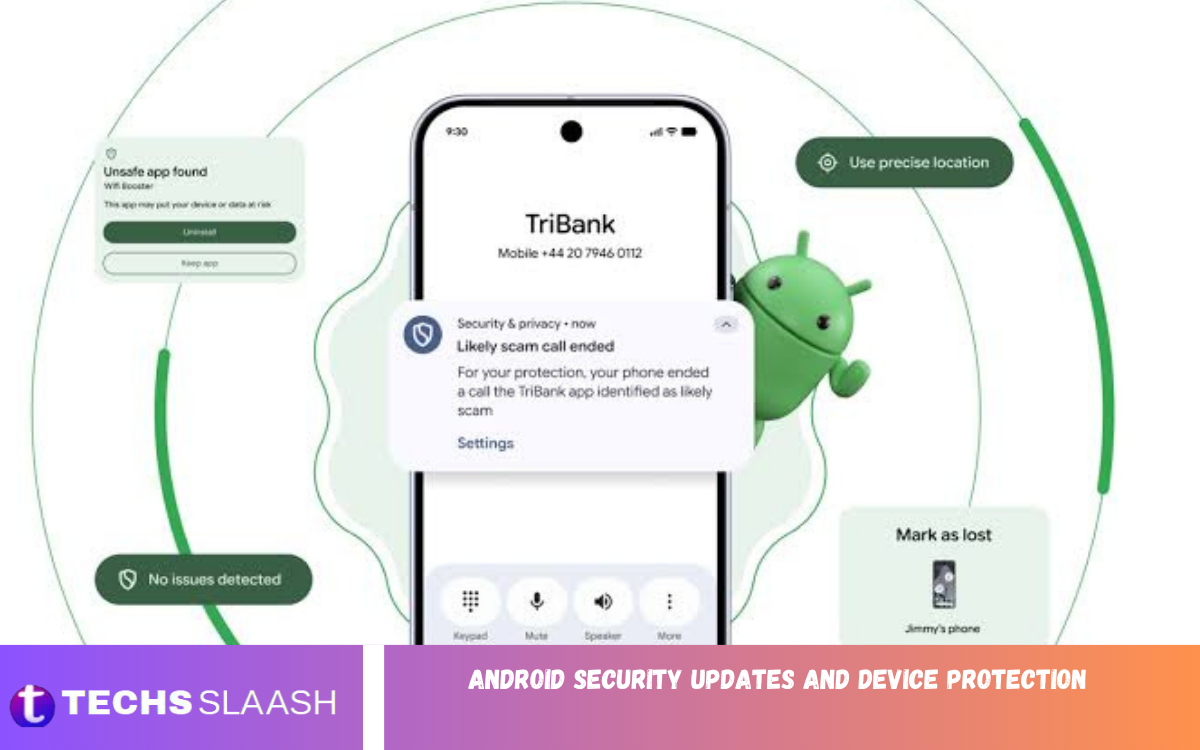
Android security updates play an important role in protecting smartphones and tablets from security vulnerabilities, malware, unauthorized access, and privacy threats. Keeping an Android device updated helps ensure known security weaknesses are addressed before attackers can exploit them.
Android Security Updates and Device Protection also involve safe browsing, strong passwords, secure applications, screen locks, and responsible device usage. A complete security strategy combines regular software updates with practical protection habits.
Why Android Security Updates Are Important?
Security updates fix vulnerabilities discovered in the Android operating system and related components. These vulnerabilities can sometimes allow malicious applications or attackers to access sensitive information, interfere with device functions, or compromise user privacy.
Installing available updates helps reduce exposure to known security problems. Users should regularly check their device settings for security updates and install them when they become available, especially when an update addresses important security issues.
How Android Security Updates Protect Your Device
Android security updates can address weaknesses affecting system components, applications, connectivity features, and other parts of the device. Developers and security researchers continuously identify potential threats, allowing manufacturers and software providers to release fixes.
An updated device generally has stronger protection against known vulnerabilities than an outdated device. This does not make a smartphone completely immune to threats, but it significantly improves the security foundation on which other protection measures depend.
Android Security Patch Levels Explained
Android devices display security information that can include an Android security update or security patch level. This information helps users understand how recently important security fixes were applied to their device.
The available patch level can vary depending on the manufacturer, device model, carrier, region, and update policy. Users can usually find this information through the device’s settings and should keep the software as current as the device officially supports.
How to Check for Android Security Updates
Checking for Android security updates is usually straightforward. Open the device settings and look for sections such as System, Software Update, or Security and Privacy, depending on the manufacturer and Android version.
If an update is available, review the information provided and follow the installation instructions. It is recommended to keep the device sufficiently charged and connected to a reliable internet connection before starting a major software update.
Automatic Updates and Device Security
Automatic updates can make Android security maintenance easier by allowing supported devices to download and install updates without requiring users to check manually every time. Enabling automatic updates can reduce the possibility of forgetting important security improvements.
However, update availability and installation behavior differ between devices. Even with automatic updates enabled, users should occasionally check their software settings to confirm the device is receiving current updates.
Protect Android Devices With a Strong Screen Lock
A strong screen lock is one of the simplest ways to improve Android device protection. A PIN, password, pattern, fingerprint, or supported biometric method can help prevent unauthorized access to personal information.
A longer and less predictable PIN or password provides stronger protection than an easily guessed combination. Users should avoid common numbers, birthdays, repeated patterns, or other information that someone could easily associate with them.
Protect Personal Data on Android
Android smartphones often contain private photos, messages, documents, contacts, financial information, and account credentials. Protecting this information requires more than installing security updates.
Users should review application permissions, remove applications they no longer need, and avoid granting unnecessary access to sensitive features. Regular backups can also help protect important information if a device is lost, damaged, or reset.
Safe App Installation Practices
Applications can provide useful functionality, but installing software from unreliable sources can increase security risks. Users should review an application’s developer, permissions, reviews, and purpose before installing it.
Keeping applications updated is also important because developers regularly release fixes for security vulnerabilities. Remove unused applications when they are no longer needed to reduce unnecessary access to device resources and personal information.
Read Also: How to Speed Up Your Android Phone and Improve Performance
Google Play Protect and Android Security
Google Play Protect adds an extra layer of protection for Android devices by scanning apps and helping identify potentially harmful software. It can help keep apps safer and support everyday device use.
Users should keep security features enabled unless there is a specific reason to change them. Combining Play Protect with current security updates, careful app installation, and strong account protection creates a more comprehensive security approach.
Android Privacy and Permission Management
Application permissions determine what information and device features an application can access. Depending on the application, permissions may involve the camera, microphone, location, contacts, storage, or other sensitive resources.
Users should regularly review permissions and remove access that an application does not reasonably need. Android’s privacy controls can help users manage these permissions and make more informed decisions about application access.
Protect Your Android Account
A secure Google account is important because it may provide access to applications, backups, contacts, photos, email, and other connected services. If an account is compromised, attackers may potentially gain access to information beyond the smartphone itself.
Users should create a strong, unique password and enable two-step verification where available. Keep account recovery information accurate so legitimate users can recover their accounts when needed.
Avoid Phishing and Suspicious Messages
Security updates cannot protect users from every form of social engineering. Phishing messages can attempt to convince users to reveal passwords, verification codes, payment information, or other sensitive details.
Users should be cautious with unexpected messages, suspicious attachments, urgent requests, and unfamiliar websites. Before entering account information, verify that the request is legitimate and avoid sharing authentication codes with other people.
Android Device Protection on Public Wi-Fi
Public Wi-Fi can be convenient, but users should be careful when connecting to unfamiliar networks. Attackers may attempt to exploit insecure networks or create deceptive networks designed to capture sensitive information.
Avoid performing highly sensitive activities on unknown networks when possible. Keeping the device updated, using secure connections, and avoiding suspicious websites can reduce unnecessary security risks while using public internet access.
Bluetooth and Nearby Device Security
Bluetooth lets Android devices connect to headphones, vehicles, computers, watches, and other accessories. Although useful, users should avoid accepting unknown pairing requests or connecting to unfamiliar devices.
Manage Bluetooth based on your needs, and don’t trust unfamiliar devices without verification. Removing old or unused paired devices can also help keep connectivity settings organized and secure.
What to Do If Your Android Device Is Lost?
A lost smartphone can expose personal information if it is not properly protected. A secure screen lock and device-finding features can help users locate, lock, or manage a missing device when supported.
Users should act quickly after discovering that a device is missing. Securing important accounts, contacting the relevant service provider when necessary, and using available device-management features can reduce the potential impact.
Keeping Android Apps and Software Updated
Android Security Updates and Device Protection should include both the operating system and installed applications. An updated operating system addresses system-level vulnerabilities, while application updates can fix weaknesses within individual apps.
Users should avoid postponing important updates indefinitely. Keeping software up to date reduces exposure to vulnerabilities that may already be publicly known or targeted by malicious actors.
Common Android Security Mistakes to Avoid
Weak passwords, installing unknown apps, ignoring security updates, and granting excessive permissions can increase security risks. Reusing the same password across multiple accounts can also make one compromised account affect several services.
Another common mistake is assuming that security software alone provides complete protection. Effective Android security depends on multiple layers, including updated software, secure authentication, careful browsing, permission management, and responsible application usage.
Best Practices for Android Device Protection
Users should keep Android software and applications updated, use a strong screen lock, enable appropriate security features, and review application permissions regularly. Also back up important personal information using a trusted method.
It is equally important to develop safe digital habits. Avoid suspicious links, unknown downloads, untrusted applications, and requests for confidential information, even when they appear convincing or urgent.
Frequently Asked Questions
What Are Android Security Updates?
Android security updates are software updates designed to address known security vulnerabilities and improve protection against potential threats. They can cover different parts of the Android platform depending on the device and update release.
How Often Should Android Security Updates Be Installed?
Security updates should generally be installed as soon as they are available from the device manufacturer or software provider. Update schedules vary by device, manufacturer, carrier, and region.
How Can I Check My Android Security Patch Level?
You can usually find the security patch information in your Android device’s settings under sections such as About Phone, Android Version, Security and Privacy, or Software Information. The exact menu varies by manufacturer.
Do Android Security Updates Remove Viruses?
Security updates primarily address software vulnerabilities and improve system security. They aren’t designed to remove every type of malware, so users should also rely on safe app practices and built-in security features.
Is Google Play Protect Important for Android Security?
Google Play Protect adds an extra layer of security by helping detect potentially harmful apps. Keeping it enabled can complement Android security updates and other device protection practices.
Should I Update Android Apps Regularly?
Yes, keeping applications updated is an important part of device security. App updates can include security fixes, performance improvements, bug fixes, and compatibility improvements.
Can a Strong Password Protect My Android Device?
A strong password or PIN can significantly reduce the risk of unauthorized access if someone gets hold of the device. Combining a secure screen lock with biometric protection where appropriate can provide additional convenience and security.
Why Should I Review Android App Permissions?
Reviewing permissions helps ensure applications only access the information and device features they genuinely need. Removing unnecessary permissions can reduce privacy and security risks.
What Should I Do If My Android Phone Is Lost?
Use available device-finding and remote-management features to locate, lock, or secure the device. You should also protect important accounts and take appropriate steps if sensitive information may be at risk.
Can Android Devices Be Completely Protected From Security Threats?
No device can be guaranteed completely immune to every security threat. However, current security updates, strong authentication, careful app installation, privacy controls, backups, and safe online behavior can substantially improve overall protection.
Conclusion
Android Security Updates and Device Protection are essential for maintaining a safer smartphone experience. Regular security updates address known vulnerabilities, while strong authentication, secure applications, permission management, and careful online behavior add extra layers of protection.
Users should make security maintenance a regular habit rather than waiting for a problem to occur. Keeping Android software and applications updated, along with following basic security practices, can help protect personal data, accounts, privacy, and everyday digital activities.

1 Comment
Pingback: Android Hidden Features: Powerful Tips and Useful Functions You Should Know - Techsslaash.com