Say a client sends over a scanned contract, and you need three clauses from it before lunch. You type “OCR application for Mac download” into a search bar, and a long list of apps appears. Each one promises clean, copyable text in a few seconds. Some look polished, and others look like nobody has updated them since 2019. It is tempting to grab the first one with a nice icon and get on with your day. Perhaps you have done exactly that before.
Choosing an OCR application for Mac download feels like a small decision, but it matters more than it seems. The app reads your screen, and your screen holds bank statements, client names, and the occasional password. A careless pick can leave your screenshots on a server you know nothing about, or add one more subscription you forget to review.
Five quick checks can head off both problems. Let’s break it down.
1. Check Where the OCR App for Mac Processes Your Screenshots
Every OCR tool has to read the pixels somewhere. Some do it right on your Mac, and others send the image to a remote server and wait for the text to come back.
Here is why that matters. In a normal week, you might snip an invoice total, a tracking number, and a client’s dashboard. Would you email those screenshots to a stranger?
Before you install anything, look for plain answers to these questions:
- Does the app say where it reads the text?
- Does it make you create an account first?
- Does its privacy page explain what happens to your images?
SnipVault reads text with Apple’s Vision framework on your Mac, and it never uploads your images. There is no SnipVault account and no SnipVault server, so your vault stays on your Mac as a local file.

Source: https://snipvault.io/
2. Check Whether the Mac OCR App Reads Text Beyond Live Text
Your Mac already has some OCR built in. Apple’s Live Text lets you select and copy text inside an image in Preview. Apple also notes that Live Text is not available in every region or language.
So, before you download anything, open a screenshot in Preview and try it. If that covers your needs, maybe you do not need a new app at all.
Then again, the text you need might sit inside a paused video, a locked PDF, or a slide on a Zoom call. Picture a support agent retyping an order number from a screen recording, where one wrong digit sends the reply to the wrong order.
SnipVault reads video frames, PDFs, and app windows where Live Text cannot reach. Press ⇧⌘2, drag over the text, and it lands on your clipboard.
3. Check What Happens to Your OCR Text After You Paste It
Some OCR tools copy the text and then forget it the moment you paste. Sure, that seems fine until Thursday, when you need the same invoice number again, and the screenshot is gone.
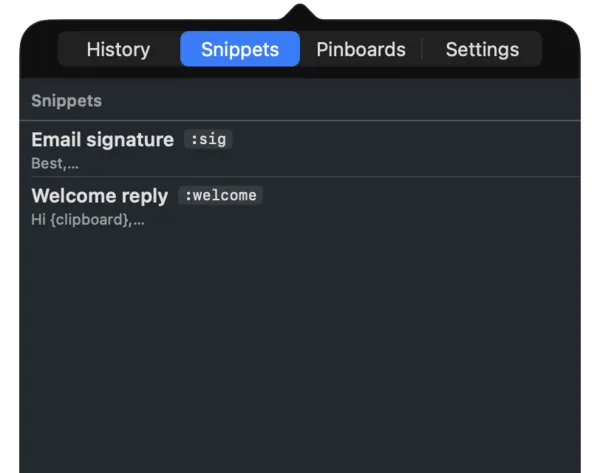
SnipVault keeps both the screenshot and its text in a searchable vault. Type a word from the snip days later, and it shows up next to the image it came from. Because of this, the OCR app becomes a record of what you have grabbed off your screen.
The same vault holds your full clipboard history, so a copied link and a snipped paragraph sit in one place. Is that more than you wanted from an OCR app? It might be, since some people only want the text and nothing else.

Source: https://snipvault.io/shots/popover-dark-snippets-short-600w.webp
4. Check macOS Compatibility and Permissions Before Your OCR Download
An app that refuses to open on your version of macOS can waste a whole afternoon. SnipVault runs on macOS 13 Ventura or later, on both Apple Silicon and Intel Macs. Check your version under the Apple menu, in About This Mac, before you download anything.
Next, look closely at the permissions an app requests. Why would a text reader need your contacts or your microphone?
SnipVault asks for one permission, Accessibility, so it can paste for you, and it never logs your keystrokes. Besides, check how the app treats sensitive text. SnipVault handles it in three ways:
- It ignores 1Password, Bitwarden, Keychain, and Apple Passwords from the first launch.
- It clears copied passcodes and card numbers from the vault after 60 seconds.
- It hides its panels from screen sharing and recordings.
Next Steps Before Your OCR Application for Mac Download
Start with Live Text in Preview, since it costs nothing to try. If it falls short, hold each app on your shortlist up against the five checks above, one at a time.
SnipVault meets all five. Still, only you can judge whether one app for three jobs suits the way you work. At the same time, it runs only on macOS, and there is no iPhone or iPad version.