

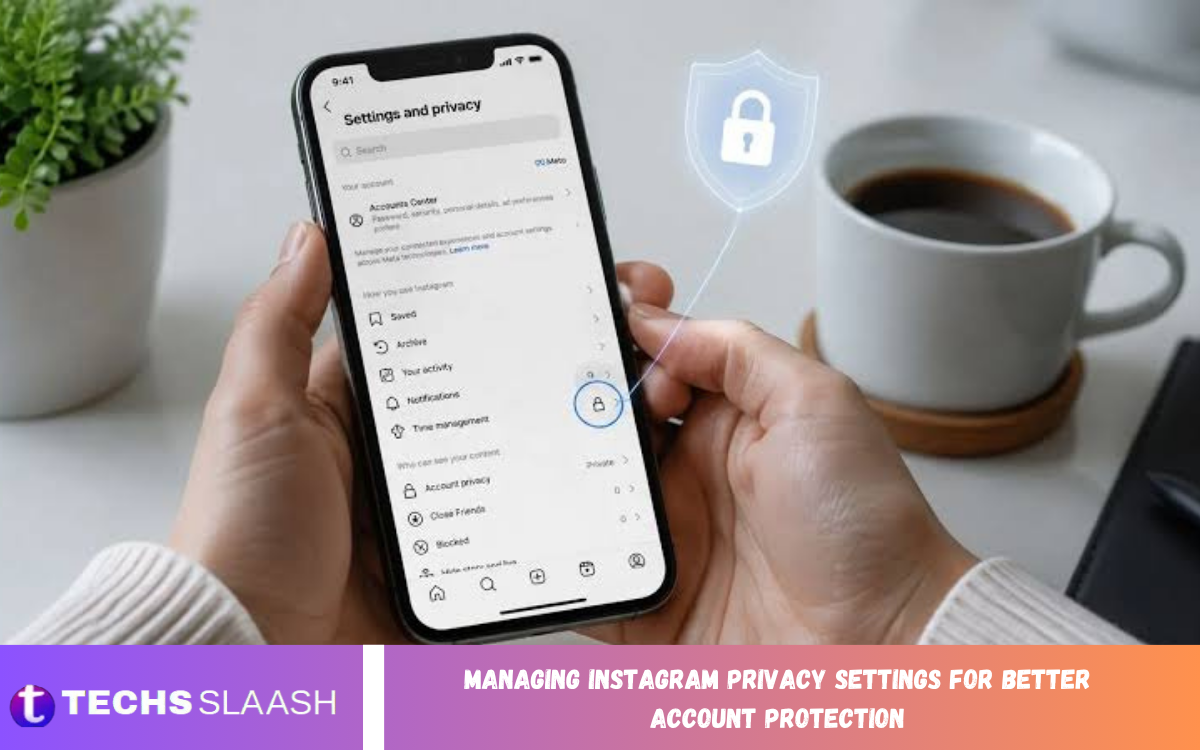
Managing Instagram privacy settings is essential for users who want more control over their personal information, posts, messages, followers, and online activity. Instagram offers several privacy and security controls that let users decide who can interact with their accounts and access their content.
Proper privacy management can reduce unwanted interactions and help protect sensitive information from unnecessary exposure. Regularly reviewing account settings also helps users maintain control as Instagram introduces new features, communication options, and privacy controls.
Make Your Instagram Account Private
A private Instagram account gives users greater control over who can view their content. When an account is private, people generally need approval to follow the account and access its posts, stories, and other content intended for followers.
Switching to a private account can be especially useful for people who use Instagram primarily for personal communication and sharing content with friends or family. It adds an extra layer of control over who can see your published content.
Review Your Followers Regularly
Managing followers is an important part of Instagram privacy protection. Even when an account is private, reviewing the follower list periodically can help identify unfamiliar, inactive, or unwanted accounts that may no longer need access to personal content.
Instagram allows users to remove followers without necessarily blocking them. Regularly checking followers can reduce unnecessary exposure and help ensure that content is being shared with people the account owner actually recognizes or trusts.
Control Who Can Send You Messages
Instagram provides controls for managing who can contact you through direct messages and message requests. Adjusting these options can reduce unwanted conversations, spam, and messages from unfamiliar accounts.
Users should review message controls and decide which groups can send requests or interact through Instagram messaging. Restricting unnecessary communication can make the account more private while also creating a more manageable inbox.
Manage Story Privacy Settings
Instagram Stories are often used for quick personal updates, making story privacy particularly important. Users can control who can view stories and can hide stories from specific accounts when they do not want certain people to see temporary content.
The Close Friends feature can also provide more selective sharing. Instead of publishing a personal story to every follower, users can choose a smaller audience for content that is intended for trusted people.
Control Mentions and Tags
Mentions and tags can increase an account’s visibility because other users can connect their content with your Instagram profile. Privacy settings can help control who is allowed to mention or tag an account.
Reviewing these controls can reduce unwanted profile associations and prevent unfamiliar accounts from repeatedly including you in posts or conversations. Users should also review tagged content and remove unwanted tags when necessary.
Limit Comments and Unwanted Interactions
Instagram provides tools for managing comments and interactions on posts. Users can adjust comment settings, restrict specific accounts, and use filtering features to reduce unwanted or inappropriate interactions.
Controlling comments can be useful for maintaining a cleaner and more private profile. Rather than allowing every account to interact freely, users can customize interaction settings according to their preferred level of visibility and engagement.
Use Restrict for Additional Privacy
The Restrict feature provides a useful option between completely allowing interaction and blocking an account. Restricting an account can reduce how visible certain interactions are without creating the same level of separation as blocking.
This feature can be useful when users want to limit communication with someone without making the action as obvious. Reviewing restricted accounts periodically can also help maintain control over unwanted interactions.
Manage Activity Status
Instagram’s activity status can show when an account is active or was recently active. While this feature can make communication more convenient, some users may prefer not to share this information.
Disabling activity status can provide greater privacy by reducing the amount of information other users can see about your Instagram usage. Users who prioritize privacy can review this setting and decide whether displaying activity information is necessary.
Protect Your Personal Information
Privacy protection also depends on the information displayed directly on an Instagram profile. Users should avoid publishing unnecessary sensitive information such as personal contact details, private addresses, financial information, or other details that could be misused.
The profile biography, username, profile photo, captions, and public interactions can all reveal information about a person. Keeping unnecessary personal details out of these areas can reduce the amount of information available to unknown users.
Review Connected Apps and Websites
Third-party applications and websites may request access to Instagram account information. Over time, users may authorize services that they no longer use, making it important to review connected applications periodically.
Removing access for services that are no longer needed can reduce unnecessary account connections. Users should only authorize applications they recognize and should carefully consider what permissions are being requested.
Strengthen Instagram Login Security
Privacy settings work best when combined with strong account security. Users should create a strong, unique password for Instagram and avoid reusing the same password across multiple services.
Two-factor authentication can provide another layer of protection by requiring additional verification during certain login attempts. Enabling available security features can make unauthorized access more difficult and improve overall account protection.
Read Also: Instagram Activity Status: Manage Your Online Visibility and Privacy
Check Login Activity Regularly
Instagram provides security information that can help users review account login activity. Checking this information can help identify devices or sessions that the account owner does not recognize.
If an unfamiliar login appears, users should take appropriate security steps, such as changing the password and reviewing account security settings. Regular monitoring can help identify suspicious activity earlier.
Be Careful With Instagram Scams
Privacy protection also requires awareness of suspicious messages, fake profiles, and fraudulent requests. Attackers may attempt to obtain passwords, verification codes, or personal information by pretending to represent Instagram or another trusted service.
Users should avoid sharing login credentials or security codes with other people. Treat suspicious messages carefully, especially when they create urgency or request sensitive information.
Review Privacy Settings After Updates
Instagram can introduce new features and modify how certain settings are organized. Because of these changes, users should not assume that privacy preferences will always remain exactly where they were previously located.
Regular privacy reviews can help users stay familiar with available controls. Checking important settings after major app updates can also help ensure that account preferences still match personal privacy requirements.
Manage Search and Discoverability
Instagram accounts can become discoverable through usernames, profile information, interactions, recommendations, and other platform features. Users who want greater privacy should consider what information they make publicly visible.
Using a less revealing username, limiting personal profile information, and carefully choosing public interactions can reduce unnecessary discoverability. Privacy is not only about hiding posts but also about controlling the information connected to an account.
Protect Photos and Personal Content
Photos and videos can reveal more information than users realize. Background locations, documents, family details, workplaces, school information, and other visual elements may expose sensitive information.
Before publishing content, users should consider whether the image contains information that could identify a location, routine, personal document, or other private detail. Careful content selection is an important part of managing Instagram privacy settings.
Avoid Sharing Sensitive Information in Messages
Direct messages may feel private, but users should still be cautious about sending sensitive information. Passwords, verification codes, financial information, identification documents, and confidential personal details should not be casually shared through social media conversations.
Users should also be cautious when communicating with unfamiliar accounts. A profile that appears legitimate may not necessarily represent the person or organization it claims to represent.
Create a Regular Privacy Checkup Routine
A regular privacy checkup can make Instagram account protection easier to maintain. Users can periodically review account privacy, followers, story controls, messages, tags, mentions, activity status, connected applications, and security options.
A consistent review routine helps identify settings that no longer match current preferences. It also encourages users to remove unwanted followers, update passwords, and respond quickly to suspicious account activity.
Why Instagram Privacy Management Matters?
Instagram privacy management helps users control their digital presence and decide how much information they want to share. Privacy controls can reduce unwanted exposure while allowing users to continue enjoying social features.
No privacy setting can eliminate every online risk, so users should combine Instagram’s available controls with responsible sharing habits and strong account security. A careful approach provides broader protection than relying on one setting alone.
Frequently Asked Questions
How Can I Make My Instagram Account More Private?
You can increase privacy by reviewing account visibility, follower controls, story settings, comments, messages, tags, mentions, and activity status. Combining several privacy controls provides broader protection than changing only one setting.
Is a Private Instagram Account Completely Secure?
A private account provides greater control over who can access your content, but it does not guarantee complete security. Strong passwords, two-factor authentication, careful sharing, and regular security reviews are also important.
Can I Remove Someone From My Instagram Followers?
Yes, Instagram provides an option to remove followers. Reviewing your follower list regularly can help ensure that unwanted or unfamiliar accounts do not continue to have access to content shared with followers.
How Can I Stop Unwanted Instagram Messages?
You can review Instagram’s messaging and message-request controls to limit communication from unwanted accounts. Restricting or blocking specific accounts can also help reduce unwanted interactions.
Can I Hide My Instagram Stories From Specific People?
Yes, Instagram provides controls that allow users to hide stories from selected accounts. This can be useful when you want to share stories with most followers while excluding specific people.
What Does Instagram Restrict Do?
Restrict provides a way to limit interaction with an account without using the same level of separation associated with blocking. It can help reduce unwanted interactions while keeping the account accessible.
Should I Turn Off Instagram Activity Status?
The choice depends on your privacy preferences. Disabling activity status can reduce the amount of information other users can see about your Instagram activity.
How Often Should I Review Instagram Privacy Settings?
Reviewing important privacy and security settings periodically is a good practice. It is also useful to check them after major app updates or whenever your preferred audience or account usage changes.
Does Two-Factor Authentication Improve Instagram Account Protection?
Two-factor authentication can add an additional verification step to account access. It can provide an extra layer of protection beyond a password, particularly when login credentials are compromised.
What Information Should I Avoid Sharing on Instagram?
Avoid unnecessarily sharing sensitive information such as passwords, security codes, financial details, identification documents, private addresses, or information that reveals personal routines and locations.
Conclusion
Managing Instagram Privacy Settings for Better Account Protection requires more than switching an account to private mode. Effective privacy management involves reviewing followers, messages, stories, tags, mentions, comments, activity status, connected applications, and personal information.
Combining privacy settings with strong passwords, two-factor authentication, careful content sharing, and regular security reviews can help users maintain greater control over their Instagram accounts.
