

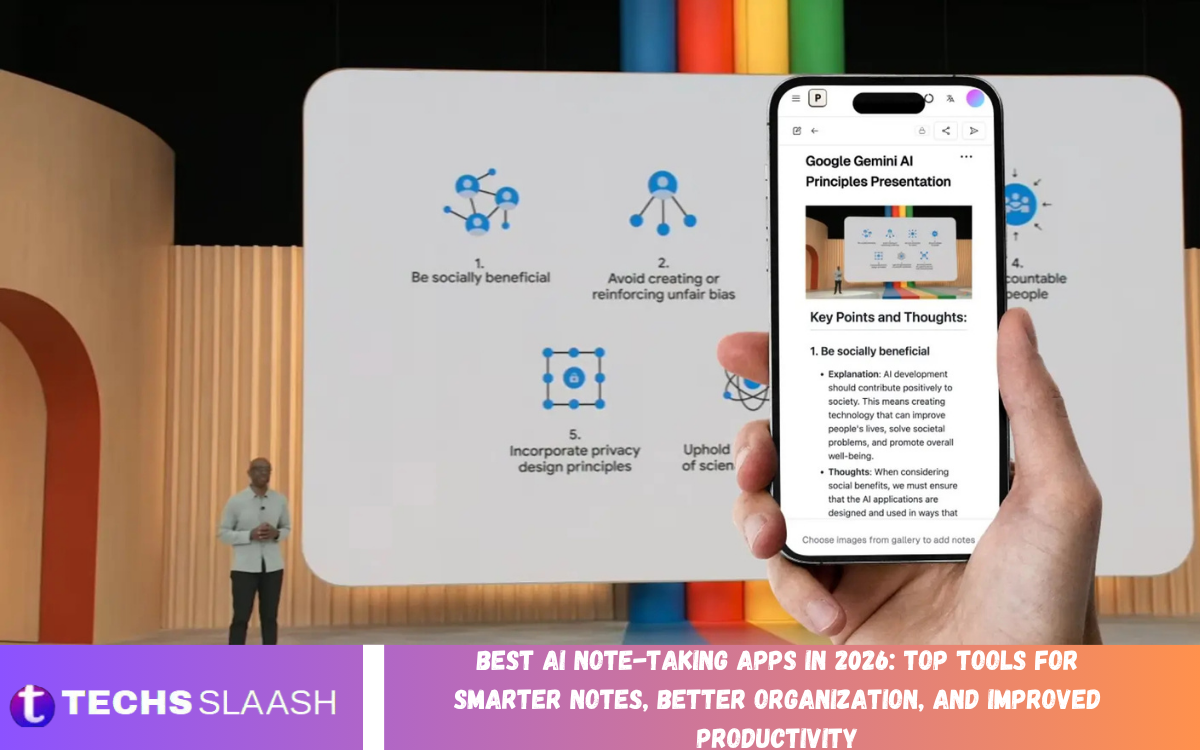
Taking notes is essential for studying, work, project planning, and everyday responsibilities. However, writing everything by hand can be time-consuming, especially during long meetings, online classes, interviews, and brainstorming sessions. AI-powered note-taking apps are changing this process by helping users capture information, summarize conversations, organize ideas, and find key details faster.
The best AI note-taking apps in 2026 offer features such as automatic transcription, intelligent summaries, searchable notes, meeting highlights, and task extraction. Some focus on meeting recording, while others offer digital notebooks for organizing documents and personal knowledge. Choosing the right application depends on your workflow, preferred devices, privacy requirements, budget, and the type of information you need to manage.
What Are AI Note-Taking Apps?
AI note-taking apps are digital tools that use artificial intelligence to capture, summarize, organize, and retrieve information. Depending on the app, they may convert speech to text, identify key discussion points, generate meeting summaries, or turn unstructured notes into organized documents. These capabilities can reduce manual work and make information easier to review.
Students, professionals, entrepreneurs, researchers, and content creators can benefit from these applications. Instead of spending valuable time rewriting notes, users can focus on understanding information and taking action. However, AI-generated summaries and transcriptions may contain mistakes, so users should check important details before using them for decisions, assignments, or official records.
Notion AI for Organized Notes and Productivity
Notion is a flexible workspace that combines notes, documents, databases, task management, and project organization. Its AI features can help users summarize pages, rewrite content, extract important points, and organize information within their workspace. This makes it useful for people who want to keep their notes and projects connected in one place.
Notion AI can support students managing study materials, teams documenting projects, and professionals maintaining meeting records. Users can build customized systems for organizing notes by topic, date, or project. Its usefulness depends on how consistently the workspace is maintained, and some AI features require an eligible paid plan. Users should review current subscription details before choosing it.
Microsoft OneNote with AI Assistance
Microsoft OneNote provides a digital notebook for collecting handwritten notes, typed text, images, links, and other information. It is especially useful for users who prefer organizing material into notebooks, sections, and individual pages. Depending on the Microsoft products and eligible AI features available, users may also benefit from assistance with summarizing or working with their notes.
OneNote can be practical for students, teachers, office workers, and professionals who already use Microsoft 365. Its flexible structure allows users to keep class notes, project information, and meeting records in separate sections. When combining OneNote with AI assistants, verify feature availability for your account and ensure that generated summaries accurately reflect the original material.
Otter.ai for Meeting Transcription
Otter.ai focuses on recording and transcribing conversations, making it a useful option for meetings, interviews, lectures, and discussions. Its AI-powered capabilities can help convert spoken words into searchable text and generate summaries or highlights, depending on the plan and supported meeting environment. This can reduce the need to write detailed notes while listening.
Professionals can use Otter.ai to revisit discussions, identify key decisions, and review action items after a meeting. Students may also find transcription useful when revising permitted lecture recordings. Accuracy can vary with background noise, accents, overlapping speech, and technical terminology. Always check important passages and obtain appropriate consent before recording conversations.
Fireflies.ai for Automated Meeting Notes
Fireflies.ai is an AI meeting assistant designed to record, transcribe, and summarize conversations across supported meeting platforms. It can help teams capture discussion points, review important moments, and identify tasks that require follow-up. These features can be valuable for businesses that hold frequent online meetings and need a searchable record of conversations.
The platform may help sales teams, project managers, recruiters, and remote employees reduce administrative work after meetings. Users can spend more time participating in discussions instead of documenting every statement manually. However, automated notes should be reviewed before being shared as official records, especially when they include deadlines, financial figures, customer commitments, or sensitive business information.
Fathom for Simple AI Meeting Summaries
Fathom is an AI meeting assistant that helps users capture and review online conversations. Its features may include meeting transcription, summaries, and tools for identifying important moments, depending on the current product offering. It is designed to make meeting information easier to revisit without requiring users to manually document every detail.
Fathom can be useful for consultants, business teams, customer-facing professionals, and people who regularly participate in virtual meetings. A clear summary can help users remember decisions and prepare follow-up messages more quickly. Before adopting it, check its supported meeting services, recording controls, privacy policies, and current plan limitations to ensure that it suits your work environment.
Evernote for Everyday Note Management
Evernote is a note-taking application built around capturing and organizing information. Users can store written notes, documents, images, and other reference material in a searchable workspace. Depending on the current plan and feature availability, AI-related capabilities may help with tasks such as searching, summarizing, or improving the organization of saved information.
Evernote can be useful for people who collect research, maintain personal lists, save work references, or organize information across different projects. Search and categorization features can make it easier to locate previously saved material. To get the most value from the application, use consistent titles, tags, and notebooks, and review the current subscription limits before storing large amounts of content.
Google Keep with Google AI Features
Google Keep is a lightweight note-taking application for quick reminders, checklists, short notes, and simple lists. Its straightforward interface makes it suitable for capturing ideas as they occur without navigating a complicated workspace. Depending on the user’s Google services and available integrations, AI assistance may be available through other eligible Google tools rather than directly within every Keep feature.
Google Keep works well for everyday organization, including shopping lists, reminders, study points, and quick project ideas. Its simplicity is a major advantage for users who do not need advanced document management or meeting transcription. People who require automatic summaries or advanced AI organization should check which capabilities are currently supported in their account and consider combining Keep with a compatible AI assistant.
Mem for AI-Powered Knowledge Management
Mem is designed around the idea of using AI to make personal notes easier to connect and retrieve. Rather than relying entirely on manually arranged folders, AI-oriented knowledge management can help users surface related information and search their accumulated notes using natural-language queries. This approach may appeal to people who collect ideas and references continuously.
Mem can be useful for researchers, writers, entrepreneurs, and professionals who want to build a searchable personal knowledge base. Users can capture thoughts, meeting information, and research observations, then revisit them when working on related tasks. Before committing to a workflow, review Mem’s current features, integrations, availability, and pricing to confirm that it supports your preferred devices and note-taking habits.
NotebookLM for Research and Study Notes
Google NotebookLM helps users explore information from sources they provide, such as supported documents and other reference materials. It can answer questions about those sources, summarize their contents, and help organize complex information into more manageable explanations. This makes it a strong option for people who need to turn lengthy reading material into useful study or research notes.
Students can use NotebookLM to review course readings, while professionals can use it to understand reports and reference documents. Its source-focused approach helps users connect summaries with the material being examined. However, summaries may omit important qualifications, and AI-generated explanations should be compared with the original documents before being used in academic work or important decisions.
How to Choose the Best AI Note-Taking App
Start by identifying the main reason you need a note-taking application. If you primarily attend online meetings, a transcription-focused tool such as Otter.ai, Fireflies.ai, or Fathom may be appropriate. If you need a flexible workspace for documents and projects, Notion or OneNote may offer a better fit. Research-focused users may prefer NotebookLM for working with selected source materials.
Next, compare pricing, device compatibility, search capabilities, integrations, export options, and privacy controls. Consider whether the app supports offline access, collaboration, recording, and automatic synchronization if those features matter to your workflow. Test the application with a real task before moving all your information into it, and make sure you can export important notes if you later change platforms.
Tips for Getting Better Results from AI Note-Taking Apps
Use a consistent system for naming and organizing notes so you can find information quickly. Include the meeting date, project name, topic, and relevant participants when appropriate. For AI-generated summaries, specify the desired format, such as key decisions, important facts, unanswered questions, and action items with responsible people and deadlines.
Review AI-generated notes shortly after a meeting or study session while the details are still fresh. Correct names, figures, dates, and technical terms, and distinguish confirmed decisions from suggestions or unresolved questions. Protect confidential information, use strong account security, and obtain consent before recording other people where required. These practices help make AI note-taking more accurate, useful, and responsible.
Common Mistakes to Avoid When Using AI Note-Taking Apps
One common mistake is assuming that automatic transcription captures every word correctly. Background noise, unfamiliar names, fast speech, and overlapping conversations can lead to errors. Check important passages against the recording or original notes, particularly when accuracy matters for contracts, project commitments, academic research, or customer discussions.
Another mistake is saving information without a clear organization system or sharing notes without checking their contents. AI summaries may omit context, confuse speakers, or assign an action item incorrectly. Establish a regular review process, remove unnecessary sensitive information, and use appropriate access permissions when collaborating with others. AI should support your note-taking habits rather than create another collection of unreviewed information.
Frequently Asked Questions
What are the best AI note-taking apps in 2026?
Popular options include Notion AI, Microsoft OneNote, Otter.ai, Fireflies.ai, Fathom, Evernote, Google Keep, Mem, and NotebookLM. The best choice depends on whether you need meeting transcription, personal notes, project organization, or research summaries.
Which AI note-taking app is best for meetings?
Otter.ai, Fireflies.ai, and Fathom are designed to help users transcribe and summarize meetings. Compare their supported platforms, recording features, privacy controls, and subscription limits before selecting one.
Which AI note-taking app is best for students?
OneNote, Notion, and NotebookLM can be useful for organizing study material, reviewing documents, and summarizing information. Students should verify summaries and follow their institution’s academic integrity policies.
Are AI note-taking apps free?
Some apps provide free plans or limited features, while advanced AI functions may require a paid subscription. Check current pricing, recording limits, storage allowances, and feature restrictions before choosing an application.
Can AI note-taking apps summarize meetings automatically?
Yes, several meeting assistants can generate summaries and identify key discussion points. Their accuracy varies, so review decisions, names, deadlines, and action items before sharing the notes.
Are AI note-taking apps safe for confidential information?
Safety depends on the app’s data policies, storage practices, account settings, and organizational requirements. Review privacy terms and access controls before uploading sensitive documents or recording private conversations.
Can AI note-taking apps transcribe audio?
Some applications can convert spoken conversations into text and make transcripts searchable. Transcription quality depends on audio conditions, language support, speaker clarity, and the tool being used.
What is the difference between AI notes and traditional notes?
Traditional notes are generally written and organized manually, while AI-assisted notes may include automated transcription, summaries, content extraction, and natural-language search. Users should still review AI-generated information for accuracy.
Can I use AI note-taking apps for research?
Yes, tools such as NotebookLM and compatible knowledge-management applications can help organize source materials, summarize documents, and retrieve information. Always check original sources before relying on research findings.
How can I improve my AI-generated notes?
Use clear instructions, choose a consistent note format, and review the output soon after the session. Correct mistakes, verify action items, organize notes with meaningful titles, and protect sensitive information.
Conclusion
The best AI note-taking apps in 2026 can help users capture conversations, organize ideas, summarize documents, and manage information more efficiently. Applications such as Notion, OneNote, Otter.ai, Fireflies.ai, Fathom, Evernote, Google Keep, Mem, and NotebookLM provide different solutions for meetings, everyday notes, and research.
The right app depends on your priorities, budget, preferred devices, and privacy requirements. AI can reduce manual work, but accurate and useful notes still require human review and a consistent organization system.
