

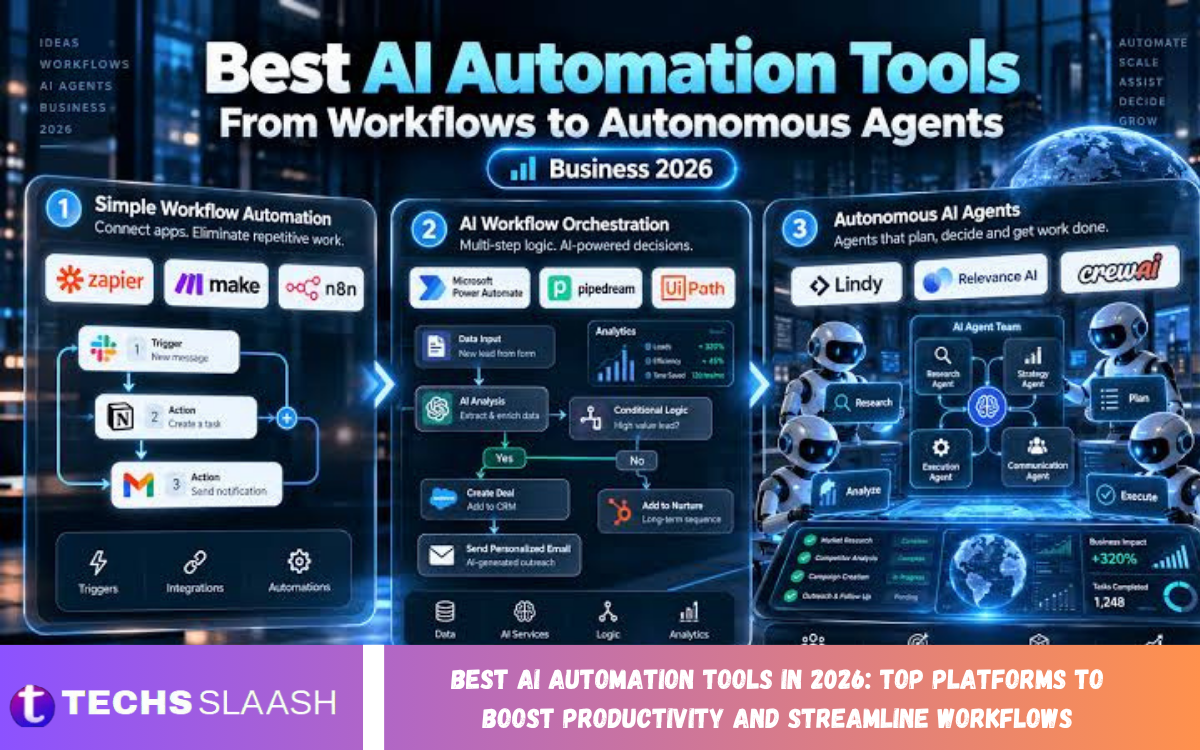
Artificial intelligence is transforming how individuals and businesses manage everyday tasks, organize information, communicate with customers, and complete complex projects. The best AI automation tools in 2026 help users reduce repetitive work, improve efficiency, and build smarter workflows without requiring extensive technical knowledge.
From automating emails and marketing campaigns to managing projects, analyzing data, and connecting different applications, modern AI automation platforms offer solutions for various needs. The right tool depends on your goals, budget, existing software, and how much automation you want.
What Are AI Automation Tools?
AI automation tools are software platforms that use artificial intelligence to perform tasks, process information, generate content, and make certain workflow decisions with limited manual intervention. They can combine machine learning, natural language processing, and predefined automation rules to help users complete work more efficiently.
Unlike traditional automation, which usually follows fixed instructions, AI-powered systems can interpret text, summarize documents, classify information, and assist with more flexible tasks. Depending on the platform, users can automate customer support, generate reports, organize leads, create marketing content, and connect multiple business applications.
Best AI Automation Tools in 2026
The best AI automation tools in 2026 offer different capabilities for businesses, freelancers, content creators, and professionals. Some platforms focus on connecting applications, while others specialize in AI agents, business process automation, customer communication, or project management.
Understanding each platform’s strengths makes it easier to select a solution that matches your workflow. The following tools are worth considering for their automation capabilities, integration options, and potential to reduce repetitive work.
Zapier: Best for Connecting Apps and Automating Tasks
Zapier is a popular automation platform that connects different applications and allows users to create workflows without writing extensive code. Its automation system can trigger actions when specific events occur, such as receiving a form submission, adding a new customer, or creating a spreadsheet entry.
With AI-related capabilities and integrations, Zapier can help teams organize information, route requests, and connect AI services with their existing software. It is particularly useful for small businesses and professionals who want to automate everyday processes across multiple applications.
Make: Best for Visual Workflow Automation
Make provides a visual environment for designing workflows that connect applications, transfer data, and perform automated actions. Users can build workflows using interconnected modules, making it easier to understand how information moves between different services.
The platform is suitable for businesses that need more detailed control over workflow conditions, data processing, and branching logic. Its visual approach can support lead management, order processing, notifications, and AI-powered content workflows, although more complex scenarios may require careful configuration.
Microsoft Power Automate: Best for Microsoft Users
Microsoft Power Automate helps organizations automate business processes across Microsoft products and many third-party applications. It supports workflows involving Microsoft 365, SharePoint, Teams, Excel, and other compatible services, making it valuable for businesses already using Microsoft’s ecosystem.
The platform also supports AI-related automation and desktop process automation in suitable configurations. Organizations can use it to streamline document approvals, move information between systems, and reduce repetitive administrative work while maintaining more consistent processes.
UiPath: Best for Enterprise Automation
UiPath is an automation platform designed to help organizations automate complex business processes, including tasks involving enterprise applications and structured data. Its robotic process automation capabilities can reproduce repetitive actions that employees would otherwise perform manually.
With AI-powered document processing and other intelligent automation features, UiPath can support activities such as invoice processing, data extraction, and administrative workflows. It is particularly relevant to larger organizations that need governance, monitoring, and automation across multiple departments.
n8n: Best for Custom AI Workflows
n8n is a workflow automation platform that gives users considerable flexibility when connecting applications, APIs, and AI services. It supports visual workflow building and allows technical users to add custom logic when standard automation steps are not sufficient.
The platform can help build AI assistants, process incoming messages, organize data, and connect language models with business applications. Its self-hosting options appeal to organizations that want greater infrastructure control, though hosting and maintenance may require technical expertise.
Workato: Best for Business Integration
Workato focuses on connecting enterprise applications and automating cross-department processes. It helps organizations coordinate information across business systems, reducing the need for employees to move data manually between applications.
Businesses can use Workato for processes involving sales, finance, human resources, customer service, and other operational functions. Its enterprise-oriented approach makes it worth evaluating for organizations that need integration management, centralized oversight, and dependable business workflows.
ChatGPT: Best for AI-Assisted Productivity
ChatGPT can support many knowledge-based tasks, including drafting documents, summarizing information, brainstorming ideas, analyzing suitable files, and helping users structure their work. Depending on available features and connected tools, it can also help with more complex workflows and task coordination.
Professionals can use ChatGPT to prepare reports, develop content outlines, organize research, and create reusable instructions for recurring tasks. It works particularly well as an AI productivity assistant, but users should verify important outputs and review any actions that affect customers, finances, or sensitive information.
Microsoft Copilot: Best for Microsoft 365 Workflows
Microsoft Copilot brings AI assistance into supported Microsoft products and services. Depending on the subscription and configuration, it can help users summarize documents, draft emails, analyze spreadsheet information, prepare presentations, and work with organizational content.
For teams that rely heavily on Microsoft 365, Copilot can reduce the time spent switching between applications and completing routine knowledge work. Available capabilities differ by product and license, so businesses should confirm compatibility and data access requirements before deployment.
HubSpot: Best for Marketing and Sales Automation
HubSpot offers tools for customer relationship management, marketing, sales, and customer service. Its automation features help teams manage contacts, organize leads, send follow-up communications, and coordinate activities throughout the customer journey.
AI features can assist with content creation, customer communication, and other supported tasks. HubSpot is particularly useful for businesses that want to centralize customer information and automate marketing or sales processes without managing every activity manually.
Read Also:
How to Choose the Right AI Automation Tool
Start by identifying the tasks that take the most time. List your repetitive activities, the applications you already use, and the problems you want to solve before comparing different products.
Consider integration support, ease of use, scalability, security, and pricing. A simple workflow tool may be sufficient for a freelancer, while a large organization may need advanced access controls, monitoring, and enterprise integrations. Test a small workflow before committing to a larger implementation.
Benefits of Using AI Automation Tools
One major advantage of AI automation is reducing repetitive work. Tasks such as categorizing messages, organizing leads, preparing summaries, and transferring information can often be completed faster when the workflow is properly configured.
Automation can also improve consistency and help teams focus on higher-value activities. By reducing manual data entry and standardizing routine processes, organizations may improve productivity and reduce certain errors. However, the actual benefits depend on workflow quality, data accuracy, and appropriate human oversight.
Common Challenges of AI Automation
AI automation can introduce challenges when systems use incomplete information, produce inaccurate outputs, or interact poorly with existing applications. A workflow that is not tested carefully may send incorrect messages, duplicate records, or process information in an unexpected way.
Businesses should also consider privacy, access permissions, integration costs, and ongoing maintenance. Start with low-risk processes, test different scenarios, and establish clear rules for reviewing important actions. Human approval remains valuable whenever automation affects sensitive data, customer relationships, or financial decisions.
Best Practices for Implementing AI Automation
Begin with a clearly defined problem instead of attempting to automate every business activity at once. Choose a repetitive task with measurable outcomes, such as reducing the time required to process incoming requests or prepare routine reports.
Document the existing process, build a small automation, and test it with realistic examples. Track completion rates, error frequency, time saved, and user feedback. Once the workflow performs reliably, expand it gradually and review its performance regularly to identify opportunities for improvement.
The Future of AI Automation Tools
AI automation is moving toward more connected workflows that combine language models, application integrations, business rules, and specialized AI agents. These systems may help users coordinate multiple steps, interpret requests, and complete tasks across supported applications with less manual effort.
At the same time, reliable automation will depend on security, transparency, testing, and clear boundaries for autonomous actions. Businesses that combine AI capabilities with sound processes and human oversight will be better positioned to benefit from future developments.
Frequently Asked Questions
What are the best AI automation tools in 2026?
Popular options include Zapier, Make, Microsoft Power Automate, UiPath, n8n, Workato, ChatGPT, Microsoft Copilot, and HubSpot. The best choice depends on your workflow, technical requirements, and budget.
Which AI automation tool is best for beginners?
Zapier is a useful starting point for many beginners because it provides a visual approach to connecting applications. Make is another option for users who want more control over workflow design.
Are AI automation tools free to use?
Some platforms offer free plans, trials, or limited usage. Advanced features, higher task limits, enterprise integrations, and additional AI usage may require a paid subscription.
Can AI automation tools help small businesses?
Yes. Small businesses can automate tasks such as lead management, customer follow-ups, appointment notifications, document organization, and content preparation to reduce repetitive work.
Which AI automation tool is best for marketing?
HubSpot is worth considering for integrated marketing and customer relationship management. Zapier and Make can also connect marketing applications and automate tasks across different platforms.
Can I use AI automation without coding?
Many tools provide visual builders, templates, and no-code integrations. However, complex workflows involving custom APIs, advanced data transformations, or self-hosted systems may require technical knowledge.
Is AI automation safe for business data?
Safety depends on the platform, configuration, permissions, and type of data involved. Review privacy policies, access controls, data retention terms, and organizational security requirements before connecting sensitive information.
Can AI automation replace human workers?
AI automation can handle some repetitive tasks, but it does not reliably replace human judgment across all situations. People remain important for decision-making, quality assurance, customer relationships, and handling unusual cases.
What is the difference between AI automation and traditional automation?
Traditional automation generally follows predefined rules and triggers. AI automation can additionally interpret language, summarize information, classify content, and support decisions when the system is appropriately configured.
How do I start using AI automation tools?
Identify a repetitive task, choose a compatible platform, create a simple workflow, and test it carefully. Measure the results and expand gradually once the automation works reliably.
Conclusion
The best AI automation tools in 2026 offer practical ways to improve productivity, streamline workflows, and reduce repetitive tasks across different industries. Platforms such as Zapier, Make, Microsoft Power Automate, UiPath, and n8n focus on workflow automation, while ChatGPT, Microsoft Copilot, and HubSpot support AI-assisted work, business productivity, and customer management.
No single tool fits every requirement. Evaluate your priorities, available integrations, security needs, and budget before deciding.

1 Comment
Pingback: Best AI Writing Tools in 2026: Top Platforms for Creating High-Quality Content Faster - Techsslaash.com