

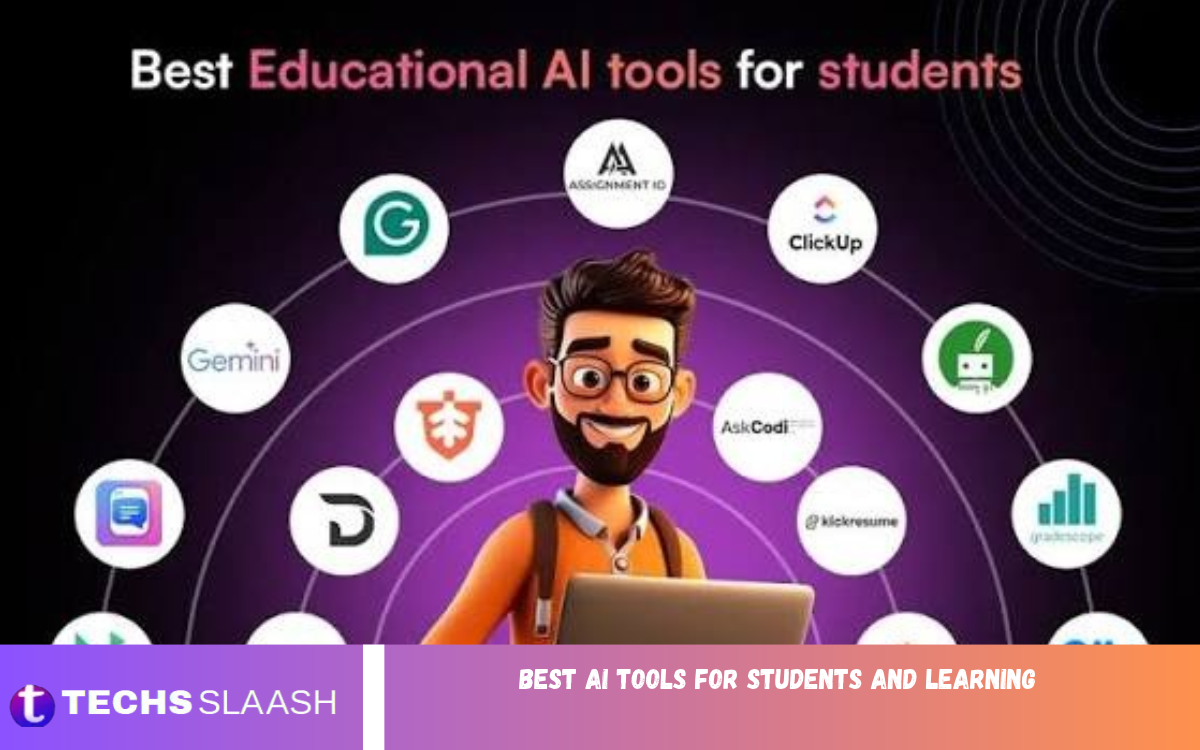
Artificial intelligence is changing the way students learn, study, and manage their academic responsibilities. From understanding difficult subjects to preparing assignments and organizing notes, AI-powered tools can make education more accessible, interactive, and efficient. Students can use these technologies to explore new concepts, practice essential skills, and develop better learning habits.
The best AI tools for students and learning are designed to support different educational needs. Some explain complicated topics, while others help with writing, math, research, language learning, and time management. Choosing the right tools can help students save time and improve their understanding without losing the opportunity to think independently and develop their own abilities.
Why AI Tools Are Important for Students?
Students often face several challenges, including limited study time, complicated lessons, research assignments, and examination pressure. Traditional learning methods remain valuable, but AI tools offer additional support through explanations, practice questions, summaries, and personalized study help. These features can make independent learning easier to manage.
Another important advantage is accessibility. Students can ask questions whenever they need help and explore explanations at their own pace. However, AI-generated information isn’t always accurate, so students should verify key facts, consult reliable educational resources, and follow their institutions’ academic integrity policies.
ChatGPT for Personalized Learning
ChatGPT is one of the most versatile AI tools for students because it can explain concepts, answer questions, generate practice exercises, and help organize study schedules. Students can ask for simple explanations of difficult subjects, request examples, or explore a topic step by step until they understand it.
It can also support revision by generating quizzes, flashcards, essay outlines, and sample examination questions. For better results, students should provide specific instructions about their grade level, subject, and learning objectives. ChatGPT works best as a learning assistant rather than a replacement for textbooks, teachers, or independent thinking.
Google Gemini for Research and Study Assistance
Google Gemini can help students explore academic topics, brainstorm ideas, understand unfamiliar terminology, and organize information. It helps learners get an initial overview of a subject or compare different explanations before starting a research assignment.
Students can also use Gemini to develop study plans, create revision questions, and break complicated subjects into manageable sections. When using it for research, they should verify important claims against trustworthy sources and check original references instead of relying entirely on generated answers.
Grammarly for Better Academic Writing
Grammarly is an AI-powered writing assistant that helps students improve grammar, spelling, punctuation, clarity, and sentence structure. It can identify common writing mistakes and suggest improvements that make assignments, reports, emails, and essays easier to read.
Students can use Grammarly while revising their work to identify repeated words, awkward sentences, and unclear expressions. Students should treat its suggestions as guidance rather than automatic corrections because academic writing also requires accurate information, appropriate terminology, and an authentic personal voice.
QuillBot for Paraphrasing and Summarization
QuillBot provides writing tools that can help students paraphrase sentences, summarize passages, and improve the readability of their drafts. These features can help when reviewing lengthy reading materials or expressing an idea more clearly in your own words.
Students should understand the material before paraphrasing it and always acknowledge the original source when required. Simply changing words does not make another person’s ideas original. Responsible use of QuillBot involves preserving meaning, checking accuracy, and following the citation rules established by teachers or educational institutions.
Perplexity for Academic Research
Perplexity is an AI-powered search-and-answer tool that helps users investigate questions and explore information from online sources. Its source-linked responses can give students a starting point for background information, explanations, or potential references for a research project.
Although it can make initial research easier, students should review the cited sources directly. They need to confirm that references exist, support the claims being made, and come from appropriate publications. Scholarly articles, official reports, academic books, and university resources remain important for producing reliable assignments.
Microsoft Copilot for Productivity and Learning
Microsoft Copilot can help students brainstorm, explain concepts, draft outlines, and organize academic tasks. Depending on the version and available integrations, it can also support workflows involving Microsoft applications, making it useful for students who regularly work with documents, presentations, and spreadsheets.
Students can use Copilot to plan a presentation, generate discussion questions, or develop an initial project outline. They should review and edit all generated content before submitting their work. Fact-checking, improving structure, and adding personal analysis help ensure the final result reflects genuine understanding.
Khan Academy and Khanmigo for Guided Learning
Khan Academy provides educational lessons, exercises, and practice activities across a range of subjects. Its AI-powered learning assistant, Khanmigo, is designed to support guided learning by encouraging students to reason through problems instead of simply receiving answers.
This approach can be particularly helpful in mathematics, science, reading, and other subjects that require step-by-step understanding. Availability and access conditions may vary by location, account type, and educational program. Students should check the current offering before relying on a specific feature for their studies.
Photomath for Understanding Mathematics
Photomath helps students explore mathematical problems by using a camera to recognize equations and provide solution steps. It can be useful for reviewing algebra, arithmetic, and other supported mathematical topics, especially when students need to identify where their calculations went wrong.
Instead of copying the final answer, students should examine each step and try solving a similar problem independently. Understanding the method is more valuable than memorizing a solution. For advanced topics or unfamiliar notation, learners should compare the explanation with their textbooks or ask their teachers for clarification.
Wolfram Alpha for Complex Calculations
Wolfram Alpha is a computational knowledge tool that supports mathematical calculations, equation solving, graphing-related queries, and other technical questions. It can be especially useful for students studying mathematics, physics, engineering, statistics, and related subjects.
Students can use it to check calculations, investigate mathematical relationships, and explore numerical results. However, getting a correct result does not automatically mean understanding the process. Learners should study the underlying formulas, confirm the assumptions, and ensure they can explain their reasoning without relying on a computational tool.
Notion AI for Notes and Study Organization
Notion combines note-taking, task management, databases, and workspace organization, while its AI features can assist with summarization, drafting, and organizing information. Students can use it to maintain subject notes, create assignment lists, and structure revision materials in one workspace.
A well-organized study system can make it easier to track deadlines and identify topics that need more attention. Students should keep notes clear, review AI-generated summaries against the original material, and avoid collecting information without revisiting it. Regular revision and active practice are essential for turning organized notes into lasting knowledge.
Quizlet for Flashcards and Exam Preparation
Quizlet offers digital flashcards and study activities that help learners review definitions, terminology, formulas, and important concepts. Depending on the current plan and features available, students may also access AI-assisted study materials and practice experiences.
Flashcards are particularly effective when students use active recall, which means attempting to remember information before checking the answer. Spaced repetition can also help strengthen long-term retention. Students should create accurate cards, avoid memorizing misleading summaries, and combine flashcards with practice questions and deeper explanations.
Duolingo for Language Learning
Duolingo is a language-learning platform that offers structured lessons, interactive exercises, and progress tracking. Its short activities can help students build vocabulary, practice sentence patterns, and develop a regular language-learning routine.
Some versions and subscriptions offer additional AI-powered features for language practice. Students should check current availability and use the platform alongside listening exercises, reading, writing, and real conversations. Consistent practice across different skills is important because completing lessons alone does not guarantee fluency.
Otter.ai for Lecture Notes and Transcription
Otter.ai provides AI-assisted transcription and meeting-note features that may help students review spoken information. Where supported, it can turn recorded or live speech into searchable text, making it easier to revisit key points from lectures, discussions, and study meetings.
Transcription tools can save time, but their output may contain errors involving names, technical terminology, and unfamiliar accents. Students should review transcripts against the lecture material and obtain permission before recording others. They must also follow university rules and applicable privacy requirements when recording classes or sharing transcripts.
Read Also: Best Free AI Image Generators
How to Choose the Best AI Tools for Students
The right tool depends on a student’s subject, learning goals, budget, and preferred study method. A student who struggles with mathematics may benefit from Photomath or Wolfram Alpha, while someone preparing essays may prefer Grammarly and ChatGPT. Learners conducting research can explore Perplexity alongside academic databases and library resources.
Before choosing a tool, students should review its features, pricing, privacy practices, and access requirements. Free versions may have usage limits, and some advanced features require a subscription. It is usually better to choose a few useful tools and learn to use them effectively than to rely on many applications without a clear study strategy.
Benefits of Using AI Tools in Education
One major benefit of AI tools is that they provide additional explanations and practice opportunities when teachers or tutors aren’t immediately available. Students can explore different approaches to the same question, identify areas of confusion, and work through challenging topics at a comfortable pace.
AI tools can also support organization, language development, research preparation, and accessibility. They may reduce time spent on repetitive tasks, leaving more room for analysis and practice. Nevertheless, the benefits depend on responsible use. Students must continue developing critical thinking, communication, problem-solving, and independent research skills.
Challenges and Limitations of AI Learning Tools
AI tools can produce incorrect information, outdated explanations, biased responses, or references that do not support the claims being made. Students who accept every answer without verification may misunderstand important concepts or include inaccurate information in their assignments.
Privacy and academic integrity are additional concerns. Students should avoid uploading confidential information, personal records, or restricted course materials without authorization. They should also follow their institutions’ rules regarding AI-assisted writing, citations, and assignment preparation. Using AI to support learning is different from presenting generated work as entirely independent work when that violates academic requirements.
Tips for Using AI Tools Effectively
Students should begin each study session with a clear objective, such as understanding a chapter, practicing ten equations, or preparing for an examination. They can then select a tool that directly supports that goal instead of using AI without a specific purpose.
Another useful strategy is to attempt a problem independently before asking AI for help. After reviewing an explanation, students should close the tool and solve a similar problem from memory. Checking sources, taking personal notes, and reviewing mistakes regularly can turn AI assistance into a more effective learning routine.
Best AI Tools for Students: Quick Comparison
The following comparison highlights each tool’s main purpose and the type of student who may benefit most.
| AI Tool | Main Purpose | Best For |
|---|---|---|
| ChatGPT | Explanations and practice | General learning |
| Google Gemini | Research and brainstorming | Exploring subjects |
| Grammarly | Grammar and writing | Essays and reports |
| QuillBot | Paraphrasing and summaries | Revising drafts |
| Perplexity | Source-supported search | Initial research |
| Microsoft Copilot | Productivity and drafting | Documents and presentations |
| Khanmigo | Guided learning | Conceptual understanding |
| Photomath | Step-by-step mathematics | Math practice |
| Wolfram Alpha | Calculations and technical queries | STEM subjects |
| Notion AI | Notes and organization | Study planning |
| Quizlet | Flashcards and revision | Exam preparation |
| Duolingo | Language practice | Vocabulary and language skills |
| Otter.ai | Speech transcription | Lecture review |
Feature availability, pricing, and access conditions can change, so students should check each service’s current details before choosing one.
Frequently Asked Questions
What are the best AI tools for students and learning?
ChatGPT, Google Gemini, Grammarly, Perplexity, Quizlet, and Photomath can help with different academic needs. The best choice depends on whether a student needs explanations, writing support, research assistance, mathematics practice, or exam preparation.
Are AI tools free for students?
Many AI tools provide free versions or limited free access. However, advanced features, higher usage limits, and certain educational services may require payment. Students should compare current plans before subscribing.
Can AI tools help students prepare for exams?
Yes, AI tools can generate practice questions, explain difficult concepts, create flashcards, and help organize revision schedules. Students should combine these features with independent practice and review of their official course materials.
Which AI tool is best for writing assignments?
ChatGPT can help with brainstorming and outlining, while Grammarly can identify grammar and clarity issues. QuillBot can assist with paraphrasing and summarization. Students must still produce appropriate original work and follow their institution’s academic integrity policies.
Which AI tool is best for mathematics?
Photomath is useful for exploring step-by-step solutions to supported problems, while Wolfram Alpha can help with calculations and more advanced mathematical queries. Students should focus on understanding the methods rather than copying answers.
Can AI tools replace teachers?
No. AI tools can provide additional explanations and practice, but teachers offer professional judgment, personalized classroom support, feedback, and guidance that automated systems cannot fully replace. The strongest approach combines technology with human instruction.
Is it safe to use AI tools for studying?
AI tools can be useful, but students should review privacy policies, protect personal information, and avoid uploading confidential documents without permission. They should also verify important information because AI-generated answers can contain mistakes.
How can students use AI without cheating?
Students can use AI to understand concepts, generate practice questions, organize notes, and receive feedback on their own drafts. They should follow assignment instructions, disclose AI assistance when required, and avoid submitting prohibited AI-generated work as their own.
Can AI tools improve learning speed?
AI tools may help students find explanations more quickly, organize materials, and practice specific skills. However, genuine learning still requires attention, repetition, critical thinking, and sufficient time to understand difficult concepts.
How many AI tools should a student use?
There is no fixed number. Most students can begin with two or three tools that meet their main needs, such as one for explanations, one for writing or research, and one for revision. The goal should be better learning, not using as many tools as possible.
Conclusion
The best AI tools for students can make learning more flexible, organized, and interactive. From ChatGPT and Google Gemini to Grammarly, Photomath, Quizlet, and Notion AI, each platform supports research, writing, revision, and academic productivity in different ways.
The key to success is using these tools with a clear purpose and a responsible approach. Students should verify information, protect their privacy, respect academic integrity rules, and continue practicing independently.

1 Comment
Pingback: Best AI Tools for Content Creators: Top Tools to Boost Creativity and Productivity - Techsslaash.com