

Smartphones have become essential tools for managing daily tasks, completing work tasks, and staying organized. With the right applications, an Android device can become a powerful productivity assistant that helps users accomplish more in less time. Whether you are a student, business professional, freelancer, or content creator, productivity apps can make daily responsibilities easier to manage.
The best Android productivity apps offer features like task management, calendar scheduling, note-taking, cloud storage, document editing, and time tracking. Instead of switching between different tools or forgetting important responsibilities, users can organize their work in one convenient place. Choosing the right apps can improve focus, reduce distractions, and create a more organized daily routine.
Why Productivity Apps Are Important for Android Users?
Productivity applications help users manage their time and responsibilities more effectively. They provide convenient ways to create task lists, schedule appointments, save important information, and monitor daily progress. These features are particularly useful for people who handle multiple responsibilities throughout the day.
Another important advantage is accessibility. Most modern productivity apps sync information across multiple devices, letting users access tasks, notes, and documents whenever needed. This flexibility makes Android productivity tools valuable for studying, remote work, business management, and personal organization.
Google Calendar: Manage Your Daily Schedule
Google Calendar is one of the most useful Android applications for organizing schedules and managing important events. It lets users create appointments, schedule meetings, set reminders, and organize daily activities. Its straightforward interface makes it suitable for students, employees, and business owners.
Users can create separate calendars for personal activities, professional responsibilities, and special occasions. Notifications help prevent missed appointments, while synchronization keeps schedules updated across supported devices. Google Calendar is an excellent choice for anyone who wants to manage their time more efficiently.
Todoist: Organize Tasks and Responsibilities
Todoist is a popular task management application designed to help users organize their responsibilities. It lets users create projects, add individual tasks, set deadlines, and organize activities by importance. Its clean interface makes managing complicated schedules easier.
One useful feature is organizing tasks into categories and projects. Users can prioritize important responsibilities, create recurring tasks, and monitor completed activities. Todoist is particularly helpful for professionals, students, and freelancers who need a reliable system for managing daily work.
Notion: Manage Notes, Projects, and Ideas
Notion is an all-in-one productivity platform that combines note-taking, project management, documentation, and workspace organization. It offers flexible pages and databases that users can customize to fit their needs. Whether you are planning a project or collecting research information, Notion offers several useful organizational features.
The application is especially valuable for people who manage multiple projects or work with teams. Users can create personal dashboards, organize important documents, maintain content calendars, and track project progress. Its customization options suit different productivity workflows.
Microsoft OneNote: Take and Organize Digital Notes
Microsoft OneNote is an excellent choice for users who frequently take notes and organize information. It provides digital notebooks where users can create sections, write notes, save ideas, and collect important information. Students can use it for lecture notes, while professionals can organize meeting discussions and research materials.
OneNote supports different note-taking methods, including typed text, drawings, images, and handwritten notes on compatible devices. Its synchronization features make information accessible across supported platforms. It is particularly useful for people who prefer keeping their notes organized in one digital workspace.
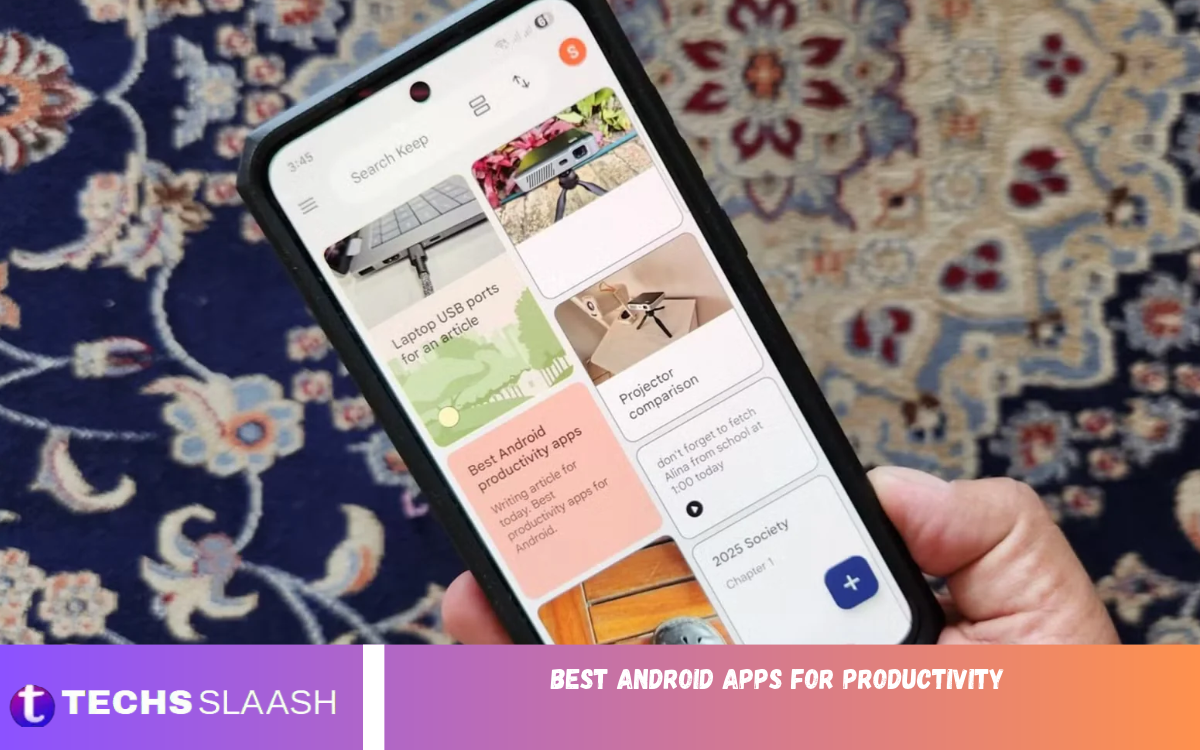
Google Keep: Save Quick Notes and Reminders
Google Keep is a lightweight note-taking app designed for quick note-taking. Users can create text notes, checklists, voice notes, and reminders without dealing with complicated settings. Its simple design makes it easy to capture ideas as they come to mind.
Color-coded notes and labels help users organize information by category. The checklist feature is useful for shopping lists, daily responsibilities, and personal goals. Google Keep is a practical option for people who want a simple app to manage everyday information.
Trello: Improve Project Management
Trello is a visual project management application that helps individuals and teams organize their work. It uses boards, lists, and cards to show different project stages. Users can create tasks, assign responsibilities, add deadlines, and monitor progress through an organized interface.
Trello is especially useful for content creators, marketing teams, freelancers, and small businesses. Its visual workflow makes it easier to see which tasks are pending, in progress, or complete. Users can also customize boards to fit their workflow, making project management more convenient.
Google Drive: Store and Access Important Files
Google Drive is an essential productivity application for storing, organizing, and sharing digital files. It lets users upload documents, photos, presentations, and other important files to cloud storage. This reduces dependence on physical storage devices and makes important information accessible from supported devices.
Google Drive also works with productivity tools such as Google Docs, Sheets, and Slides. Users can create documents, edit spreadsheets, and collaborate with other people. Its file-sharing features make it particularly useful for students, remote workers, and business professionals.
Microsoft 365: Create and Edit Documents
Microsoft 365 provides Android users with access to essential office productivity tools. Depending on the available subscription and app features, users can work with Word documents, Excel spreadsheets, and PowerPoint presentations. These tools make it easier to complete professional tasks without requiring a desktop computer.
The application helps users prepare reports, edit documents, review spreadsheets, and create presentations. Its integration with Microsoft cloud services also helps users access their work across supported devices. Microsoft 365 is a valuable option for people who regularly handle office-related responsibilities.
Forest: Stay Focused and Avoid Distractions
Forest is a focus application that encourages users to spend time on important activities instead of constantly checking their smartphones. Its unique approach uses virtual trees that grow during focused sessions. When users successfully complete their sessions, they can build a virtual forest over time.
This visual approach makes concentration more engaging, particularly for students and people working on demanding projects. Users can set focus periods and develop healthier smartphone habits. Forest can be a helpful addition to anyone’s productivity routine, especially if they struggle with unnecessary screen time.
Grammarly: Improve Writing and Communication
Grammarly is a writing assistant that helps users improve grammar, spelling, punctuation, and sentence clarity. It can be useful when preparing professional emails, writing assignments, creating social media content, or communicating with clients. Its suggestions help users identify common writing mistakes.
The application is especially valuable for students, bloggers, freelancers, and professionals who regularly communicate in writing. Depending on the plan and features available, Grammarly can also suggest improvements to tone, clarity, and writing style. It helps users produce more polished and professional content.
Read Also: Best battery-saving apps for Android
Evernote: Keep Important Information Organized
Evernote is a digital note-taking application designed to help users collect and organize information. It lets users create notes, save useful content, organize documents, and keep personal records. Its notebook-based organization makes it easier to find information when you need it.
Evernote can help manage research, plan projects, record ideas, and collect important documents. Users can organize information into notebooks and use search features to find saved content. It is a practical solution for people who regularly work with large amounts of information.
Clockify: Track Time and Improve Efficiency
Clockify is a time-tracking application that helps users understand how they spend their working hours. It allows individuals to record time spent on different activities, projects, and assignments. This information can help users identify inefficient habits and improve their daily schedules.
Freelancers and remote workers can use Clockify to monitor project hours and maintain accurate work records. Students can also benefit from tracking the time spent studying different subjects. Understanding where time goes makes it easier to establish realistic goals and improve productivity.
Best Android Apps for Students and Professionals
Students and professionals often have different productivity requirements. Students generally need applications for taking notes, organizing assignments, preparing schedules, and managing study sessions. Google Keep, Microsoft OneNote, Google Calendar, and Forest are useful choices for these activities.
Professionals may need more advanced tools to manage projects, communicate with colleagues, edit documents, and track working hours. Applications such as Todoist, Trello, Microsoft 365, and Clockify can support these responsibilities. Choosing apps that match your needs helps create a more effective work environment.
How to Choose the Best Productivity Apps for Android
Choosing the right productivity application depends on your daily responsibilities and personal preferences. Before installing an application, consider which problems you want to solve. If you frequently forget appointments, a calendar application may be the best option. If you struggle with organizing assignments, a task management tool can make your routine easier.
Also consider ease of use, synchronization, privacy, pricing, and available features. Some apps offer free versions with basic features, while advanced tools may require a subscription. Avoid installing too many apps, because managing several tools can create distractions instead of improving productivity.
Tips to Improve Productivity Using Android Apps
Installing productivity applications is only the first step toward becoming more organized. To achieve better results, establish a consistent routine and use your selected applications regularly. Create a daily task list, schedule important activities, and set realistic deadlines for completing responsibilities.
Another effective approach is reducing unnecessary notifications and limiting social media usage during working hours. Use focus features to dedicate uninterrupted time to important activities. Review your progress regularly and adjust your schedule whenever necessary. Small improvements in daily habits can create significant long-term productivity benefits.
Frequently Asked Questions
What Are the Best Android Apps for Productivity?
Some of the best Android apps for productivity include Google Calendar, Todoist, Notion, Microsoft OneNote, Google Keep, Trello, and Google Drive. These applications help users manage tasks, organize schedules, save notes, and complete everyday responsibilities.
Which Productivity App Is Best for Students?
Microsoft OneNote, Google Keep, Google Calendar, and Forest are excellent options for students. They provide useful features for organizing study materials, managing assignments, scheduling activities, and improving concentration.
Are There Any Free Productivity Apps for Android?
Yes, several productivity applications offer free versions. Google Calendar, Google Keep, Google Drive, Microsoft OneNote, and Todoist provide free access to various productivity features, although some advanced options may require payment.
Which Android App Is Best for Managing Daily Tasks?
Todoist is an excellent choice for managing daily tasks. It allows users to create task lists, organize projects, set deadlines, and prioritize important responsibilities.
Is Notion Good for Productivity?
Yes, Notion is a powerful productivity application for organizing notes, managing projects, creating databases, and maintaining personal or professional workspaces. Its customizable features make it suitable for different users.
Which App Is Best for Taking Notes on Android?
Google Keep and Microsoft OneNote are popular note-taking applications. Google Keep is ideal for quick notes and reminders, while OneNote provides more advanced notebook organization.
How Can I Improve Productivity on My Android Phone?
You can improve productivity by organizing daily tasks, scheduling important activities, reducing unnecessary notifications, and using focus applications. A consistent routine also helps you manage your time better.
Are Productivity Apps Safe to Use?
Most established productivity applications provide privacy and security features, but users should review permissions and privacy policies before installing them. Download applications from trusted sources and avoid sharing sensitive information unnecessarily.
Which Android App Is Best for Time Management?
Google Calendar and Clockify are useful choices for time management. Google Calendar helps organize appointments and schedules, while Clockify allows users to track time spent on different activities.
Can Productivity Apps Help With Work From Home?
Yes, productivity applications can make remote working more organized. Tools such as Trello, Google Drive, Microsoft 365, and Todoist help users manage assignments, collaborate with teams, organize documents, and monitor project progress.
Conclusion
The best Android productivity apps can make everyday activities easier, improve time management, and help users achieve personal and professional goals. Apps such as Google Calendar, Todoist, Notion, Microsoft OneNote, Google Drive, and Trello offer practical ways to organize schedules, manage projects, and handle important responsibilities.
The best application depends on your needs and work habits. Instead of installing every productivity tool available, focus on a few applications that solve your everyday challenges.

1 Comment
Pingback: Best screen recording apps - Techsslaash.com