

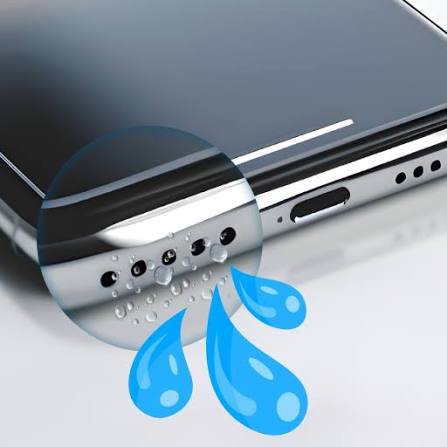
If your phone speaker sounds muffled, crackly, or quieter than usual, chances are dust or trapped water is blocking the mesh — not a hardware failure. Instead of opening your device or risking damage with cotton swabs, a growing number of people are turning to sound-based speaker cleaners. Here’s a rundown of what these tools do, how they work, and what to look for.
How Do Speaker Cleaner Tools Actually Work?
Most speaker cleaner tools use the same underlying principle: playing calibrated audio tones that vibrate the speaker diaphragm. Low frequencies (typically around 165Hz) create strong physical movement that pushes water droplets out through the speaker grille — the same concept behind the water-eject feature on Apple Watch. Higher frequencies, up to around 8000Hz, target finer dust and lint that low frequencies can’t dislodge.
This is very different from passive methods like rice or silica gel, which only absorb ambient moisture over hours or days rather than actively forcing water out.
What to Look for in a Speaker Cleaner Tool
Before picking a tool, check for these features:
– Multiple modes — separate sound and vibration modes catch different types of blockages (water vs. dust vs. lint)
– Browser-based access — no download or install required means less risk and faster use
– Device compatibility — good tools work across Android, iPhone, tablets, smartwatches, and Bluetooth speakers, not just one platform
– No hidden costs — the best options are fully free with no premium paywall for basic cleaning modes
– Clear usage instructions — proper guidance (volume level, phone positioning, cycle repeats) matters for actual results
Browser-Based Options Worth Trying
For quick, no-install cleaning, browser-based tools have become the most convenient option since they work directly from your phone’s browser. Fix My Speaker is one such free tool — it offers separate sound wave and vibration modes, works across Android and iPhone, and requires no signup or app download. It’s a straightforward option if you just want to run a quick water-eject or dust-removal cycle without installing anything extra.
There are also dedicated mobile apps (available on Android and iOS app stores) that add extras like volume boosters and manual frequency control for users who want more customization.
Step-by-Step: Using Any Speaker Cleaner Effectively
Regardless of which tool you choose, the process is largely similar:
1. Disconnect Bluetooth speakers or earbuds so sound plays through the built-in speaker.
2. Set your device volume to maximum.
3. Position the phone speaker-side down on a flat surface.
4. Run the sound/water-eject mode first, then switch to vibration mode.
5. Repeat 2–3 cycles, testing audio between rounds.
When These Tools Won’t Help
Sound-based cleaning solves moisture and debris blockages — not physical hardware failure. If the speaker stays completely silent, distorted, or damaged-sounding after several cleaning cycles, that’s usually a sign of internal damage (torn diaphragm, water corrosion on the board) that needs professional repair rather than another cleaning cycle.
Bottom Line
For everyday muffled-speaker problems caused by water splashes, sweat, dust, or pocket lint, a browser-based sound cleaner is a fast, free first step before assuming the worst about your phone’s hardware. Keep it as a routine maintenance habit, not just an emergency fix — running a cleaning cycle every few weeks helps prevent gradual buildup in the first place.
—
*Author bio: [Add author name/credentials here before publishing]*
