

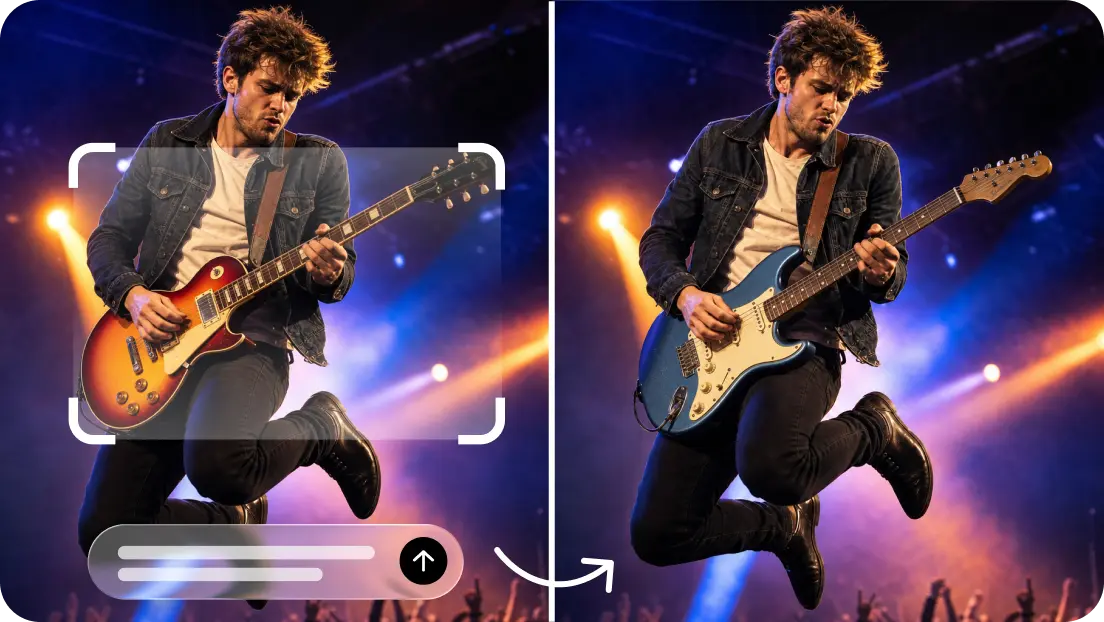
AI video creation empowers creators to experiment with visual storytelling without the need for upfront investment in high-end production tools. Testing prompts, motion quality, and editing controls is easy with free daily credits. Dreamina AI is an all-inclusive creative solution that integrates video generation, image creation, and photo editing. It has a number of models, called Seedance, that allow the user to find their way through dynamic movement, cinematic scenes, and character consistency. But free credits aren’t unlimited and don’t offer unlimited generations or unlimited features. A formal process allows you to assess skills, determine gaps in skills, and determine if extra resources are worth the expense.
What Free Daily Credits Mean in an AI Video Workflow
Credits are a usage allowance that platforms can deduct when users create videos and/or use certain operations. Dreamina AI also offers credits that allow those who want to dive in before spending cash to try out the AI Video Generator. The cost of generation could, however, differ between generation models, settings, and features available. Free doesn’t necessarily mean having all the advanced tools, or that you’re allowed to experiment without end. Review your credit balance, the credit card renewal cycle, and any restrictions on usage right in the same interface of Dreamina. Having this knowledge allows you to plan experiments accordingly and not be caught by an unexpected limitation during production.

What to Evaluate Before Spending Your First Credits
Firstly, it’s essential to establish a clear creative goal, whether it’s experimenting with text-to-video transitions, consistency with video footage, cinematic composition, or audio generation. Be sure to select a scene that is easy to manage with one main subject, one clear action, and a simple background. Set success criteria prior to generation, such as correct prompt interpretation, believable movement, and acceptable visual continuity. When using a workflow that supports it and when visual consistency is important, prepare reference images. After each attempt, line out successful prompts, problematic instructions, and helpful modifications. With this approach, experimentation is transformed into hands-on learning, not into a vicious cycle of fruitless generations.
Steps to Claim Free Daily Credits and Test an AI Video Generator Risk-Free
Step 1: Sign In and Prepare Your Test Prompt
- Create a Dreamina account or log in, then start making a video from an image.
- Next, open the “Create” tab from the left menu and choose the “AI video” option.
- Type a detailed text prompt about how you want your video to look and feel. Add video elements, theme, and concept, keeping the prompt focused so no credits get wasted.
Step 2: Spend Your Free Credits on Generation
- Then choose a model from the options present at the bottom of the dialogue box.
- Pick between Dreamina Seedance 2.5, Dreamina Seedance 2.0, and Dreamina Seedance 2.0 Fast as needed. Dreamina Seedance 2.0 Mini, Dreamina Seedance 1.0, and other models wait in the same menu.
- Click “Omni reference” and guide the AI with multiple reference images for accurate video results.
- Set a custom aspect ratio and resolution from the “Aspect ratio” and “Resolution” tabs here.
- Finally, click the “Generate” tab to begin creation and spend your free daily credits wisely.
Step 3: Review, Improve, and Save Your Test
- If you dislike the results, you can “Edit prompt” or “Regenerate” to refine them.
- You can also edit the generated video with the “Edit video” option to polish it.
- Moreover, you can use “Edit segment” to edit only a small part of the video.
- Use “Extend video” to turn your short test into a longer clip without any restart. Then apply “Creative upscale” to improve your video quality before you save the final file.
- Dreamina gives you complete freedom to edit your video the way you like, every time.
- Finally, click on the “Download” tab present on the top right of the interface screen. This saves the video file on your local device, so you keep every good result.
Five Experiments That Reveal an AI Video Generator’s Strengths
- Prompt interpretation: Give one specific prompt and evaluate if the subject, movement, and setting align with your prompt.
- Reference consistency: When there is a reference image that can be provided, then compare important aspects of the image.
- Aspect ratio: Create a test of both vertical and horizontal compositions, and see how the framing adjusts from one publishing format to another.
- Motion quality: Describe a simple physical action and discuss the coherence of the movement, the stability of the objects, and the temporal continuity.
- Audio generation: Ask for appropriate background music, sounds, and/or words and assess for synchronization and intelligibility.
Stretch Your Free Credits With Better Experiment Design
Compare the results generated by changing one major prompt variable at a time. Don’t create almost identical versions without specifying an improvement to test. When developing a successful idea, take advantage of reusing successful descriptions and appropriate references. Select aspect ratios and resolutions based on the platform where content will be published and not just trying things out for no particular reason. Do not use complex scenes for experiments where simpler prompts already yield valuable results. Repeat generation or optional enhancement operations will generate additional credit costs, so check the costs prior to these operations. Each attempt will have greater value from careful planning, but will not ensure any results or a certain number of free generations.
Understand the Limits of Free AI Video Generation
Some models or high-level editing features may have different requirements, and there may be limitations on the frequency of generation when using free credits. The output may vary with the same prompt; there is no guarantee of consistency. Footage produced can also be edited if there are any inconsistencies in images, bad movements, or inappropriate sound. Become familiar with the export resolution, formats, and download options available before making plans for a production. Look into Dreamina AI’s existing policies, such as commercial application, uploaded content, content creation, and intellectual property rights. Risk-free experimentation is not about taking away all limitations or even about promising professional results; it’s about experimenting with limited financial risk.
Decide What to Learn Before Expanding Your Workflow
Go back and check your experiments and see which models and prompt descriptions yield the most helpful footage. See if the reference images help you stay consistent and if the audio that is created is suitable for your project. Ask yourself if your free allowance is sufficient for some occasional exploration or if it is less than the amount you need to produce regularly. Evaluate the amount of time needed for refinement in relation to what is achieved in the clips. Check credit allowances, feature availability, export settings, and licensing terms before expanding workflow. This information will assist you in deciding without getting extra resources too early.
Conclusion
Dreamina AI’s free daily credits offer an opportunity to explore video generation before making a larger commitment. It has models of Seedance, inputs of reference, and refinement controls that enable structured experimentation for various creative tasks. Begin with a single objective, assess your progress with realistic standards, and note the lessons learned from each try. Review the existing credit limits and platform terms before you schedule bigger projects. By setting realistic expectations and conducting thoughtful experiments, you can determine if Dreamina AI fits into your creative workflow and production needs.
