

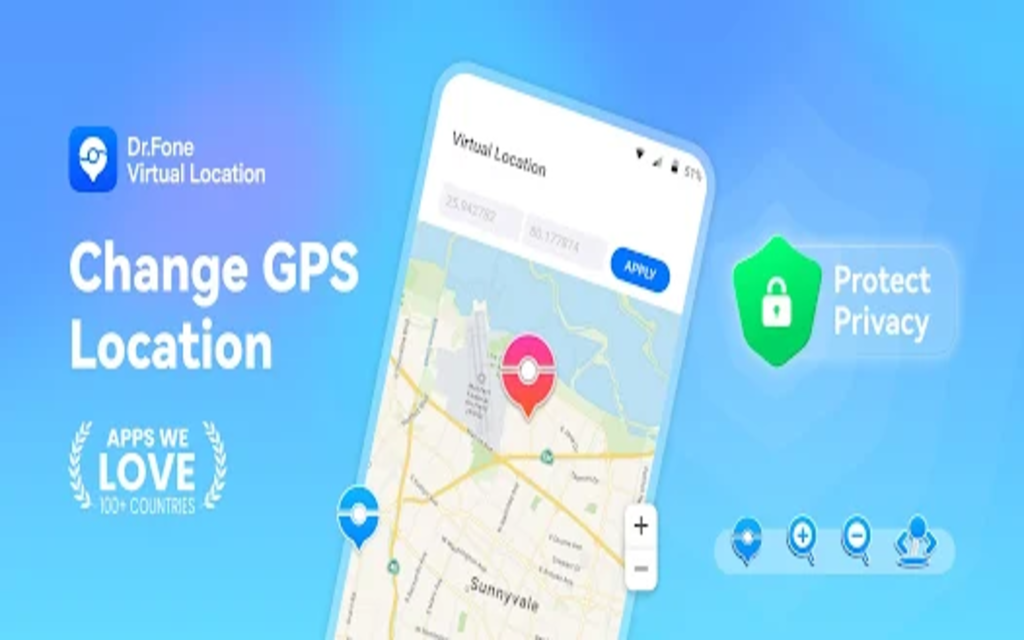
Introduction: What is Dr.Fone Virtual Location?
Dr.Fone – Virtual Location offers a seamless solution for altering your iPhone’s GPS location. It caters to users seeking to modify their device’s location for various purposes, from gaming to privacy concerns. Are you tired of being unable to play location-based games due to physical constraints? Do you yearn for enhanced privacy on social media platforms? Dr.Fone Virtual Location has you covered.
Dr.Fone – Virtual Location is a versatile software tool designed to alter the location information on iOS devices without the need for a jailbreak. As an innovative solution, it allows users to simulate GPS movement, spoof location, and access change location-based services as if they were in a different geographical location.
Dr.Fone – Virtual Location serves as a go-to option for users seeking to modify their device’s location for various purposes, such as privacy protection, location-based app testing, or accessing region-restricted content. Whether you’re looking to safeguard your privacy online or access location-specific features of apps and games, this software offers a seamless and user-friendly solution.
For those who often find themselves googling “Dr.Fone location changer,” the question arises: Is Dr.Fone location changer worth it? Is it free? This Introduction aims to delve deeper into these queries, providing insights into the functionalities, usability, and value proposition of Dr.Fone – Virtual Location.
Dr.Fone – Virtual Location (iOS/Android) Specifications
Wondershare created a flexible software called Dr.Fone – Virtual Location that allows users to modify the location data on iOS and Android devices. It provides a number of features designed for customers who need location faking for different reasons, like privacy protection, geo-restricted content access, or testing location-based apps.
The full specs of Dr.Fone – Virtual Location are included below, along with information on recent updates, the date of release, and the most recent technical specs displayed in a table.
Release Date and Recent Updates:
- Release Date: Dr.Fone – Virtual Location was officially released on 2019.
- Recent Updates: The software has undergone several updates to enhance its functionality and compatibility with the latest operating systems and devices. These updates typically include bug fixes, performance improvements, and new features to meet user needs effectively.
Technical Specifications:
| Tech Specs | Dr.Fone – Virtual Location Desktop (win, mac) |
| Computer OS | 1. Win 11/10/8.1/8/7 2. Mac: Mac OS X 10.13 & higher |
| iOS/Android | 1. iOS: iOS 5 and up 2. Android: Android 6.0 and up |
| Available Languages | 1. Multiple languages |
| Features | 1. Change GPS Location 2. Simulate Movement 3. Route Planning 4. GPS Joystick Control 5. One-Stop Route 6. Multi-Stop Route 7. Jump Teleport Mode 8. Multi-Device Control 9. GPX Import/Export 10. Realistic/Fluctuation Mod 11. Cooldown Timer 12. Location Favorite List 13. Spoofing in Pokémon GO 14. …… |
| Pricing | 1. Free Trial 2. Subscription Plans 3. One-time Purchase |
| Customer Support | 1. 24/7 Live Support 2. FAQs and Tutorials |
Product Page:
For further information on Dr.Fone – Virtual Location, including purchasing options and additional features, please visit the official product page: Dr.Fone – Virtual Location
Please be aware that future software updates may cause changes to the specs listed above. Consult the official product page or get in touch with the manufacturer directly for the most accurate and current information.
Feature List: Introducing the Ultimate Location Spoofing Solution
Location-based services have grown to be essential in today’s digital world. From social media to gaming, our cell phones follow us around all the time to deliver personalized experiences.
To play location-based games without leaving your house, protect your privacy from tracking apps, or just have a little fun with friends, you may choose to change your location. Presenting the ground-breaking fix: The Ultimate Location Spoofer App.
Key Features:
1: Play Location-Based Games without Going Outside:
Have you ever desired to rule virtual lands from the comfort of your own home? The Feature List enables it. You can experience the excitement of location-based gaming without leaving your house, whether you’re building wonders in Minecraft Earth, absorbing yourself in the world of Pokémon GO, or planning in Ingress Prime.
2: Prevent Tracking in Location Apps:
Are you worried about security and privacy? Feature List takes care of you. You can take back control of your digital footprint and make sure your travels stay private by disabling monitoring in well-known location apps like Life360, Snapchat, and Find My iPhone.
3: Spoof Location on Social Apps:
Do you like to enhance your social encounters with a little mystery? With Feature List, you can pretend to be somewhere else on well-known social media platforms like Instagram, WhatsApp, and Snapchat. The options are unlimited, whether you’re hanging out with friends or exploring new virtual hangouts.
4: Mock Location on Dating Apps:
In the world of online dating, relationships can be made or broken based on location. You can fake your location on dating apps like Grindr, Tinder, and Bumble with Feature List, which opens up a world of opportunities for meeting new people and developing deep connections.
Other Usage Scenarios:
- Company Office Check-In: Utilize Feature List’s location manipulation features to guarantee flawless attendance monitoring and expedite office check-ins.
- Pranks Between Friends: Your interactions with pals will be more enjoyable and unexpected thanks to Feature List, which offers anything from inventive social experiments to funny location-based pranks.
You have complete control over where you are thanks to Feature List. Accept the freedom to explore, connect, and engage on your terms, whether you’re gaming, interacting with others, or figuring out the complex details of modern life. With Feature List, you can explore the location manipulation of the future today.
Buying Guide for Dr.Fone iOS Virtual Location
Do you want to be able to alter the GPS position of your iphone location changer for different uses, such as playing games, testing apps, or just traveling to virtual places? You can find what you’re looking for in Dr.Fone’s iOS Virtual Location.
We’ll walk you through the price options, available plans, and how to buy this cutting-edge software in this buying guide.
Pricing Options
Dr.Fone iOS Virtual Location offers flexible pricing plans to suit different needs and budgets. Below are the pricing options:
| Plan | Price | Features |
| 1-Month Subscription | $9.95 | – Change GPS location |
| – Simulate movement |
| Plan | Price | – Teleport to any location |
| 1-Year Subscription | $19.95 | – All features of the 1-month plan |
| – Long-term access |
| Plan | Price | – Regular updates and support |
| Lifetime Plan | $29.95 (limited offer) | – Lifetime access to all features |
| – Unlimited usage | ||
| – Free updates and technical support |
Purchase Options:
You can purchase Dr.Fone – Virtual Location directly from the official website. Here’s how you can do it:
- Visit the official website: Dr.Fone Virtual Location (iOS/Android)
- Choose your desired plan (1-month subscription, 1-year subscription, or lifetime plan).
- Click on the “Buy Now” button next to your selected plan.
- You will be redirected to the checkout page.
- Enter your payment details and complete the purchase process.
Free Version Availability
Yes, Dr.Fone provides a feature-limited, free version of Virtual Location. You can experiment with the tool’s fundamental features, including shifting your GPS location and creating the illusion of mobility, with the free edition.
However, you’ll need to upgrade to a paid subscription plan to take advantage of Virtual Area’s full potential and access its advanced capabilities, such as teleporting to any area.
Finally, Dr.Fone – Virtual Position (iOS) offers a practical way to change the GPS position of your iPhone. It meets the needs of different users with a variety of features and customizable pricing plans that include a free edition.
Please visit the official website and choose your desired plan to buy Dr.Fone – Virtual Location and access its full powers.
How Does Dr.Fone – Virtual Location Work: A Comprehensive Guide
Being able to manage one’s online profile has grown in importance in a time when location-based services rule the digital world. In this field, Dr.Fone – Virtual Location stands out as a potent tool that gives users the capacity to easily change their GPS location. However, how does it operate? Now let’s explore the nuances of this creative fix.
Understanding Dr.Fone – Digital Place:
Wondershare created the feature-rich program Dr.Fone – Virtual Location, which is well-known for its solid operation and user-friendly UI. Dr.Fone allows users to easily change their GPS locations for a variety of purposes, including privacy concerns, testing geolocation-based applications, and virtually traveling to other places.
How Does the Method Work?
Advanced GPS spoofing technology is used by Dr.Fone – Virtual position to mimic the position of your smartphone. You may easily adjust your smartphone’s GPS coordinates by connecting it to your computer and using Dr.Fone’s user-friendly interface. This allows you to deceive location-based services and apps into thinking that you are actually in a different place.
Step-by-Step Guide to Changing Location

Now, let’s walk through the process of changing your location using Dr.Fone – Virtual Location:
1: Installation and Setup:
First, go to the official website or a reputable app store and download and install Dr.Fone – Virtual Location. Open the application on your device after it has been installed. A user-friendly interface showcasing several capabilities, such as “Virtual Location,” will greet you. Press this button to continue.
2: Selecting Teleport Mode:
There are various modes of operation available within the ‘Virtual Location’ feature. Selecting ‘Teleport Mode’ will start the process of moving you. With this mode, you can enter precise coordinates or search for a spot on the map to immediately teleport to any chosen location.
3: Teleporting to Desired Location:
After choosing ‘Teleport Mode,’ you will be asked to search for the desired place or input its coordinates. Enter the latitude and longitude coordinates or only the name of the target location. Your device will then be smoothly teleported to the designated place by Dr.Fone – A virtual place.
4: Verification and Confirmation:
Dr.Fone – Virtual Location will check the input and validate the teleportation procedure after you provide the location information. A notification verifying the effective location change will be sent to you. Now that the location on your device has changed, you can make use of location-based services, applications, and content that are specific to the place you have selected.
Bravo! You’ve used Dr.Fone – Virtual Location to successfully modify the location of your device. You can now easily make use of location spoofing’s advantages.
Dr.Fone – Virtual Location offers unmatched ease and flexibility, revolutionizing the way we use location-based services. Whether you’re a social media addict, gamer, or just someone who values privacy, this app gives you the ability to easily manage the position of your device.
You may visit any area of the world from the comfort of your home by simply following the steps provided in this guide.
Guide page: https://drfone.wondershare.com/guide/teleport-mode.html
Final Verdict
To sum up, Dr.Fone – Virtual position provides a thorough solution for those looking to modify the position of their iPhone. It offers a dependable solution for improving privacy and getting location-based content thanks to its intuitive design, strong features, and compatibility with a wide range of apps. Dr.Fone – Virtual Location is a useful tool for individuals that want this feature, albeit it might not be appropriate for everyone.
FAQs of Dr.Fone – Virtual Location
Is Dr.Fone – Virtual Location Legit?
Wondershare, a reliable software company best known for its wide range of utility products, is the developer of Dr.Fone – Virtual Location. Therefore, it is acceptable to regard Dr.Fone’s virtual Location as genuine. It has several capabilities, including location spoofing, which is useful for testing apps and safeguarding privacy, among other things. To minimize security threats, users should always obtain software from reputable sources.
Does Dr.Fone – Virtual Location Require Jailbreak?
No, a jailbreak is unnecessary to fake an iOS device’s location with Dr.Fone – Virtual Location. Removing Apple software restrictions through jailbreaking might destroy device warranties and put customers at risk of security flaws. With Dr.Fone – Virtual Location, users may have a more secure and convenient experience as it provides a non-invasive solution that doesn’t require jailbreaking.
Is Dr.Fone – Virtual Location Safe in Pokémon Go?
Dr.Fone – Virtual Location is a safe and reliable tool designed to enhance your gaming experience. Our software offers multiple modes to ensure authentic movement, providing peace of mind while exploring virtual worlds. Unlike other tools that may risk account bans, Dr.Fone prioritizes your account’s security and integrity, making it an ideal choice for gamers who want to enjoy their favorite games without worry. Trust Dr.Fone – Virtual Location to elevate your gameplay safely and effectively.
