

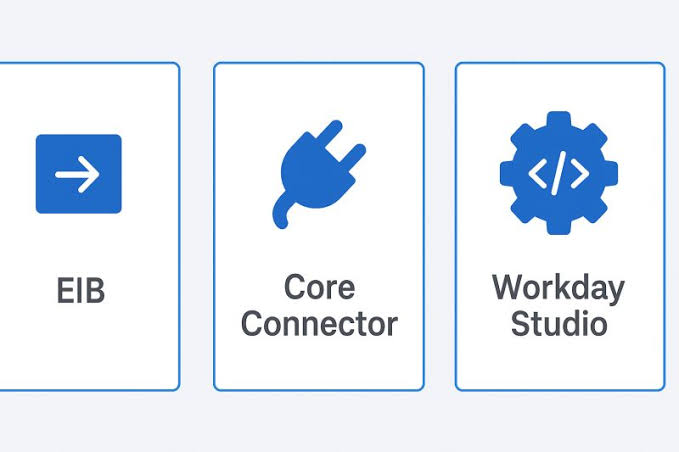
Most Workday integration tools get selected for reasons that have nothing to do with fit. Someone on the team already knows EIB, so it becomes an EIB. A Studio developer happens to be available that sprint, so it becomes a Studio integration. A Core Connector exists with roughly the right name, so it gets configured and then bent until it does something it was never designed for.
None of this shows up as a problem at go-live. It shows up in year two, when the integration needs a change and the person who built it has moved on, or when a feature release alters behavior in a component nobody documented, or when a simple mapping addition turns out to require a developer with a skill set the organization no longer has.
The tool choice is a maintenance decision disguised as a build decision. This article covers what each method is actually good at, where each one hits a wall, and a decision sequence that produces defensible answers rather than convenient ones.
Start with the questions that determine the answer
Before comparing tools, get honest answers to six questions about the interface. Nearly every selection mistake traces back to one of these being assumed rather than asked.
How many endpoints are involved? One source and one target is a fundamentally different problem from an orchestration that calls three systems and branches based on what the second one returns.
How complex is the transformation? Renaming and reformatting fields is one class of work. Aggregating across records, deriving values from lookups, or applying conditional logic based on multiple attributes is another.
What does the transport need to be? A file dropped on SFTP overnight and a real-time API call are different architectures, not different settings.
What happens when a record fails? Some interfaces can tolerate a failed batch and a retry tomorrow. Others need per-record error handling, a rejection file back to a business owner, and a replay path.
How often will this change? An interface tied to a stable statutory format will barely move in five years. One tied to an evolving internal process will change quarterly, and the cost of each change matters far more than the cost of the build.
Who maintains it in three years? This is the question that gets skipped, and it is the one that determines total cost more than any of the others.
Hold those answers. They map onto the tools cleanly.
Enterprise Interface Builder, and the point where it stops
EIB is the workhorse, and it earns that position. It is configured inside Workday, it requires no external tooling, a functional analyst can build one, and it handles the single most common integration shape in any HR estate: take a defined set of data out of Workday on a schedule, transform it, and deliver it somewhere as a file. Or the inbound equivalent.
The design center is one source, one target, one transformation. Within that boundary, EIB is fast to build, easy to hand over, and cheap to change. Custom report definitions as the data source give you a great deal of control over what is extracted without writing code, and transformation through an attached stylesheet handles most reformatting requirements.
The wall arrives in three predictable places.
The first is conditional logic. When the requirement becomes send these records to vendor A and those to vendor B based on an attribute, you are outside what the tool was designed to express. It can sometimes be forced through stylesheet logic, which works, and which also means the business rule now lives in an XSLT file that only one person can read.
The second is multi-step orchestration. Anything that requires calling a system, waiting for a response, and acting on that response is not an EIB problem. Chaining several EIBs together to simulate this is the most common anti-pattern in Workday estates. Each link is individually simple and the assembly is untraceable, because nothing in the tool records that these five objects are one logical process.
The third is error handling granularity. EIB reports on the run. Building per-record rejection handling with routing back to a business owner means building it around the tool rather than in it.
The rule of thumb that holds up: if you find yourself drawing a flowchart to explain how your EIBs interact, you needed a different tool three EIBs ago.
Core Connectors, and the cost of leaving the template
Core Connectors are the option that most organizations underuse and then, having discovered them, misuse in the opposite direction.
The value proposition is genuinely strong. Workday delivers and maintains the connector. It carries the integration services, the field mappings, and the structural knowledge of the target category, whether that is benefits, payroll, or worker provisioning. When Workday changes underlying data structures across a feature release, the connector is updated as part of that release rather than becoming your problem. That maintenance transfer is worth a great deal over a five year horizon, and it is chronically undervalued during selection, when the visible comparison is build effort.
Configuration flexibility is real but bounded. Integration services can be enabled and disabled, field overrides let you substitute calculated fields for delivered ones, and document transformation lets you reshape the output. That covers a wide band of requirements without leaving the supported path.
The problem starts when the requirement sits outside the template and the team decides to make it fit anyway. The symptom is a growing stack of field overrides and increasingly elaborate transformation logic, each addition reasonable in isolation. What you end up with is a connector carrying so much custom behavior that the maintenance advantage has quietly evaporated, while the constraints of the template remain. You are paying the cost of both approaches and getting the benefits of neither.
The honest test is proportion. If the delivered connector covers the large majority of the requirement and the overrides are genuinely marginal, it is the right choice and it will stay the right choice. If more than a modest share of the behavior is custom, the connector is the wrong container and something purpose-built will be cheaper to own.
Workday Studio, and what you are signing up for
Studio is the answer when the problem is genuinely orchestration. Multiple endpoints, branching logic, loops, aggregation across sources, custom error handling with per-record routing, and transport requirements that go beyond scheduled file delivery. If the requirement includes the phrase and then, repeatedly, Studio is probably where it belongs.
The capability is not in question. What deserves scrutiny is the ownership commitment, because Studio integrations differ from the other options in one important respect: they are entirely yours. Workday maintains the platform, not your orchestration. Every mapping, every branch, every error handler is code your organization owns through every future release.
Three costs follow from that, and all three are routinely underestimated at selection time.
Skills availability is the first. Studio developers are a narrower pool than Workday functional consultants, and they are not interchangeable. An organization with one Studio integration and no Studio developer has a component it cannot change without going to market for the skill each time.
Documentation dependency is the second. A complex Studio assembly is difficult to reverse engineer from the tool alone. Without design documentation covering the flow, the branching conditions, and the error paths, the integration becomes a black box the moment the builder leaves. This is not a hypothetical failure mode, it is the most common one in mature Workday estates.
Regression exposure is the third. Because the logic is yours, validating it against each feature release is your responsibility. That is manageable with a regression pack and a sandbox tenant, and it is genuinely painful without one.
None of this argues against Studio. It argues for choosing it deliberately, for the interfaces that need it, rather than by default because it can do anything.
Web services called from outside, and the option people forget
The fourth answer is that the integration should not live in Workday at all.
Workday web services, both SOAP and REST, are available to any external platform with credentials and the right security configuration. When an organization already runs an iPaaS such as MuleSoft, Boomi, or Jitterbit, and the process spans several systems of which Workday is only one, building the orchestration outside is frequently the better architecture.
The reasoning is about where the process logic belongs. If a joiner process touches Workday, an identity provider, a service management platform, and a badge system, expressing that flow inside Workday means Workday is now the orchestrator of a process that is mostly not about Workday. Putting it in the integration layer keeps the process visible in one place, uses tooling your integration team already supports, and keeps the HR platform focused on being a system of record.
The counterweight is data proximity and security surface. External orchestration means credentials, an integration system user, and a security group configuration that has to be maintained and audited. It also means the extraction logic is remote from the data, which can be less efficient for large volume operations than a report-driven extract running inside the tenant.
The practical split that works for most estates: single-system data movement stays inside Workday, multi-system process orchestration lives in the integration layer.
Two dimensions the comparison usually leaves out
Security configuration is the first. Every integration method needs an integration system user, a security group, and domain permissions scoped to what it actually requires. The failure pattern here is uniform across tools: permissions get granted broadly during build to unblock testing, and nobody comes back to narrow them. The result is a set of integration accounts with far more access than their function needs, discovered during an audit rather than during design. Scope at build time, document the scope, and review it when the interface changes.
Release cadence is the second. Workday ships feature releases twice a year, plus a continuous stream of smaller updates. What that means practically is that every integration in the estate needs an owner who is accountable for validating it against each release, and the amount of validation work differs sharply by method. A delivered Core Connector carries far less regression burden than a custom Studio assembly. That difference is a legitimate input to the selection decision, and it belongs in the comparison alongside build effort.
A decision sequence that holds up
Work through these in order and stop at the first yes.
Is there a delivered Core Connector that covers the requirement with only marginal customization? Use it, and accept the template constraints as the price of transferred maintenance.
Is this a single source to single target data movement, on a schedule, with transformation that can be expressed declaratively? Use EIB, and keep it that way. If it later grows a second target or a conditional branch, revisit rather than extend.
Does the process span multiple systems with branching logic, and does your organization already run an integration platform? Build it in the integration layer against Workday web services, and keep Workday as a participant rather than the conductor.
Does the process require orchestration that has to run inside Workday, with logic that cannot be expressed declaratively? Use Studio, and fund the documentation and the regression pack as part of the build rather than as a later phase that never arrives.
The sequence is deliberately biased toward the options with the lowest long-term ownership cost. That bias is correct, because the build is a few weeks and the ownership is a decade.
Where specialist help changes the outcome
Selecting well requires knowing the boundaries of each tool in practice rather than in the documentation, which is knowledge that comes from having built the wrong thing at least once and lived with the consequences.
That is the gap most internal teams face. A capable Workday functional team knows the business processes deeply and often has strong EIB skills, but has rarely built enough Studio orchestrations to have a calibrated sense of when the complexity is warranted. The result skews toward whichever tool the team is most comfortable with, which is a reasonable heuristic and a poor architecture principle.
Bringing in Workday integration services is worth considering specifically at the point of selection and design, ahead of the build, since that is where the leverage sits. The right method chosen early costs nothing extra. The wrong one chosen early costs every time the interface changes for the next five years, and it is expensive to unwind once business processes depend on it.
A practical place to start
If you have an existing Workday estate and no documented rationale for any of the method choices in it, two exercises are worth the afternoon they take.
List every integration with its method, its build date, and the name of the person who could change it tomorrow. The interfaces with a blank in the third column are your actual risk, and they are usually the Studio ones.
Then flag every EIB chain, meaning any place where the output of one EIB triggers or feeds another. Each chain is an orchestration that was built with the wrong tool, and it is the most reliable predictor of where your next unexplained failure will come from.
Neither exercise requires budget. Both tell you where the money should go.
