

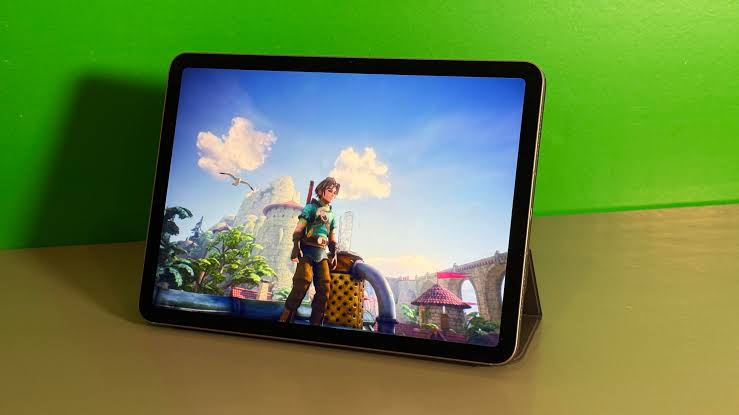
Remote work has fundamentally transformed how Bangladesh professionals approach their daily workflows. And Apple iPad has emerged as a surprisingly capable tool bridging the gap between smartphone convenience and laptop functionality. From freelance designers in Dhaka to remote consultants serving international clients, professionals increasingly ask: can an iPad replace a laptop for work? This comprehensive guide explores how professionals use iPads for remote work, examining specific models, essential accessories, and practical workflows that make iPads genuine productivity tools rather than mere content consumption devices.
Essential iPad Setup for Work From Home
The convergence of powerful Apple Silicon chips, refined iPadOS multitasking features, and an expanding professional app ecosystem has transformed iPads from casual browsing devices into legitimate business tablets. Stage Manager enables sophisticated windowed multitasking rivaling traditional computers, while Apple Intelligence brings AI-powered writing assistance, summarization, and organizational tools directly into daily workflows.
For remote employees, freelancers, and digital nomads, iPads offer compelling advantages: exceptional portability, all-day battery life, instant-on functionality, and touch-first interfaces perfect for reviewing documents, sketching ideas, or annotating presentations during video calls.
Apple Pencil Pro: Beyond Note-Taking
The Apple Pencil Pro transforms iPads into powerful annotation and creative tools. Professionals use it for marking up PDF contracts, sketching wireframes during client calls, or providing detailed feedback on design mockups capabilities particularly valuable for consultants, designers, and project managers requiring visual communication.
Magic Keyboard: True Laptop Replacement
Adding the Magic Keyboard transforms any capable iPad into a legitimate laptop alternative. The trackpad support enables familiar cursor-based navigation, while the keyboard itself supports touch typing for extended writing tasks. This combination proves particularly effective for iPad for document editing, email management, and general business communication.
Stage Manager: Desktop-Class Multitasking
Stage Manager fundamentally changes iPadOS productivity by enabling flexible window management similar to traditional computers. Professionals can simultaneously view video calls, reference documents, and take notes of workflow patterns previously impossible on tablets. This feature alone justifies iPad Air M4 or Pro M5 investment for serious multitasking requirements.
iPad for Video Conferencing and Online Meetings
Video conferencing represents the backbone of remote work, and iPads deliver genuinely excellent meeting experiences. The Center Stage camera feature automatically keeps you framed during movement, while sophisticated microphone arrays ensure clear audio pickup even in less-than-ideal home office environments.
Microsoft Teams on iPad and Zoom on iPad both offer full-featured apps supporting screen sharing, virtual backgrounds, and breakout rooms functionality matching desktop counterparts. Professionals conducting client presentations particularly benefit from iPad’s portrait and landscape flexibility, allowing quick repositioning between personal video calls and document sharing without cumbersome laptop adjustments.
iPad vs Laptop for Remote Work: Making the Right Choice
The iPad vs laptop for remote work decisions depends heavily on specific job requirements. iPads excel for professionals prioritizing portability, touch-based interaction, and simplified workflows centered on cloud applications, video calls, and document review. Traditional laptops remain superior for specialized software requiring desktop operating systems, complex spreadsheet modeling, or programming environments demanding traditional file system access.
Many hybrid work professionals find iPads serve as excellent primary devices for 70-80% of daily tasks, reserving laptop use for specific specialized software needs creating genuine cost savings and portability benefits without complete workflow compromise.
Best iPad Models for Remote Work in Bangladesh
iPad 11th Gen: Budget-Friendly Entry Point
The standard iPad 11th Gen serves professionals with straightforward remote work needs email management, video calls, document review, and basic note-taking. Its A16 chip handles Microsoft 365 on iPad and Google Workspace applications smoothly, while the 11-inch Liquid Retina display provides comfortable reading and editing space.
This model suits professionals primarily using cloud-based tools without demanding creative software, making it ideal for administrative roles, customer service representatives, or entry-level remote positions where budget consciousness matters alongside functional productivity capability.
iPad Mini 7: Ultimate Portability for Digital Nomads
For professionals embracing true digital nomad lifestyles or requiring maximum portability, the iPad Mini 7 delivers surprising productivity capability in an ultra-compact form factor. Despite its small size, the powerful A17 Pro chip handles multitasking, video calls, and document editing without compromise.
This model particularly suits consultants traveling frequently between client meetings, journalists needing discreet note-taking capability, or professionals prioritizing one-handed portability during commutes while maintaining full productivity functionality when needed.
iPad Air M4: The Professional Sweet Spot
The iPad Air M4 represents the optimal balance for serious remote work professionals. The powerful M4 chip enables genuine Stage Manager multitasking, supporting multiple app windows simultaneously essential for professionals juggling video calls, document editing, and research simultaneously.
This model excels for the best iPad for business professionals seeking near-Pro performance without maximum investment. Combined with Magic Keyboard support and Apple Pencil Pro compatibility, the Air M4 handles demanding remote work scenarios including video editing, presentation creation, and extensive document collaboration through Microsoft 365 or Google Workspace platforms.
iPad Pro M5: Ultimate Professional Powerhouse
For professionals whose remote work demands maximum performance video editors, software developers testing applications, or executives requiring desktop-class capability the iPad Pro M5 delivers uncompromising power. The stunning Tandem OLED display, external monitor support, and superior multitasking capabilities create genuine laptop replacement potential for many professional scenarios.
This premium investment suits best iPad for freelancers operating in demanding creative or technical fields, professionals requiring Thunderbolt connectivity for external storage and displays, or those whose income directly depends on tablet performance capability.
Where to Buy iPads for Remote Work in Bangladesh
Star Tech stands as a trusted iPad shop in Bangladesh, offering a large Apple iPad lineup from budget-friendly 11th Gen models to premium Pro M5 configurations. Their knowledgeable staff help professionals identify which iPad best matches specific remote work requirements whether prioritizing portability, creative capability, or maximum performance.
Star Tech’s EMI facilities make premium models like the iPad Air M4 or Pro M5 financially accessible through manageable monthly payments, while their nationwide home delivery ensures convenient access regardless of location across Bangladesh. With official Apple warranty support and authorized reseller status, Star Tech provides confidence for this significant professional technology investment.
