

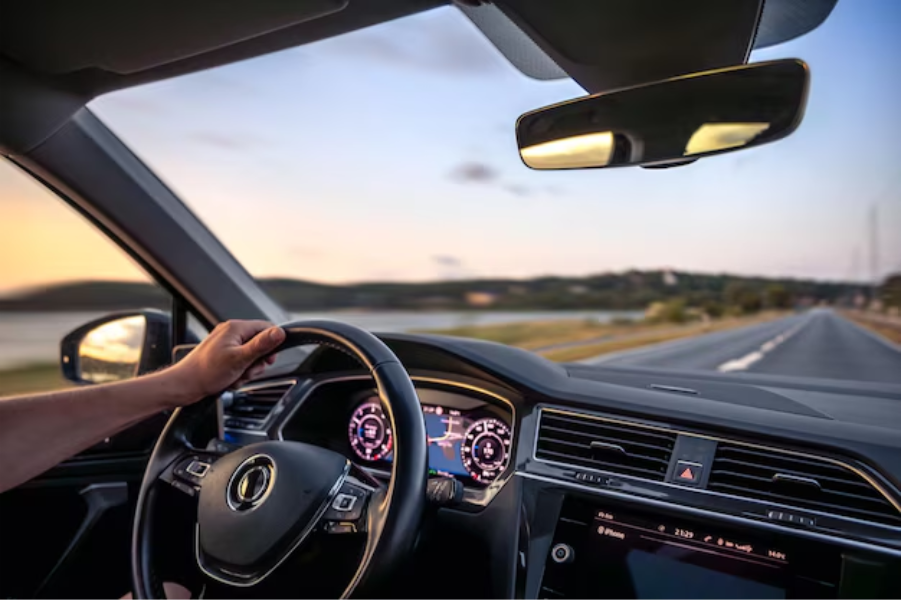
Real estate agents spend much of their working day driving between property showings, client meetings, open houses, inspections, and office appointments. Keeping track of every business trip while managing client schedules can be difficult. Realtors can simplify mileage tracking by using automatic trip detection, reviewing trip details regularly, and organizing business drives in a dedicated mileage tracking app.
A real estate mileage tracker helps agents record the distance they drive for work without relying on memory or handwritten logs. Mileage Tracker offers vehicle mileage tracking features that help users record trips and manage their driving records. By making mileage tracking part of the daily routine, realtors can maintain more complete records and spend less time reconstructing their travel history.
Why Property Showing Days Make Mileage Tracking Difficult
A typical showing day rarely follows a fixed route. An agent might visit several properties across different neighborhoods, meet a buyer at a new location, return to the office, and drive out again for an evening appointment. Last-minute cancellations and additional showings can change the schedule at any point.
These changes make manual mileage tracking unreliable. An agent who plans to record every trip at the end of the day may forget a short drive or confuse the route taken between two appointments.
Common challenges include:
- Frequent stops: Multiple property visits create several separate trips that need accurate records.
- Schedule changes: Added or canceled showings make it harder to remember the actual route.
- Mixed-purpose driving: Personal errands between appointments can complicate the separation of business and personal mileage.
- Incomplete records: Missing starting points, destinations, or distances can make trip logs difficult to verify later.
A consistent tracking process reduces these problems and gives agents a clearer record of their work-related driving.
Build Mileage Tracking into Your Showing Routine
The easiest way to maintain accurate records is to make mileage tracking part of the normal showing workflow rather than treating it as an extra administrative task.
1. Use automatic trip detection
A mileage tracking app with automatic trip detection can identify vehicle journeys without requiring the driver to enter every trip manually. Depending on the app’s settings and device permissions, trips can be detected in the background and presented for review.
This feature is especially useful for realtors who move between several properties during the day. Instead of trying to remember every drive, agents can review recorded trips and correct any details that need attention.
Before relying on automatic tracking, check that location permissions are enabled and that the app’s tracking settings suit your device. Battery restrictions and disabled permissions can affect background recording.
2. Review trips between appointments
A quick review after a showing helps keep the day’s records organized. Check that the recorded trip matches the journey you completed and that the start and end points appear reasonable.
If the app misses a trip or records an incorrect detail, correct it while the journey is still fresh in your memory. This is easier than reconstructing the route after several additional appointments.
3. Keep business and personal trips separate
Realtors often combine work travel with personal stops. For example, an agent might leave a property showing, stop for a personal errand, and then continue to another client appointment.
Review each trip according to its actual purpose. Do not automatically classify every drive on a working day as business mileage. Clear distinctions help maintain accurate records and make later reviews more straightforward.
Organize Trips Around Your Property Showing Schedule
A showing calendar helps agents plan appointments, but it does not always reflect the driving that actually takes place. A canceled appointment, an unscheduled client meeting, or a detour can change the day’s travel.
Use your appointment schedule as a reference point when checking mileage records. Compare the properties visited with the trips recorded, then identify any gaps or unexpected journeys.
For better organization, follow these practices:
- Check the day’s appointments: Use your calendar to identify expected destinations and spot trips that may be missing from the log.
- Review route changes: Confirm that recorded mileage reflects the route you actually drove, not simply the route originally planned.
- Add useful trip details: Record the business purpose or relevant appointment information when the app supports notes or trip categorization.
- Correct personal trips: Mark personal journeys appropriately instead of including them in business mileage records.
These habits help create a reliable record without requiring a detailed written entry after every property visit. The goal is to maintain accurate trip information, not to duplicate your entire appointment calendar inside the mileage app.
What Realtors Should Look for in a Mileage Tracking App
Not every mileage app fits the demands of a real estate business. Agents who spend much of the day driving need a practical way to record trips, review mileage, and maintain organized records.
Useful features include automatic tracking, editable trip details, business and personal trip classification, and accessible mileage summaries. An app should also make it easy to identify missing journeys and correct inaccurate records.
When evaluating an app, consider these factors:
- Automatic mileage recording: Reduces dependence on manually entering every journey.
- Trip review and editing: Helps correct missed trips, inaccurate details, or incorrect classifications.
- Clear mileage summaries: Makes it easier to review recorded travel across appointments and work activities.
- Convenient access: Allows you to check records from your phone without interrupting your work unnecessarily.
Mileage Tracker is designed to help users record vehicle trips and manage mileage information through an app. Realtors can use its mileage tracking capabilities to keep driving records organized while moving between listings, client meetings, and other business destinations. Review the app’s current features and settings to confirm that they match your recordkeeping needs.
Keep Mileage Records Accurate and Ready for Review
Consistent tracking is only useful when the recorded information is accurate. Agents should periodically review their trip history instead of assuming that every journey has been captured correctly.
Pay attention to missing trips, duplicate entries, incorrect distances, and journeys that have been assigned the wrong purpose. If a drive includes both business and personal activity, document and classify it according to the applicable recordkeeping rules.
For agents who maintain mileage records for tax reporting or reimbursement, supporting documentation matters. In the United States, the IRS generally requires adequate records of business mileage, including the date, business purpose, destination, and distance driven. App records can help organize this information, but agents should confirm that their logs contain the details required for their particular circumstances.
Keep relevant appointment records, client meeting notes, or other supporting documents when appropriate. A mileage log should accurately reflect actual business travel rather than simply mirror a planned itinerary.
Make Mileage Tracking Part of Your Real Estate Business
Property showings demand attention, organization, and flexibility. Mileage tracking should support those responsibilities rather than create another task that agents must remember throughout the day. Automatic trip recording, regular reviews, and accurate trip classifications provide a practical way to keep driving records organized.
A Realtor Mileage Tracker or Realtor Mileage App can be especially helpful for agents who regularly visit multiple properties and meet clients across different locations. By choosing an app that fits your workflow, you can reduce manual recordkeeping and maintain a clearer picture of your business driving.
Mileage Tracker gives real estate professionals a dedicated way to record vehicle mileage and manage trip information. Contact us to learn more about Mileage Tracker and how its features can support your daily driving routine. A consistent tracking habit helps you keep better records while giving more attention to the clients and properties that make up your business.
