

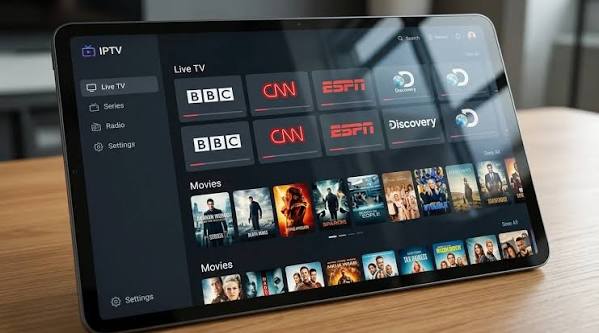
Streaming applications have become a familiar part of connected entertainment. They provide an interface through which a compatible device can organize and play media from a service. However, an application is not the same thing as a content provider. The app may offer playback features, while the provider is responsible for the service, account access, and rights to distribute particular programmes.
That distinction is important when choosing a streaming setup. A recognizable app name does not automatically confirm that a subscription is legitimate, secure, or compatible with every device. Users should verify the source of the application and the service they plan to access.
What users should check before installation
Before installing any streaming player, check the official app listing, developer information, supported operating systems, and update history. Use the device’s official store whenever possible. If an application is not available through an official store, consult the developer’s own documentation and evaluate the risks before proceeding. Avoid third-party download pages that bundle installers with unrelated software.
Users searching for IPTV Smarters Pro should confirm the current application source and compatibility details independently, then separately review the provider’s terms and content authorization. Do not assume that every service marketed as compatible is approved by the app developer or authorized to distribute every channel it lists.
Prepare the device and connection
A smooth experience starts with a supported device and a stable network. Install operating-system updates, free up storage if the device is nearly full, and restart it if it has been running for a long time. Test the internet connection from the same room as the television. For fixed equipment, Ethernet may offer more consistent performance than Wi-Fi.
If the network is shared by several people, large downloads and video calls can affect playback. Router placement and wireless interference can also matter. A speed test is useful, but repeat it during the hours when you usually watch. If the service works well in the morning but struggles in the evening, congestion may be part of the problem.
Follow a safe setup workflow
A cautious installation process reduces avoidable problems:
1. Confirm the application’s official source and device requirements.
2. Read the provider’s instructions and check that the service is authorized in your region.
3. Install the app and updates from trusted sources.
4. Enter only the account or configuration details supplied through the provider’s legitimate process.
5. Review permissions and deny unrelated access.
6. Test content that you are permitted to view.
7. Save the official support contact and note any error messages.
Never share passwords, verification codes, or configuration credentials with people who contact you unexpectedly. If a setup guide asks you to disable security protections or install unknown files, stop and verify the instructions through a trusted source.
Protect personal data and accounts
Streaming accounts can contain payment information, viewing preferences, and identifiers that should not be public. Use a unique password and enable multifactor authentication if available. Do not reuse your email password for entertainment accounts. If a provider offers account sessions or device management, review connected devices periodically and remove those you no longer recognize.
On smart TVs and mobile devices, inspect app permissions. A media player generally should not need access to unrelated personal files or contacts to perform basic playback. Keep device firmware updated and remove applications you no longer use. If you believe credentials have been exposed, change them through the official account page and contact the provider using a verified support channel.
Troubleshooting frequent playback issues
Buffering may result from a weak wireless signal, network congestion, a provider-side problem, or a device that cannot decode the selected stream efficiently. Test another app and another device to narrow down the cause. If only one app is affected, check for updates and consult official troubleshooting documentation. If every device is affected, check the router and provider status.
For login errors, confirm that the account is active and that the information was entered correctly. Use the official reset process rather than links sent by strangers. If video works but audio does not, check the device’s sound output and available audio tracks. If the app repeatedly crashes, restart the device and review storage and software updates.
Change one setting at a time and record the result. This makes it easier to identify what solved the problem instead of creating several new variables.
Understand privacy and content rights
Streaming technology is legal in itself, but access to specific content depends on distribution rights and local rules. Consumers should select providers that can explain their authorization and should avoid services that make implausible claims about premium content. Unlicensed services can disappear without warning and may expose users to security or payment risks.
Privacy deserves similar attention. Read the provider’s privacy notice, understand how payment and usage data are handled, and look for a clear way to contact support. If a service cannot explain its identity, terms, or data practices, consider choosing a more transparent alternative.
Review updates and permissions regularly
Application maintenance should be ongoing rather than a one-time task. Enable automatic updates where appropriate, or check periodically for updates through the official store. Read update notes when available, especially if a new version changes compatibility or account features. Review permissions after major updates because applications can sometimes request new access. If a permission does not match the app’s purpose, look for an explanation from the developer before granting it. Keep the device’s screen lock enabled when supported and avoid leaving account sessions open on shared devices. These habits are simple, but they reduce the chance that an outdated app or an unattended device becomes the weakest point in an otherwise secure setup.
Conclusion
A reliable streaming setup begins with the right application, a compatible device, and a stable connection—but it should also include careful attention to account security, privacy, and content rights. Download software from trusted sources, follow official instructions, and troubleshoot systematically. These habits help users enjoy connected entertainment while reducing the risks that come with unknown applications and unclear providers.
