

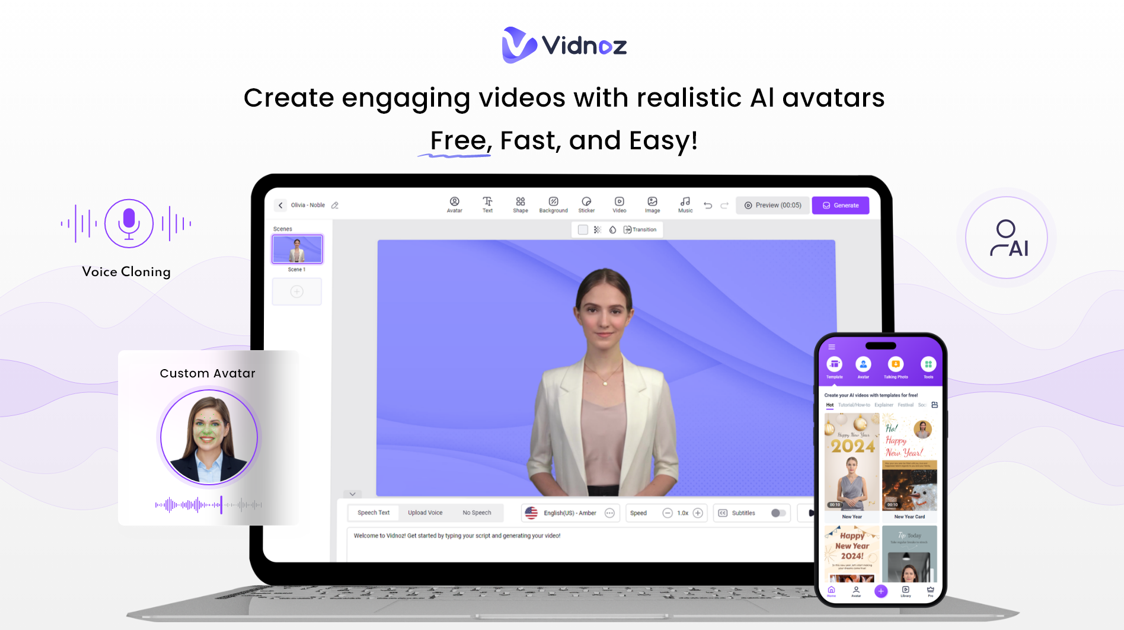
Downloading video is easy, but making a good-quality video is not. We all know that producing a good-quality video requires a lot of effort and time. Putting together a script, getting all the footage, and editing the video to perfection can take up a lot of your time.
However, with the help of AI, users can achieve high-quality videos within minutes. AI Video Generator helps people to create HD videos within seconds. This guide will introduce you to the best AI video generator called Vidnoz AI available online. Ensure to read this article till the end to find out about this wonderful application.
What is Vidnoz AI?
Vidnoz is one of the best AI video generator tools available online, with a wide range of wonderful features to improve video quality and performance. This program uses various algorithms, which allow users to create videos within seconds. It offers 800+ video templates and 800+ realistic avatars, allowing users to create appealing videos within minutes. Further, this tool provides 470+ AI voices in 23 languages, each with unique accents and characteristics.
Vidnoz AI offers a simple and user-friendly interface that allows users with no editing experience to create professional-looking videos. It also helps users to download videos in 1080P quality. This ensures that the video content maintains its quality and sharpness, making it suitable for various platforms and audiences.
Key Features of Vidnoz AI
Here are the top features of Vidnoz AI video generator:
1. AI Avatars
Vidnoz AI video generator offers 800+ lifelike avatars that you can use for your videos. Users can also upload photos to create talking avatars.
2. Dual-Avatar Conversation Mode
With this mode, users can get two avatars to talk to each other during a scene. You can easily edit the dialogue of the scenes freely.
3. Super-Fast Video Generator
This AI tool allows its users to create videos in seconds. After creating a video, users can easily get the content in no time and upload it anywhere they want.
4. Team Collaboration
Vidnoz AI allows users to create a new team space where they can invite their team members to share media assets and add feedback to the video instantly, all within a secure and safe environment.
5. Natural-Sounding AI Voices
The program provides its users with 470+ human-like AI voices in 23 languages. All the voices available on this program sound realistic and have unique voices and accents.
6. High-Definition Video Download
It enables users to download videos in high quality, ensuring that the video content remains the same. This makes the video content suitable for all the people worldwide.
7. Best Video Editor
An AI Video Editor allows users to easily cut and trim footage. It also allows users to perform different tasks, such as adding animated effects, changing backgrounds, altering AI-generated scripts, and more.
8. Media Library
It provides a media library with many assets, such as images, icons, music, text, etc. Users can select and add these assets to their video projects with a few clicks.
9. User-Friendly Interface
Vidnoz AI offers a simple and easy-to-use interface, which is best for non-tech and beginners. This program helps users with no experience create professional-looking videos.
How Vidnoz AI Works?
Follow the instructions given below to create videos via Vidnoz AI Video Generator:
Step 1: Choose a Template and Avatar
- Go to its official site and click on Create a free video button.
- Choose a template and avatar to kick-start the video creation process. You can also start from scratch.

Step 2: Create Voiceover
- Use the Text to Speech feature to create a voiceover for your video.
- Once the prompt is complete, select a suitable AI voice for your video.

Step 3: Personalize Video
- Personalize the video by adding different things, such as music, effects and more. Use the video editing tool to make your video perfect.

Step 4: Generate AI Video
- Finally, click on the Generate button to create an AI Video. Preview the video, and if satisfied, click on the download button to export it in MP4 format.

Advantages of Using Vidnoz AI
Vidnoz AI offers numerous benefits that make it a valuable tool for anyone involved in video production. Here are the top advantages of using Vidnoz AI:
- Time and Cost Efficiency: It automates various stages of video production, reducing the time required to create appealing videos. By utilizing pre-designed templates and automated features, users can save money and time as well. Also, you don’t have to purchase other apps which costs you a lot of money.
- Accessibility for Non-Professionals: Vidnoz AI’s intuitive interface makes it accessible even to those with no video editing experience.
- Wide range of Templates: A vast library of customizable templates and themes enables users to create appealing videos without starting from scratch.
Conclusion
AI Video Generator has changed the video creation world with its advanced and unique tools. Now, users can create high-quality videos without any experience and without wasting much time. In this guide, we have explored the best AI Video Generator available online, Vidnoz AI.
