

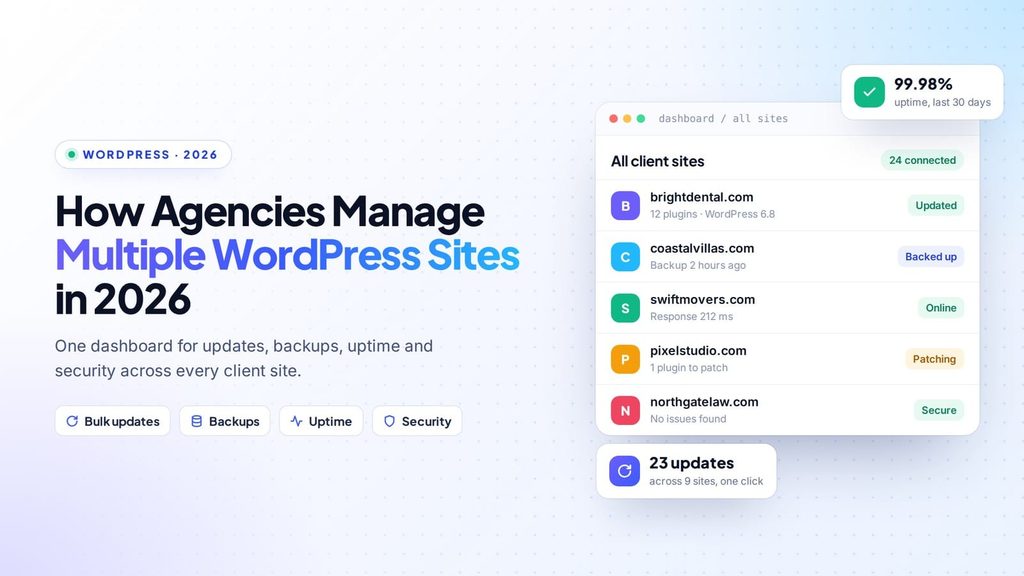
WordPress powers more than 40 percent of all websites, according to W3Techs, and very few of those sites look after themselves. For web agencies, freelancers and businesses that run several brands, the real challenge is no longer building a WordPress website. It is keeping ten, fifty or two hundred of them updated, secure and online at the same time. That is why more teams are changing the way they manage multiple WordPress sites, and the shift says a lot about where website maintenance is heading.
The hidden cost of one login at a time
WordPress was designed around a single site with a single administrator. Everything in the dashboard assumes you are looking after one installation. That works well until somewhere around the fifth site, when the routine starts to break down.
The problems are rarely dramatic. A plugin update gets postponed because nobody wants to risk breaking a checkout page on a Friday. A backup plugin quietly stops running and nobody notices for weeks. An SSL certificate expires on a site nobody has opened in months. A vulnerable plugin sits on three client websites because the security notice went to an inbox nobody reads.
Each of these is a small slip. Spread across a whole portfolio, they add up to hours of lost time every week and, eventually, a client asking why their website is down.
What changes when everything lives in one dashboard
The answer most agencies arrive at is centralized management: connecting every website to a single tool, so the work happens in one place instead of in dozens of separate admin panels. Teams that now manage multiple WordPress sites from one dashboard usually describe the same set of benefits:
- Updates in one pass. Plugin, theme and core updates are applied across every site together instead of one site at a time.
- Backups you can trust. Backups are stored off-site and tested by actually restoring them, rather than assumed to work.
- Monitoring that never sleeps. Uptime, performance and security are checked continuously, with alerts sent to the right person.
- Access without shared passwords. Team members and clients get the level of access they need, and every action is logged.
- Reports that write themselves. Clients receive a clear summary of the work done each month, without anyone assembling screenshots by hand.
The sites stay exactly where they are hosted. Only the management moves.
Five habits of teams that do it well
A dashboard helps, but the teams that run large portfolios smoothly also share a few habits.
1. They group sites by how they think about them. Sorting by client, care plan or level of risk makes it possible to set rules once for a whole group, instead of making the same decision site by site.
2. They never update without a way back. Every update should start with a restore point. The best setups check the site after the update and roll it back automatically if something breaks.
3. They test their backups. A backup that has never been restored is a hope, not a recovery plan. Scheduled restore tests turn it into something you can rely on.
4. They let exceptions come to them. Instead of checking every site every morning, they get told which sites need attention, ranked by how much it matters.
5. They make the work visible. Maintenance that nobody sees is the easiest service for a client to cancel. Regular, plain-language reports keep the value obvious.
Choosing the right approach
It is worth clearing up one common confusion. WordPress Multisite is a built-in feature that runs many sites from a single installation with shared plugins and themes. It suits a network of similar sites under one owner, such as a university or a franchise. It is not designed for independent client websites on different hosts, which is where a dedicated management platform makes more sense. Hosted platforms such as WPCentrify take this route, connecting each site through a small plugin while leaving the hosting untouched.
When comparing tools, look for four things: it should work with any hosting provider, never require you to share admin passwords, offer a safe rollback when updates fail, and produce reports your clients will actually read.
The bottom line
Managing one WordPress website is easy. Managing dozens by hand is a full-time job that quietly produces mistakes. As portfolios grow and security threats move faster, agencies that manage multiple WordPress sites from a single, well-organized dashboard spend less time on routine maintenance and more time on the work their clients actually value. For anyone still logging into each site one by one, now is a good time to rethink the routine.
