

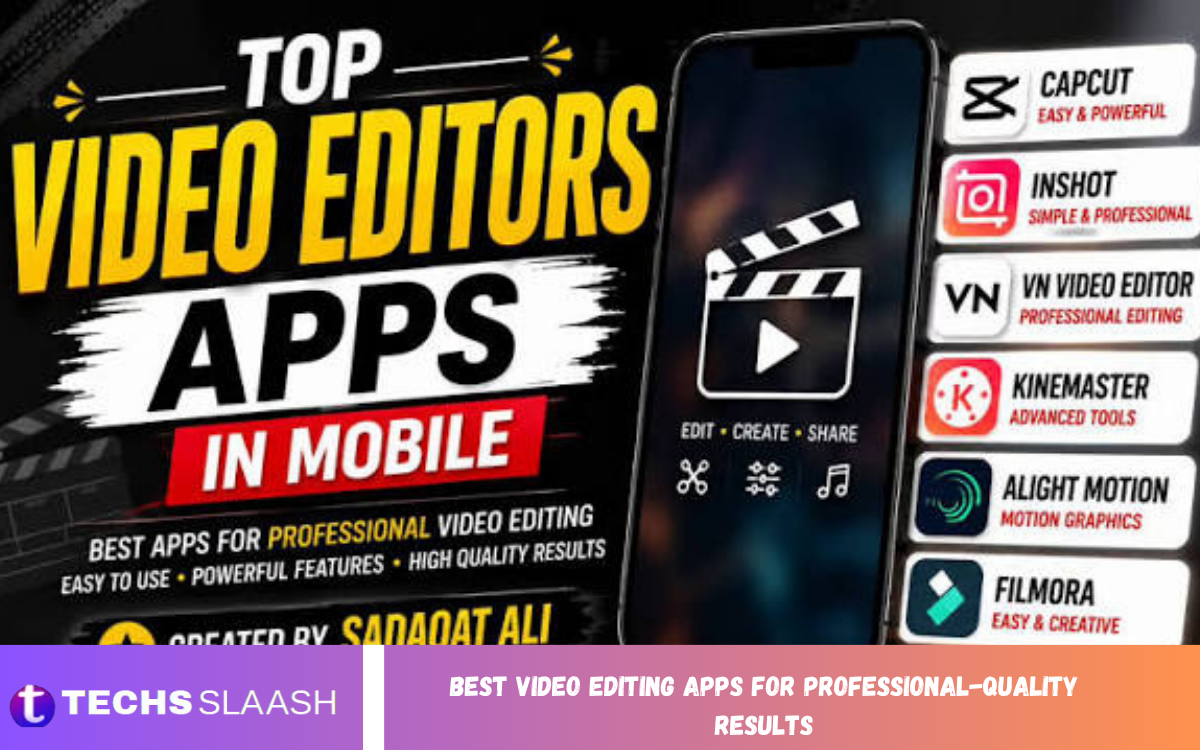
Video editing has become an essential skill for creators, businesses, marketers, filmmakers, educators, and social media professionals. The right editing application can transform ordinary footage into polished, engaging, and professional-looking content without requiring an expensive production studio.
The Best Video Editing Apps for Professional-Quality Results combine powerful editing tools, color correction, audio enhancement, visual effects, transitions, captions, and high-resolution export options. In 2026, editors can choose from professional desktop applications as well as capable mobile apps designed for fast content creation.
Why Choosing the Right Video Editing App Matters?
A professional video is not created simply by cutting clips together. Good editing requires precise timing, balanced colors, clean audio, smooth transitions, attractive titles, and an appropriate export format. A capable editing app brings these elements together in one organized workflow.
The best application also depends on the type of content being produced. A filmmaker may need advanced color grading and visual effects, while a social media creator may prioritize automatic captions, templates, vertical video tools, and fast rendering. Choosing software according to your workflow can save considerable time and improve the final result.
DaVinci Resolve
DaVinci Resolve is one of the strongest choices for creators who want professional editing capabilities without immediately paying for expensive software. It combines video editing, color correction, visual effects, motion graphics, and professional audio production within a single application.
Its color-grading tools are particularly respected by professional editors and filmmakers. The application also includes Fusion for visual effects and Fairlight for advanced audio work, making it suitable for everything from YouTube projects to demanding film and commercial productions.
Adobe Premiere Pro
Adobe Premiere Pro remains a leading option for professional editors, agencies, production teams, and creators who already use Adobe’s creative ecosystem. Its advanced timeline, media management, effects, audio controls, and integration with other creative applications make it highly versatile.
Premiere Pro is particularly useful when a project involves multiple creative applications or team members. Editors can combine it with motion graphics, image editing, audio production, and collaboration tools to create an efficient professional workflow.
Final Cut Pro
Final Cut Pro is a powerful choice for Mac users who want professional editing combined with a streamlined workflow. Its Magnetic Timeline makes arranging clips intuitive, while optimization for Apple hardware can provide a fast and responsive editing experience.
The application is suitable for YouTube videos, documentaries, promotional content, interviews, and other professional projects. It is especially attractive to creators who prefer a Mac-focused workflow and want a professional editor without relying on a traditional monthly subscription model.
CapCut
CapCut has become a popular option for creators producing short-form videos, social media content, advertisements, tutorials, and vertical videos. Its simple interface makes it possible to create polished edits quickly, even for users who do not have extensive editing experience.
Its strengths include automatic captions, templates, effects, background tools, text animation, transitions, and fast social-media-focused workflows. For creators who value speed and convenience, CapCut can be an excellent choice, although complex film and post-production projects may benefit more from dedicated professional software.
Filmora
Filmora is designed for users who want advanced editing features without the complexity of some professional non-linear editors. It provides a relatively approachable environment for editing videos, adding transitions, applying effects, creating titles, and improving audio.
The application can be useful for YouTubers, educators, marketers, small businesses, and creators who want professional-looking results while maintaining a simpler workflow. Its balance between accessibility and creative features makes it worth considering for intermediate editors.
PowerDirector
PowerDirector offers a combination of advanced editing controls and user-friendly features. It can handle projects involving multiple video tracks, transitions, effects, titles, color adjustments, and other creative elements.
It is a practical option for Windows users who want a capable editor for content creation and professional-looking personal or business videos. Its workflow can be easier to approach than some high-end applications while still providing considerable control over the final project.
VN Video Editor
VN Video Editor is a useful choice for creators who primarily edit on mobile devices. It provides timeline-based editing, multiple layers, transitions, text, music, filters, and other tools needed for creating polished social content.
Its straightforward interface makes it suitable for beginners and intermediate creators. While mobile applications may not replace professional desktop software for complex productions, VN can be an efficient solution for creators who need to edit videos while traveling or away from a computer.
What Features Should a Professional Video Editor Have?
The best video editing apps should provide accurate timeline editing, multiple tracks, high-quality export, color correction, audio controls, transitions, titles, and visual effects. These features give editors enough flexibility to create videos that look consistent and professionally produced.
Modern applications increasingly include automation and AI-assisted features as well. Automatic captions, background-noise reduction, object tracking, reframing, and other intelligent tools can reduce repetitive work and help creators produce content faster.
Read Also: Best Photo Editing Apps for Professional-Quality Results
Video Quality and Export Options
Export quality is one of the most important considerations when selecting an editing application. A professional editor should support appropriate resolutions, frame rates, codecs, and file formats for the intended platform or client.
Creators working with modern cameras may need 4K or higher-resolution workflows, while social media creators often need vertical formats such as 9:16. The ability to customize export settings helps preserve image quality while keeping file sizes manageable.
Color Grading and Correction
Color correction can dramatically improve the appearance of video footage. It helps editors balance exposure, contrast, white balance, saturation, and skin tones so that different clips look consistent when placed together.
Advanced color grading goes further by creating a particular visual style. DaVinci Resolve is especially strong in this area, offering a dedicated professional color environment that is one of its major advantages for filmmakers and advanced creators.
Audio Editing and Enhancement
Viewers may forgive an imperfect image, but poor audio can quickly make a video feel unprofessional. A good video editor should provide volume control, noise reduction, equalization, audio effects, and the ability to synchronize multiple audio sources.
Professional applications such as DaVinci Resolve provide extensive audio post-production capabilities through Fairlight. Other editors can also provide effective tools for cleaning dialogue, balancing music, and creating a more consistent listening experience.
AI Features in Modern Video Editing Apps
Artificial intelligence is increasingly becoming part of everyday video editing. Modern tools can assist with captions, speech enhancement, object tracking, background removal, reframing, and other repetitive tasks that previously required manual work.
AI should be treated as an editing assistant rather than a replacement for creative judgment. Professional results still depend on storytelling, pacing, composition, sound design, and careful decisions about what should remain in or be removed from the final video.
How to Choose the Best Video Editing App
Start by identifying the type of videos you create. Social media creators may prefer CapCut or another fast mobile-focused editor, while filmmakers and advanced editors may benefit from DaVinci Resolve, Premiere Pro, or Final Cut Pro.
Your device is another important factor. Mac users can take advantage of Final Cut Pro, while Windows and cross-platform users have alternatives such as Premiere Pro and DaVinci Resolve. Budget, learning curve, collaboration requirements, storage, and export needs should also influence your decision.
Best Video Editing Apps for Different Users
For professional teams and agencies, Adobe Premiere Pro is a strong choice because of its established workflow and integration with the broader Adobe ecosystem. It is especially useful when projects involve multiple creative departments or collaborators.
For creators who want professional capabilities without a subscription, DaVinci Resolve is an excellent option. Mac users seeking optimized professional editing can consider Final Cut Pro, while creators focused on quick social content may find CapCut more convenient.
Tips for Getting Professional-Quality Results
Always organize your footage before beginning a large project. Rename important clips, separate audio and video assets, create folders for graphics and music, and maintain regular backups. A well-organized project is easier to edit and much easier to revise.
Focus on storytelling rather than excessive effects. Use transitions when they serve a purpose, keep audio levels consistent, maintain natural-looking colors, and avoid unnecessary animations. Professional editing is often more about precision and restraint than adding as many effects as possible.
Common Video Editing Mistakes to Avoid
One common mistake is using too many transitions, filters, animations, or sound effects. These elements can distract viewers from the main message and make a video appear less polished. Clean cuts and purposeful effects usually produce stronger results.
Another mistake is ignoring audio quality and export settings. Even excellent footage can lose its professional appearance if dialogue is difficult to hear or the final file is exported with inappropriate settings. Always review the completed video before publishing or delivering it to a client.
Frequently Asked Questions
What is the best video editing app for professional-quality results?
DaVinci Resolve, Adobe Premiere Pro, and Final Cut Pro are among the strongest options for professional-quality editing. The best choice depends on your operating system, workflow, budget, and required features.
Is DaVinci Resolve good for professional video editing?
Yes, DaVinci Resolve is highly capable for professional editing. It combines editing, color grading, visual effects, and audio post-production in one application and offers a powerful free version.
Is Adobe Premiere Pro suitable for beginners?
Premiere Pro can be used by beginners, but its extensive professional features can make the learning curve steeper than simpler applications. Beginners who plan to grow into advanced editing may still find it worthwhile.
Is CapCut good for professional videos?
CapCut can produce polished professional-looking social media content, advertisements, tutorials, and short videos. For complex film, broadcast, or advanced post-production work, a dedicated professional editor may be more appropriate.
Which video editor is best for Mac users?
Final Cut Pro is a strong Mac-focused option because it is designed around Apple’s hardware and workflow. DaVinci Resolve and Premiere Pro are also powerful choices for Mac users who need cross-platform or broader professional workflows.
Which video editor is best for color grading?
DaVinci Resolve is particularly well known for its advanced color-grading capabilities. It provides dedicated tools for professional color correction and grading workflows.
Can free video editing apps create professional videos?
Yes. Free applications can produce excellent results when the editor understands storytelling, pacing, color, audio, and export settings. DaVinci Resolve is a notable example of a free editor with professional-level capabilities.
What video editing app is best for YouTube?
The best option depends on the creator. CapCut can be convenient for quick content, while Premiere Pro, DaVinci Resolve, and Final Cut Pro offer greater control for longer, more complex YouTube productions.
Do professional video editors need expensive computers?
Not always, but demanding projects such as high-resolution footage, advanced effects, and complex color grading benefit from capable hardware. A suitable processor, sufficient RAM, fast storage, and a capable graphics processor can make editing considerably smoother.
How can I make my edited videos look more professional?
Use clean cuts, consistent color, clear audio, readable text, appropriate music, and purposeful transitions. Most importantly, focus on a strong story and remove anything that does not contribute to the viewer’s experience.
Conclusion
The Best Video Editing Apps for Professional-Quality Results are not necessarily the ones with the most features. The right choice is the one that matches your workflow, technical requirements, budget, and creative goals.
DaVinci Resolve is an excellent all-in-one choice for editors seeking professional capabilities and strong value; Premiere Pro remains highly suitable for professional and collaborative workflows; and Final Cut Pro is an excellent option for Mac users.

1 Comment
Pingback: Best Camera Apps for Professional Photography - Techsslaash.com