

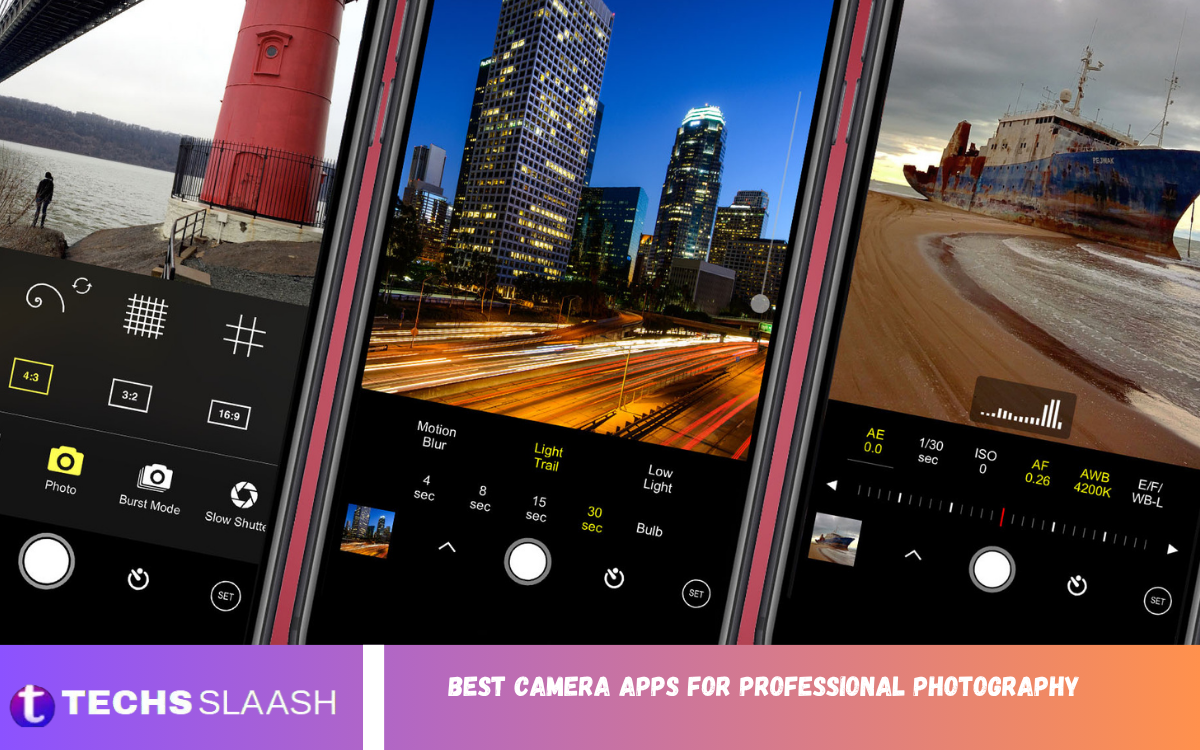
Smartphone photography has developed into a serious creative field, and the right camera application can make a major difference in image quality and control. Modern camera apps can offer features such as manual exposure, ISO adjustment, shutter speed control, focus management, RAW capture, histograms, and advanced shooting modes that give photographers greater creative freedom.
The Best Camera Apps for Professional Photography are not necessarily the applications with the most features. The ideal choice depends on your smartphone, photography style, experience level, and the amount of control you want over each photograph. Some apps focus on manual photography, while others combine professional capture with powerful editing and computational photography.
Why Professional Camera Apps Matter?
The default camera application on a smartphone is designed primarily for convenience. It automatically selects exposure, processing, white balance, sharpening, HDR, and other settings, which works well for everyday photography but may not provide enough control for professional work.
Professional camera applications allow photographers to make more creative decisions before pressing the shutter. Manual ISO, shutter speed, white balance, focus, exposure compensation, and RAW shooting can be especially useful for landscapes, portraits, architecture, street photography, and low-light scenes.
What to Look for in a Professional Camera App
A strong professional camera app should provide reliable manual controls without making the shooting experience unnecessarily complicated. Important features include manual focus, adjustable shutter speed, ISO control, exposure compensation, white balance, RAW support, focus assistance, and a useful histogram.
Compatibility is equally important because a third-party application cannot always access every camera feature available on a particular smartphone. Android devices, for example, can differ considerably in their support for Camera2 features, RAW capture, lenses, stabilization, and advanced imaging functions.
ProShot for Advanced Manual Photography
ProShot is one of the strongest choices for photographers who want a DSLR-style shooting experience on a smartphone. Its approach focuses on giving users direct control over important photographic settings rather than relying completely on automatic processing.
The application is particularly useful for photographers who regularly adjust ISO, shutter speed, focus, exposure, and other settings. Its professional approach makes it suitable for street photography, travel photography, landscapes, and situations where precise exposure control is more important than quick automatic shooting.
Open Camera for Free Professional Controls
Open Camera is an excellent option for photographers who want advanced camera features without necessarily paying for a premium application. Depending on the smartphone’s hardware and camera API support, it can provide manual exposure features, RAW capture, stabilization options, and other useful controls.
Its greatest advantage is flexibility. Beginners can use it as an introduction to manual photography, while experienced users can take advantage of its additional settings. The interface may not feel as polished as some premium alternatives, but its feature set makes it one of the most practical free choices for Android photographers.
Camera FV-5 for DSLR-Style Photography
Camera FV-5 is designed for photographers who prefer a traditional camera-style interface. Instead of hiding important controls behind automatic modes, it emphasizes direct access to exposure settings and other photographic adjustments.
This makes Camera FV-5 particularly useful for photographers moving from a DSLR or mirrorless camera to smartphone photography. It can be a strong option for landscapes, architecture, long-exposure experiments, and other situations where consistent manual control is important.
MotionCam Pro for RAW Photography
MotionCam Pro is aimed at photographers who want to extract as much image information as possible from compatible Android hardware. Its computational RAW approach is especially interesting for users who prefer greater flexibility during post-processing.
RAW photography can preserve more useful image information than heavily processed JPEG files, giving photographers greater control over shadows, highlights, color, and detail during editing. MotionCam Pro is therefore particularly attractive for serious mobile photographers who already use a professional editing workflow.
Adobe Lightroom Camera for Capture and Editing
Adobe Lightroom is widely associated with photo editing, but its mobile application also provides a camera workflow that can be useful for photographers who want to capture and edit images within one ecosystem. This approach can reduce the need to move files between multiple applications.
For photographers who frequently shoot RAW and then make detailed adjustments, Lightroom provides a convenient workflow from capture to final image. Its editing environment also makes it useful for color correction, exposure adjustments, selective edits, cropping, and professional image organization.
Halide for Professional iPhone Photography
Halide is one of the leading choices for iPhone photographers who want more control than the standard camera application provides. Its design focuses on professional photography while attempting to keep the interface clean and accessible.
Manual exposure, focus control, RAW photography, histograms, and focus-assistance features can make Halide useful for photographers who want greater control over their iPhone camera. It is particularly appealing to users who prefer deliberate photography rather than relying entirely on automatic processing.
ProCamera for Creative Control
ProCamera is another capable option for iPhone users who want manual photography tools. It provides photographers with greater control over exposure and shooting settings while maintaining an interface designed for mobile photography.
The application can be useful for photographers who regularly switch between casual photography and more controlled shooting. Its professional controls make it suitable for travel, portraits, architecture, street scenes, and challenging lighting conditions where automatic exposure may not produce the desired result.
Read Also: Best Video Editing Apps for Professional-Quality Results
Blackmagic Camera for Professional Video
Although Blackmagic Camera is primarily associated with professional video production, it deserves attention from photographers who also create video content. Its controls are designed around professional filmmaking, giving creators more control over recording and monitoring.
For hybrid creators who photograph products, events, social-media campaigns, interviews, or behind-the-scenes material, having a professional video application alongside a dedicated photography app can create a more complete mobile production setup. Current mobile camera guides also identify Blackmagic Camera as a leading option for professional video workflows.
Google Pixel Camera for Computational Photography
Google’s native Pixel camera experience takes a different approach from traditional manual camera applications. Instead of placing every photographic decision in the user’s hands, it uses computational photography to improve exposure, detail, dynamic range, and difficult lighting situations.
This can be particularly valuable for photographers who want high-quality results without spending time adjusting every setting. Recent testing has also highlighted the usefulness of Pixel’s Long Exposure mode for creative photography, demonstrating how computational features can simplify techniques that traditionally required dedicated equipment.
Samsung Expert RAW for Galaxy Photographers
Samsung Expert RAW is designed for compatible Galaxy smartphones and provides a more advanced shooting experience than a typical automatic camera mode. It is particularly relevant to Galaxy users who want greater control over RAW photography and manual settings.
The main advantage of using a manufacturer-specific professional camera application is hardware integration. When an app is designed specifically around a phone manufacturer’s camera system, it can make better use of supported sensors and imaging capabilities than a generic third-party application in some situations.
Best Camera Apps for RAW Photography
RAW photography is an important consideration for professional photographers because it provides greater flexibility during editing. Instead of treating the captured image as a finished photograph, RAW gives the photographer more opportunity to adjust exposure, white balance, highlights, shadows, and color during post-production.
MotionCam Pro, ProShot, Open Camera, Camera FV-5, Lightroom, Halide, and ProCamera are among the applications worth considering for RAW workflows, depending on the operating system and device compatibility. However, RAW availability and capabilities can vary significantly between smartphones.
Best Camera Apps for Low-Light Photography
Low-light photography requires careful control because increasing ISO can introduce noise while slow shutter speeds can create motion blur. A professional camera app can help photographers balance these settings according to the subject and available light.
Manual shutter-speed control is particularly useful for static nighttime scenes, while computational photography can be advantageous when photographing handheld subjects. The best approach depends on whether the photographer prioritizes creative control or fast, processed results.
Best Camera Apps for Portrait Photography
Portrait photography requires careful attention to focus, exposure, skin tones, background separation, and composition. A professional camera app can help photographers control exposure and focus more precisely, especially when the lighting is difficult.
However, the camera application is only one part of a successful portrait. Lighting, lens selection, subject positioning, background, and composition often have a greater effect on the final result than the application itself. Professional apps should therefore be viewed as tools that improve control rather than replacements for photographic technique.
Best Camera Apps for Landscape Photography
Landscape photographers often benefit from RAW capture, manual exposure, focus control, and exposure bracketing. These features provide greater flexibility when photographing scenes with bright skies and darker foregrounds.
For serious landscape work, a tripod combined with a professional camera application can provide significantly more consistency. Photographers can carefully select shutter speed, ISO, and focus rather than allowing the phone to make every decision automatically.
Best Camera Apps for Street Photography
Street photography often requires speed, discretion, and reliable autofocus. An overly complicated interface can slow the photographer down, so the best application is usually one that provides quick access to essential controls.
ProShot and the native camera applications on modern smartphones can both be strong choices depending on the photographer’s style. Manual controls are valuable when lighting changes frequently, while computational photography can help when speed is the highest priority.
How to Choose the Right Camera App
The best camera application should match your photography goals instead of simply offering the longest feature list. If you want complete manual control, prioritize applications such as ProShot, Camera FV-5, Halide, or ProCamera. If RAW workflow is your priority, look closely at compatible RAW options such as MotionCam Pro, Lightroom, and other supported applications.
You should also test compatibility with your specific smartphone. Two devices running the same operating system can provide different results because manufacturers expose different camera capabilities to third-party applications. Checking RAW support, lens access, stabilization, and manual controls before committing to an app can save time and money.
Tips for Professional Smartphone Photography
A professional camera application becomes much more useful when combined with good photographic technique. Learn how ISO, shutter speed, aperture, focus, white balance, and exposure compensation affect an image instead of depending exclusively on automatic settings.
It is also important to shoot with intention. Pay attention to light, composition, leading lines, shadows, highlights, background distractions, and subject placement. Even the most advanced camera application cannot compensate for weak composition or poor lighting.
Frequently Asked Questions
What is the best camera app for professional photography?
There is no single application that is best for every photographer. ProShot and Camera FV-5 are strong choices for manual control, while MotionCam Pro is attractive for RAW-focused Android workflows and Halide is a strong option for iPhone photography.
Which camera app is best for RAW photography?
MotionCam Pro, ProShot, Open Camera, Camera FV-5, Lightroom, Halide, and ProCamera can all be considered for RAW photography where the device supports the required features. Always check compatibility with your particular smartphone.
Are professional camera apps better than the default camera?
Not necessarily. Default camera applications often provide excellent computational processing and hardware integration, while third-party apps usually provide additional manual controls. The better choice depends on the type of photography you are doing.
What is the best free camera app for Android?
Open Camera is one of the strongest free options for Android photographers. It offers a broad selection of controls and features, although the exact capabilities available can depend on the phone’s camera hardware and software support.
Is RAW better than JPEG for professional photography?
RAW is generally better when you plan to perform detailed editing because it provides greater flexibility for adjusting exposure, color, highlights, and shadows. JPEG is more convenient when you want a finished image immediately.
Can camera apps improve smartphone camera quality?
Camera apps cannot physically upgrade a smartphone’s camera sensor or lens. However, they can provide better control over available hardware and, in some cases, use different processing methods that can improve the final result.
Which camera app is best for iPhone photographers?
Halide, ProCamera, ProCam, and other specialized applications are popular choices for iPhone photographers who want manual controls and RAW capabilities. The best option depends on whether you prioritize simplicity, manual photography, RAW, or creative features.
Which camera app is best for Android photographers?
ProShot, Open Camera, Camera FV-5, MotionCam Pro, Lightroom, and compatible manufacturer applications are strong options. Your smartphone model should be considered before choosing because advanced features are not universally supported.
Do professional camera apps require expensive phones?
Not always, but advanced features often depend on hardware capabilities. A phone must expose the necessary camera functions for an application to provide features such as RAW capture, manual focus, or advanced lens control.
Can a smartphone replace a professional camera?
A smartphone can replace a dedicated camera for many types of travel, street, documentary, social-media, and everyday professional photography. Dedicated cameras still provide important advantages in areas such as interchangeable lenses, larger sensors, specialized autofocus, and demanding low-light work.
Conclusion
Choosing among the Best Camera Apps for Professional Photography depends on how you photograph and how much control you want. Applications such as ProShot, Open Camera, Camera FV-5, MotionCam Pro, Lightroom, Halide, ProCamera, and manufacturer-specific professional apps each serve different purposes.
The most important step is to select an application that works well with your smartphone and supports your photography style.

1 Comment
Pingback: Best Launcher Apps for a Faster and More Personalized Android Experience - Techsslaash.com