

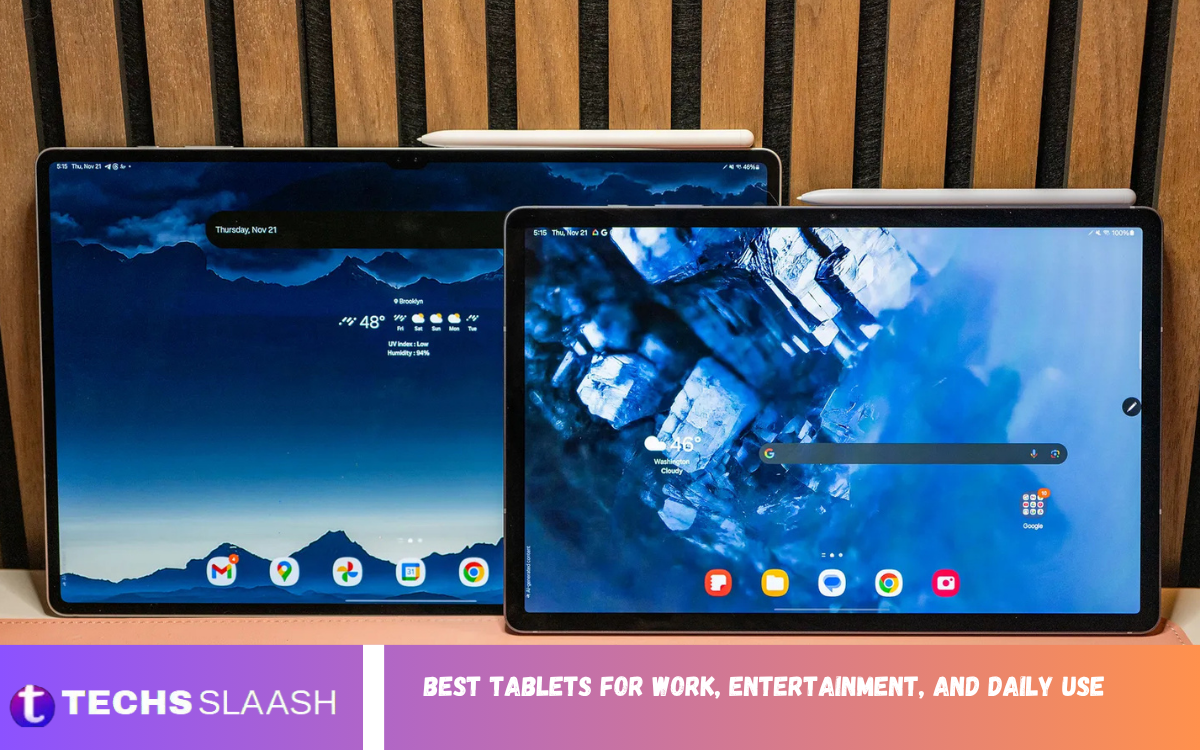
Tablets have become practical devices for work, entertainment, communication, learning, and everyday tasks. The best tablets for work, entertainment, and daily use combine strong performance, comfortable displays, dependable battery life, useful software, and portability.
In 2026, modern tablets can handle everything from emails and video meetings to streaming movies, browsing the web, taking notes, editing documents, and playing games. Current tablet recommendations include premium iPads, Android models, and Windows-based tablet-laptop hybrids, giving buyers plenty of choices for different needs and budgets.
What Makes a Tablet Good for Work?
A good work tablet should offer enough performance for multitasking, document editing, web browsing, video conferencing, and communication. A fast processor, sufficient RAM, reliable connectivity, and a comfortable keyboard can make a major difference when a tablet is used for several hours every day.
Software support is equally important because professional users need dependable applications and regular updates. Tablets such as the iPad Air, Samsung Galaxy Tab series, and Microsoft Surface Pro offer different approaches to productivity, ranging from mobile-focused applications to a more traditional desktop experience.
Best Tablet for Overall Daily Use
The Apple iPad remains one of the strongest choices for people who want a balanced device for browsing, streaming, communication, light productivity, and everyday entertainment. Its broad application ecosystem and polished user experience make it suitable for users who want a straightforward tablet without unnecessary complexity.
For buyers who do not require professional-level performance, choosing a balanced model rather than an expensive flagship can offer better value. Current testing and buying guides continue to highlight mainstream iPad models as strong all-purpose choices for their performance, portability, battery life, and software support.
Best Tablet for Professional Work
The Microsoft Surface Pro is particularly attractive to users who want a tablet that behaves more like a conventional computer. Its Windows environment makes it suitable for people who depend on desktop applications, office software, multitasking, and a familiar PC-style workflow.
A keyboard and trackpad can turn a Windows tablet into a compact workstation for writing, presentations, spreadsheets, meetings, and remote work. However, users should remember that accessories can add significantly to the overall cost, so the complete setup should be considered before purchasing.
Best Tablet for Android Users
Samsung Galaxy Tab models are excellent choices for Android users who want productivity features alongside entertainment. Samsung’s larger displays, multitasking tools, stylus support, expandable storage on selected models, and desktop-style DeX environment make the Galaxy Tab range particularly versatile.
The Galaxy Tab S10 FE Plus has been highlighted for its large display, included stylus, long battery life, and extended software support, while newer premium Galaxy Tab models focus more heavily on performance and laptop-style productivity.
Best Tablet for Entertainment
Entertainment is one of the areas where tablets are especially convenient because they offer a larger viewing area than smartphones without the bulk of a laptop. A high-quality screen, good speakers, strong battery life, and comfortable weight are more important than extreme processing power for most streaming users.
OLED and AMOLED displays can provide rich contrast and vibrant colors, making them particularly attractive for movies and television. Larger Samsung tablets are strong options for people who prioritize immersive viewing, while smaller iPads can be easier to hold during long streaming sessions.
Best Tablet for Students and Note Taking
Students need a device that can comfortably handle digital textbooks, research, online classes, documents, presentations, and handwritten notes. Stylus compatibility can be especially valuable because it allows students to write directly on PDFs, create diagrams, and organize handwritten notes.
The iPad Air and Samsung Galaxy Tab families are popular choices for this type of work because they combine portability with strong application support and stylus functionality. A tablet can also be easier to carry between classrooms than a traditional laptop, especially when most tasks involve reading and note-taking.
Best Tablet for Gaming
Gaming performance depends heavily on the processor, graphics capability, cooling, display refresh rate, and software optimization. Casual games can run comfortably on many affordable tablets, while demanding three-dimensional games benefit from more powerful processors and higher-quality displays.
For gamers, a high refresh rate can make supported games feel smoother, while a large battery can provide longer sessions between charges. Premium iPads and high-end Android tablets are suitable for users who want strong performance, although buying a flagship tablet solely for casual gaming may not be necessary.
Best Tablet for Remote Work
Remote workers should prioritize battery life, video-call quality, connectivity, keyboard support, and multitasking. A tablet should make it easy to move between email, documents, browser tabs, messaging applications, and meetings without becoming frustratingly slow.
A keyboard case is one of the most useful accessories for remote workers because extended typing is much more comfortable with physical keys. Windows tablets offer a particularly familiar work environment, while iPads and Android tablets can be excellent choices when the user’s workflow is based mainly on mobile applications and cloud services.
Best Tablet for Creative Work
Creative professionals should pay close attention to display quality, stylus performance, processor speed, storage, and application availability. Artists, designers, photographers, and video editors often benefit from powerful tablets that can process demanding files without frequent slowdowns.
The iPad Pro family is designed for users who need high-end performance, while premium Samsung Galaxy Tab models offer strong displays and stylus-based workflows. Buyers should choose based on the software they actually use rather than selecting a tablet simply because it has the highest specifications.
Display Quality Matters More Than You Think
The display is one of the most important parts of a tablet because users interact with it constantly. Screen size, resolution, brightness, color quality, viewing angles, and refresh rate all influence how comfortable the device feels during work and entertainment.
For reading and office tasks, a sharp display with comfortable brightness can reduce eye strain during extended sessions. For entertainment and gaming, a brighter screen, strong contrast, and higher refresh rate can create a noticeably better experience.
Read Also: Best Smartphones for Performance, Productivity, and Daily Use
Battery Life and Portability
Battery life is essential for people who regularly travel, attend meetings, study away from home, or use their tablet throughout the day. A tablet with long battery life reduces the need to carry a charger everywhere and provides greater freedom when working away from a desk.
Portability also matters because larger tablets may provide better multitasking and entertainment experiences but can become less comfortable to hold. Smaller models are easier to carry and use in bed, on public transportation, or while traveling.
Storage and RAM Requirements
Storage requirements depend on how the tablet will be used. Someone who mainly browses websites, checks email, watches videos, and uses cloud storage can often manage with less storage, while people who download movies, games, photos, or large professional files should consider more capacity.
RAM affects multitasking and application performance, particularly when several demanding applications are open. For everyday use, buyers do not necessarily need the maximum memory configuration, but professionals and creators should consider higher-memory configurations for more demanding workflows.
Keyboard and Stylus Support
A keyboard can dramatically improve productivity by making emails, reports, documents, and long messages easier to write. For users who plan to work primarily from their tablet, checking keyboard quality before buying is just as important as checking the tablet itself.
Stylus support is useful for students, professionals, designers, and anyone who prefers handwriting. A responsive pen can make note-taking, drawing, document annotation, and creative work feel considerably more natural.
Choosing Between iPad, Android, and Windows Tablets
The operating system should be one of the first considerations when choosing a tablet. iPadOS is attractive for users who want a polished ecosystem and extensive tablet applications, while Android provides greater customization and a wide range of hardware choices.
Windows is generally more appropriate for people who need desktop applications and a traditional PC environment. There is no universally perfect operating system, so the best choice depends on the applications, accessories, devices, and services the buyer already uses.
How Much Should You Spend on a Tablet
Budget tablets can be suitable for browsing, video streaming, reading, and simple communication, while mid-range devices generally offer a better balance of performance and longevity. Premium models make sense when users need demanding applications, advanced displays, powerful processors, or professional accessories.
Instead of spending the maximum possible amount, buyers should identify their main tasks first. A mid-range tablet can provide an excellent daily experience for moderate workloads, while professional users may benefit from investing in a higher-end model that remains capable for several years.
How to Choose the Right Tablet for Your Needs
Start by deciding what you will do most often. If work is the priority, focus on processing power, keyboard support, software compatibility, multitasking, and connectivity. If entertainment is more important, prioritize display quality, speakers, battery life, and comfortable design.
For general daily use, look for a balanced combination of performance, portability, battery endurance, software support, and storage. The best tablets for work, entertainment, and daily use are not necessarily the most expensive models; they are the ones that match the user’s actual requirements.
Frequently Asked Questions
What is the best tablet for work and entertainment?
A premium iPad, Samsung Galaxy Tab, or Microsoft Surface Pro can be an excellent choice depending on the user’s workflow. The best option depends on whether productivity, entertainment, or desktop software compatibility is the main priority.
Can a tablet replace a laptop?
A tablet can replace a laptop for many users who mainly browse the web, write documents, attend meetings, communicate, and consume media. Users who depend on specialized desktop software may still prefer a traditional laptop or Windows tablet.
Is an iPad good for everyday use?
Yes, an iPad is well suited to everyday activities such as browsing, streaming, email, social media, reading, video calls, note-taking, and light productivity. Its application ecosystem also provides many options for creative and professional tasks.
Are Samsung tablets good for work?
Samsung tablets can be very capable work devices, particularly models with large displays, S Pen support, multitasking features, and DeX. They are especially attractive to users who already prefer the Android ecosystem.
How much RAM should a tablet have?
For basic browsing and entertainment, moderate memory is usually enough. Users who frequently multitask, edit media, use demanding applications, or keep many applications open should consider higher-memory configurations.
Is a large tablet better for entertainment?
A larger tablet can provide a more immersive viewing experience and more room for multitasking. However, smaller tablets are easier to hold for extended periods and are often more convenient for travel.
What tablet is best for students?
Students should look for a tablet with good battery life, stylus support, reliable performance, a comfortable display, and useful note-taking applications. iPad and Samsung Galaxy Tab models are popular options for these requirements.
Do I need a keyboard for a tablet?
A keyboard is not necessary for everyone, but it is highly recommended for users who frequently write emails, reports, assignments, or documents. It can make a tablet much more practical for productivity.
Is an OLED tablet worth buying?
OLED can be worthwhile for users who care about movies, gaming, photography, and vibrant colors. However, an LCD tablet can still provide an excellent experience for browsing, reading, office work, and everyday tasks.
What should I check before buying a tablet?
Check the processor, RAM, storage, display, battery life, operating system, software support, accessories, connectivity, and overall size. Most importantly, match these features with your actual daily activities rather than paying for specifications you will rarely use.
Conclusion
The best tablets for work, entertainment, and daily use are those that provide the right combination of performance, display quality, battery life, software, portability, and accessories. Modern tablets can handle everything from professional documents and online meetings to movies, gaming, studying, reading, and creative projects.
Apple iPads are strong all-rounders, Samsung Galaxy Tabs offer versatile Android experiences, and Microsoft Surface devices are compelling for users seeking a Windows-based tablet-laptop experience. T

1 Comment
Pingback: Best Smartwatches for Fitness, Health, and Everyday Use - Techsslaash.com