

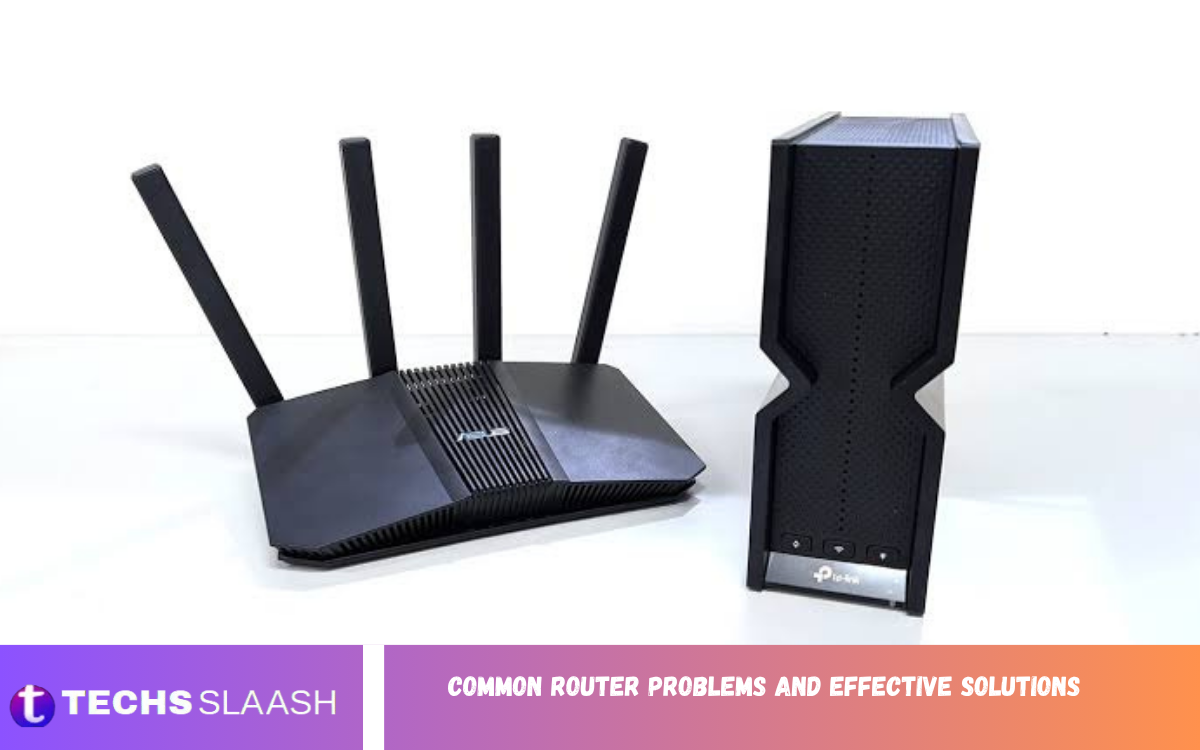
A router is one of the most important devices in a modern home or office network. It connects phones, computers, smart TVs, gaming consoles, and other devices to the internet and manages communication between them. When the router develops a problem, almost every online activity can be affected.
Understanding Common Router Problems and Effective Solutions can help users identify issues quickly and restore a stable connection without immediately replacing their equipment. Many router problems stem from simple issues such as outdated firmware, poor placement, overheating, incorrect settings, or temporary network failures.
Slow Internet Connection
Slow internet is one of the most common router-related problems. A connection that once worked smoothly may suddenly become sluggish, making websites load slowly, videos buffer frequently, and downloads take much longer than expected.
Start by restarting the router and checking whether the problem affects every connected device. If only one device is slow, the router may not be responsible. If all devices are slow, check the router’s placement, connected devices, firmware, and internet service before changing advanced settings.
Frequent Wi-Fi Disconnections
Frequent Wi-Fi disconnections can make normal internet use extremely frustrating. Devices may connect successfully but lose the wireless signal after a few minutes, forcing users to reconnect repeatedly.
Restarting the router is a useful first step, but persistent disconnections may require additional troubleshooting. Check whether the router is overheating, move it away from electronic interference, update its firmware, and test both the 2.4 GHz and 5 GHz networks when available.
Weak Wi-Fi Signal
A weak Wi-Fi signal usually occurs when the router is too far from the connected device or when walls and other physical obstacles interfere with wireless communication. Large buildings, thick walls, floors, furniture, and metal objects can reduce signal strength.
Place the router in a central and elevated location whenever possible. Avoid hiding it inside cabinets or placing it behind large appliances. For larger homes, a Wi-Fi extender or mesh networking system can help provide better coverage in areas where the main router struggles.
Router Not Connecting to the Internet
Sometimes devices can connect to the router but still cannot access the internet. This situation usually means the local wireless network is working while the connection between the router and the internet service provider is not.
Check the cables connected to the router and modem, especially the WAN or internet cable. Restart both devices and allow them several minutes to reconnect. If the internet indicator remains abnormal after these steps, the issue may involve the service provider rather than the router itself.
Router Keeps Restarting
A router that repeatedly restarts can interrupt every connected device. This problem may be caused by overheating, an unstable power supply, faulty firmware, or hardware failure.
Make sure the router has enough ventilation and isn’t exposed to excessive heat. Check that its power adapter is securely connected and compatible with the device. Updating the firmware may also resolve software-related restart issues, while repeated failures after troubleshooting can indicate that a replacement is necessary.
Overheating Problems
Routers operate continuously and can generate heat during normal use. When a router gets excessively hot, performance may decline, connections may become unstable, and unexpected restarts may occur.
Keep the router in an open and ventilated area rather than placing it under blankets, inside enclosed furniture, or directly beside another heat-producing device. Cleaning dust around ventilation areas can also improve airflow and help maintain stable operation.
Wi-Fi Password Problems
Users sometimes forget their Wi-Fi password or discover that a previously saved password no longer works. Incorrect passwords can prevent devices from joining the wireless network even when the router itself is functioning properly.
If you still have administrative access to the router, open its configuration interface and review or change the wireless password. Choose a strong password that combines different types of characters and avoid using easily guessed personal information. After changing it, reconnect trusted devices using the new credentials.
Too Many Connected Devices
Modern households may have dozens of devices connected to the same network, including smartphones, laptops, televisions, cameras, speakers, smart appliances, and gaming systems. A heavily occupied network can reduce performance and increase congestion.
Review the router’s connected-device list and remove devices you no longer use. If the router supports it, you can also prioritize important devices through Quality of Service settings. Disconnecting unnecessary devices can improve available network capacity.
Read Also: Common Wi-Fi Problems and Solutions
Router Firmware Issues
Firmware controls many of the router’s essential functions. Outdated or corrupted firmware can cause connection instability, security weaknesses, compatibility problems, and unexpected performance issues.
Check the router manufacturer’s official instructions for available firmware updates and follow the recommended installation process carefully. Avoid interrupting power during an update, as it can damage the router’s software and potentially make the device unusable.
DNS and Website Access Problems
Sometimes the internet appears to be connected, but certain websites fail to open. This can happen because of DNS-related problems, temporary server issues, browser problems, or network configuration errors.
Restarting the router can refresh its network configuration and resolve temporary DNS problems. If the issue continues across multiple devices, check the router’s DNS configuration. Users should make changes carefully and record previous settings before modifying advanced network options.
Router Configuration Errors
Incorrect configuration settings can create serious network problems. Changes to wireless channels, security modes, DHCP settings, DNS servers, or other advanced options can sometimes prevent devices from connecting properly.
If a configuration change caused the problem, return the affected setting to its previous value. If you can’t identify the original configuration, a factory reset may restore the router to its default settings. Remember, resetting the device removes customized settings and requires you to configure the network again.
Wi-Fi Interference
Wireless interference can significantly affect network performance. Neighboring Wi-Fi networks, Bluetooth devices, microwaves, wireless accessories, and other electronics can sometimes interfere with wireless signals, particularly on crowded frequency bands.
Changing the wireless channel may improve performance when many nearby networks are competing for the same space. Modern routers often include automatic channel selection, which can help choose a less congested option. Testing different router locations can also reduce interference.
Ethernet Connection Problems
Although Wi-Fi receives most of the attention, wired Ethernet connections can also experience problems. Damaged cables, loose connectors, faulty ports, or incorrect network settings may prevent a computer or other device from accessing the internet.
Check both ends of the Ethernet cable and make sure the connectors are firmly inserted. Try another cable or router port to determine whether the original connection is faulty. If another cable and port work normally, replacing the damaged cable may solve the issue.
Router Security Problems
Network security is essential because an improperly protected router can expose connected devices to unauthorized access. Weak passwords, outdated firmware, and unnecessary remote-access features can increase security risks.
Use a strong administrator password and enable modern wireless security when the router supports it. Keep firmware updated and disable unnecessary features. Regularly checking connected devices can also help identify unfamiliar equipment using the network.
When to Reset the Router?
A factory reset can help when basic troubleshooting doesn’t fix persistent configuration problems. It returns the router to its original settings and can remove incorrect configurations that are difficult to identify manually.
Before resetting, record important information such as the Wi-Fi name, password, internet configuration, and other customized settings. After the reset, configure the router again and test the connection. A reset is generally a troubleshooting step, not the first solution.
When to Replace a Router?
Not every router problem can be solved through software or configuration changes. Older routers may struggle with modern internet speeds, numerous connected devices, newer wireless standards, or demanding applications.
Consider replacement when the router frequently crashes, cannot receive important firmware updates, has damaged hardware, or consistently fails to provide adequate coverage. A newer router can offer improved wireless performance, stronger security features, and better support for modern devices.
Simple Router Maintenance Tips
Regular maintenance can prevent many common network problems. Keep the router ventilated, update its firmware when appropriate, use a secure administrator password, and restart the device occasionally if the manufacturer recommends it.
Router placement is equally important. Keep it away from unnecessary electronic interference and position it in a central location. Monitoring connected devices and removing unknown or unused connections can also help keep your network more reliable.
Frequently Asked Questions
Why is my router connected but there is no internet?
The router may be working locally, but your internet connection from your service provider may be unavailable. Restart the modem and router, check the cables, and verify whether the service provider is experiencing an outage.
Why does my Wi-Fi keep disconnecting?
Frequent disconnections can result from interference, overheating, outdated firmware, weak signals, or router hardware problems. Restart the router and test its placement before investigating advanced settings.
How can I improve my Wi-Fi signal?
Place the router in a central, elevated, and open location. Keep it away from thick walls and electronic interference. A mesh system or Wi-Fi extender can help cover larger areas.
Does restarting a router fix internet problems?
Restarting can resolve temporary software, connection, and network communication issues. It is one of the simplest troubleshooting steps and should usually be attempted before making advanced configuration changes.
How often should I restart my router?
There is no universal schedule for every router. Modern routers can run continuously, but restarting one can help when temporary performance or connection problems appear.
Why is my router getting hot?
Routers naturally generate heat while operating, but excessive heat can occur because of poor ventilation, dust, heavy workload, or a warm environment. Keep the device in an open area with adequate airflow.
Can too many devices slow down Wi-Fi?
Yes. Multiple active devices can consume available bandwidth and increase network congestion. Disconnect unnecessary devices and use traffic-management features to improve performance.
Should I update my router firmware?
Firmware updates can improve stability, compatibility, performance, and security. Check the manufacturer’s instructions and install updates carefully without interrupting the router’s power.
What should I do if I forget my Wi-Fi password?
If you can access the router’s administration settings, you can view or change the wireless password. If administrative access is unavailable, a factory reset may be necessary, although it will erase customized settings.
When should I replace my router?
Replacement may be appropriate when a router is very old, frequently crashes, lacks important security updates, cannot handle your internet speed, or provides inadequate coverage despite proper placement and troubleshooting.
Conclusion
Learning about Common Router Problems and Effective Solutions makes it easier to maintain a reliable home or office network. Problems such as slow speeds, weak signals, disconnections, overheating, configuration errors, and firmware issues can often be resolved with straightforward troubleshooting.
Start with simple steps like restarting the equipment, checking cables, improving router placement, reducing interference, and installing the latest firmware updates.

1 Comment
Pingback: Essential Wi-Fi Router Settings and Configuration - Techsslaash.com