

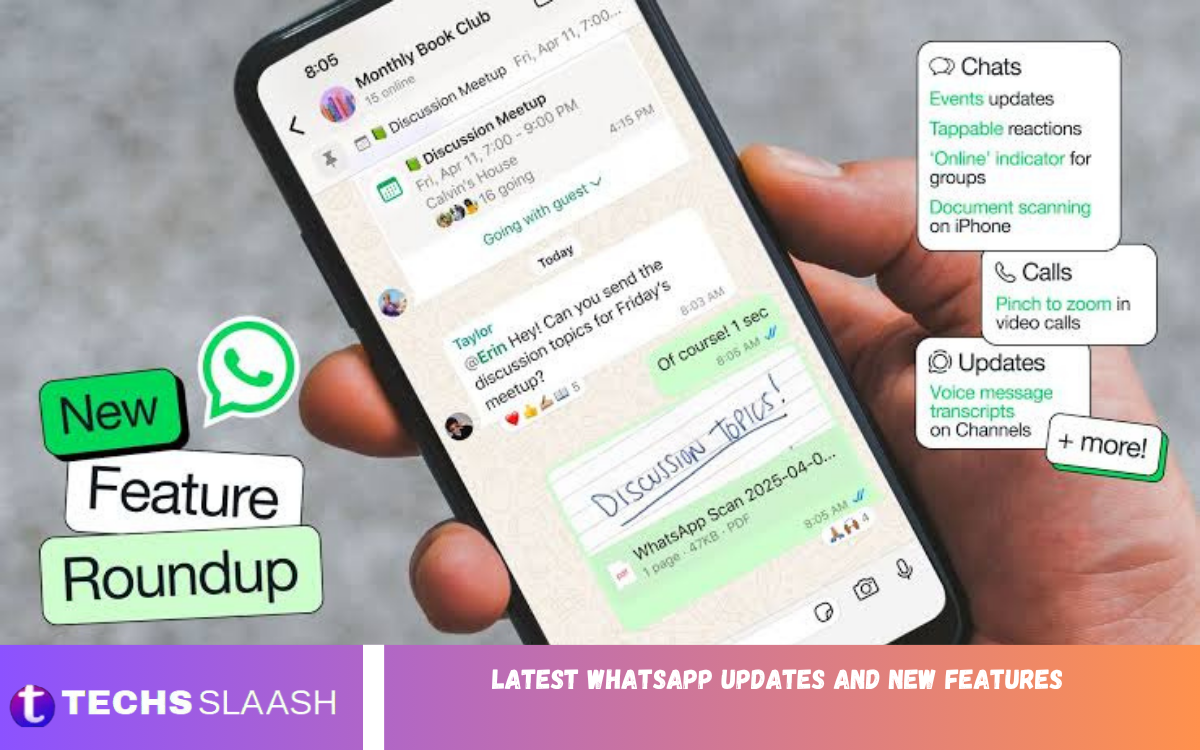
WhatsApp continues to evolve with new features designed to improve messaging, calling, privacy, security, and everyday communication. The latest WhatsApp updates and new features in 2026 introduce useful improvements across mobile devices, computers, tablets, and connected platforms.
From Web Calling and stronger account protection to username-based communication and smarter AI tools, WhatsApp is expanding beyond traditional messaging. These updates give users more flexibility while making conversations, calls, media sharing, and account management easier.
WhatsApp Web Calling
One of the most significant recent additions is Web Calling, which allows users to make and receive audio and video calls directly through WhatsApp Web. Users can make one-to-one and group calls without installing a separate desktop application, making browser-based communication more convenient.
The updated calling experience also includes screen sharing, reactions, call history, favorite contacts, and a dedicated Calls section. WhatsApp says Web Calls remain end-to-end encrypted, providing the same privacy-focused calling experience across supported devices.
Call Transfer and Waiting Room
WhatsApp has also introduced Call Transfer, allowing users to move an active group call from one device to another without ending the conversation. This can be useful when switching from a smartphone to a computer or another supported device during a call.
The Waiting Room feature provides additional control over group calls. When approval is required, participants can stay in a waiting area until the host lets them join. This makes larger group calls easier to manage and provides more control over participation.
Better Video Calling With QuickHD
QuickHD has also improved video quality. The feature is designed to deliver high-definition video faster at the start of a call, reducing the wait before improved video quality becomes available.
WhatsApp has also introduced noise suppression for calls. This feature helps reduce unwanted background noise so voices stay clearer in busy environments. Users can manage noise suppression through the available in-call settings.
WhatsApp Usernames for Better Privacy
WhatsApp is preparing a major privacy-focused change by introducing usernames. The feature lets people connect using a username rather than immediately sharing their phone number. WhatsApp began allowing some users to reserve usernames ahead of a wider rollout planned for later in 2026.
The username system is intended to give users more control when communicating with new people. Users can choose whether to be discoverable through their username, reducing the need to share a personal phone number in some situations.
Stronger WhatsApp Account Security
Security is another major focus of the latest WhatsApp updates. More than one billion people now use passkeys on WhatsApp, allowing account verification through methods such as a fingerprint, Face ID, or device screen lock instead of relying only on traditional verification codes.
WhatsApp has also strengthened two-step verification by moving from the traditional six-digit PIN toward longer passwords that can include letters, numbers, and special characters. The platform is also providing additional context for calls from unknown numbers to help users decide whether to answer.
New WhatsApp AI Features
Artificial intelligence is becoming a larger part of WhatsApp. Meta AI can help users with questions, ideas, and other tasks directly within supported WhatsApp experiences, while newer privacy-focused AI options are being introduced as well.
WhatsApp introduced Incognito Chat with Meta AI, a temporary private conversation that uses Meta’s Private Processing technology. According to WhatsApp, these conversations aren’t saved by default and are designed to remain private.
Smarter Storage Management
New storage tools make managing large numbers of photos, videos, documents, and other files easier. WhatsApp introduced features that let users manage chat storage without deleting an entire conversation.
These improvements are especially useful for users in active group chats where large amounts of media are exchanged regularly. Better storage controls can help users remove unnecessary files while keeping important conversations available.
Improved Account Switching
WhatsApp continues to make multiple-account management more convenient. Users who maintain separate personal and professional accounts can benefit from easier account switching, reducing the need to repeatedly log in and out.
The feature is particularly useful for people who use WhatsApp for both personal communication and work-related conversations. Keeping accounts separate can also make notifications and conversations easier to organize.
WhatsApp on iPad
WhatsApp has expanded its tablet experience by allowing users to register directly through the iPad app. Previously, users generally needed to connect their WhatsApp experience to an existing phone account, but the newer approach gives iPad users more flexibility.
The broader device strategy shows how WhatsApp is becoming more useful across different screens. Users can communicate from smartphones, tablets, computers, and other supported platforms while maintaining access to their conversations and communication tools.
Read Also: Discover Hidden Android Features and Useful Smartphone Functions
WhatsApp Updates for Android Auto and CarPlay
WhatsApp has also refreshed its experience for drivers using Android Auto and CarPlay. The updated experience allows users to hear and respond to messages, make calls, view call history, and access favorite contacts through compatible vehicle interfaces.
These improvements make communication more practical while keeping users focused on driving. Voice-based interaction and hands-free controls can reduce the need to handle a smartphone while traveling.
PDF Features and Document Improvements
WhatsApp has improved the way users work with PDF documents on Web and Windows. PDFs can now open directly in supported WhatsApp experiences, with tools for lightweight actions such as highlighting and annotation.
The improvements are useful for students, professionals, businesses, and anyone who frequently exchanges documents through WhatsApp. Instead of switching between multiple apps, users can handle basic PDF tasks while staying in the conversation.
Music Sharing on WhatsApp Status
WhatsApp has also expanded Status functionality by allowing users to share music from supported services such as Apple Music and Spotify. This gives users another way to personalize their Status and share their current music interests with contacts.
Status has increasingly become a space for more than simple text updates. Photos, videos, music, stickers, and other creative features allow users to express themselves in different ways while keeping their updates temporary.
Better Group Communication
Group chats continue to receive new tools designed to make communication easier. Recent improvements include enhanced polls and the ability to mention everyone in a group using an @all option, which can be useful when an important announcement needs to reach the entire group.
These features can help families, students, communities, teams, and organizations coordinate activities more efficiently. Group events, polls, and improved communication controls make WhatsApp increasingly useful for organizing real-world activities.
Privacy Remains a Major Focus
Privacy continues to influence many of WhatsApp’s latest developments. Username communication, passkeys, stronger account security, private AI conversations, and additional information about unknown callers all contribute to a broader focus on protecting users.
Users should still maintain strong device security and review WhatsApp privacy settings regularly. Keeping the application updated is also important because newer versions can include security improvements, feature updates, and compatibility changes.
How to Get the Latest WhatsApp Features
WhatsApp generally releases updates gradually, so not every user receives a new feature at the same time. Availability can depend on the operating system, country, account, device, and WhatsApp’s rollout schedule.
Users should keep WhatsApp updated through their device’s official app store and regularly check the application’s settings. Some features may appear automatically after an update, while others can require additional configuration.
What Users Can Expect From Future WhatsApp Updates?
WhatsApp is continuing to develop features around privacy, artificial intelligence, calling, connected devices, group communication, and productivity. Recent updates suggest the platform is becoming more than a basic messaging app.
Future updates may continue improving cross-device communication, privacy controls, AI functionality, calling quality, and tools for businesses and communities. As new features roll out gradually, users can expect the WhatsApp experience to keep changing throughout 2026.
Frequently Asked Questions
What are the latest WhatsApp updates in 2026?
Recent WhatsApp updates include Web Calling, Call Transfer, Waiting Room, QuickHD, noise suppression, improved security features, usernames, AI privacy tools, storage management, iPad registration, and improved vehicle integration.
What is WhatsApp Web Calling?
WhatsApp Web Calling allows users to make and receive audio and video calls directly through WhatsApp Web. It supports individual and group calls and includes features such as screen sharing and call history.
Does WhatsApp have usernames?
WhatsApp is introducing usernames that let users communicate without immediately sharing their phone number. The feature is being rolled out gradually during 2026.
What are WhatsApp passkeys?
Passkeys provide an alternative way to verify a WhatsApp account using supported device authentication methods such as fingerprints, Face ID, or a screen lock.
What is Incognito Chat with Meta AI?
Incognito Chat with Meta AI is designed as a private and temporary way to interact with Meta AI. WhatsApp says these conversations use Private Processing and are not saved by default.
Can WhatsApp calls be transferred between devices?
Yes. The Call Transfer feature lets you move an active group call from one supported device to another without ending the call.
What is WhatsApp QuickHD?
QuickHD is a video-calling improvement designed to provide high-definition video during the first few seconds of a call, helping users get better video quality faster.
Can WhatsApp be used directly on an iPad?
WhatsApp now lets you register an account directly in the iPad app, giving more flexibility to people who want to use WhatsApp on a tablet.
Does WhatsApp support Android Auto and CarPlay?
WhatsApp has refreshed its Android Auto and CarPlay experiences with hands-free messaging, calling, call history, and access to favorite contacts on supported vehicle systems.
Why should I keep WhatsApp updated?
Keeping WhatsApp updated can provide access to new features, security improvements, bug fixes, and compatibility enhancements. Regular updates can also ensure supported features work correctly.
Conclusion
The latest WhatsApp updates and new features show how the platform is expanding its communication, privacy, security, AI, and productivity capabilities. Web Calling, usernames, passkeys, AI tools, improved storage, tablet support, and vehicle integration give users more ways to communicate in different situations.
WhatsApp’s ongoing development also demonstrates a stronger focus on privacy and cross-device experiences.

1 Comment
Pingback: WhatsApp New Update: Latest Features and Enhancements - Techsslaash.com