

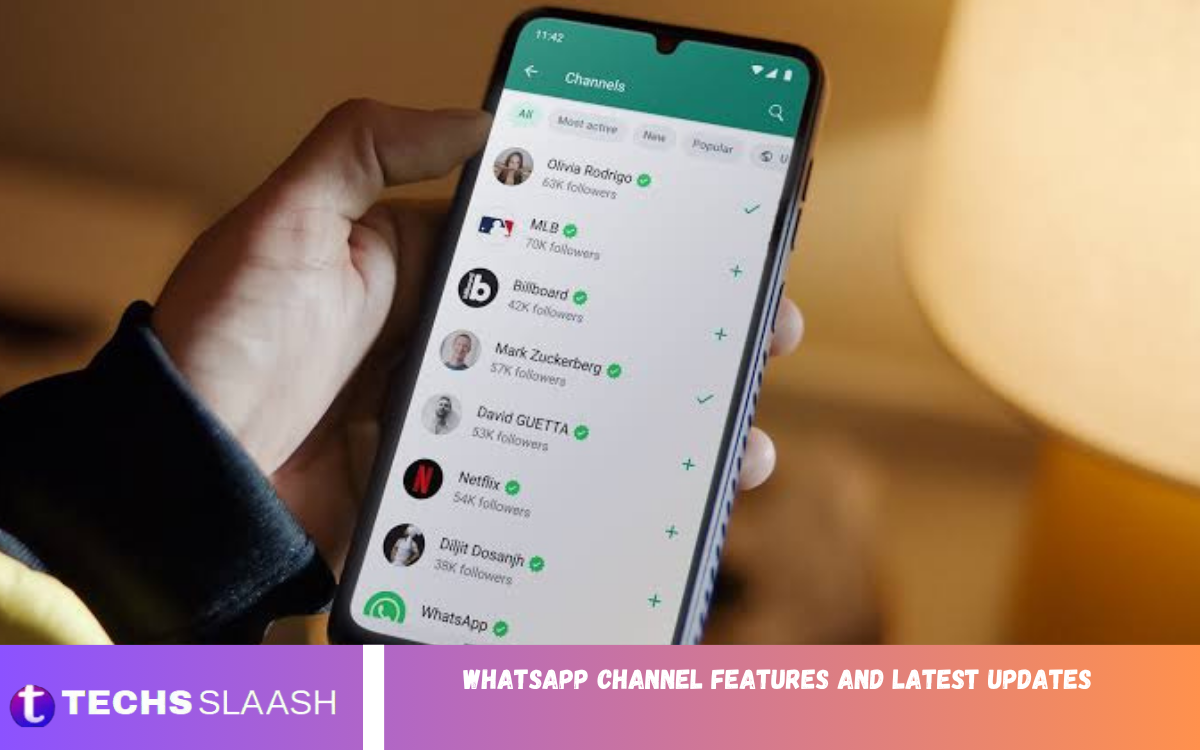
WhatsApp Channels have become an important way for creators, businesses, organizations, and public figures to share updates with large audiences. The feature provides a simple broadcasting system that lets administrators publish text, images, videos, stickers, links, and other content, while followers receive updates directly in WhatsApp.
The growing popularity of Channels has encouraged WhatsApp to introduce new tools designed to improve communication and audience engagement. Understanding the latest WhatsApp Channel Features and Latest Updates can help administrators manage content more effectively and give followers a better experience.
What Are WhatsApp Channels?
WhatsApp Channels are a one-way broadcasting feature that allows administrators to share information with followers. Unlike regular WhatsApp groups, followers generally cannot send messages to the Channel, making the format useful for announcements, news, community updates, and promotional content.
Channels are available through the Updates section of WhatsApp. Users can discover Channels by category, location, popularity, and other recommendations, then follow Channels that match their interests.
WhatsApp Channel Features
WhatsApp provides several features that make Channels suitable for different types of content. Administrators can publish text updates, photographs, videos, stickers, polls, and other supported media to keep their audience informed.
Followers can interact with updates through available reactions and engagement features without turning the Channel into a traditional group conversation. This creates a cleaner communication environment while still providing administrators with feedback from their audience.
Channel Privacy and User Protection
Privacy is one of the important aspects of WhatsApp Channels. Following a Channel does not require followers to publicly reveal their phone numbers to other followers, helping maintain a separation between personal messaging information and Channel activity.
Administrators can also manage their Channel presence and content according to the available WhatsApp controls. Users have options to mute, unfollow, report, or otherwise manage Channels based on their preferences and the tools available in their version of WhatsApp.
WhatsApp Channel Reactions
Reactions provide a convenient way for followers to respond to Channel updates. Instead of writing individual replies, users can use supported reactions to express their response to content published by administrators.
For Channel owners, reactions can provide a general indication of how audiences respond to different posts. This can be useful when planning future content, although reactions should be viewed as general engagement signals rather than detailed audience research.
WhatsApp Channel Polls
Polls can make Channel communication more interactive by allowing administrators to ask questions and collect responses from followers. This feature can be useful for opinions, preferences, feedback, and simple audience participation.
Businesses, creators, and communities can use polls to understand what type of content followers want to see. Polls can also make routine updates more engaging by giving audiences an opportunity to participate rather than simply reading announcements.
Sharing Updates From WhatsApp Channels
WhatsApp makes it possible for users to share Channel updates with other conversations. When an update contains useful information, followers can forward or share it with contacts or chats where appropriate.
Sharing can increase the visibility of useful Channel content beyond its existing follower base. For creators and businesses, this provides an additional way for informative announcements, promotional content, and important updates to reach new audiences.
Photos and Videos in WhatsApp Channels
Visual content is an important part of modern communication, and WhatsApp Channels support media-based updates. Administrators can use photographs and videos to make announcements more attractive and easier to understand.
Businesses can use product images, creators can publish visual content, and organizations can provide event or community updates through media. Combining short text with relevant visuals can make Channel posts easier for followers to scan.
WhatsApp Channel Notifications
Followers can manage how they receive Channel updates. Notification controls can help users stay informed without allowing every Channel update to interrupt their daily activities.
Users who follow several Channels may choose to adjust notification settings according to their preferences. This provides greater control over the amount of information appearing through WhatsApp throughout the day.
Discovering New WhatsApp Channels
WhatsApp provides ways for users to discover Channels that may match their interests. The Updates area brings Channels and Status content into a dedicated section, making it easier to explore new sources of information.
Channel discovery can be particularly useful for people interested in news, sports, entertainment, technology, brands, creators, and other subjects. Administrators can benefit from discovery features because they can help potential followers find relevant Channels.
WhatsApp Channel Directory and Search
Channel discovery tools can help users locate specific Channels or explore available options. Search functionality makes it easier to find a Channel when users already know the name or topic they are interested in.
For administrators, maintaining a clear Channel name and recognizable profile can make the Channel easier for potential followers to identify. Consistent branding and useful content can also help establish a recognizable presence.
WhatsApp Channel Admin Tools
Channel administrators have access to tools that help them publish and manage updates. These controls help maintain accurate information, organize content, and manage the overall Channel experience.
Administrators should use a consistent publishing strategy rather than posting unrelated updates throughout the day. Clear announcements, useful information, and relevant media can help maintain audience interest over time.
WhatsApp Channel Editing and Content Management
Content management is another important part of running a Channel. Depending on the current WhatsApp version and available features, administrators may be able to manage previously published updates or make corrections when needed.
Editing and management tools are particularly useful when an update contains a minor mistake or needs clarification. Administrators should still review content carefully before publishing to reduce the need for corrections.
WhatsApp Channel Analytics
Analytics can help Channel administrators understand audience engagement and content performance where available. Metrics can show how followers interact with published updates.
For businesses and creators, performance information can support better content planning. Instead of publishing content without direction, administrators can examine engagement patterns and focus on subjects that generate meaningful audience interest.
WhatsApp Channels for Businesses
Businesses can use WhatsApp Channels to communicate product announcements, promotions, company news, service information, and other updates. The broadcast format lets businesses reach a large audience without requiring everyone to join a group conversation.
A business can also use Channels as part of a broader communication strategy. Useful updates, product information, educational content, and timely announcements can help keep customers informed while maintaining a professional communication environment.
Read Also: WhatsApp Status Tips and Creative Ideas
WhatsApp Channels for Creators
Creators can use Channels to share exclusive updates, announcements, behind-the-scenes content, media, and information about upcoming projects. The format provides another communication option beyond traditional social media posts.
Creators can also use Channel engagement to understand what their audience responds to most. Consistent posting, valuable content, and a recognizable communication style can help create a stronger connection with followers.
WhatsApp Channels for News and Information
Channels can provide a convenient format for distributing news and informational updates. Organizations and publishers can use them to share headlines, announcements, event information, and other important content.
Followers should still evaluate information carefully, especially when an update concerns important or rapidly changing events. Following multiple reliable sources can provide broader context and reduce dependence on a single information channel.
Latest WhatsApp Channel Updates
WhatsApp continues to improve Channels by introducing new communication, discovery, engagement, and management capabilities. Updates can vary by operating system, account, country, and WhatsApp version, so not every feature becomes available to every user at the same time.
Users should keep WhatsApp updated through their device’s official app store to access newly released features when they become available. Some features may also be introduced gradually as WhatsApp expands availability.
How WhatsApp Channels Improve Communication
WhatsApp Channels provide a middle ground between private messaging and large social platforms. Administrators can broadcast information to followers while followers can choose which Channels they want to receive updates from.
This approach makes communication more organized and reduces the need for traditional group chats when two-way conversation is not necessary. It is especially useful for announcements where the primary goal is distributing information efficiently.
Best Practices for WhatsApp Channel Administrators
Successful Channel management starts with useful and consistent content. Administrators should avoid excessive posting and focus on updates that provide genuine value to followers.
Clear writing, relevant images, timely announcements, and appropriate use of interactive features can improve the overall Channel experience. Administrators should also respect audience preferences and avoid unnecessary promotional messages.
Future of WhatsApp Channels
WhatsApp Channels are likely to remain an important part of the platform’s communication ecosystem as more creators, organizations, and businesses adopt broadcast-based communication. Continued feature development can make Channels more useful for content distribution and audience engagement.
Future improvements may continue to focus on discovery, analytics, content management, interaction, and personalization. Users can expect the Channel experience to evolve as WhatsApp introduces new capabilities across supported devices and regions.
Frequently Asked Questions
What Are WhatsApp Channels Used For?
WhatsApp Channels are mainly used for one-way broadcasting. Administrators can publish updates while followers receive information without participating in a traditional group conversation.
Are WhatsApp Channels Free?
WhatsApp Channels are generally available as part of WhatsApp’s communication platform without a separate subscription requirement for ordinary users. Specific business or advanced services may have different terms.
Can WhatsApp Channel Followers See Each Other?
Followers generally cannot see the phone numbers of other Channel followers. This privacy-focused structure helps separate Channel participation from personal contact information.
Can I Create a WhatsApp Channel?
Yes, eligible WhatsApp users can create a Channel when the feature is available for their account and region. The creation process can be accessed through the Updates area of WhatsApp.
Can WhatsApp Channel Followers Reply to Posts?
WhatsApp Channels are designed primarily for one-way communication. Available engagement tools can allow followers to interact with updates without creating a conventional group-style conversation.
Can WhatsApp Channel Posts Be Shared?
Yes, supported Channel updates can be shared or forwarded through WhatsApp. This allows useful content to reach people outside the original Channel audience.
Can I Mute a WhatsApp Channel?
Yes, WhatsApp provides notification controls that can help users manage Channel alerts. Muting can reduce interruptions while allowing the user to remain connected to the Channel.
Can Businesses Use WhatsApp Channels?
Yes, businesses can use Channels to distribute announcements, product information, company news, promotions, and other relevant updates to followers.
How Do I Find New WhatsApp Channels?
Users can explore available Channels through the Updates section and use available discovery or search features to find Channels based on names, interests, or other categories.
Why Is My WhatsApp Channel Missing a New Feature?
WhatsApp features can be released gradually and may vary by account, device, operating system, country, and app version. Updating WhatsApp and checking again later may provide access when the feature becomes available.
Conclusion
WhatsApp Channel Features and Latest Updates continue to make Channels a useful communication option for businesses, creators, organizations, and individual users. Features such as reactions, polls, media sharing, discovery tools, privacy controls, and notifications provide different ways to publish and engage with audiences.
As WhatsApp continues developing its Channel experience, administrators can benefit from using relevant features while maintaining consistent, useful, and trustworthy content.

1 Comment
Pingback: WhatsApp Backup and Restore: Complete Data Recovery Guide - Techsslaash.com