

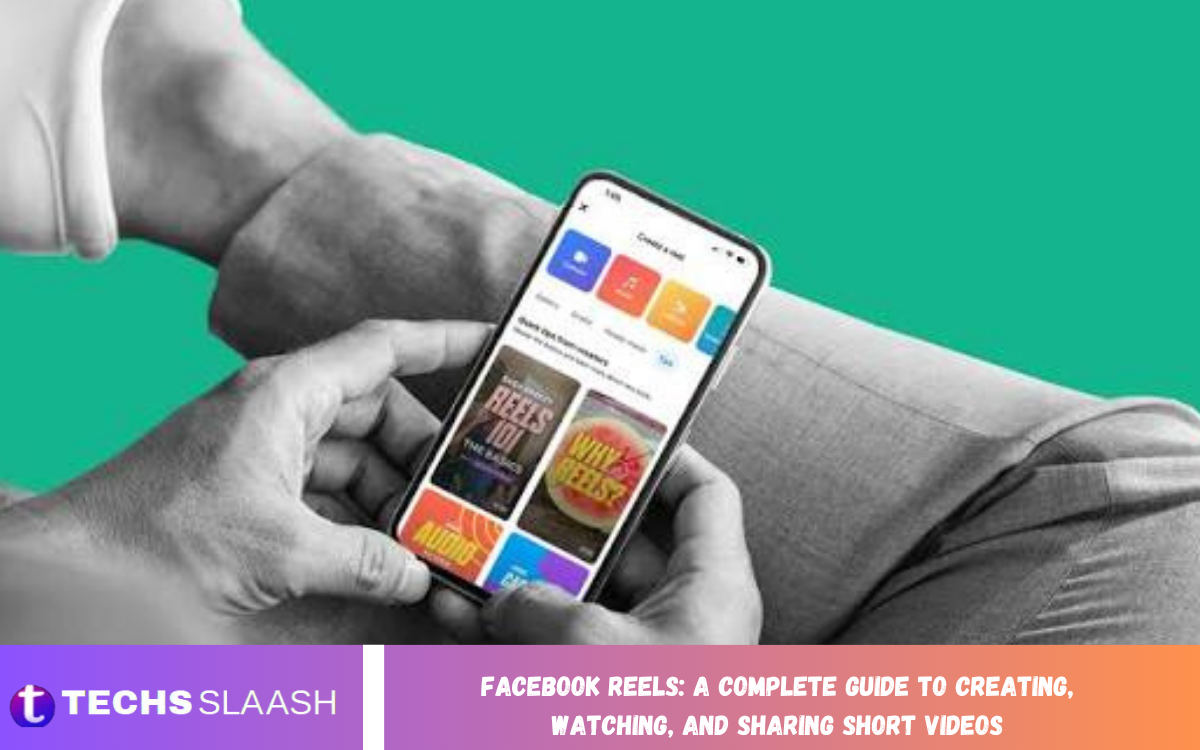
Facebook Reels has become a popular way to discover entertaining videos, share creative ideas, and connect with people through short-form content. Whether users enjoy comedy, educational videos, lifestyle tips, or technology updates, Reels provides a convenient way to explore content directly on Facebook.
Facebook Reels: A Complete Guide to Creating, Watching, and Sharing Short Videos explains how this feature works and how users can make the most of it. From creating your first video to improving its presentation and sharing it with an audience, understanding the available tools helps users enjoy a more engaging social media experience.
What Are Facebook Reels?
Facebook Reels are short-form videos that let users share ideas, showcase creativity, and entertain viewers. These videos can include music, voice recordings, captions, visual effects, and other creative elements, depending on the tools available in the user’s account.
Unlike traditional Facebook posts, Reels focus primarily on video content and quick storytelling. They can appear in different areas of Facebook, including the Reels feed, where users discover videos based on their interests, interactions, and content recommendations.
Why Are Facebook Reels Popular?
One major reason for the popularity of Facebook Reels is their convenience. Viewers can watch multiple short videos in succession without searching through lengthy posts or opening separate pages. This format makes it easier to discover new creators, follow trends, and explore topics that match personal interests.
Another important factor is creative flexibility. Users can publish videos about hobbies, education, entertainment, travel, cooking, and everyday experiences. Businesses and creators can also use Reels to introduce products, explain services, share useful information, and build relationships with their audiences.
How to Watch Facebook Reels
Watching Facebook Reels is simple for most users. Open the Facebook app or website, sign in to an account, and look for the Reels section. The exact placement may vary depending on the device, application version, and account interface.
Once the Reels feed opens, users can browse videos by scrolling through the available recommendations. They can watch content, react to videos, leave comments, follow creators, and share posts when those options are available. Interacting with relevant content may also help Facebook recommend videos that better match individual interests.
How to Create Facebook Reels
Creating Facebook Reels starts with choosing an interesting idea. Users can record a new video using a compatible device or select existing footage from their gallery when the creation tools allow it. A clear topic, suitable lighting, and steady recording can make a video easier to understand and more enjoyable to watch.
After selecting the footage, users can review the available editing options before publishing. Depending on the current interface, these tools may include trimming clips, adding music, inserting text, recording voiceovers, and applying effects. Previewing the finished video helps identify mistakes and ensures that the content communicates its message clearly.
Editing Tools and Creative Features
Editing plays an important role in making Facebook Reels attractive and easy to follow. Simple adjustments, such as removing unnecessary pauses, improving clip timing, and adding readable captions, can make a video feel more professional without requiring advanced editing skills.
Music, visual effects, stickers, and text overlays can add personality when used appropriately. However, creators should avoid filling the screen with too many elements. The main subject should remain easy to see, and any text should be large enough to read on a mobile device.
How to Add Music and Captions to Reels
Music can help establish the mood of a Facebook Reel. A cheerful soundtrack may suit an entertaining video, while softer background music may work better for a tutorial or lifestyle presentation. Users should explore the music options available in their account and select audio that fits the purpose of the video.
Captions are equally useful because some viewers watch videos without sound. Short, accurate captions can communicate important information and make spoken content easier to understand. Creators should check spelling, timing, and readability before publishing, particularly when a video includes instructions or educational information.
How to Share Facebook Reels
Sharing Facebook Reels allows users to distribute videos to friends, followers, and other audiences according to the available sharing options. Before publishing, creators can review the caption, audience settings, and other available preferences to make sure the video is ready for its intended viewers.
After publication, a Reel may offer options for sharing it through Facebook or other supported destinations. Available features can vary according to account settings and platform updates. Users should also consider whether their video contains private information, recognizable individuals, or material they do not have permission to distribute.
Understanding Facebook Reels Privacy Settings
Privacy settings help users control who can view their content. Depending on the account and publishing options, a Reel may be shared with a public audience, friends, or another supported audience group. Public content can reach people beyond an existing circle of friends, while restricted settings offer greater control over visibility.
Before posting a Reel, users should review the audience selector and understand how their chosen setting affects distribution. They should avoid revealing sensitive personal information, such as home addresses, private documents, or details that could compromise someone’s safety. Reviewing privacy preferences regularly is also a useful habit.
How Facebook Reels Help Content Creators
Facebook Reels provides creators with a way to present ideas in a format that encourages quick viewing. Educational creators can explain simple concepts, entertainers can share original performances, and lifestyle creators can demonstrate useful activities. A focused video can communicate valuable information without requiring a lengthy presentation.
Creators may also use Reels to develop a recognizable style and encourage meaningful audience interaction. Consistent topics, clear communication, and original ideas can help viewers understand what to expect from an account. However, audience growth is not guaranteed, and performance depends on multiple factors, including content quality, viewer interests, and distribution.
Tips for Creating Engaging Facebook Reels
An engaging Reel usually begins with a clear reason for viewers to keep watching. Start with an interesting question, a useful tip, or a brief introduction to the subject. Avoid lengthy openings that delay the main point, especially when the video is intended to deliver a quick answer.
Keep the presentation focused and make sure every clip contributes to the overall message. Use appropriate lighting, understandable audio, and readable text. Experiment with different video lengths and presentation styles to learn what your audience finds useful, rather than assuming that one format will work equally well for every topic.
Common Mistakes to Avoid When Posting Reels
One common mistake is publishing a video without checking its quality. Blurry footage, distracting background noise, poorly timed captions, and unnecessary transitions can reduce the viewing experience. Watching the full video before publishing helps you spot these issues and correct them.
Another mistake is copying other creators without adding original value. Trends can inspire new ideas, but simply duplicating another person’s work may weaken a creator’s identity and create copyright concerns. Avoid misleading captions, unrelated hashtags, and exaggerated claims. Honest, relevant content helps establish credibility and encourages viewers to return.
Facebook Reels for Businesses and Brands
Businesses can use Facebook Reels to introduce products, demonstrate services, answer common questions, and show the people behind their operations. For example, a clothing business might share styling ideas, while a technology company could demonstrate an app’s features in a short tutorial.
Successful business videos generally focus on usefulness rather than constant promotion. Showing how a product solves a problem or explaining a service clearly can help potential customers understand its value. Businesses should also maintain accurate information, respond professionally to relevant comments, and follow Facebook’s applicable advertising and content policies.
Read Also: How to Manage Facebook Privacy Settings: A Complete Guide
How to Improve Facebook Reels Performance
Creators who want to improve their results should review the performance information available through their account. Depending on the account type and current tools, insights may include views, reach, engagement, or other measurements. These figures can help creators identify which subjects and formats attract attention.
Use these observations to refine future videos instead of relying on assumptions. If viewers respond well to practical tutorials, consider developing additional tutorials on related subjects. If a video receives limited engagement, review its opening, clarity, relevance, and presentation. Sustainable improvement usually comes from experimentation, useful content, and consistent evaluation.
Facebook Reels Safety and Copyright Guidelines
Responsible content creation includes respecting copyright and protecting personal privacy. Before using music, images, video clips, or other creative material, check whether you have permission to use it. Audio or content available within Facebook may have specific usage conditions, so availability does not necessarily mean unrestricted use in every context.
Creators should also avoid sharing private conversations, sensitive personal details, or footage of other people without appropriate consideration and permission. Follow Facebook’s Community Standards and applicable laws when creating and publishing videos. If a Reel includes sponsored content or a commercial relationship, use the relevant disclosure features when required.
The Future of Facebook Reels
Short-form video continues to play an important role in social media, offering users a quick way to learn, communicate, and discover entertainment. Facebook may update its Reels interface, editing tools, recommendation systems, and creator tools over time, so it helps to stay informed about changes in the app.
For creators, the most reliable long-term approach is to focus on original ideas, audience needs, and responsible publishing. Although trends can inspire, valuable content doesn’t depend entirely on viral moments. Videos that communicate clearly and offer genuine entertainment or information can help build a stronger online presence.
Frequently Asked Questions
What are Facebook Reels used for?
Facebook Reels are used to create, watch, and share short videos. People use them for entertainment, education, personal storytelling, product demonstrations, and discovering new creators.
How do I create a Facebook Reel?
Open Facebook and locate the Reels creation option. Record a new video or select existing footage, edit it using the available tools, review your audience settings, and publish when ready.
Can I watch Facebook Reels without creating videos?
Yes. Users can watch Reels without publishing their own videos. Available viewing and interaction features may depend on account access, privacy restrictions, and the current Facebook interface.
Can I add music to Facebook Reels?
Yes, where the relevant music tools are available. Choose suitable audio from the options provided and follow the applicable licensing and usage conditions.
How long can a Facebook Reel be?
The maximum supported length can change as Facebook updates its features. Check the current recording or uploading interface for the limits that apply to your account.
Can I control who watches my Facebook Reels?
Audience controls may allow you to share a Reel publicly, with friends, or with another supported audience. Review the available privacy settings before publishing.
How can I get more views on Facebook Reels?
Create useful or entertaining original videos, use a strong opening, maintain clear audio, and publish content relevant to your audience. Review available performance insights to understand what works best.
Can businesses use Facebook Reels for promotion?
Yes. Businesses can showcase products, demonstrate services, answer customer questions, and introduce their brand. Commercial content should be accurate and comply with applicable platform policies.
Can I edit a Facebook Reel after publishing it?
Some details may be editable after publication, while other changes may require different actions or a new upload. Check the options available on the published Reel before making changes.
Are Facebook Reels free to use?
Watching and creating Reels is generally available without a separate Reels subscription. However, internet access, mobile data, and certain optional services may involve costs.
Conclusion
Facebook Reels offers a convenient way to create short videos, discover entertaining content, and share ideas with a wider audience. By understanding its viewing features, editing tools, privacy settings, and sharing options, users can use the platform more effectively for personal expression, education, and business communication.
The best results come from combining creativity with responsible publishing. Focus on clear messages, original content, appropriate music, and a positive viewing experience.

1 Comment
Pingback: Facebook Marketplace: A Complete Guide to Buying, Selling, and Discovering Local Deals - Techsslaash.com