

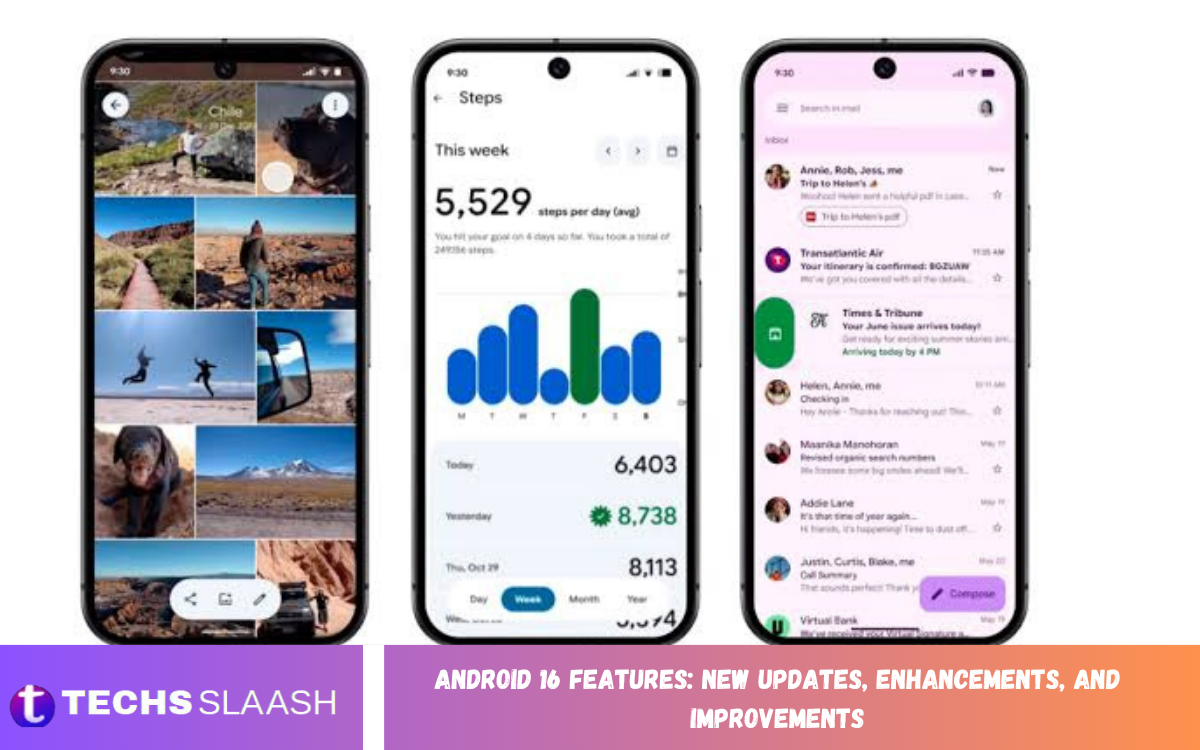
Android 16 introduces a wide range of updates designed to improve notifications, security, accessibility, productivity, privacy, and the overall user experience. Google released Android 16 in June 2025, initially rolling it out to supported Pixel devices before expanding availability to other manufacturers.
The update also adds new developer APIs that let apps better use modern Android hardware and system capabilities. From progress-focused notifications to adaptive refresh rates and improved camera support, Android 16 focuses on making devices more useful and responsive.
Improved Notifications and Live Updates
One of the most noticeable Android 16 features is the improved notification experience. Progress-centric notifications can provide information about ongoing activities such as food deliveries, rides, navigation, and other user-initiated tasks without requiring users to repeatedly open an application.
Android 16 also groups notifications from the same application to help reduce notification clutter. This makes the notification shade easier to scan and helps users focus on important updates instead of seeing numerous individual alerts from one app.
Material 3 Expressive Design Improvements
Android 16 provides the foundation for Google’s Material 3 Expressive design direction. The updated design approach focuses on making Android interfaces more visually flexible, responsive, accessible, and easier to personalize across supported devices.
The platform also introduces automatic themed app icons, helping supported applications fit more consistently with a user’s chosen home-screen appearance. Android and Pixel updates are also introducing additional design changes as the new design system continues to expand.
Better Tablet Multitasking and Productivity
Android 16 brings major productivity improvements to large-screen Android devices. Desktop windowing lets users open, move, resize, and manage multiple app windows on a tablet in a way more similar to a traditional desktop computer.
The update also lays the groundwork for features such as custom keyboard shortcuts and improved taskbar management. These improvements can make tablets more practical for studying, working, writing, browsing, and multitasking across several applications.
Enhanced Security and Advanced Protection
Security is another important area of Android 16. Google introduced Advanced Protection, which brings together stronger defenses against online attacks, harmful applications, unsafe websites, and scam calls for users who activate the feature.
Android 16 also includes platform-level security changes, including protections against certain Intent redirection attacks and improvements to Intent resolution. These changes strengthen the underlying Android security model while giving developers more tools to build safer applications.
Privacy Improvements and Permission Controls
Android 16 continues Google’s focus on giving users more control over application access and personal information. Changes include improvements to the photo picker, including support for app-owned photos and videos and new capabilities for cloud media providers.
The platform also introduces local network permission changes for applications targeting Android 16 and updates Health Connect permissions. These changes give users clearer control over how apps access local devices and health-related information.
Hearing Aid and Accessibility Enhancements
Android 16 introduces useful improvements for people using compatible LE Audio hearing aids. During voice calls, users can switch between the microphones built into their hearing devices and the microphone on their phone, which can be useful in different environments.
The update also provides native controls for supported hearing devices, including volume management and ambient sound controls. Android 16 further expands accessibility APIs to help applications provide more consistent experiences for people who use accessibility services.
Predictive Back and Navigation Updates
Android 16 expands predictive back functionality, providing APIs that help applications support smoother system animations when users navigate backward. The experience can make transitions between screens and applications feel more predictable.
Predictive back support also extends to three-button navigation for applications that have properly migrated to the newer system behavior. For applications targeting Android 16, developers need to account for updated back-navigation behavior and related system animations.
Read Also: Samsung Galaxy Latest Updates: Features and Improvements
Camera and Professional Video Improvements
Android 16 adds several camera-related capabilities, particularly for advanced photography and video applications. Developers can use more precise color temperature and tint controls, hybrid exposure modes, motion photo capture actions, and night-mode scene detection on supported hardware.
The platform also adds support for the Advanced Professional Video codec, designed for high-quality recording and professional post-production workflows. Android 16 further adds UltraHDR image support in the HEIC format, expanding options for applications handling modern high-dynamic-range content.
Adaptive Refresh Rate and Performance
Android 16 introduces APIs that help applications make better use of adaptive refresh rate technology. Applications can get information about supported refresh-rate behavior and suggested frame rates, helping balance smooth visuals with device resource usage.
Developers also receive new profiling and performance tools. System-triggered profiling can help identify issues such as application startup problems and application-not-responding events, while CPU and GPU headroom APIs can provide resource estimates for demanding applications and games.
Better Connectivity and Wireless Features
Android 16 expands connectivity capabilities with new ranging APIs. Supported hardware can determine distance and angle between devices using technologies such as Bluetooth channel sounding, Bluetooth RSSI, Ultra Wideband, and Wi-Fi round-trip time.
The update also improves secure Wi-Fi ranging by supporting Wi-Fi 6 (802.11az) capabilities. These technologies can support proximity-based experiences where accurate device positioning or distance measurement is useful, while Android provides additional security mechanisms for supported implementations.
Photo Picker and Media Improvements
The Android 16 photo picker receives several improvements that make media selection more flexible for applications. Developers can embed the photo picker into their own application interfaces and access new capabilities for searching media through supported cloud providers.
These changes are particularly useful for applications that work with photos and videos while still benefiting from Android’s system-level media selection experience. Users can therefore have greater control over which media applications can access.
Improved Health and Fitness Features
Health Connect receives additional capabilities in Android 16. One update introduces an activity-intensity data type based on World Health Organization guidelines for moderate and vigorous physical activity.
Android 16 also updates health-record APIs, including support for reading and writing medical records in FHIR format with explicit user consent through an early-access program. Availability and implementation can depend on supported applications and services.
Richer Haptic Feedback
Android 16 introduces richer haptic APIs that allow applications to define amplitude and frequency curves for vibration effects. This gives developers more control over how touch feedback feels while allowing Android to account for differences between device hardware.
More advanced haptic feedback can make interactions feel more responsive in applications, games, keyboards, and other interfaces. The actual experience can vary depending on the vibration hardware available on a particular Android device.
Improved App Compatibility and Developer Support
Android 16 includes changes to Android Runtime and other platform components that can affect applications. Google has also introduced compatibility improvements for devices using 16 KB memory pages, helping certain applications operate on newer memory configurations.
Developers receive many additional APIs covering graphics, connectivity, privacy, camera functionality, media, accessibility, and performance. Applications targeting Android 16 may need to adapt to several behavior changes, making compatibility testing an important part of the update process.
Android 16 Features for Everyday Users
For everyday Android users, the most visible improvements can include better notifications, stronger security options, improved accessibility, enhanced tablet multitasking, and updated visual experiences. The exact features available can vary by phone manufacturer, model, software version, and regional rollout.
Android 16 is therefore more than a visual update. It combines user-facing improvements with deeper platform changes that affect security, privacy, application behavior, connectivity, media, and performance. Supported devices can receive different portions of the overall Android 16 experience.
Android 16 Compatibility and Availability
Android 16 launched first on supported Pixel devices, with other manufacturers expected to introduce the update on their own release schedules. Google notes that feature availability can vary by manufacturer and device, and some announced capabilities may roll out later.
Users should check their device’s software-update settings and manufacturer information to determine whether Android 16 is available. Before installing a major Android update, back up important data and ensure you have enough storage and battery capacity.
Frequently Asked Questions
What is Android 16?
Android 16 is a major Android operating system release that introduces updates to notifications, security, privacy, accessibility, multitasking, camera functionality, connectivity, and app development.
What are the main Android 16 features?
Major features include progress-centric notifications, improved security, desktop windowing for tablets, hearing-device improvements, adaptive refresh-rate support, richer haptics, enhanced camera APIs, and privacy updates.
Does Android 16 improve notifications?
Yes. Android 16 introduces progress-centric notifications for activities such as deliveries and rides, and it can also group notifications from the same app to reduce clutter.
Does Android 16 improve tablet multitasking?
Yes. Android 16 introduces desktop windowing for compatible large-screen devices, letting users move and resize multiple app windows on the same screen.
Is Android 16 more secure?
Android 16 introduces several security improvements, including Advanced Protection and platform changes designed to strengthen defenses against certain attacks and unsafe application behavior.
Does Android 16 improve accessibility?
Yes. Android 16 adds accessibility improvements and enhanced support for compatible LE Audio hearing aids, including phone-microphone support for calls and native hearing-device controls.
Does Android 16 improve camera quality?
Android 16 adds new camera capabilities rather than automatically improving every phone’s camera hardware. Supported applications can use features such as advanced exposure controls, precise color adjustments, night-mode detection, UltraHDR, and professional video support.
Does Android 16 improve battery performance?
Android 16 provides APIs and system changes that can help applications manage performance and resources more effectively. Actual battery life depends on the device hardware, applications, settings, and individual usage patterns.
Will every Android phone receive Android 16?
Not necessarily. Android updates depend on the device manufacturer, model, region, and update policy. Google initially rolled out Android 16 to supported Pixel devices before expanding to other manufacturers.
Should users update to Android 16?
Users should consider their device and application compatibility, available storage, backup status, and the features they need. The update introduces changes across security, privacy, notifications, accessibility, productivity, and application functionality.
Conclusion
Android 16 Features: New Updates, Enhancements, and Improvements demonstrate Google’s continued focus on security, privacy, accessibility, productivity, and modern Android hardware. Features such as live notification updates, desktop windowing, Advanced Protection, adaptive refresh rate, and improved camera capabilities expand what compatible Android devices can offer.
The release also introduces important platform changes for developers, including new APIs for connectivity, media, health, graphics, performance, and accessibility.

1 Comment
Pingback: Android 16 Update: Latest Features, Improvements, and Enhancements - Techsslaash.com