

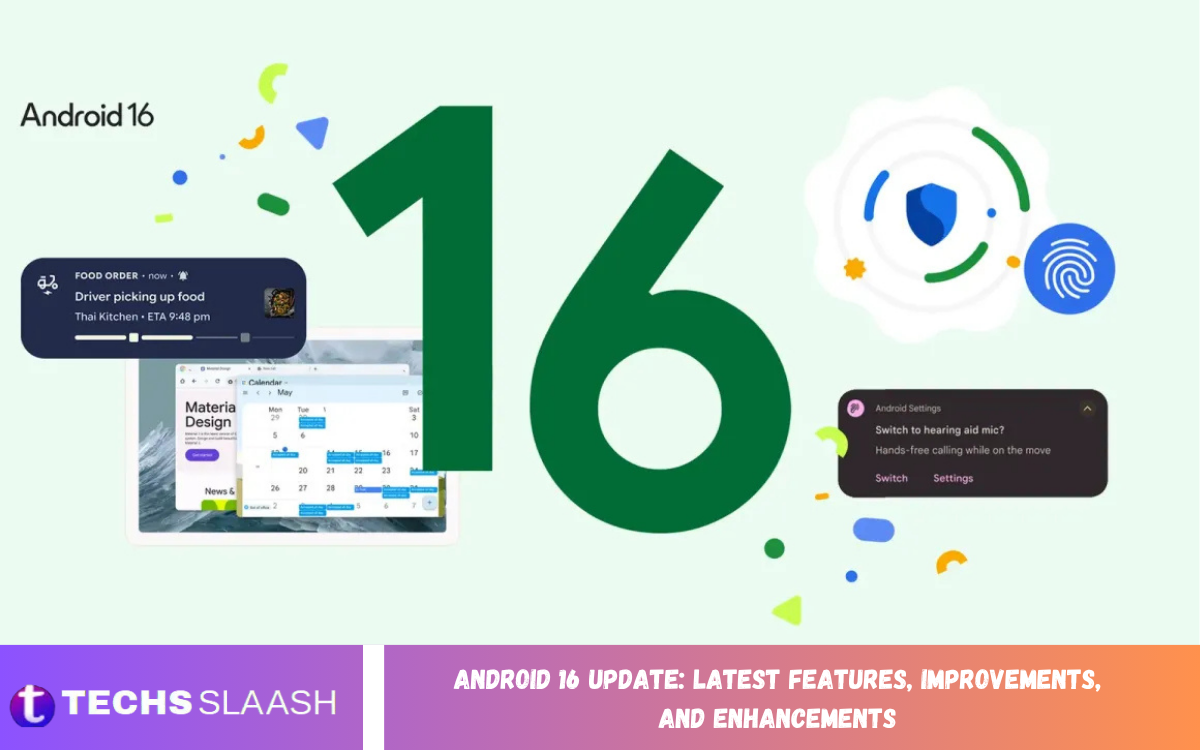
Android continues to evolve with new features designed to make smartphones, tablets, foldables, and other compatible devices more useful, secure, and responsive. The Android 16 update introduces changes across notifications, multitasking, accessibility, security, camera capabilities, performance, and the overall user experience.
Android 16 is API level 36 and brings platform changes for both users and developers. Google has also continued expanding Android 16 through quarterly updates, adding features such as improved notification organization, desktop-style windowing, adaptive refresh rate, HDR screenshots, and additional security capabilities.
Android 16 Update Overview
The Android 16 update focuses on making everyday smartphone experiences more organized and adaptable. Rather than relying only on major visual changes, the release improves several system functions that users interact with regularly, including notifications, navigation, multitasking, media, accessibility, and security.
Android 16 also gives developers new APIs and tools to build apps that work better across different screen sizes and device categories. Google has introduced changes affecting phones, tablets, foldables, TVs, cameras, and other Android-powered products, making the platform more flexible for modern hardware.
Android 16 Notification Improvements
One notable Android 16 enhancement is the introduction of progress-focused notifications. These notifications can show the progress of activities such as deliveries, navigation, and rideshare services, so users can track an ongoing activity without repeatedly opening an app.
Android 16 also includes notification auto-grouping, which can reduce notification clutter when applications generate multiple individual alerts. Live Updates can provide information such as delivery or transportation progress directly in notifications, helping users access important information faster.
Android 16 Desktop Windowing and Multitasking
Android 16 expands multitasking capabilities, particularly on tablets and large-screen devices. Desktop-style windowing allows users to open, move, resize, and organize multiple application windows, creating a more computer-like workspace for productivity.
The improved large-screen experience can be especially useful when working with documents, browsing the web, communicating through messaging apps, or managing multiple tasks at once. Android’s focus on adaptive layouts also encourages developers to create applications that respond properly to different display sizes and orientations.
Android 16 Performance and Battery Enhancements
Performance remains an important part of the Android 16 update. Improvements to Android Runtime and system behavior are designed to help applications run efficiently while giving developers better tools to identify performance problems.
Android 16 also introduces system-triggered profiling capabilities that can help developers collect diagnostic information for situations such as application startup problems and application-not-responding events. These changes are primarily developer-focused, but better diagnostics can contribute to more reliable applications over time.
Android 16 Adaptive Refresh Rate
Adaptive refresh rate is another enhancement designed to balance smooth visuals and power efficiency. The system can adjust display refresh behavior according to what is happening on the screen, supporting smoother scrolling and animations when necessary while avoiding unnecessary high-refresh operation during less demanding activities.
For users, this can make compatible displays feel more responsive during gaming, scrolling, and animations. At the same time, adaptive display behavior is intended to help devices manage power more intelligently, rather than maintaining a high refresh rate for every task.
Android 16 Security and Privacy Improvements
Security is a major part of Android 16. The platform introduces additional protections against certain attack techniques, including improved security against general Intent redirection attacks. These changes are intended to reduce opportunities for malicious applications to misuse Android’s component communication system.
Android 16 also continues to strengthen protections around sensitive user data and application behavior. Google’s platform documentation highlights security improvements alongside changes designed to make applications safer on modern Android devices. Android 16 QPR2 also includes developer verification changes that are being introduced in specific regions beginning in September 2026.
Android 16 Identity Check and Device Protection
Identity Check is another security-focused feature associated with Android 16. It is designed to protect sensitive resources when a device is outside trusted locations, requiring biometric authentication in applicable situations.
This protection can be useful when a phone is accessed away from familiar environments. The objective is to make sensitive information and device controls harder to access if someone obtains a user’s PIN or attempts to interact with protected settings without authorization.
Android 16 Camera and Media Improvements
Android 16 introduces new camera capabilities aimed at applications that need more advanced control. Camera2 improvements include hybrid auto-exposure modes, allowing developers to combine manual control of certain exposure elements with automatic exposure processing.
The update also improves support for professional imaging features, including color temperature and tint adjustments, night-mode indicators, motion-photo capture, and Ultra HDR enhancements. These changes give camera apps more flexibility when working with modern smartphone imaging hardware.
Android 16 HDR Screenshots
HDR screenshots are another useful Android 16 enhancement. Compatible devices and content can preserve HDR-related color, brightness, and detail when users capture, edit, save, and share screenshots.
This improvement matters as HDR displays and HDR media become more common. Instead of treating every screenshot as standard dynamic-range content, supported Android 16 experiences can retain more of the visual information users see on their displays.
Android 16 Accessibility Improvements
Android 16 introduces several important accessibility improvements. New APIs help applications communicate expanded and collapsed states more effectively to screen readers, while progress indicators can provide more consistent information to accessibility services such as TalkBack.
Android 16 also supports a partially checked state for checkboxes, expanding the ways applications can communicate interface states. These changes can help developers build applications that provide clearer information to users who rely on accessibility technologies.
Android 16 Predictive Back Navigation
Android 16 expands predictive back navigation. Users can see a visual preview of where the back action will lead, making navigation clearer before the action completes.
Android 16 also extends predictive back behavior to three-button navigation for applications that properly support the feature. For applications targeting Android 16, developers need to migrate to supported back-navigation APIs because older back-event handling behavior changes on Android 16 devices.
Android 16 Tablet and Large-Screen Improvements
Android 16 continues Google’s focus on tablets and other large-screen devices. Features such as desktop windowing, taskbar overflow, and custom keyboard shortcuts can provide a more productive environment for users who rely on Android tablets for work or study.
The platform also encourages developers to create adaptive applications that work across different form factors. This is increasingly important as Android devices include tablets, foldables, desktop-style interfaces, automotive systems, and other large displays.
Read Also: Android 16 Features: New Updates, Enhancements, and Improvements
Android 16 Customization Enhancements
Customization remains an important part of the Android experience. Android 16 QPR2 introduces automatic themed app icons when applications do not provide their own themed icon, helping create a more consistent appearance across the home screen.
Android 16 also improves smaller interaction details, including slider haptics. Compatible devices can provide tactile feedback when users adjust controls such as volume or brightness, making certain system interactions feel more precise and responsive.
Android 16 Hearing Device Support
Android 16 expands support for compatible hearing devices through improved integration with LE Audio. Users can control supported hearing devices from their Android devices and can use the phone as an input source in applicable situations.
These improvements can make phone calls more convenient for people using compatible hearing technology. Better integration between Android and hearing devices also demonstrates the platform’s broader focus on accessibility and inclusive technology.
Android 16 App Compatibility Changes
Android 16 introduces several changes that developers need to consider when updating applications. One important change involves edge-to-edge behavior, with the ability for applications targeting Android 16 to opt out being removed on Android 16 devices.
The platform also changes predictive back requirements for applications targeting Android 16. Developers need to test applications carefully against the new system behavior, especially applications that depend on customized navigation, screen layouts, or older Android APIs.
Android 16 Update Availability
Android 16 availability depends on the device manufacturer, model, region, and software support policy. Google provides Android 16 updates for supported Pixel devices, while other manufacturers distribute Android updates according to their own testing and release schedules.
Google’s official Android 16 documentation lists supported Pixel devices and provides information for developers using Android 16 through compatible devices, emulators, and generic system images. Users should check their device’s software update section to see whether Android 16 is available.
Android 16 Update Installation Tips
Before installing a major Android update, users should back up important photos, documents, contacts, and other data. Keeping sufficient storage space and ensuring the battery has adequate charge can also make the installation process smoother.
Users should install Android updates through the device’s normal system-update mechanism whenever the update is officially offered. Availability can differ by manufacturer and model, so Android 16 on one device doesn’t necessarily mean the same update is immediately available on another.
Android 16 Update for App Developers
Android 16 is also significant for developers because Google Play requirements have moved toward newer target API levels. Starting August 31, 2026, new applications and updates submitted to Google Play generally need to target Android 16, or API level 36, with specified exceptions for other Android form factors.
Developers should therefore test applications against Android 16 behavior changes, especially around edge-to-edge layouts, predictive back navigation, security, memory-page compatibility, and background execution. Proper testing can help identify compatibility problems before applications reach users.
Android 16 Update: What Users Can Expect
The Android 16 Update: Latest Features, Improvements, and Enhancements represents a broad platform update rather than a single visual redesign. Its changes cover productivity, notifications, security, accessibility, camera technology, multitasking, display behavior, and application compatibility.
As Android 16 continues receiving quarterly updates, supported devices can gain additional improvements beyond the initial platform release. Users should therefore pay attention to both the main Android 16 release and subsequent quarterly platform updates available for their particular device.
Frequently Asked Questions
What is Android 16?
Android 16 is a major Android operating system release identified as API level 36. It introduces new platform capabilities involving notifications, security, accessibility, camera functions, multitasking, performance, and large-screen experiences.
What are the main Android 16 features?
Major Android 16 features include progress-focused notifications, Live Updates, desktop-style windowing, improved predictive back, HDR screenshots, adaptive refresh rate, enhanced security, camera improvements, accessibility enhancements, and expanded tablet functionality.
Does Android 16 improve performance?
Android 16 includes Android Runtime and system-level improvements, along with new developer profiling capabilities. Actual performance depends on the device hardware, application optimization, storage, and manufacturer software.
Does Android 16 improve battery life?
Android 16 includes features designed to manage system resources more efficiently. Adaptive refresh rate can also adjust display behavior according to activity, which may help balance smooth visuals and power consumption on supported devices.
Is Android 16 more secure?
Android 16 includes security improvements such as stronger protection against certain Intent redirection attacks and additional protections for sensitive resources. The exact security experience depends on the device and its manufacturer-provided software.
Does Android 16 support tablets better?
Yes. Android 16 expands large-screen capabilities with desktop-style windowing, taskbar improvements, keyboard shortcuts, and adaptive application behavior designed for tablets and other large displays.
What is Android 16 predictive back?
Predictive back previews where a user will go when using the back navigation action. Android 16 expands this experience and supports predictive back animations in three-button navigation.
Does Android 16 improve camera quality?
Android 16 provides new camera APIs and controls rather than automatically improving every device’s camera hardware. Supported applications can use features such as hybrid auto-exposure, color adjustments, night-mode indicators, and improved Ultra HDR capabilities.
How can I get the Android 16 update?
Android 16 availability depends on your phone model, manufacturer, region, and software-support schedule. On supported devices, users can check the system software-update section for an available Android 16 update.
Do Android 16 updates affect apps?
Yes. Android 16 changes certain platform behaviors that can affect applications, including edge-to-edge layouts, predictive back navigation, security behavior, and other system APIs. Developers should test applications against Android 16 before publishing updates.
Conclusion
The Android 16 Update: Latest Features, Improvements, and Enhancements delivers a broad collection of improvements across everyday usability, security, accessibility, productivity, camera capabilities, notifications, and large-screen experiences. Features such as Live Updates, desktop-style windowing, adaptive refresh rate, HDR screenshots, and predictive back make the platform more capable across modern Android devices.
Android 16 also creates important opportunities and requirements for developers. With continued quarterly updates and evolving platform standards, Android users and developers can expect the operating system to keep expanding while supporting a wider range of devices, applications, and use cases.

1 Comment
Pingback: Common Android 16 Problems and Potential Solutions - Techsslaash.com