

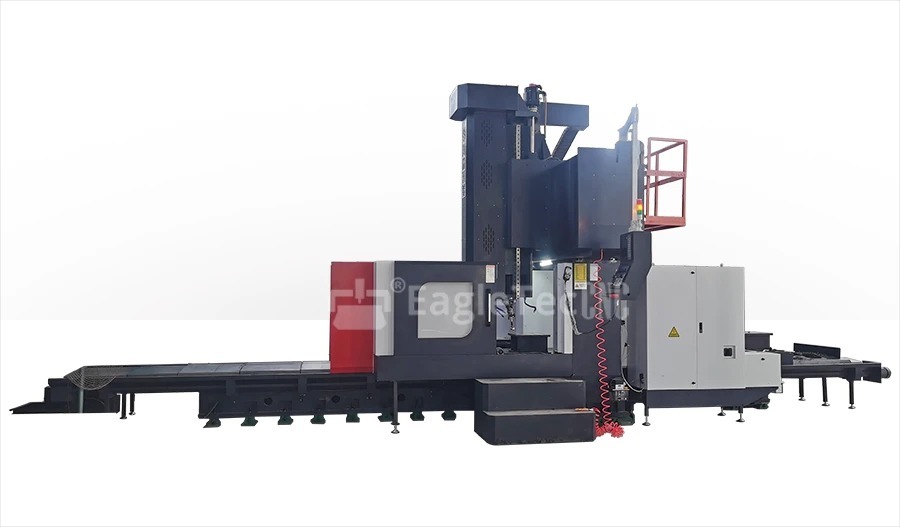
The CNC drilling technology has emerged to be a core part of contemporary manufacturing, as it markedly cuts down on operation time and increases the accuracy and uniformity of drilling. The CNC (Computer Numerical Control) systems have changed the perception of manufacturers regarding the drilling processes from merely making holes to taking advantage of multi-axis complex drilling. This manual encompasses all CNC drill programming aspects, starting from the ground level and ending with the most advanced process optimization techniques.
What is a CNC Drill?
A CNC drilling machine is a tool that is controlled by a computer and designed to create holes with utmost accuracy in different materials like metal, plastic, and wood. The process of manual drilling operates with the support of a human all the time, while a CNC drill performs all the steps automatically, drilling, controlling feed rate, and spindle speed, and selecting the appropriate tool based on pre-set commands. This process not only ensured precision but also led to the development of more and more factories with reduced human intervention.
The extraordinary features of CNC drilling machines have made them a must in the precision-demanding industries like aerospace, automotive, electronics, and so forth. All these sectors require and expect the same level of accuracy and quality. Thus making it very easy for CNC technology to meet their needs and consequently, giving them the advantages of high quality, quick production times, and, over time, durability.
Basics of CNC Drill Programming
The most basic definition of CNC drill programming is to write a code (mostly in G-code) that the machine can perfectly understand and execute to drill the holes. A concise overview of the primary points related to the CNC drill programming fundamentals is provided below:
1. G-Code Commands
G-code is the universal language for CNC machine commands. The most common operations G-code commands for drilling are:
- G81: Basic drilling cycle
- G83: Peck drilling cycle (for deep holes)
- G98/G99: Return to the initial or R-point after drilling
- G00/G01: Rapid or linear feed movement
Example:
G81 X10 Y10 Z-15 R2 F100;
The CNC drill completes the entire drilling operation by receiving a command to drill at the coordinates X10, Y10, and the depth is predetermined to 15mm with 2mm height retraction followed by a 100 mm/min feed rate.
2. Tool Selection
Choosing the right drill bit and tool holder is critical. Considerations include:
- Material of the workpiece
- Hole diameter and depth
- Tolerance and finish requirements
Tool parameters must be properly defined in the CNC program to avoid tool breakage or inaccurate holes.
3. Coordinate System
The predominant operation method of most CNC drills is through a Cartesian coordinate system. The origin (X0, Y0, Z0) needs to be very precisely set, and the most common places for that are either on the top surface of the workpiece or in the center of the hole pattern.
Intermediate CNC Drill Programming Techniques
After the initial training, the operator is allowed to apply advanced techniques that can add to the system’s performance and flexibility.
Peck Drilling
Peck drilling with the G83 command is a must when drilling deep holes. The drill bit comes out right away to unblock the space and to cool down, hence the tool does not get worn out or broken.
Subprograms and Macros
Subprograms let you generate code snippets that can be included in the entire code, which makes it less complicated and lowers the chances of errors. Macros take it a step further by enabling parameter-driven automation.
Example:
M98 P1234 L5
This calls subprogram number 1234 five times, ideal for repeating the same CNC drill operation on different hole locations.
Tool Compensation and Offsets
Tool wear and deflection can affect hole accuracy. Tool length and diameter offsets compensate for these variations, maintaining consistent hole dimensions.
CNC Drill Process Optimization
Making the CNC drill process efficient is a must for the sake of increasing productivity, cutting cycle time, and prolonging the use of tools. The following optimization strategies are important ones:
Optimized Feed Rates and Spindle Speeds
A reduced wear of tools and an initial quality of holes are ensured by the right interplay between spindle speed and feed rate. Feed and speed calculators or CAM software can help determine the ideal parameters based on:
- Material type
- Drill diameter
- Depth of hole
- Coolant availability
Drill Path Optimization
Efficient toolpath planning minimizes unnecessary movement. Grouping holes in proximity or following an optimized drilling sequence can significantly reduce cycle time.
Chip Evacuation and Coolant Use
Inadequate removal of chips may result in hole blockage, tool wear, or an error in drilling. To help chips come out, one can make use of peck cycles, through-spindle coolant, or high-pressure air.
Use of High-Performance Drill Bits
Today’s drill bits with high-tech coatings boost cutting efficiency and the life of the tool, particularly in hard and abrasive materials.
Advanced CNC Drill Techniques
In the case of demanding precision and intricate shapes, advanced CNC drill strategies are utilized.
Multi-Axis Drilling: 4-axis or 5-axis features are available on some CNC machines, permitting tilted drilling without moving the part. This is very important for the aerospace and mold-making industries, where holes at an angle are common.
Drilling with Live Tooling in CNC Lathes: Drilling on a CNC lathe with live tooling can be done without transporting the part to a mill, thus improving the workflow and cutting down the setup time.
Adaptive Drilling Cycles: Adaptive cycles change the feed rate in real-time depending on the cutting conditions. This method, based on AI technology, is to a great extent more effective, mainly in areas with inconsistent material densities.
Real-Time Process Monitoring: The use of sensors and monitoring systems allows the operator to see spindle load, vibration, and temperature. If any of these parameters goes beyond the limit, the machine will either notify the operator or adjust itself to avoid damage.
Common Challenges in CNC Drill Programming
Despite the automation benefits, CNC drill programming can pose challenges:
- Tool breakage due to incorrect parameters or poor chip evacuation
- Hole deviation from tool deflection or improper fixturing
- Tool wear or insufficient coolant can lead to problems with the surface finishing.
Solving these problems needs a mix of proper programming, maintenance done regularly, and monitoring of the processes.
Best Practices for CNC Drill Optimization
- Work with simulated programs first before using them on physical machines.
- Always monitor and replace the tools that are worn out.
- Software and firmware should be upgraded to have access to the more advanced features.
- CNC drill operators and programmers should receive training on the most recent techniques.
Final Thoughts
The CNC drill is synonymous with modern-day manufacturing. Businesses that have ideal CNC drill programming skills from the start to the end of the optimization process will gain superiority in the areas of precision, accuracy, and reliability of their drilling operations.
If you are using basic G-code for the first time or installing AI-managed adaptive drilling with multi-axis features, the scope for improving the process is quite big. A cost-effective way of staying ahead in a world that is quickly becoming automated is through manufacturers investing in tools, training, and optimization strategies.
