

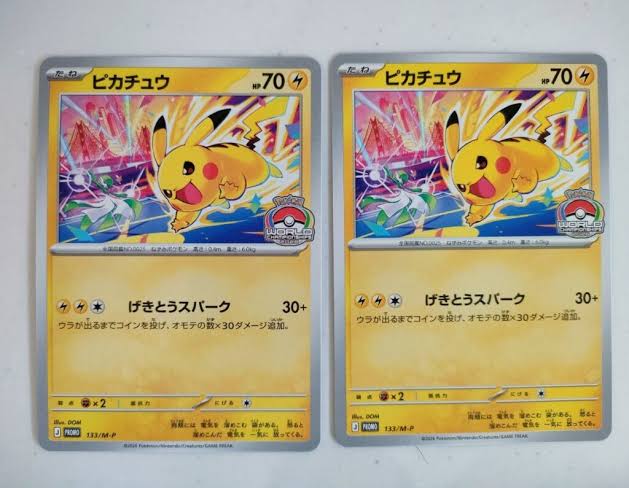
You just pulled something shiny. Or maybe you found an old binder in a closet and there’s a Charizard staring back at you. Either way, the first question is always the same: what’s this actually worth?
Here’s the honest answer: two cards with the same Pokémon on them can be worth $0.25 or $2,500. The difference comes down to which exact printing you have, what shape it’s in, and what people have actually paid for it recently. Not what someone is hoping to sell it for.
The good news? Checking a card’s value takes about two minutes once you know where to look. This guide walks you through both ways to do it:
- The fast way: a Pokémon card scanner app that reads the card from a photo and shows the price.
- The careful way: the manual method collectors and shop owners use for anything worth real money.
Most people end up using both. Scan everything, then double-check the few cards that matter.
Quick answer: how to check a Pokémon card’s value
- Identify the exact card: set symbol, collector number (e.g. 4/102), finish (holo, reverse holo), edition stamp, and language.
- Check sold prices, not asking prices: TCGplayer Market Price, eBay sold listings, or Cardmarket in Europe.
- Adjust for condition: a Played copy often sells for a fraction of Near Mint, and graded cards have their own prices.
A scanner app like Solira does steps 1 and 2 from a single photo. You still judge step 3 with your own eyes.
Why Pokémon card values are so hard to check
If you’ve ever typed “Charizard value” into Google and gotten 40 different answers, you’re not doing it wrong. Pokémon pricing is genuinely tricky, for four reasons.
1. Same name does not mean same card
There are well over a hundred different Charizard cards. Even one Charizard can come in several versions that look nearly identical:
- 1st Edition: a small black “Edition 1” stamp to the left of the artwork (1999–2003 era cards).
- Shadowless: early Base Set prints with no drop shadow on the right side of the art box.
- Unlimited: the later, much larger print run.
- Reverse holo vs holo: the foil sits on the card body instead of the artwork.
- Language: Japanese and English printings have completely separate markets.
Example: in the Solira catalog, a Base Set Charizard 004/102 in 1st Edition Holofoil, even in Moderately Played condition, is listed at $10,000 (Solira catalog, JustTCG data, Aug 2026). An Unlimited copy of the same card in similar shape sells for a small fraction of that. Same Pokémon, same art, same number. Very different card.
2. Asking prices are not prices
Anyone can list a card for $500. That doesn’t mean anyone will pay it. TCGplayer’s own help center shows how wide this gap gets: in one example, a card’s Listed Median was nearly double its Market Price, because every copy listed near the real price sold, leaving only the overpriced ones behind (TCGplayer Help Center). Always price from sold data.
3. Condition changes everything
A Near Mint card and a Heavily Played copy of the same printing can be worlds apart in price. Whitened corners, a crease, or a scratch across the holo can cut the value hard, and on vintage cards the gap between “nice” and “perfect” is often the biggest number on the page.
4. Graded and raw are two different markets
Once a card is graded by PSA, BGS, or CGC and sealed in a slab, it trades at a price tied to that grade. A PSA 10 can sell for several times a PSA 9 of the same card. So a “Charizard price” you saw online might be for a slab, while yours is raw in a binder. Compare like with like.
The fix for all four problems is the same: identify the exact card, then look up sold prices for that exact version in your condition. Let’s do it step by step.
How to check Pokémon card value manually (step by step)
This is the method shops and serious sellers use. It takes a few minutes per card, so save it for anything a scanner says is worth more than about $20.
Step 1: Identify the exact card
Flip the card face up and look at the bottom edge. Almost everything you need is printed there.
| What to find | Where it is | Example | Why it matters |
| Collector number | Bottom corner | 4/102, 125/197 | Pins the card’s spot in the set |
| Set symbol or set code | Bottom-left on modern cards; under the art on older ones | Base Set has no symbol at all | Tells you the expansion |
| Rarity symbol | Next to the number | Circle, diamond, star, gold stars | Common vs rare vs special rare |
| Finish | Look at where the foil shines | Holo, reverse holo, full art | Each finish has its own price |
| Edition stamp | Left of the artwork | Black “Edition 1” stamp | 1st Edition can be worth many times Unlimited |
| Promo stamp or code | Black star symbol, e.g. SWSH123 | Prerelease, staff, event stamps | Promos sit outside the main set |
| Language | The card text | Japanese, English, German | Separate markets, separate prices |
Quick tip: if the first number is higher than the set total (like 210/197), you’ve got a secret rare. Those are worth a closer look.
Want a deeper walkthrough with rarity symbols explained? Read our guide on how to identify Pokémon cards.
Step 2: Assess condition honestly
Take the card out of its sleeve and look at it under a bright lamp, tilting it so light rolls across the surface. Check four things:
- Corners: sharp, or soft and white?
- Edges: any whitening or chipping, especially on the back?
- Surface: scratches on the holo, print lines, dents, fingerprints?
- Centering: are the yellow borders roughly even on all sides?
Then match it to the standard condition scale most marketplaces use:
| Condition | What it looks like |
| Near Mint (NM) | Looks fresh from the pack; maybe one tiny flaw |
| Lightly Played (LP) | Minor edge or corner wear, light scuffs |
| Moderately Played (MP) | Clear wear, whitening, small creases possible |
| Heavily Played (HP) | Major wear, creases, obvious damage |
| Damaged | Tears, water damage, heavy creasing |
Be strict with yourself. Overgrading is the number one reason sellers get disappointing offers. If you’re torn between two grades, pick the lower one. Not sure? Run the card through a grade estimator for a second opinion on centering, corners, edges, and surface.
Step 3: Look up sold prices, not asking prices
Now search for your exact card (name + set + number + finish) on these sources:
- TCGplayer Market Price (US): built from recent sales completed on TCGplayer and updated as transactions happen (TCGplayer Help Center). It’s the most-quoted number in the hobby. Ignore “Listed Median” for valuation; that’s built from listings.
- eBay sold listings: search your card, then tick Sold Items in the filters (Filter → Show only → Sold Items on the app). Public sold results cover roughly the last 90 days (Crosslist). This is the best place to see what graded slabs actually sell for.
- Cardmarket (Europe): use the Trend price, which is smoothed from recent sales, plus the 7-day and 30-day averages to see direction (Pokedexia explainer). If you sell in euros, this is your number.
How to filter eBay results properly:
- Include the set name and number in your search, not just “Charizard”.
- Skip lots and bundles; you want single-card sales.
- Match the condition (raw vs graded, and the same grade).
- Watch for “Best Offer accepted” listings, where the real sale price can be lower than the number shown.
Step 4: Cross-check and sanity-check
Never trust one number. Compare at least two sources and ask three questions:
- Is it recent? A sale from eight months ago can be way off today.
- Is there volume? One sale is a data point. Ten sales is a price.
- Do the sources roughly agree? If TCGplayer says $40 and eBay sold says $90, dig into why. It’s often a variant or condition mismatch.
Example: say you have a reverse holo from a recent set. TCGplayer Market Price shows $3.10, and the last six eBay sales of NM raw copies landed between $2.50 and $4.00. Great: those agree, so your card is worth about $3. Now imagine one eBay sale at $25. Click it. Nine times out of ten it’s graded, mislabeled, or a different printing.
For graded cards, also glance at the PSA Population Report (psacard.com/pop) to see how many copies exist at each grade (PreGradeCards guide). Low population plus strong demand usually means a stronger price.
Step 5 (optional): Decide whether to grade
Grading costs money and takes time, so it only makes sense when the graded price clearly beats the raw price plus fees and shipping. It’s worth considering when:
- The card is already valuable raw.
- There’s no visible whitening, scratches, or dents.
- Centering is close to 60/40 or better. PSA’s Gem Mint 10 standard allows roughly 55/45 to 60/40 on the front and about 75/25 on the back (Solira grade guide).
- Graded copies of that card sell regularly on eBay.
If you can’t tick all four, sell it raw.
Best Pokémon card value scanners and price checker apps (2026)
If you have more than a handful of cards, the manual method gets old fast. That’s where a Pokémon card value scanner earns its keep: point your phone, get the card and a price in seconds.
Disclosure: we make Solira, one of the apps below. We’ve tried to keep this fair. Facts about other apps come from their App Store listings and published comparisons as of October 2026, and we say plainly where another app is the better fit.
What to compare before you download
- Identification method: does it read the set code and collector number, or just match the artwork? Art-only matching often gets the printing wrong.
- Price sources: TCGplayer, eBay sold, Cardmarket, or a mix? Can you see where the number came from?
- Graded values: PSA, BGS, CGC prices by grade, if you own slabs.
- Free tier: how many scans before the paywall?
- Batch scanning: can it handle a binder page or a stack?
- Collection tracking: running total, gains and losses, export.
- Language support: Japanese cards are a separate market.
Comparison table
| App | Platforms | Price | Price sources | Graded values | Best for |
| Solira (ours) | iOS (Android coming soon) | Free scans to start; Premium $7.99/wk or $29.99/yr | Market price per printing, with source and timestamp | PSA 10/9, BGS, CGC comparisons + AI grade estimate | Exact-printing ID, pre-grading, 6 TCGs in one app |
| PokeScope | iOS, Android | Free; Pro $7.99/wk or $24.99/yr | TCGplayer, Cardmarket, eBay sold | PSA, BGS, CGC | Fast single-card checks |
| TCGplayer | iOS, Android | Free | TCGplayer | Raw only | Selling on TCGplayer |
| Collectr | iOS, Android | Limited free scans; Pro $7.99/mo or $59.99/yr | TCGplayer, some eBay | PSA | Multi-game portfolio tracking |
| Eyevo | iOS (newer Android) | 3 free scans; Pro from $29.99/yr | TCGplayer, Cardmarket, eBay | PSA, BGS, CGC, SGC | European prices, graded comps |
| Ripdex | iOS, Android | Free | TCGplayer | Raw only | Bulk binder scanning |
| Dragon Shield | iOS, Android | Free + in-app purchases | TCGplayer, Cardmarket | Raw only | Players and deck builders |
| Pokellector | iOS, Android | Free | Limited | Limited | Set completion checklists |
Sources: Solira App Store listing; competitor details from PokeScope’s 2026 comparison (written by a competitor, cross-checked against store listings) and Collectr’s in-app prices. Prices change often; check the store before you subscribe.
Best for…
Best for accurate identification: Solira. Solira reads the collector number, set symbol, and rarity from your photo, then matches the exact printing before it shows a price. It separates holo, reverse holo, and promos, and shows the source and update time on every price (Solira value scanner). It also covers Pokémon (English and Japanese sets), One Piece, Magic, Yu-Gi-Oh!, Lorcana, and Dragon Ball in one app.
Best for pre-grading: Solira. The built-in AI grade estimate checks centering, corners, edges, and surface from a front photo (or front + back) and gives a grade range, so you can decide whether a PSA submission is worth the fee (Solira grade estimator). It’s a pre-check, not an official grade.
Best free option: Ripdex or the TCGplayer app. Both are free with no paid tier at the time of writing. Ripdex is great for bulk; TCGplayer is the obvious pick if you plan to sell there.
Best for graded values and European prices: Eyevo or PokeScope. Both pull TCGplayer, Cardmarket, and eBay sold data with graded prices. Eyevo’s free tier is only three scans, though.
Best for bulk and binder scanning: Ripdex. Hold your phone over a binder page and it identifies every card on it.
Best for big multi-game portfolios: Collectr. Strong charts and syncing across devices, though free scans are limited and it needs an account.
Our honest advice: install two apps and scan the same 10 cards, including a reverse holo and something old. Keep the one that gets the printing right. We think that’ll be Solira, but your binder is the real test.
Try it free: scan your first Pokémon cards with Solira on the App Store and see the exact set, rarity, and market price in seconds.
How Pokémon card scanners work (and how to get better results)
A good scanner does exactly what you did in Step 1, just faster. It finds the card’s edges, reads the printed details along the bottom (collector number, set symbol, rarity), matches them against a catalog of every printing, then pulls the market price for that exact version.
That’s why “exact identification” matters so much. An app that only recognizes the artwork can tell you it’s a Pikachu. An app that reads the number can tell you it’s which Pikachu, and that’s where the price lives.
Tips for cleaner scans
- Use soft, even light. A window on a cloudy day beats an overhead lamp. Direct light causes glare on holos.
- Get all four edges in frame, with a little margin around the card.
- Keep the bottom readable. The number, set symbol, and rarity sit there, so avoid shadows and glare on that strip.
- Tilt holos slightly if the foil is washing out the text.
- Use a plain, dark background. It helps the app find the card’s edges.
- Check the match before you trust the price. Compare the set and number on screen with your card. If it’s off, rescan.
More detail in our full guide on how to scan trading cards.
Where scanners struggle
No scanner is perfect. Watch out for:
- Vintage edition differences: 1st Edition stamps and Shadowless borders are tiny details. Always verify them with your own eyes.
- Heavily played cards: creases and whitening can confuse the match.
- Rare variants and error cards: misprints and unusual stamps may not be in any catalog.
- Fakes: a scanner identifies which card a photo looks like. It does not authenticate the physical card.
- Condition: most prices assume Near Mint raw. Adjust for your copy’s real condition.
Web tools vs apps
Price websites are great for research at a desk: browsing a set, checking a card by name, comparing markets. Apps win when you’re holding cards: at a shop, sorting a binder, or opening packs. Most active collectors use both.
How to value an entire Pokémon card collection
Got a shoebox, three binders, or a closet full of childhood cards? Don’t price them one by one. Use the hits vs bulk approach.
In almost every collection, a small number of cards hold most of the value. Your job is to find those quickly, price them carefully, and value the rest by the pile.
The 4-step collection workflow
- Sort fast. Pull out anything holo, full art, gold, secret rare (number above the set total), 1st Edition, or from before 2003. That’s your “maybe” pile. Commons and uncommons go in the bulk pile.
- Scan the maybe pile. Run every card through a card value scanner. Anything showing under about $1 goes back to bulk.
- Verify the hits. For every card over roughly $20, do the manual check from Step 1–4 above: exact printing, honest condition, sold prices from two sources.
- Value the bulk by count. Commons and uncommons usually sell by the hundred or thousand, not individually. Count them and price them as a lot.
Example: you count 1,200 cards in a binder collection. After sorting, 140 go in the maybe pile. Scanning those turns up 18 cards over $5 and three over $50. Those three get the full manual check. The other 1,060 are bulk. In a lot of collections, those few hits are worth more than everything else combined.
Track it as you go
Save each scanned card to a collection tracker so you get a running total and can see which cards are moving in price. It’s also handy proof of what you own if you ever need it for insurance.
Be realistic about what you’ll get
Market value is what cards sell for between collectors. A local shop needs to make a profit, so its buy offer will usually be well below market. If you sell yourself on eBay or TCGplayer, you’ll get closer to market, minus fees and shipping. Neither is wrong; just know which number you’re comparing. For more, see our guide on how to value trading cards.
6 common mistakes when checking Pokémon card values
| Mistake | What happens | The fix |
| Pricing the wrong printing | You quote the 1st Edition price for an Unlimited card (or the reverse) | Match set, number, finish, and stamps before looking at any price |
| Using asking prices | You expect $200 because someone listed it at $200 | Use TCGplayer Market Price, eBay Sold Items, or Cardmarket Trend |
| Overgrading condition | “It’s basically mint” turns into a Lightly Played offer | Inspect under bright light, out of the sleeve; when unsure, go one grade lower |
| Ignoring language and variants | A Japanese card gets priced with English sales | Check the language and search that market specifically |
| Mixing raw and graded prices | Your raw card gets priced like a PSA 10 slab | Compare raw to raw, and graded to the same grade |
| Relying on one source or one sale | One odd sale skews your whole estimate | Check at least two sources and look for several recent sales |
If you remember just one thing: identify first, price second. Almost every bad valuation starts with the wrong card.
Frequently asked questions
What is the most accurate way to check a Pokémon card’s value?
Identify the exact printing (set, number, finish, edition, language), judge condition honestly, then compare recent sold prices from at least two sources, such as TCGplayer Market Price and eBay sold listings. A scanner app speeds up the first two steps; for valuable cards, always confirm with sold data.
Is there a free Pokémon card value scanner?
Yes. Most scanner apps are free to download and let you scan some cards before asking you to upgrade. Solira lets you start scanning for free, and apps like Ripdex and the TCGplayer app are free with no paid tier at the time of writing.
Are Pokémon card scanner apps accurate?
They’re accurate as a market reference when the match is right and the price data is recent. The most common error is the wrong printing, not the wrong Pokémon. Always check that the set and number on screen match your card, and double-check anything expensive by hand.
How do I check the value of Japanese Pokémon cards?
Japanese cards have their own market, so never price them with English sales. Identify the Japanese set and number, then search sold listings that include “Japanese” in the title. Solira supports Japanese Pokémon sets; confirm the language shown on the result before trusting the price.
Where do Pokémon card prices come from?
Most price tools pull from marketplace sales data: TCGplayer in the US, Cardmarket in Europe, and eBay sold listings worldwide. Good apps tell you the source and when the price was last updated.
Is TCGplayer Market Price reliable?
It’s one of the best single references because it’s based on recent completed sales, not listings (TCGplayer Help Center). It’s less reliable for cards that rarely sell, and it doesn’t include shipping. For rare or vintage cards, cross-check with eBay sold listings.
Should I grade my Pokémon card before selling?
Only if the graded value clearly beats the raw value plus grading fees and shipping. That usually means a card that’s already valuable raw, has clean corners, edges, and surface, and good centering. Run it through a grade estimator first to see if it’s worth sending.
How do I know if my Pokémon card is rare?
Look at the rarity symbol next to the collector number: a circle is common, a diamond is uncommon, and a star is rare. Gold stars, multiple stars, and numbers above the set total (like 210/197) mean special rarities worth checking.
The bottom line: which method should you use?
Checking a Pokémon card’s value comes down to three moves: identify the exact card, look at sold prices, and be honest about condition. Here’s how to apply that to your situation:
| Your situation | What to do |
| One card, quick check | Scan it with a Pokémon card scanner and confirm the set and number match |
| A big collection or bulk box | Sort hits from bulk, batch-scan the hits, manually verify anything over ~$20 |
| Getting ready to sell | Use sold comps from two sources and grade condition strictly |
| Thinking about grading | Pre-check with a grade estimator, then compare graded vs raw sold prices |
| Tracking value over time | Save cards to a collection tracker and watch the running total |
Final tip: the more a card is worth, the more sources you check. A $2 card needs one glance. A $200 card deserves ten minutes.
Ready to find out what your cards are worth?
Download Solira free on the App Store, point your camera at a card, and see its exact set, rarity, and market price in seconds. It works for Pokémon, One Piece, Magic, Yu-Gi-Oh!, Lorcana, and Dragon Ball too. Android is coming soon.
Keep reading:
- How to identify Pokémon cards (set, number & rarity)
- How to scan trading cards
- How to value trading cards
- TCG card scanner for every game
References
- What do the different price points on TCGplayer.com mean? — TCGplayer Help Center
- TCGplayer Market Price explained — TCGplayer Help Center
- How to see sold items on eBay — Crosslist
- Cardmarket price guide fields (Trend, 1/7/30-day averages) — Pokedexia
- Pokémon card PSA 10 population guide 2026 — PreGradeCards
- Best Pokémon card scanner apps in 2026 — PokeScope (competitor-published comparison, Sept 2026)
- Collectr in-app purchase prices — App Pricing Lab
- Solira on the App Store
- Solira Pokémon card scanner, card value scanner, and card grade estimator
Pokémon and all related names are trademarks of their respective owners. Solira is an independent app and is not affiliated with The Pokémon Company, Nintendo, TCGplayer, eBay, Cardmarket, or PSA. Prices are market references, not offers.
