

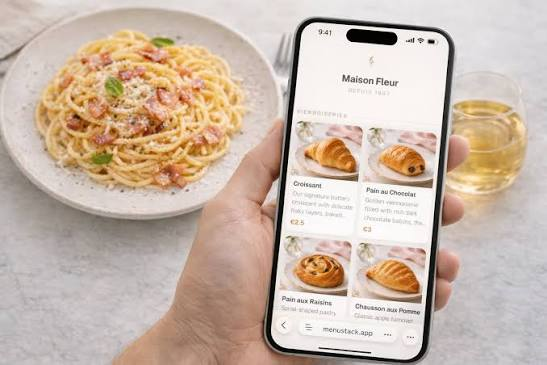
Running a restaurant or bar involves a constant flow of small decisions that add up quickly. One of the more persistent operational headaches is menu management — keeping printed menus current, replacing damaged copies, and absorbing the cost of reprinting every time pricing or offerings change. For operators managing seasonal rotations, daily specials, or multi-location consistency, static printed menus create real friction. The shift toward digital menu formats has addressed many of these problems, but the transition often feels more complicated than it needs to be. In reality, moving to a digital format that guests access through their own phones is a straightforward process, and it does not require technical expertise or expensive systems to implement correctly.
What a QR Code Menu Actually Is and Why It Has Become Standard Practice
A qr code menu is a digital version of your restaurant or bar’s offerings, accessed by guests through a scannable code displayed at the table, bar top, or entrance. When a guest scans the code with their phone camera, it opens the menu directly in their browser — no app download required, no account needed. The QR code itself is simply a visual pattern that encodes a web address. Scanning it is the equivalent of typing a URL, except it takes less than a second and works on virtually every modern smartphone.
This format has moved from a pandemic-era workaround to a mainstream standard in the hospitality industry. The reason is practical: it removes the physical handling and maintenance burden of printed menus while giving operators the ability to update content instantly. A price change, a sold-out item, or a new seasonal offering can be reflected across every table simultaneously, without pulling menus from service or waiting for a print run.
The Difference Between a QR Code That Links to a PDF and a Proper Digital Menu
Not all digital menus are built the same way, and the distinction matters for the guest experience. A QR code that links to a static PDF file is the simplest approach, but it creates limitations. PDFs do not render reliably across all devices, they often require zooming and scrolling in ways that feel awkward on a phone screen, and they cannot be updated without generating and redistributing a new QR code. If the QR code is printed on table cards or signage and the underlying content changes, the entire cycle has to repeat.
A properly structured digital menu, by contrast, is a web-based page or hosted menu system where the QR code points to a stable URL. The content behind that URL can be changed at any time without the QR code itself changing. Guests always scan the same code and see the current version of the menu. This is the architecture that makes the format genuinely useful for ongoing operations rather than just a temporary fix.
What You Need Before You Start
Creating a functional digital menu does not require a development background, but it does require a few things to be in place before the process begins. Understanding these requirements upfront prevents the most common points of failure — particularly the issue of investing time in setup only to find the result is not practical for day-to-day use.
A Hosted Digital Menu or Website Page
The QR code needs something to point to. If your restaurant already has a website, you may be able to create a dedicated menu page and use that URL. Alternatively, a number of hospitality-specific platforms allow operators to build and host a menu without any web development involved. The key requirement is that the URL be stable — meaning it does not change when you update the content. Some document-sharing links and temporary hosting solutions generate new URLs each time a file is uploaded, which breaks the QR code every time a menu update is made.
Before selecting any platform or approach, verify that the menu URL remains consistent after edits. This single factor has more impact on long-term usability than any design or feature consideration.
Understanding Your Menu Structure
A digital menu that is difficult to read or poorly organized creates the same problem as a poorly designed printed menu — guests take longer to decide, staff fields more questions, and table turnover slows. Before building the digital version, it is worth spending a few minutes reviewing how your current menu is organized. Categories should be clearly defined, items should be grouped logically, and descriptions should be brief enough to read comfortably on a phone screen.
Digital menus that try to replicate the visual density of a printed menu — multiple columns, small text, decorative typography — often fail on mobile devices. The format rewards simplicity. A clean, single-column layout with clear category headers and concise item descriptions consistently performs better across different device sizes and user habits.
The Process of Creating and Deploying the Code
Once a hosted menu page is in place and the content is organized, generating the QR code itself takes very little time. The process follows a consistent sequence regardless of which tools or platforms are used.
Generating the QR Code
QR code generators are widely available, and many are free for basic use. According to how QR codes function as described by technical standards documentation — including resources maintained by organizations like ISO, which governs the QR code standard under ISO/IEC 18004 — the encoded information is simply a text string, typically a URL. Any reputable generator that accepts a URL input and produces a downloadable image file in a vector format such as SVG or a high-resolution PNG will produce a usable result.
The settings worth paying attention to are resolution and error correction. High-resolution output ensures the code remains scannable when printed at various sizes, from small table tent cards to larger signage. Error correction determines how much of the code can be obscured or damaged while still being readable — a higher error correction level is advisable for physical environments where wear, moisture, or lighting conditions may affect the code’s appearance over time.
Testing Before Deployment
Testing sounds obvious, but it is frequently skipped in the interest of moving quickly, and it is the step most likely to catch problems before guests encounter them. The QR code should be tested on multiple devices — both iOS and Android — and in the actual physical conditions of the space. A code that scans perfectly on a bright screen in a well-lit office may perform differently in dim ambient lighting at a bar or under the variable light of a patio setting.
Testing should also confirm that the linked menu loads completely, displays correctly, and reflects current content. If the menu is being updated at the same time as deployment, allow time for any caching to clear so that guests see the intended version rather than a previous iteration.
Displaying the Code in Your Space
How the code is displayed affects how often guests will actually use it. A code that is too small, placed at an awkward angle, or surrounded by visual clutter will be ignored. Standard practice places the QR code at or near eye level when a guest is seated, with a brief instructional note — “Scan to view our menu” — for guests who may be less familiar with the format. Table tent cards, laminated inserts, and sticker formats on table surfaces are all common approaches, each with different durability profiles depending on the environment.
For bars where counter space is limited, mounting the code on a small framed card or affixing it to a visible surface near the point of order works effectively. The goal is visibility without requiring guests to search for it.
Keeping the Menu Current After Launch
The ongoing value of a digital menu format depends almost entirely on how consistently it is maintained. An outdated digital menu creates the same trust problem as an outdated printed one — guests order items that are unavailable, pricing discrepancies create friction at checkout, and staff spend time managing exceptions that proper menu updates would have prevented.
Establishing a clear internal process for menu updates is as important as the initial setup. Designating who is responsible for making changes, setting a review cadence aligned with seasonal or supplier cycles, and confirming updates are reflected correctly before service begins are all practices that determine whether the qr code menu format delivers on its operational promise over time. The technical side of updating a hosted digital menu is typically simple; the consistency of doing it reliably is what requires deliberate process.
Closing Considerations
Moving to a digital menu format is not a significant technical undertaking. The tools are accessible, the process is straightforward, and the core mechanics — a stable URL, a reliable QR code, and a readable menu layout — are well within reach for any operator regardless of technical background. What makes the difference between a setup that works and one that creates ongoing problems is the quality of the decisions made at the start: choosing a hosting approach that keeps URLs stable, designing a menu structure that reads well on mobile, and committing to a maintenance process that keeps content accurate.
For restaurant and bar operators who have been managing printed menus through price changes, seasonal rotations, and supply variability, a well-implemented qr code menu removes a consistent source of operational friction. The setup time is minimal. The ongoing benefit — the ability to update a menu across every table in the building in a matter of minutes — is meaningful for any operation where the menu changes with any regularity. Done correctly, it is one of the simpler improvements available in day-to-day hospitality operations.
