

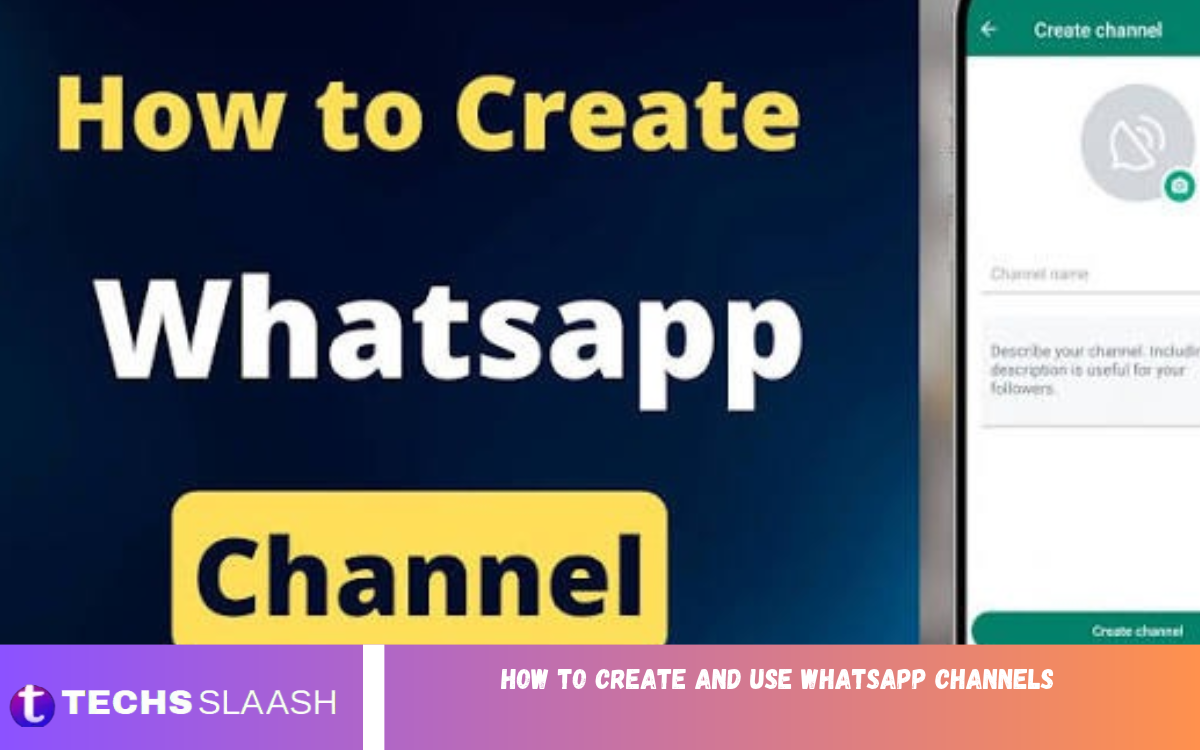
WhatsApp has become one of the most popular messaging platforms for staying connected with friends, family, businesses, and communities. Alongside personal chats, groups, and status updates, WhatsApp Channels offer another convenient way to share information with a large audience. They allow individuals, content creators, organizations, and businesses to publish updates without sending separate messages to every follower.
Learning how to create and use WhatsApp Channels can help you share news, promote your content, announce important updates, and build an audience around your interests. Whether you want to create a channel for your website, business, educational content, or personal brand, understanding the available features will help you use this tool more effectively.
What Are WhatsApp Channels?
WhatsApp Channels are a one-way broadcasting feature that allows administrators to share updates with people who choose to follow their channels. These updates can include text, photos, videos, links, stickers, and other supported content. Followers can view the information and react to posts using emojis, depending on the features available in their version of WhatsApp.
Unlike WhatsApp groups, Channels are designed primarily for broadcasting rather than conversations between members. Followers generally cannot post messages directly to the channel feed, which helps administrators keep updates organized. Channels are also separate from personal chats, making it easier for users to follow information without mixing it with their everyday conversations.
Benefits of Using WhatsApp Channels
One of the main benefits of WhatsApp Channels is the ability to communicate with a large audience in one place. Instead of forwarding the same announcement to multiple groups or individual contacts, administrators can publish a single update for all followers. This approach saves time and makes it easier to distribute important information consistently.
WhatsApp Channels can also help businesses, bloggers, educators, and creators build stronger connections with their audiences. For example, a website owner can share new article announcements, while a business can publish product updates or special offers. Since followers choose which channels to follow, administrators can reach people who are already interested in their content.
How to Create a WhatsApp Channel
Creating a WhatsApp Channel is a straightforward process that can usually be completed through the Updates section of the app. Before starting, make sure WhatsApp is updated to the latest version available for your device. The exact names or positions of some buttons may vary depending on your phone and app version.
Open WhatsApp and navigate to the Updates tab, where you can find Status and Channels. Look for the plus sign or channel creation option near the Channels section, then select the option to create a new channel. Follow the instructions displayed on your screen to continue with the setup process.
Set Up Your Channel Name and Description
After selecting the channel creation option, WhatsApp will ask you to provide basic information about your channel. Choose a name that clearly explains your channel’s purpose and makes it easy for people to recognize. For example, you might choose a name related to technology news, educational tips, business announcements, or entertainment updates.
Next, add a description explaining what followers can expect from your channel. A clear description helps visitors decide whether the content matches their interests. You can also add a suitable profile image, such as your business logo or a recognizable brand symbol, to make your channel look professional and consistent.
How to Share Updates on WhatsApp Channels
Once your channel is created, you can begin publishing updates for your followers. Open your channel from the Updates section and use the available posting controls to create a new update. Depending on the supported features, you may be able to share written announcements, photographs, videos, voice messages, or other media.
Try to make each update useful, clear, and easy to understand. For example, a technology channel could share app recommendations, smartphone news, and practical tutorials. A business channel could announce new services, explain product features, and inform customers about upcoming events. Relevant updates give followers a reason to continue checking your channel.
How to Find and Follow WhatsApp Channels
You do not need to create a channel to enjoy this feature. WhatsApp users can discover and follow existing channels through the Updates section, where channel directories and search options may be available. You can explore suggested channels or search for a specific topic, organization, public figure, or interest.
When you find a channel that matches your interests, open it to review its available information and recent updates. Select the Follow option to receive its updates in your WhatsApp Channels feed. Following a channel is different from joining a group because it does not normally make you a participant in a group conversation.
How to Share a WhatsApp Channel With Others
Sharing your channel is an important step if you want to attract more followers. WhatsApp provides channel-sharing options that allow administrators to share a channel link or other available sharing formats. You can distribute your channel through personal chats, relevant groups, social media profiles, websites, or other communication platforms.
When sharing your channel, explain what people will gain by following it. Instead of simply asking people to follow, mention the type of information you publish and how frequently you expect to post. A technology channel, for example, could promote practical tutorials and app recommendations, while a news channel could highlight timely updates and useful summaries.
How to Manage WhatsApp Channel Settings
Managing your channel properly helps maintain its quality and keeps information accurate. Administrators can access channel information and available management options to update details, adjust supported settings, and maintain the channel’s presentation. Depending on your account and app version, additional options may be available for controlling how channel information is displayed or shared.
Review your channel name, description, and profile image whenever your content or brand changes. Make sure the information you publish is accurate, appropriate, and relevant to your audience. If other administrators are available for your channel, establish clear responsibilities so that everyone understands what should be published and how updates should be managed.
Privacy and Security of WhatsApp Channels
Privacy is an important consideration when using WhatsApp Channels. The feature is designed to separate channel following from personal messaging, and administrators generally cannot see the phone numbers of their followers simply because they follow a channel. Likewise, followers generally cannot see one another’s phone numbers through the channel itself.
However, users should still be careful when sharing personal information or publishing sensitive material. Channel administrators should avoid posting private details, confidential business information, or content that could put other people at risk. Review WhatsApp’s privacy settings and current channel policies to understand how information, reactions, and other channel activity are handled.
Read Also: How to Improve WhatsApp Privacy
Tips for Growing Your WhatsApp Channel
Growing a channel requires consistent publishing and a clear understanding of your audience. Start by choosing a focused topic instead of posting unrelated content. When people know what your channel offers, they can decide whether following it will be useful to them. A well-defined purpose also makes it easier to plan future updates.
Maintain a reasonable posting schedule and focus on quality rather than quantity. Share useful information, write clear captions, and use relevant images or videos when they improve the message. You can also promote your channel through existing communication platforms, invite interested people to follow it, and pay attention to which types of updates receive the most reactions.
Common Problems With WhatsApp Channels
Some users may not immediately see the option to create or follow channels. This can happen because of an outdated application, differences in the interface, temporary technical issues, or feature availability. Updating WhatsApp, restarting the application, and checking the Updates section can help resolve common navigation problems.
If a channel update fails to publish or the channel does not load correctly, check your internet connection and confirm that WhatsApp is working properly. You may also need to restart your device or try again later. Avoid downloading unofficial versions of WhatsApp to access channel features, as they may create privacy and security risks.
WhatsApp Channels vs. WhatsApp Groups
WhatsApp Channels and WhatsApp Groups serve different communication purposes. Channels are useful when one or more administrators need to distribute updates to a broad audience without turning the feed into a group discussion. They work well for announcements, news, educational content, and business communication.
Groups, on the other hand, are designed for interactive conversations among members. Participants can communicate according to the group’s permissions and settings, making groups suitable for teamwork, family discussions, and community conversations. Choosing the right feature depends on whether you want to broadcast information or encourage discussion among participants.
Best Practices for Using WhatsApp Channels
To get the best results, establish a consistent style for your channel. Use a recognizable name, a clear description, and a suitable profile image. Keep your updates organized around the main topic, and avoid publishing excessive promotional material that provides little value to followers.
Respect your audience by sharing accurate information and avoiding misleading claims. If you publish news, verify important details before posting. If you manage a business channel, make sure promotional messages are honest and explain offers clearly. A trustworthy channel is more likely to retain followers and develop a positive reputation over time.
Frequently Asked Questions
Can Anyone Create a WhatsApp Channel?
WhatsApp users who have access to the channel creation feature can generally create a channel through the Updates section. Availability and interface details may vary by application version, device, or account.
Is Creating a WhatsApp Channel Free?
Yes, creating and using a standard WhatsApp Channel is generally free. You can publish updates and allow people to follow your channel without paying a channel creation fee.
How Do I Create a WhatsApp Channel on Android?
Open WhatsApp on your Android phone and navigate to Updates. Find the Channels section, select the plus sign or creation option, and follow the instructions to enter your channel name and other details.
How Do I Create a WhatsApp Channel on an iPhone?
Open WhatsApp on your iPhone and select Updates. Locate the Channels section and look for the channel creation option. Follow the on-screen instructions to set up your channel.
Can I Use WhatsApp Channels for My Business?
Yes, businesses can use WhatsApp Channels to share announcements, product information, service updates, useful tips, and promotional content. Channels can support marketing efforts, although they do not replace customer service conversations or other business communication tools.
Can Followers Send Messages in WhatsApp Channels?
WhatsApp Channels are primarily designed for one-way communication. Followers generally cannot publish ordinary messages directly to the channel feed, but they may be able to react to updates using supported emoji reactions.
Can People See My Phone Number When They Follow My Channel?
Following a WhatsApp Channel does not normally reveal your phone number to the channel administrator or other followers. Channel privacy is designed to protect personal contact information, although users should still review the current privacy information and avoid sharing sensitive details publicly.
How Can I Increase My WhatsApp Channel Followers?
You can attract more followers by sharing useful updates regularly, choosing a clear topic, and promoting your channel through relevant social media accounts, websites, and personal networks. Consistent quality helps encourage people to follow and remain interested in your content.
Can I Share Photos and Videos on WhatsApp Channels?
Yes, WhatsApp Channels support visual content, including photos and videos, along with text and other supported update formats. Using relevant media can make your posts more engaging and help communicate information effectively.
Can I Delete My WhatsApp Channel?
WhatsApp provides channel management options, which may include the ability to delete a channel for its administrator. If you plan to remove your channel, review the confirmation screen and any information about the consequences before proceeding, as deletion may affect its availability to followers.
Conclusion
Learning how to create and use WhatsApp Channels can help you share information, reach interested audiences, and organize announcements in one convenient place. The process involves opening the Updates section, creating a channel, choosing a suitable name, adding a description, and publishing relevant updates for followers.
Whether you are a content creator, business owner, blogger, or individual sharing information about a personal interest, WhatsApp Channels offer a practical way to communicate with an audience.

1 Comment
Pingback: Best WhatsApp Alternatives - Techsslaash.com