

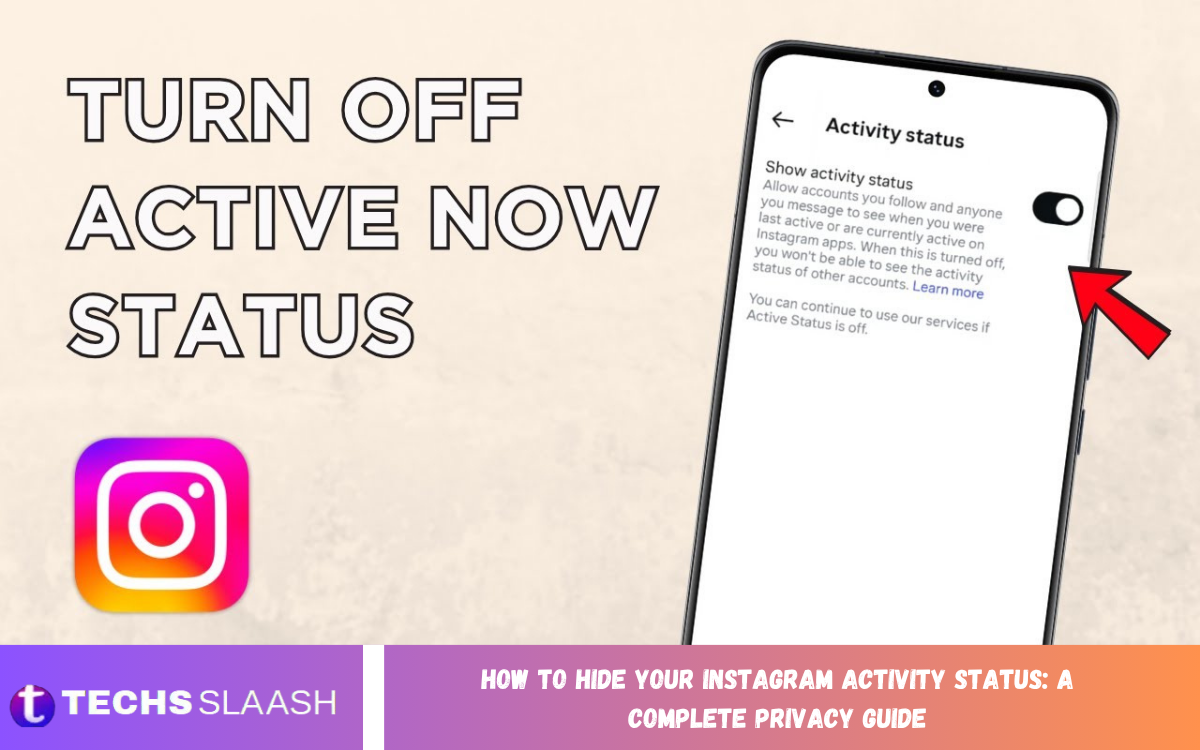
Instagram includes an Activity Status feature that allows people to see when you are currently active or when you were last active. Although this feature can make conversations easier, some users prefer more privacy and don’t want others to know when they are online.
Learning How to Hide Your Instagram Activity Status: A Complete Privacy Guide can help you control your online visibility. Instagram provides a built-in setting that allows you to disable Activity Status without deleting your account or changing your profile visibility.
What Is Instagram Activity Status?
Instagram Activity Status shows your current or recent activity to people you communicate with on the platform. Depending on your account and settings, other users may see indicators such as “Active now” or when you were last active.
This feature is mainly connected to Instagram messaging and helps users understand whether someone may currently be available. However, activity information can reveal your online habits, so this setting matters for users who want stronger privacy.
Why Hide Your Instagram Activity Status?
There are several reasons to hide Instagram Activity Status. You may want to browse posts, watch Reels, or check messages without others knowing you are currently online.
Disabling the feature can also reduce unwanted pressure to respond immediately. Friends, followers, or contacts cannot use your visible activity information to determine when you are using Instagram, giving you more control over your digital presence.
How to Turn Off Activity Status on Instagram
Open Instagram and go to your profile. Tap the menu icon, open Settings and privacy, and look for the section related to messages, interactions, or activity status. Instagram can change menu names and layouts through app updates.
Find the Show Activity Status option and turn it off. Once disabled, Instagram will stop showing your active or recently active status to eligible users. The change normally applies to your account without requiring you to restart the app.
How Activity Status Settings Affect Privacy
When you disable Activity Status, people generally cannot see when you are currently active or when you were recently active. This prevents Instagram’s activity indicators from showing your online presence.
Privacy settings can work both ways. When you turn off your Activity Status, you may also lose the ability to see the activity status of other people. This creates a more private and balanced experience rather than allowing one-sided activity tracking.
Can You Hide Activity Status From Everyone
Instagram’s Activity Status setting is a general privacy control, not a detailed individual-user filter. Turning it off prevents Instagram from displaying your activity status under its current privacy rules.
If you want to maintain privacy from specific people, consider other Instagram privacy tools as well. Restricting accounts, controlling message requests, adjusting story visibility, or blocking accounts can provide more control when a general activity setting isn’t enough.
How to Check Whether Activity Status Is Hidden
After changing the setting, return to the Activity Status section and confirm that the option remains disabled. This is especially useful after an Instagram update because settings can sometimes move to different sections.
You can also review your messaging experience to understand what information is visible to other users. Remember that hiding Activity Status does not make your entire Instagram account private, so other information may still be visible depending on your account settings.
Activity Status and Instagram Direct Messages
Activity Status is closely associated with Instagram Direct Messages. When the feature is enabled, people you message may see information about your recent or current activity.
Disabling Activity Status does not prevent you from sending or receiving messages. You can continue conversations normally while reducing the amount of online activity information displayed to others.
Read Also: How to Hide Your WhatsApp Online Status: A Complete Privacy Guide
Does Hiding Activity Status Stop Instagram Messages
Turning off Activity Status does not disable Instagram Direct Messages. You can still receive messages, send replies, share posts, react to conversations, and use other messaging features normally.
The main change is visibility, not communication. Your contacts can continue interacting with you, but they will have less information about whether you are currently active on Instagram.
Does Hiding Activity Status Affect Instagram Stories
Activity Status and Instagram Stories are separate privacy features. Turning off your Activity Status does not automatically hide your stories from followers or specific accounts.
To control who can see your stories, use Instagram’s story privacy settings. You can hide stories from selected accounts, use Close Friends, or adjust other available audience controls based on your privacy preferences.
Activity Status and Your Instagram Privacy
Hiding Activity Status is one part of a broader Instagram privacy strategy. A strong privacy setup should also consider account visibility, story controls, message requests, comments, mentions, tags, and interactions with other users.
Review your privacy settings regularly because Instagram can introduce new features or move existing controls. Keeping these settings updated helps ensure that your account continues to match your preferred level of privacy.
Private Account vs Hidden Activity Status
A private Instagram account controls who can follow you and access your posts, while hidden Activity Status controls information about your online presence. These settings serve different purposes and can be used together.
For stronger privacy, consider using both options when appropriate. A private account limits content visibility, while disabling Activity Status reduces information about when you are using Instagram.
Common Reasons Instagram Activity Status May Still Appear
If you believe Activity Status is still visible after disabling it, first confirm that the setting is actually turned off. App updates, account synchronization, or temporary display issues can sometimes make Instagram settings appear inconsistent.
Close and reopen Instagram after checking the setting. If the issue continues, update the application and review the privacy controls again. Instagram may also change how it displays activity information as its features evolve.
How to Improve Your Instagram Privacy
Start by reviewing the Privacy section of your Instagram account. Check who can follow you, who can message you, who can mention or tag you, and which users can interact with your content.
Next, review your story audience, hidden words, restricted accounts, and other interaction controls. Combining these settings with hidden Activity Status creates a more controlled Instagram experience without requiring you to stop using the platform.
Benefits of Hiding Instagram Activity Status
One major benefit is greater control over your online presence. Other users cannot easily determine whether you are currently browsing Instagram, which can make the platform feel less intrusive.
Another benefit is reduced social pressure. You can read content, explore profiles, or review messages at your own pace without making your availability obvious through an active status indicator.
Limitations of Hiding Activity Status
Hiding Activity Status does not make you completely invisible on Instagram. People can still notice actions such as comments, likes, story views, messages, or other interactions depending on Instagram’s features and privacy rules.
Disabling Activity Status may also affect your ability to see others’ activity status. Instagram uses privacy controls to create a more balanced experience between users.
Best Practices for Instagram Privacy
Review your Instagram privacy settings regularly, rather than only when a problem occurs. Check activity status, account privacy, messaging permissions, story visibility, mentions, tags, and interactions.
Avoid sharing unnecessary personal information publicly and be careful when accepting follow requests from unfamiliar accounts. Strong privacy habits combined with Instagram’s built-in controls can significantly improve your overall account security and control.
Frequently Asked Questions
Can I hide my Instagram Activity Status?
Yes. Instagram provides an Activity Status privacy setting that allows you to stop showing when you are active or recently active. You can change the setting in Instagram’s privacy and messaging controls.
Will people know I am online after hiding Activity Status?
Your visible Activity Status will generally no longer show that you are currently online or recently active. However, your actions on Instagram may still be visible through other features.
Can I hide Activity Status from one person?
Instagram’s standard Activity Status control is generally designed as a broader account-level setting rather than a simple individual-user switch. Other privacy tools may help when you need to limit interaction with a specific person.
Can I still use Instagram messages after hiding Activity Status?
Yes. Hiding Activity Status does not disable Direct Messages. You can continue sending, receiving, and responding to messages normally.
Can I see other people’s Activity Status after turning mine off?
Instagram generally links visibility of Activity Status to reciprocal privacy behavior. When you disable your own status, you may also lose access to other users’ activity information.
Does hiding Activity Status hide my Instagram Stories?
No. Activity Status and Story privacy are separate settings. You must use Instagram’s story audience controls if you want to prevent specific people from seeing your stories.
Does a private account automatically hide Activity Status?
Not necessarily. A private account primarily controls who can follow you and view your content. Activity Status is managed through a separate privacy control.
Why can someone still see my Instagram activity?
Check whether Activity Status is actually disabled and make sure your Instagram application is updated. Other visible interactions, such as messages or story activity, are separate from the Activity Status feature.
Does hiding Activity Status improve Instagram privacy?
Yes. It reduces the amount of information Instagram displays about your current or recent online presence. For stronger privacy, combine it with other account and interaction controls.
Can Instagram change the Activity Status setting?
Instagram can update its interface and privacy features over time. If you cannot find the setting in the same location, check the latest Settings and privacy menus for the current Activity Status controls.
Conclusion
Learning How to Hide Your Instagram Activity Status: A Complete Privacy Guide helps you take greater control over your online visibility. Disabling Activity Status prevents Instagram from openly displaying your current or recent activity through its status indicators.
For stronger privacy, combine hidden Activity Status with a private account, controlled story visibility, restricted messaging, and careful interaction settings.

1 Comment
Pingback: How to Speed Up Your Android Phone: A Complete Performance Optimization Guide - Techsslaash.com