

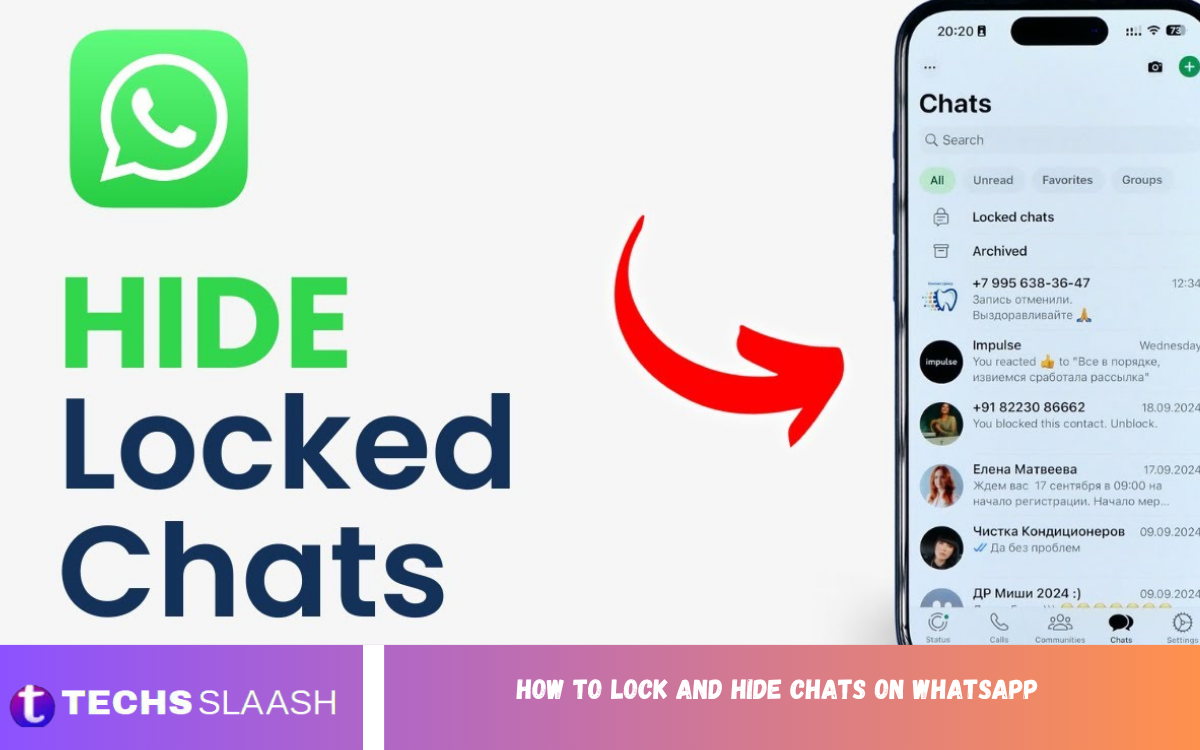
WhatsApp has become one of the most widely used messaging platforms for personal and professional communication. Because conversations can contain private information, photos, documents, and sensitive details, protecting individual chats is an important part of maintaining digital privacy. Learning How to Lock and Hide Chats on WhatsApp can help users keep selected conversations away from casual access.
WhatsApp provides built-in privacy features that allow users to place specific conversations behind an additional security layer. Chat Lock can move protected conversations into a separate area and require device authentication to open them. These features are useful when you share your phone with someone, leave your device unattended, or simply want greater control over private conversations.
What Is WhatsApp Chat Lock?
WhatsApp Chat Lock is a privacy feature designed to protect individual conversations from being viewed by other people who may have access to your phone. When a chat is locked, WhatsApp moves it into a protected folder rather than leaving it in the normal chat list.
The protected conversation can require your phone’s authentication method, such as a fingerprint, Face ID, or device passcode, depending on your device. This provides an additional layer of privacy without requiring you to delete the conversation or create a separate WhatsApp account.
How to Lock a Chat on WhatsApp
To lock a conversation, open WhatsApp and find the chat you want to protect. On supported devices, open the conversation information or settings and select the Chat Lock option, then confirm your device authentication when requested.
After the chat is locked, it is moved away from the standard conversation list. The exact appearance of the option can vary depending on your WhatsApp version and device, so keeping WhatsApp updated can help ensure that the latest privacy features are available.
How to Find Locked Chats
Once a conversation has been locked, it will no longer appear in the regular chat list in the same way as an unlocked conversation. WhatsApp places locked conversations inside a dedicated protected section, helping prevent them from being immediately visible.
To access the protected chats, open WhatsApp and use the appropriate gesture or search method supported by your current version. You may then be asked to authenticate using your fingerprint, Face ID, or another device security method before the protected conversations become visible.
How to Hide Locked Chats
WhatsApp also offers additional privacy controls that can make locked chats less obvious. With Secret Code, users can create a custom code that helps hide the existence of locked chats from the normal interface.
After setting a Secret Code, the locked-chat area can be hidden from the main chat list. Users can enter the chosen code into WhatsApp’s search field to reveal the protected conversations when they need access to them.
How to Set a Secret Code
To use a Secret Code, first make sure that your WhatsApp application supports the feature and that you have already configured Chat Lock where required. Open the locked chats area and look for the privacy settings related to Secret Code.
Choose a code that is difficult for other people to guess but easy enough for you to remember. Avoid using simple information such as your name, birthday, phone number, or commonly used passwords, because a predictable code can reduce the effectiveness of the privacy feature.
How to Unlock a WhatsApp Chat
If you no longer want a conversation to remain protected, you can remove the Chat Lock from that conversation. Open the locked chat using your authentication method and access its Chat Lock settings.
After confirming your choice, the conversation can return to the regular WhatsApp chat list. Unlocking a conversation does not normally mean that the messages are deleted; it simply removes the additional Chat Lock protection from that particular chat.
How Chat Lock Protects Notifications
One important advantage of Chat Lock is that it can help protect the contents of notifications from being openly displayed. Private conversations can be kept more discreet when messages arrive while the phone is locked or being viewed by another person.
However, notification behavior can depend on your phone’s operating system and notification settings. For stronger privacy, review your device notification controls and decide whether message previews should appear on the lock screen.
Locking Individual Chats for Better Privacy
One of the biggest advantages of WhatsApp Chat Lock is that you do not need to protect every conversation. You can choose specific chats that contain information you consider particularly private while leaving ordinary conversations accessible in the normal chat list.
This selective approach can be useful for personal conversations, family discussions, business communication, financial information, or other messages that you do not want immediately visible. It gives users more control without changing how they normally use WhatsApp.
WhatsApp Chat Lock on Android
Android users can use Chat Lock when the feature is supported by their WhatsApp version and device. The process generally involves selecting a conversation, opening its information or settings, choosing the lock option, and confirming the device’s authentication method.
Because Android devices are produced by many manufacturers, menus and authentication options can look different from one phone to another. If the option does not appear, checking for WhatsApp updates and confirming that a secure device lock is configured may help.
WhatsApp Chat Lock on iPhone
On supported iPhones, WhatsApp Chat Lock can work with the device’s available authentication system. Users can protect individual conversations and access them after completing the required authentication.
The exact interface can change as WhatsApp releases updates. iPhone users should therefore keep both WhatsApp and iOS updated and make sure Face ID or the appropriate device security method is correctly configured.
Read Also; How to Screen Record Netflix on Android, iPhone, and Windows (Easy Methods)
Why You Should Lock Private WhatsApp Chats?
Smartphones frequently contain a large amount of personal information, and WhatsApp can be one of the most sensitive applications on a device. If someone gains temporary access to an unlocked phone, normal chats may be visible immediately.
Chat Lock creates another privacy barrier around selected conversations. It can be particularly useful for people who frequently lend their phone to family members, allow children to use the device, or work in environments where other people may briefly handle their phone.
Chat Lock vs Deleting a Chat
Locking a chat and deleting a chat are completely different actions. Deleting a conversation removes its messages from the relevant chat history, while locking keeps the conversation available but adds privacy protection.
For users who want to preserve important messages while keeping them away from casual viewers, Chat Lock is generally more suitable than deletion. It allows the conversation to remain available without keeping it openly visible in the standard chat list.
Tips for Keeping WhatsApp Chats Secure
Using Chat Lock is only one part of maintaining strong WhatsApp privacy. Users should also protect their phone with a strong passcode, biometric authentication, and appropriate screen-lock settings.
It is also wise to avoid sharing verification codes, account passwords, or authentication information with other people. Keeping WhatsApp updated is important because privacy and security features can improve over time through application updates.
What Happens When You Lock a Chat?
When a chat is locked, WhatsApp separates it from your ordinary conversation list and places it behind additional protection. The purpose is to prevent someone casually browsing your WhatsApp conversations from opening that particular chat.
The conversation itself remains available to you, and you can continue sending and receiving messages normally. Locking a chat is therefore a privacy function rather than a method of disabling communication.
Common Problems With WhatsApp Chat Lock
Some users may not immediately see the Chat Lock option because features can depend on the WhatsApp version, device, operating system, or account rollout. Updating WhatsApp is one of the first steps to consider when a privacy feature appears to be missing.
Another common issue is forgetting the Secret Code or being unable to authenticate with the device’s security method. Users should choose authentication details carefully and maintain a secure recovery method for their phone so that privacy settings do not accidentally prevent legitimate access.
Best Practices for Hidden Chats
When using hidden chats, avoid creating an obvious Secret Code that someone close to you could easily guess. A strong code should be unique and unrelated to easily discoverable personal information.
You should also remember that hiding a chat does not make every aspect of communication invisible. Screenshots, forwarded messages, linked devices, notification previews, or access to the unlocked phone can still create privacy risks depending on your settings and circumstances.
Frequently Asked Questions
Can I lock a single WhatsApp chat?
Yes. WhatsApp Chat Lock is designed to let users protect individual conversations rather than requiring every chat to be locked. You can select the conversations that need additional privacy.
Can locked WhatsApp chats be hidden?
Yes. Supported versions of WhatsApp provide additional controls, including Secret Code, that can make locked chats less visible in the regular interface.
Do locked chats get deleted?
No. Chat Lock is a privacy feature and does not mean that the conversation is deleted. The messages remain available when you authenticate and access the protected conversation.
Can I unlock a WhatsApp chat later?
Yes. You can remove Chat Lock from a protected conversation through its relevant privacy settings after authenticating successfully.
Does Chat Lock protect WhatsApp messages?
Chat Lock adds an additional layer of protection around selected conversations. It is designed to prevent casual access to those chats when another person can access your phone.
Can I use Face ID to unlock WhatsApp chats?
On supported iPhones, WhatsApp can use the device’s available authentication system, including Face ID. The exact behavior depends on your device and WhatsApp configuration.
Can Android users lock WhatsApp chats?
Yes. Chat Lock is available on supported Android devices. The available authentication method and interface can vary according to the phone and its software.
Will locked chats still receive messages?
Yes. Locking a conversation does not normally stop messages from arriving. You can continue communicating with the contact while the conversation remains protected.
What should I do if I forget my Secret Code?
If you forget your Secret Code, use the recovery or privacy options presented by your current WhatsApp version and follow the available authentication process. Avoid choosing codes that are difficult for you to remember.
Is Chat Lock enough to protect my entire WhatsApp account?
Chat Lock protects selected conversations rather than providing complete protection for every aspect of your account. For stronger security, also use a secure phone passcode, biometric authentication, account security settings, and careful privacy practices.
Conclusion
Understanding How to Lock and Hide Chats on WhatsApp gives users a practical way to improve the privacy of sensitive conversations. Chat Lock can place selected conversations behind device authentication, while additional privacy controls such as Secret Code can make protected chats less visible.
For the best protection, combine WhatsApp’s built-in privacy features with a strong phone passcode, biometric authentication, controlled notifications, and regular application updates.
