

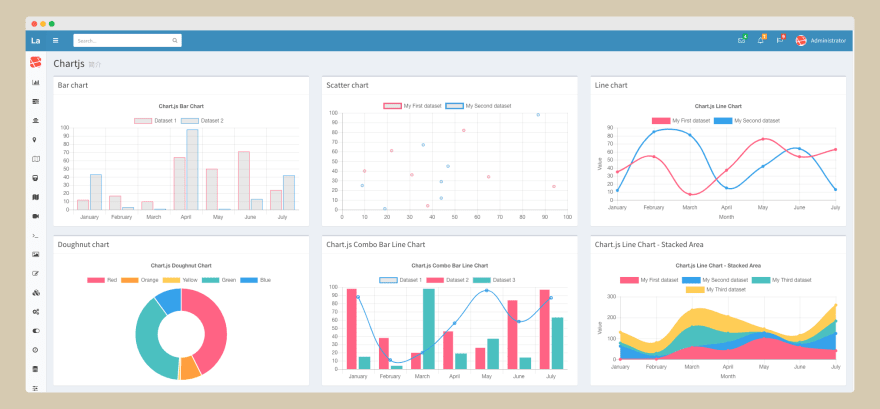
The exponential growth of data has brought about both exciting possibilities and complex obstacles in different industries. With the increasing emphasis on data-driven decision making, the effective management of large datasets becomes crucial for businesses and organisations. When it comes to visualising data with JavaScript charts, the sheer amount of information can sometimes be overwhelming for systems, resulting in lower performance and user satisfaction. Here is how to effectively handling substantial amounts of data in JavaScript charts – https://www.scichart.com/javascript-chart-features/ , guaranteeing a smooth and enlightening user experience, according to Scichart portal.
1. Understanding the Challenge
The influx of data, commonly referred to as the ‘data deluge’, poses a significant challenge for data analysts and web developers. JavaScript, being one of the most popular programming languages for web development, is frequently used to create interactive charts and graphs. However, as the volume of data increases, traditional data processing and visualization techniques may falter, causing slow load times, lagging interactivity, and, ultimately, user disengagement.
2. Data Aggregation and Simplification
One effective strategy to manage the data deluge is through data aggregation and simplification. This involves consolidating data points that represent similar values or trends into a single, summarized point. For instance, if a dataset includes temperature readings taken every minute over a month, you could aggregate the data to show average daily temperatures instead. This not only reduces the amount of data to be processed but also maintains the integrity and usefulness of the information presented.
3. Efficient Data Loading Techniques
Efficient data loading techniques are crucial for managing large datasets. One such technique is lazy loading, where data is loaded in chunks as needed, rather than all at once. This can significantly improve chart rendering times and enhance user experience by not overwhelming the browser with excessive amounts of data. Another technique is data streaming, where data points are loaded and visualized in real-time as they are generated. This approach is particularly useful for displaying live data feeds, such as stock market trends or weather patterns.
4. Leveraging Browser and Server Capabilities
Optimizing the use of browser and server capabilities can also aid in handling large datasets. On the server side, pre-processing data before it reaches the browser can reduce the load on client-side resources. This could involve filtering irrelevant data, compressing datasets, or performing preliminary aggregations. On the browser side, leveraging modern web technologies like WebAssembly and Web Workers can enhance data processing capabilities. WebAssembly allows for faster computation by running code closer to native machine code, while Web Workers enable background processing without blocking the main browser thread.
5. Choosing the Right Charting Library
The choice of charting library can have a significant impact on how effectively data is handled and presented. There are numerous JavaScript charting libraries available, each with its strengths and weaknesses. When dealing with large datasets, it’s important to select a library that is optimized for performance and can handle data efficiently. Libraries such as D3.js, Chart.js, and Highcharts offer robust solutions for data visualization, including features specifically designed to manage and render large volumes of data.
6. Implementing Progressive Rendering
Progressive rendering is a technique where data visualization is performed in stages, rather than attempting to render the entire dataset at once. This method improves user experience by displaying a portion of the data immediately, then gradually adding more detail as processing continues. It’s a particularly effective strategy for web applications that need to maintain responsiveness while dealing with large datasets.
7. Adaptive Sampling
Adaptive sampling is a sophisticated technique that dynamically adjusts the granularity of data based on the current zoom level or scope of the chart. When a user is viewing a broad dataset, adaptive sampling simplifies the data to show only the most relevant points or trends. As the user zooms in for a more detailed view, the chart gradually reveals finer details and more data points. This strategy not only accelerates the initial loading times but also achieves a harmonious equilibrium between intricacy and efficiency, guaranteeing that users have timely access to the appropriate degree of information.
8. Using IndexedDB for Large Datasets
For applications that need to handle extremely large datasets or provide offline capabilities, leveraging the browser’s IndexedDB can be a game-changer. IndexedDB is an application programming interface (API) designed for the storage of substantial volumes of structured data, such as files and blobs, on the client-side. By storing data in IndexedDB, applications can quickly access and manipulate large datasets without relying on server-side processing for every operation. This technique is particularly useful for applications that perform complex data analyses or need to provide fast access to large volumes of historical data.
9. Canvas Rendering versus SVG
Understanding the difference between Canvas and SVG (Scalable Vector Graphics) rendering is crucial for optimizing JavaScript charts for large datasets. SVG provides high-quality, scalable graphics with a DOM (Document Object Model) interface, allowing for interactive and dynamic visualizations. However, SVG can become sluggish with large numbers of elements. Canvas, on the other hand, renders pixels directly to the screen, making it more efficient for rendering large datasets where interactivity is limited to zooming and panning. Choosing the right rendering method based on the dataset size and required interactivity levels can significantly enhance chart performance.
10. Data Visualization Best Practices
Beyond technical optimizations, adhering to data visualization best practices is essential for effective data handling in JavaScript charts. This includes choosing the right type of chart for the data, using color and labels judiciously to convey information clearly, and avoiding clutter that can overwhelm the user. Simplicity and clarity should be the guiding principles, ensuring that even the most complex datasets are accessible and understandable to the target audience.
11. Continuous Performance Monitoring
Lastly, continuous performance monitoring is key to managing data efficiently in JavaScript charts. Developers should use profiling tools and performance metrics to identify bottlenecks and optimize chart rendering. Regularly testing with real-world datasets and scenarios ensures that the application remains responsive and effective as data volumes grow.
In conclusion, managing the deluge of data in JavaScript charts requires a multifaceted approach that combines efficient data handling techniques with best practices in data visualization. By embracing adaptive sampling, leveraging client-side storage, choosing the appropriate rendering method, and following visualization best practices, developers can create interactive and informative charts capable of handling large datasets with ease. As the digital landscape continues to evolve, these strategies will empower professionals across Britain to unlock the full potential of their data, driving insights and decisions in an increasingly data-driven world.
