

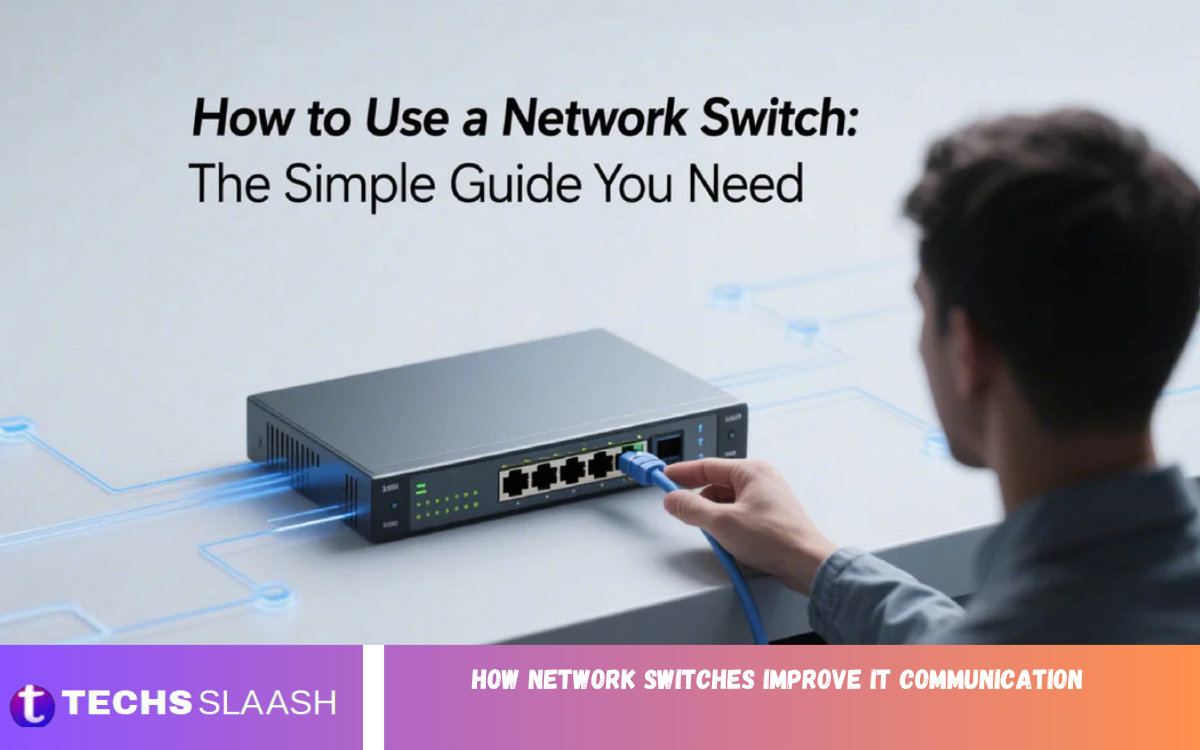
Modern businesses rely on fast, secure, and reliable communication between computers, servers, printers, and other connected devices. As organizations continue to expand their digital infrastructure, efficient data transfer becomes essential for maintaining productivity and minimizing downtime.
Network switches serve as the foundation of local area networks (LANs), enabling seamless communication between employees, applications, cloud services, and business systems. They support high-speed data transmission, optimize bandwidth usage, and help prevent network congestion during peak workloads.
What Is a Network Switch?
A network switch is a hardware device that connects multiple devices within a Local Area Network (LAN). These devices include:
- Desktop computers
- Laptops
- Servers
- Network printers
- Wireless access points
- IP phones
- CCTV systems
- Storage devices
The primary function of a network switch is to receive incoming data packets, identify the destination device using MAC addresses, and forward the data only to the correct endpoint.
This intelligent communication process minimizes unnecessary traffic while maximizing network efficiency.
Why IT Communication Matters?
Every organization relies on communication between devices. Business applications constantly exchange information, including:
- Customer records
- Financial transactions
- Cloud data
- Emails
- Video conferencing
- Shared documents
- Database queries
- Backup operations
Poor communication leads to:
- Slow applications
- File transfer delays
- Interrupted meetings
- Network downtime
- Reduced employee productivity
- Increased operational costs
Network switches eliminate many of these challenges by efficiently managing data traffic.
How Network Switches Improve IT Communication
Faster Data Transmission
Network switches significantly improve communication speed.
Instead of broadcasting data across every connected device, a switch forwards information only to its intended destination. This targeted communication reduces unnecessary traffic while improving response times.
Benefits include:
- Faster downloads
- Quick file sharing
- Smooth database access
- Better cloud connectivity
- Lower latency
Businesses experience improved workflow because employees spend less time waiting for application responses.
Reduced Network Congestion
As more devices connect to a network, traffic increases.
Without proper traffic management, congestion slows every connected system.
Network switches solve this problem by creating dedicated communication paths between devices.
Advantages include:
- Better bandwidth utilization
- Fewer collisions
- Improved response time
- Stable application performance
Even during busy working hours, switches maintain consistent network performance.
Improved Device Communication
Modern organizations use hundreds or even thousands of connected devices.
Network switches help each device communicate efficiently with:
- Servers
- Printers
- Cloud gateways
- Security cameras
- Employee workstations
- Voice-over-IP systems
Every communication request reaches the correct destination without unnecessary delays.
Higher Network Reliability
Reliable communication is essential for business continuity.
Network switches reduce communication failures by maintaining stable connections between devices.
Reliable network support:
- Continuous production
- Online meetings
- Remote employees
- Customer service operations
- Cloud applications
Many enterprise switches include redundant power supplies and failover capabilities, reducing downtime even during hardware failures.
Better Network Security
Cybersecurity remains a top priority for every organization.
Modern managed switches provide advanced security features that protect sensitive business information.
Common security capabilities include:
- Port security
- Access control lists
- VLAN isolation
- MAC address filtering
- Authentication protocols
- Storm control
These features prevent unauthorized devices from accessing critical business systems.
Support for Virtual LANs (VLANs)
Virtual Local Area Networks separate users into different logical networks without additional hardware.
For example:
Finance Department
Human Resources
Sales Team
Guest Wi-Fi
Manufacturing
Research
Each department communicates securely within its own network while remaining connected through the same physical infrastructure.
Benefits include:
- Better security
- Reduced broadcast traffic
- Improved organization
- Easier management
Enhanced Quality of Service (QoS)
Not every application requires equal priority.
Video conferencing, VoIP calls, and business-critical applications require faster delivery than routine downloads.
Quality of Service allows network administrators to prioritize important traffic.
Examples include:
- Microsoft Teams
- Zoom meetings
- ERP systems
- Voice communication
- Financial applications
This prioritization improves user experience during peak network usage.
Increased Scalability
Growing businesses constantly add:
- Employees
- Computers
- Servers
- Smart devices
- Wireless access points
Network switches allow organizations to expand without replacing the entire network.
Businesses simply add additional switches while maintaining reliable communication.
Scalable infrastructure reduces future upgrade costs.
Better Cloud Connectivity
Cloud computing has transformed modern IT.
Businesses now rely on:
- Microsoft Azure
- Amazon Web Services
- Google Cloud
- Software-as-a-Service platforms
Network switches optimize communication between local devices and cloud services.
Benefits include:
- Faster cloud access
- Reliable synchronization
- Better backup performance
- Reduced latency
Cloud applications become more responsive with optimized switching infrastructure.
Improved Data Center Performance
Data centers process enormous amounts of information every second.
Servers constantly exchange:
- Virtual machine traffic
- Database requests
- Storage communication
- Backup data
High-performance switches provide:
- Multi-gigabit speeds
- Low latency
- High throughput
- Intelligent traffic routing
This infrastructure keeps enterprise applications running efficiently.
Read Also: The Complete Guide to Selling Rural Land Successfully
Types of Network Switches
Different organizations require different switching solutions.
Unmanaged Switches
These switches work immediately after installation.
Ideal for:
- Small offices
- Home networks
- Basic connectivity
Advantages:
- Low cost
- Easy installation
- Minimal configuration
Managed Switches
Managed switches offer advanced control.
Features include:
- VLAN support
- Security management
- Traffic monitoring
- Quality of Service
- Port configuration
- SNMP monitoring
Large businesses typically use managed switches.
Smart Switches
Smart switches combine affordability with basic management features.
Suitable for:
- Growing businesses
- Medium-sized offices
- Departmental networks
Layer 3 Switches
Layer 3 switches combine switching and routing capabilities.
Advantages include:
- Faster routing
- Reduced latency
- Better traffic control
- Efficient inter-VLAN communication
Large enterprise networks commonly deploy Layer 3 switches.
Network Switches vs Hubs
Many people confuse switches with hubs.
| Feature | Network Switch | Hub |
|---|---|---|
| Intelligent forwarding | Yes | No |
| MAC address learning | Yes | No |
| Performance | High | Low |
| Security | Better | Poor |
| Network congestion | Minimal | High |
| Bandwidth efficiency | Excellent | Poor |
Switches dramatically outperform traditional hubs in every major category.
Benefits for Businesses
Organizations gain numerous advantages by deploying quality network switches.
Higher Productivity
Employees experience faster application performance and fewer interruptions.
Better Collaboration
Teams communicate efficiently through video conferencing, messaging platforms, and shared resources.
Lower Downtime
Reliable switching infrastructure reduces network failures.
Improved Security
Access controls protect confidential business information.
Cost Savings
Efficient communication reduces maintenance costs while extending network lifespan.
Future Readiness
Scalable infrastructure supports business expansion and the adoption of emerging technologies.
Best Practices for Network Switch Deployment
Businesses should follow several best practices.
Choose the Right Speed
Select switches supporting:
- 1 Gigabit
- 2.5 Gigabit
- 10 Gigabit
- 25 Gigabit
- 40 Gigabit
- 100 Gigabit
Based on organizational requirements.
Enable Security Features
Always configure:
- Strong passwords
- Port security
- VLAN segmentation
- Access control
- Firmware updates
Monitor Performance
Regular monitoring helps identify:
- Traffic bottlenecks
- Failed ports
- Bandwidth usage
- Hardware issues
Plan for Growth
Choose switches with additional ports for future expansion.
Update Firmware
Manufacturers regularly release updates improving:
- Performance
- Security
- Stability
- Compatibility
Emerging Technologies Supported by Network Switches
Modern switches support advanced technologies including:
- Artificial Intelligence
- Edge Computing
- Internet of Things
- 5G Networks
- Software Defined Networking (SDN)
- Virtualization
- Hybrid Cloud Infrastructure
- High-speed Fiber Networks
These technologies require reliable, low-latency communication that only modern switching infrastructure can provide.
Choosing the Right Network Switch
When purchasing a switch, consider:
- Number of ports
- Required speed
- Power over Ethernet (PoE)
- VLAN support
- Security features
- Network management
- Expansion capability
- Budget
- Warranty
- Vendor reputation
Selecting the right switch ensures long-term performance and minimizes future upgrade costs.
Frequently Asked Questions
Why are managed network switches important for businesses?
Managed network switches offer advanced features such as VLAN support, Quality of Service (QoS), network monitoring, traffic management, and enhanced security, making them ideal for business environments.
Can network switches improve internet speed?
A network switch does not increase your internet service provider’s (ISP) speed, but it improves internal network performance by reducing congestion and enabling faster communication between connected devices.
What are the different types of network switches?
The main types include unmanaged, managed, smart, and Layer 3 switches. Each type is designed for different network sizes and management requirements.
How do VLANs improve network communication?
Virtual Local Area Networks (VLANs) separate network traffic into logical groups, improving security, reducing unnecessary broadcast traffic, and enhancing overall network performance.
What is Quality of Service (QoS) in a network switch?
Quality of Service (QoS) is a feature that prioritizes important network traffic, such as video conferencing, VoIP calls, and business-critical applications, ensuring smooth performance during high network usage.
Are network switches necessary for small businesses?
Yes. Even small businesses benefit from network switches by achieving faster file sharing, reliable connectivity, improved security, and easier expansion as the business grows.
How do I choose the right network switch?
When selecting a network switch, consider the number of ports, network speed, Power over Ethernet (PoE) support, management features, security capabilities, scalability, and your organization’s current and future networking needs.
Conclusion
Network switches serve as the backbone of modern IT communication. They deliver fast, reliable, secure, and efficient data transmission while reducing congestion and improving overall network performance. From small businesses to enterprise data centers, switches enable seamless communication between users, servers, cloud platforms, and connected devices.
As organizations continue embracing cloud computing, remote work, artificial intelligence, IoT, and high-speed digital services, network switches become increasingly valuable.
