

Squarespace vs WordPress: which one should you actually choose? Squarespace has the higher floor and is harder to break. WordPress has the higher ceiling and more to maintain.
Most comparisons of these two are written by someone who sells one of them. That is worth knowing before you read any of them, including this one, so here is my position up front: I build on both, I have no affiliate deals with either, and I have talked clients out of both at different times.
The short version is that WordPress has the higher ceiling and Squarespace has the higher floor. Almost every real decision comes down to which of those matters more for your situation.
The quick answer
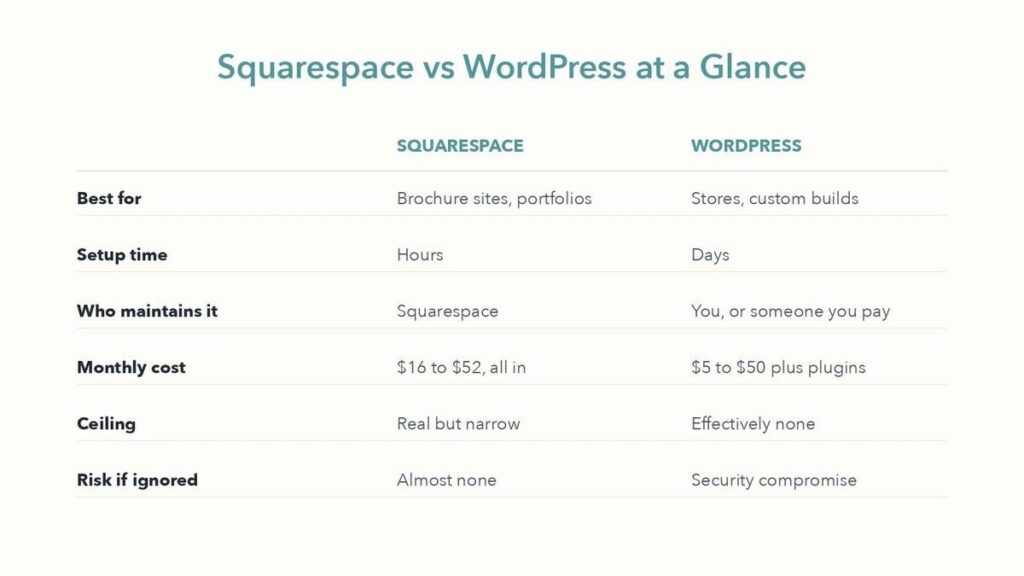
Squarespace vs WordPress at a glance. Best for: brochure sites and portfolios versus stores and custom builds. Setup time: hours versus days. Who maintains it: Squarespace versus you or someone you pay. Monthly cost: 16 to 52 dollars all in versus 5 to 50 dollars plus plugins. Ceiling: real but narrow versus effectively none. Risk if ignored: almost none versus security compromise.
| Squarespace | WordPress | |
| Best for | Brochure sites, portfolios, small shops | Stores, custom functionality, large sites |
| Setup time | Hours | Days |
| Who maintains it | Squarespace | You, or someone you pay |
| Monthly cost | $16 to $52, all in | $5 to $50 hosting, plus plugins |
| Ceiling | Real but narrow | Effectively none |
| Risk if ignored | Almost none | Security compromise |
If you read no further: if nobody on your side wants to own a website as an ongoing job, choose Squarespace. That single question decides this more often than any feature comparison.
The difference nobody frames properly
People compare these platforms on features. That is the wrong axis, because the features overlap far more than the marketing suggests. Both give you responsive templates, both handle SSL, both let you blog, both can sell things.
The actual difference is who is responsible when something breaks.
On Squarespace, the answer is Squarespace. Updates happen without you knowing. Security is theirs. Hosting is theirs. If the platform goes down, their engineers are already awake and working on it.
On WordPress, the answer is you. Core updates, plugin updates, theme updates, backups, security patching, hosting decisions, PHP versions. Every one of those is a real task, and skipping them is precisely how WordPress sites end up compromised. I have cleaned up sites where nobody had run an update in two years and the outcome was exactly what you would expect.
That is not an argument against WordPress. It is an argument for being honest about whether that job has an owner.
What it actually costs
Squarespace is straightforward. Plans run from about $16 to $52 a month depending on features, and that includes hosting, SSL, templates, updates and support. There is nothing else to buy.
WordPress looks cheaper and often is not. The software is free, but you need hosting from around $5 to $50 a month, and most real sites end up with a premium theme, a few paid plugins, and either your time or someone else’s for maintenance. A realistic figure for a small business WordPress site is $200 to $600 a year all in, plus whatever maintenance costs.
Build costs land in similar territory. A professional Squarespace site typically runs $700 to $2,000. A comparable WordPress build runs $800 to $2,500, and more for a proper store, because product setup, payment integration and testing all scale with your catalogue rather than your page count.
The honest summary: for a simple site Squarespace is usually cheaper over three years. For anything complex, WordPress wins on cost because you are not paying to work around a limitation.
SEO: closer than people claim, with one real gap
The idea that Squarespace is bad for SEO is mostly a leftover from about 2015, when the platform genuinely hid half these settings. Today every field search engines read is editable: page titles, meta descriptions, URL slugs, alt text, heading structure. Sitemaps, canonical tags and SSL are handled automatically, which is more than a fresh WordPress install does.
There are three real limits worth knowing:
- You cannot edit robots.txt. Squarespace manages crawler directives itself. The defaults are sensible, but if you need to block a specific crawler or exclude part of the site, you cannot.
- You cannot upload files to your domain root. This has aged badly. It rules out things like an llms.txt file, which is becoming a common way to tell AI crawlers what your site is.
- There is no plugin ecosystem. Anything beyond the built-in fields goes through code injection, which means knowing what to write rather than installing something.
There is also a schema gap that most articles miss. I checked a live Squarespace site while researching this: the entire automatic structured data output was a single JSON-LD block containing one WebSite node with a name and a URL. No Organization, no LocalBusiness, no Article. If you want rich results in search, somebody has to inject that markup by hand, and on most Squarespace sites nobody has.
WordPress with Yoast or Rank Math will generate all of that for you, which is a genuine advantage. It will also let you break your site in ways Squarespace will not, which is the trade in miniature.
When Squarespace is the right answer
Choose Squarespace when your site is a shopfront rather than a machine. Consultants, coaches, therapists, clinics, photographers, restaurants, small studios. Anyone whose website needs to look credible, load reliably and generate enquiries, without becoming a thing they think about.
The constraints are the point. No plugin conflicts, because there are no plugins. Nothing to patch. Nothing that breaks at eleven on a Sunday night because an update went sideways.
It suits you if you would rather spend your time on the actual business than on the website that describes it.
When WordPress is the right answer
Choose WordPress when you need something the closed platforms will not let you build:
- A real store with custom checkout logic, complex shipping or hundreds of products
- Membership areas, gated content or user accounts
- Hundreds or thousands of pages
- A specific integration nobody else supports
- Granular control over how search engines crawl the site
It also wins decisively on ownership. You hold the files, the database and the hosting account. Nobody can change their pricing or their terms and leave you stuck. For some businesses that matters more than convenience, and it is a legitimate reason to choose it even when Squarespace would technically do the job.
The migration question
People often ask which is easier to leave. Squarespace is easier to leave than most hosted platforms, and harder than WordPress.
Whichever direction you go, the thing that decides whether a migration succeeds is not the content transfer. It is redirect mapping. Every old URL needs a 301 pointing at its new address, or you lose the rankings you already earned. That step is where most migrations quietly go wrong, and it is invisible until traffic drops a month later.
If you are on Squarespace and thinking about WordPress, do it because you have hit an actual limitation, not because someone told you WordPress is better for SEO. At the scale most small businesses operate, that difference is far smaller than the difference between a site with SEO fields filled in and one without.
So which one?
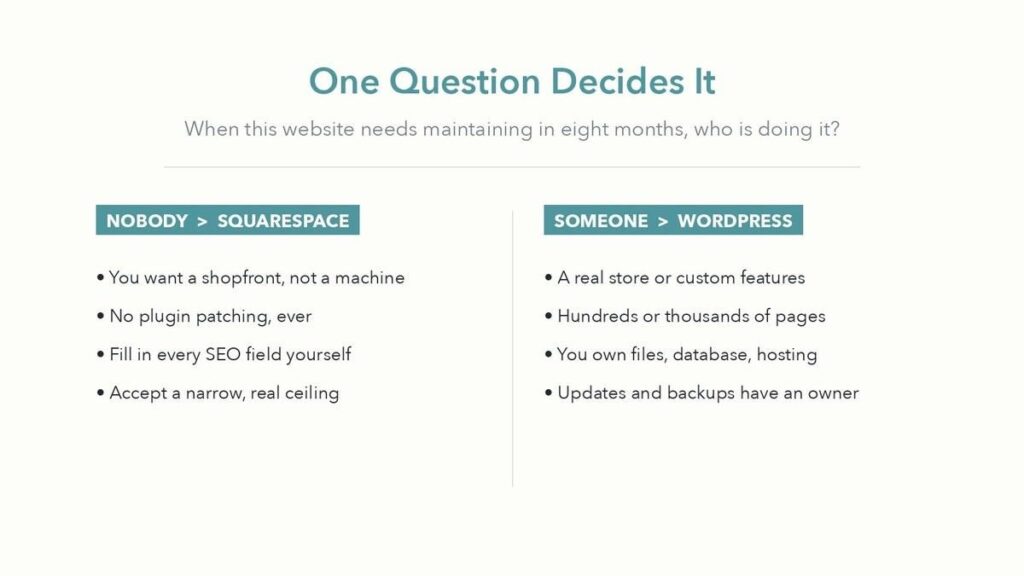
One question decides it: when this website needs maintaining in eight months, who is doing it? If nobody, choose Squarespace. If someone, WordPress opens up options.
Ask yourself one question: when this website needs maintaining in eight months, who is doing it?
If the honest answer is nobody, choose Squarespace, fill in every SEO field on every page, and get on with your business. If the honest answer is you, or someone you are paying, WordPress opens up options that will eventually matter.
The expensive mistake is not choosing the wrong platform. It is choosing WordPress because it sounded more professional, then discovering eighteen months later that nobody ever ran an update.
AUTHOR BIO (for the host to publish)
Adil Makhdoom is a freelance website developer based in Lahore, Pakistan, working with clients across the US, UK and Australia. He builds on both platforms and writes about the trade-offs at theadil.me. You can find his work as a Squarespace website designer and WordPress website developer.
