

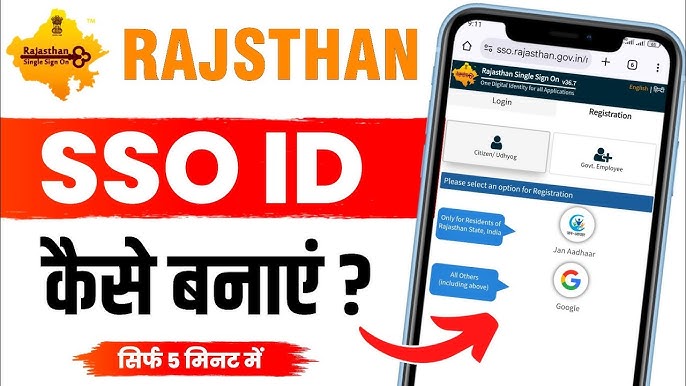
The SSO ID is a single digital identity provided by the Rajasthan government for accessing multiple online services. Citizens can use it to apply for schemes, certificates, and employment modules without registering repeatedly. A unique SSO ID ensures secure authentication and simplifies government interactions. Proper registration helps users manage all services efficiently.
Creating an SSO ID is essential for seamless access to Rajasthan’s e-governance portal. It reduces paperwork and prevents errors caused by multiple accounts. Users can link personal details and official documents to a centralized profile. Accurate information ensures faster approval of applications.
With a valid SSO ID, citizens can track applications, receive notifications, and download documents easily. Digital access improves transparency and reduces dependency on physical offices. A well-maintained SSO profile provides long-term convenience for accessing government services.
Understanding SSO ID
Definition and Purpose
An SSO ID is a unique identifier for each user on the Rajasthan portal. It enables access to multiple government services from one account. Users avoid repeated registrations across departments. Centralized access ensures consistency in personal and official data. SSO ID improves convenience and reliability for citizens.
Benefits of Having an SSO ID
The SSO ID simplifies interactions with welfare, certificates, and employment modules. Users can track applications, approvals, and pending requirements from one dashboard. Centralized information reduces errors and enhances transparency. Notifications alert users through SSO about pending documents, approvals, or additional requirements. Secure authentication protects sensitive data.
Services Linked to SSO ID
With an SSO ID, citizens can apply for pension schemes, health benefits, certificates, and employment opportunities. Each service is linked to the user’s unique ID, ensuring accurate record keeping. Profile details autofill across applications. Users benefit from faster processing and reduced paperwork. Centralized access increases efficiency.
Steps to Create an SSO ID
Accessing the Registration Portal
Users must visit the official Rajasthan SSO portal to begin registration. The homepage provides clear navigation to the “New User Registration” section. Clicking the link opens the registration form. Following instructions ensures accurate submission of personal details. Portal guidelines help prevent common errors.
Filling Personal Details
Citizens must provide name, date of birth, mobile number, and email address. Aadhaar or Bhamashah ID is mandatory for verification. Accurate input is essential for smooth authentication. Correct details prevent login issues and application delays. Centralized information maintains consistency across services.
Creating Login Credentials
Users must select a strong password and set security questions for account protection. Unique credentials ensure a secure SSO ID Login experience across all linked services. Passwords should follow portal guidelines to prevent unauthorized access. Correct creation of credentials allows uninterrupted portal access. Users are advised to note credentials securely.
- Provide accurate personal and identification details
- Choose a strong password following guidelines
- Verify mobile number and email during registration
Verifying the Account
After form submission, users receive an OTP on their registered mobile number or email. Verification confirms identity and activates the SSO ID. Users can then log in and access the dashboard. Centralized verification ensures accurate authentication. Notifications guide the user through any required steps.
Troubleshooting Registration Issues
Handling Incorrect Details
Mismatched information such as wrong Aadhaar number or email can block registration. Users must recheck all fields carefully. Correcting errors ensures smooth account creation. Following portal instructions reduces repeated failures. Verified details support uninterrupted access to services.
Resolving OTP Issues
Sometimes OTP may not be received due to network problems. Users can request a new OTP or check registered mobile numbers. Timely verification is essential for activation. Secure verification ensures account integrity. Portal support can assist if problems persist.
Using Supported Devices and Browsers
Older devices or unsupported browsers may interfere with registration. Using updated systems prevents technical glitches. Following portal guidelines improves compatibility. Proper setup ensures smooth submission of forms. Centralized access becomes functional immediately.
- Recheck all personal and document details before submission
- Ensure registered mobile number is active for OTP
- Use updated browser and device for registration
Seeking Technical Assistance
Persistent registration issues can be addressed by the portal helpdesk. Support staff guide through verification and troubleshooting. Proper documentation helps resolve problems faster. Timely assistance ensures successful creation of SSO ID. Users should contact support for unresolved errors.
Best Practices After Creating SSO ID
Updating Profile Information
After registration, keep profile details up-to-date. Changes in mobile number, email, or documents must be reflected. Accurate information ensures smooth login and access to all services. Verified profiles prevent errors in applications. Centralized updates maintain data consistency.
Securing Account Credentials
Users should not share SSO ID credentials with others. Passwords must be strong and changed periodically. Security questions add an extra layer of protection. Maintaining account security prevents unauthorized access. Proper management ensures uninterrupted portal access.
Tracking Applications
Once SSO ID is active, users can monitor submitted applications in real time. Notifications alert users through SSO about pending documents, approvals, or additional requirements. Dashboard access provides an overview of all activities. Tracking ensures timely responses and reduces dependency on physical offices.
- Keep profile details accurate and updated
- Protect login credentials from unauthorized use
- Monitor applications regularly through dashboard
Exploring Services
Citizens should explore linked services to understand benefits. Pension, health, employment, and certificate modules can be accessed from one account. Efficient usage reduces paperwork and processing time. Familiarity with services improves convenience. Regular updates enhance digital governance experience.
Conclusion
Creating an SSO ID ensures secure and centralized access to Rajasthan government services. Accurate registration prevents login issues and enables smooth application tracking. Following portal steps and best practices improves reliability. Maintaining updated information enhances efficiency and transparency, offering citizens a seamless digital experience for multiple schemes, certificates, and employment services.
