

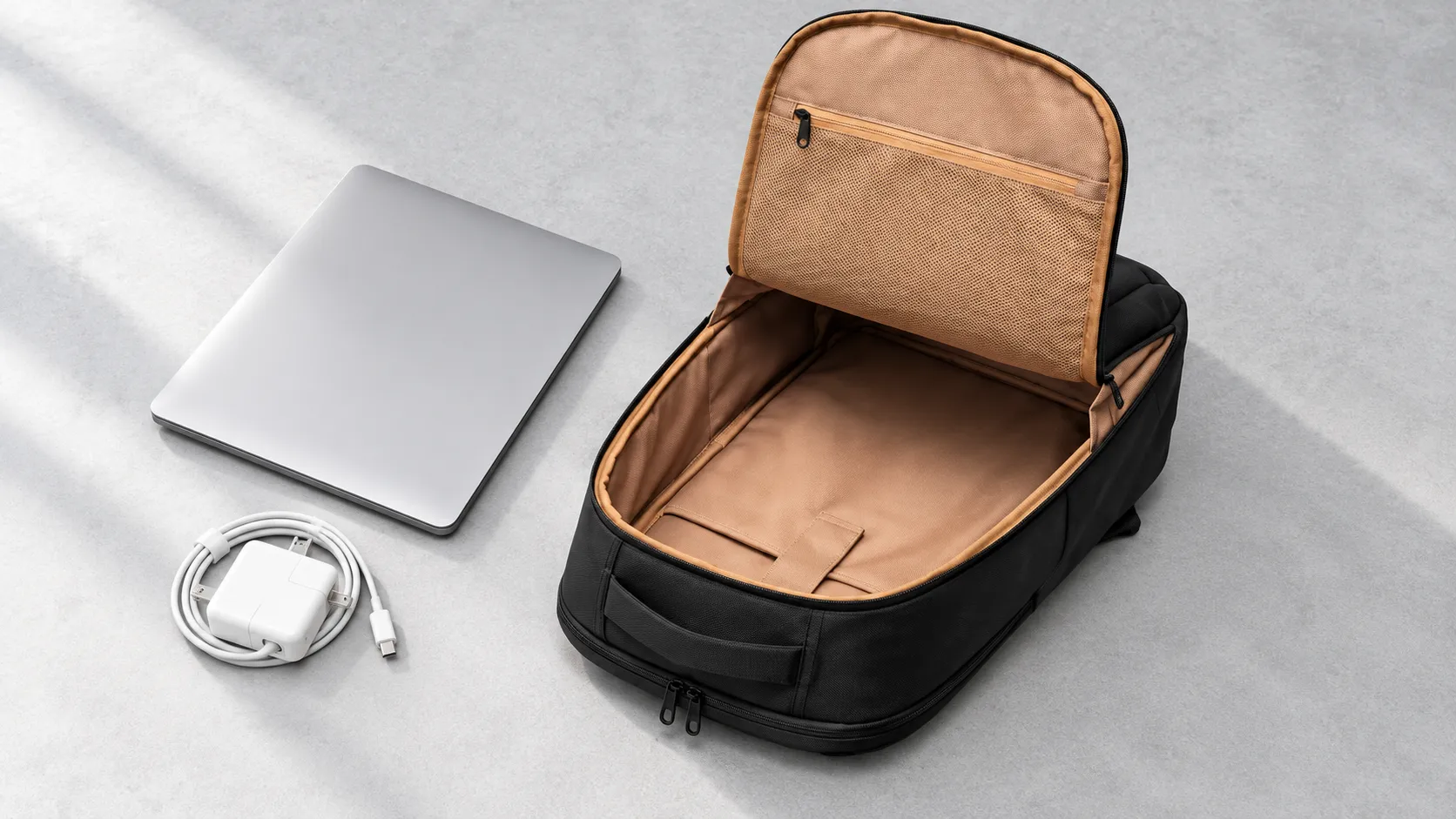
A protective laptop bag gives the computer a stable place to sit, separates it from hard accessories, and cushions the places most likely to meet the outside world. Thick padding can contribute, but it cannot compensate for a compartment that is too loose, a charger pressing against the lid, or a base that leaves the computer directly against the floor. Protection comes from the complete arrangement, including how you pack it.
That distinction matters because an empty bag can feel reassuring in a store and behave differently with a laptop, power adapter, notebook, and bottle inside. The useful question is not simply whether a bag feels soft. It is whether your actual equipment fits without pressure, remains organized when carried, and can be removed without being dragged against a zipper. Here is how to judge those details before committing to a bag or developing one for a product range.
Start with the computer rather than the screen label
A screen-size label is a useful starting filter, not a fit guarantee. The screen diagonal does not describe the entire chassis. HP recommends comparing the closed laptop’s width, depth, and thickness with the dimensions of the laptop compartment, including any protective cover you leave on the device. Two computers advertised with the same screen size can have different external measurements. [2]
Also examine the route into the compartment. An opening can be narrower than the space behind it, particularly at curved zipper corners. With permission, slide your computer into the bag normally rather than forcing it diagonally through a tight entrance. The closure should move freely once the device is in place. A zipper that needs the sides pulled together is telling you something about usable space, even when the specification sheet appears to match.
Look for controlled movement rather than a squeeze fit. The computer should not roam around a large pocket, but its edges should not bow the pocket or pull the surrounding fabric taut. A retaining strap can help hold a suitably sized device in position; it is not a good substitute for a properly proportioned compartment. If you add a sleeve, assess the combined dimensions instead of assuming the extra layer will fit.
Read the padding as a structure
Follow the padding around the compartment with your hand. Does it continue at the bottom and corners, or is most of it concentrated in the broad panels? Can you feel a hard seam, zipper element, or internal fitting where the device will rest? These checks reveal coverage and contact points. They do not establish a drop rating, but they help distinguish a thoughtfully arranged pocket from a soft-looking liner.
A raised laptop pocket leaves some distance between the compartment floor and the bottom of the bag. HP identifies raised or suspended bottoms as a useful laptop-compartment feature. [2] Treat the gap as one detail to inspect, not a promise that a drop will be harmless. Check the loaded bag too: a pocket that hangs clear when empty may sit differently once the computer and other contents are inside.
Padding thickness alone cannot tell you how the finished bag will respond to impact. A finger press is a comparison of feel, not a controlled assessment of protection. If a seller advertises tested impact resistance, the helpful information is the test method, loading, device or substitute used, and acceptance criteria. Without that context, descriptions such as shockproof are less informative than an explanation of the construction.
Keep the rest of the load from becoming the problem
The laptop compartment should be reserved for the laptop or for devices the layout explicitly accommodates. Dell advises against placing items in a carrying case that press directly against the computer and warns that overpacking can create unnecessary pressure. It also recommends padded transport and removing attached peripherals before carrying the laptop. [1] This is a useful reminder that a protective bag and sensible packing need to work together.
Give the power adapter its own space. In a compact bag, a deep charger pocket directly opposite the center of the laptop lid may consume the room you thought the computer had. Place the usual adapter in that pocket, close both sections, and check whether the organizer bulges into the laptop area. Do the same with a mouse case or a thick notebook. Individual pockets can fit their items while the whole bag is still overfilled.
A separate tablet sleeve is useful only if it keeps the devices from rubbing and leaves room for their combined thickness. Similarly, an external bottle pocket is convenient when it holds the bottle securely without pushing inward against the computer. These are layout decisions, not a contest to fit the greatest number of pockets on a product label. Prefer a few useful spaces over small compartments that force you to improvise.
| Detail to compare | What to inspect | Reason to reconsider |
| Laptop fit | Insert your closed device with its usual cover | Forced entry or a strained closure |
| Base protection | Check padding and the loaded pocket position | Device rests against an unpadded bottom |
| Accessory storage | Pack the actual charger and mouse | Hard objects bulge into the laptop area |
| Retention | Carry the closed bag normally | Device shifts freely inside its pocket |
| Daily access | Remove the laptop without unpacking everything | Fabric or hardware catches its edges |
Separate surface features from whole bag performance
An outer fabric can be useful against everyday wear without telling you how the entire bag handles water. Openings, stitching, and closures also matter. YKK, for example, distinguishes its water-repellent AquaGuard zippers from waterproof AQUASEAL zippers. [3] That distinction is about specific components; it does not establish that any particular laptop bag uses them or that a coated zipper makes a finished bag watertight.
For a routine walk between a train station and an office, ask what rain exposure the completed bag is intended to handle. If your route regularly involves prolonged rain, consider a compatible rain cover or a separately specified protective inner layer. Keep wet umbrellas and leaking containers away from the device compartment. Avoid deciding solely from a photograph of water beading on the outer fabric.
Evaluate the bag as you will actually carry it
A brief sent to a laptop bag manufacturer should include a representative device and a realistic accessory list, not just a target screen size. Ask to review the layout with that load in place. This makes questions about compartment depth, zipper access, padding coverage, and adjacent pockets much easier to resolve while the design can still be changed.
For an individual purchase, a normal packing trial is equally valuable. Close the bag, pick it up by its intended handle, wear it, set it down gently, and retrieve the computer. Notice whether the laptop shifts, whether the loaded shape twists, and whether a handle or strap is uncomfortable. These are usability observations. Do not drop a computer to test a bag, and do not confuse a comfortable carry with demonstrated impact protection.
Straps, handles, and closures deserve attention because the computer depends on the bag staying together. SATRA describes separate assessments for materials, seams, handles, fittings, and zipper performance. [4] A fabric specification therefore tells only part of the story. For a commercial order, agree which completed-bag checks match the intended load and use rather than relying on an unrelated material result.
One easily missed issue is access under a full load. You may remove the laptop several times during a day without unpacking everything else. Try that sequence with a jacket in the main compartment and the organizer filled. If retrieval requires dragging the device through a crowded opening, a different pocket layout may be more useful than another layer of padding.
Keep the useful protection in place
A bag also needs a layout you are willing to use every day. If the retaining strap is awkward, you may stop fastening it. If the charger compartment is difficult to reach, the adapter may end up beside the computer instead. During a packing trial, use the bag as you would when tired or in a hurry. The arrangement should encourage consistent habits without requiring a carefully staged sequence each time you leave the house.
Periodically empty the laptop section and check for debris, loose hardware, worn lining, or an exposed seam. Look at the base and the points where straps or handles join the body. If the bag has been damaged, reassess those areas before returning it to regular use. Follow the bag maker’s cleaning instructions and allow damp interiors to dry before packing electronics. A clean compartment and functional closures help preserve the arrangement you originally selected; they are more useful than adding accessories to a bag whose basic structure no longer works.
Frequently asked questions
Should the laptop compartment fit tightly?
It should hold the device without excessive movement while allowing smooth insertion and removal. Tightness that strains the closure or requires force is not useful protection. Check the fit with the cover or sleeve you actually use.
Do I need a separate sleeve inside a padded backpack?
It can be useful when you move the computer between bags or want another layer against scratches. Check that the sleeve does not crowd the compartment or eliminate needed room for other items. More layers are not automatically a better arrangement.
Can I carry two laptops in one compartment?
Prefer a bag designed to separate and support both devices. Putting two computers into one pocket can create contact and crowding that the original layout did not anticipate. Confirm the combined weight and dimensions before choosing a dual-device setup.
Does a stiff outer shell make a bag drop proof?
No single construction feature establishes that claim. Look for evidence covering the finished product and the stated conditions. A structured shell may change how the bag handles contact, but fit, internal support, and closure design still matter.
What should a brand change first in an uncomfortable sample?
Identify the cause before adding padding. The load may sit too far from the back, the straps may be poorly positioned, or the compartment layout may concentrate weight. A loaded sample review is more informative than judging an empty prototype.
Choose a layout that works with your equipment
Start with your computer and the objects that travel beside it, then compare bags using the same load. For a retail or corporate collection, an inquiry about Vancharli Outdoor laptop bags can include device measurements, access preferences, and sample feedback. Clear everyday requirements give a development team something useful to solve and give buyers a better basis for judging the result.
References
[1] Dell Technologies. Best Practices for Use, How to Clean and Maintain Your Dell Laptop for Longevity. Article 000124304, version 24, modified April 19, 2026.
[2] HP. How to Choose a Laptop Bag: Sleeves, Backpacks, and Sizing. HP Tech Takes, n.d.
[3] YKK Americas. Caring for AquaGuard® and AQUASEAL® zippers. n.d.
[4] SATRA Technology Centre. Testing luggage. n.d.
